Producte acabatview
The i-box Digital Alarm Clock Radio is a versatile bedside hub designed to simplify your daily routine. It integrates multiple functions including a dual alarm clock, wireless and USB charging, Bluetooth speaker, FM radio, white noise machine, and an RGB mood LED night light. Its modern design with a fabric finish complements any room decor.

Figura 1: Frontal view of the i-box Digital Alarm Clock Radio with a smartphone on its charging stand.
Característiques principals:
- Rellotge despertador dual: Configura dues alarmes independents amb funció de repetició.
- Wireless QI Charging: Conveniently charge Qi-enabled smartphones by placing them on the integrated stand.
- Port de càrrega USB: An additional 1A USB port for charging other devices like smartwatches or power banks.
- Altaveu Bluetooth: Reprodueix àudio en streaming sense fil des dels teus dispositius amb Bluetooth.
- Ràdio FM: Enjoy your favorite radio stations with auto-save for up to 10 presets.
- RGB Mood LED Night Light: Choose from 6 ambient RGB settings or cycle through colors to create desired mood lighting.
- Pantalla regulable: Adjust the brightness of the LCD display for comfortable viewing.
- Màquina de soroll blanc: Features 4 built-in nature sounds for relaxation or sleep.
- Bateria de seguretat: Ensures time and alarm settings are retained during power outages (2 x AA batteries not supplied).

Figure 2: Visual representation of the i-box Digital Alarm Clock Radio's key features.
Configuració
1. Connexió d'alimentació
Connect the provided power cable to the "Power Input" port at the back of the unit and plug it into a standard 110V wall outlet. The display will light up.
2. Backup Battery Installation
For uninterrupted timekeeping and alarm functionality during power outages, install 2 x AA batteries (not supplied) into the battery compartment located at the back of the unit. Ensure correct polarity.
3. Configuració de l'hora
To set the time, press and hold the "Play/Pause/Time Setting" button until the time display flashes. Use the "Previous" and "Next" buttons to adjust hours and minutes. Press the "Play/Pause/Time Setting" button again to confirm each setting.

Figure 3: Rear and top panel controls and ports of the i-box Digital Alarm Clock Radio.
Instruccions de funcionament
1. Configuració de l'alarma
The unit features two independent alarms (AL1 and AL2). To set an alarm:
- Press the "Alarm 1" or "Alarm 2" button. The alarm time will flash.
- Use the "Previous" and "Next" buttons to adjust the hour and minute.
- Press the respective "Alarm" button again to confirm the time.
- Continue pressing the "Alarm" button to select the alarm source (FM radio or nature sound) and volume.
- To activate/deactivate an alarm, short press the "Alarm 1" or "Alarm 2" button until the alarm icon appears/disappears on the display.
When the alarm sounds, press the "Snooze/Sleep/Dimmer" button to activate snooze for 9 minutes. To turn off the alarm, press any other button.
2. Wireless QI Charging
Place your Qi-enabled smartphone on the phone stand at the front of the unit. Ensure the phone is centered for optimal charging. A charging indicator will appear on your phone's screen.

Figure 4: Wireless QI charging and USB charging in use.
3. Càrrega USB
Connect your device's USB charging cable to the USB port at the back of the unit to charge it.
4. Altaveu Bluetooth
Per vincular el dispositiu mitjançant Bluetooth:
- Press the "Mode" button until "Bluetooth" mode is selected and the Bluetooth symbol flashes on the display.
- On your smart device, search for "i-box Glow" in your Bluetooth settings and select it to pair.
- Once paired, the Bluetooth symbol will stop flashing, and you can stream audio.

Figure 5: Easy steps to set up Bluetooth connectivity.

Figure 6: Enjoying music via Bluetooth connection.
5. Ràdio FM
Press the "Mode" button to select FM Radio. Use the "Previous" and "Next" buttons to tune to your desired station. Press and hold to auto-scan and save presets.
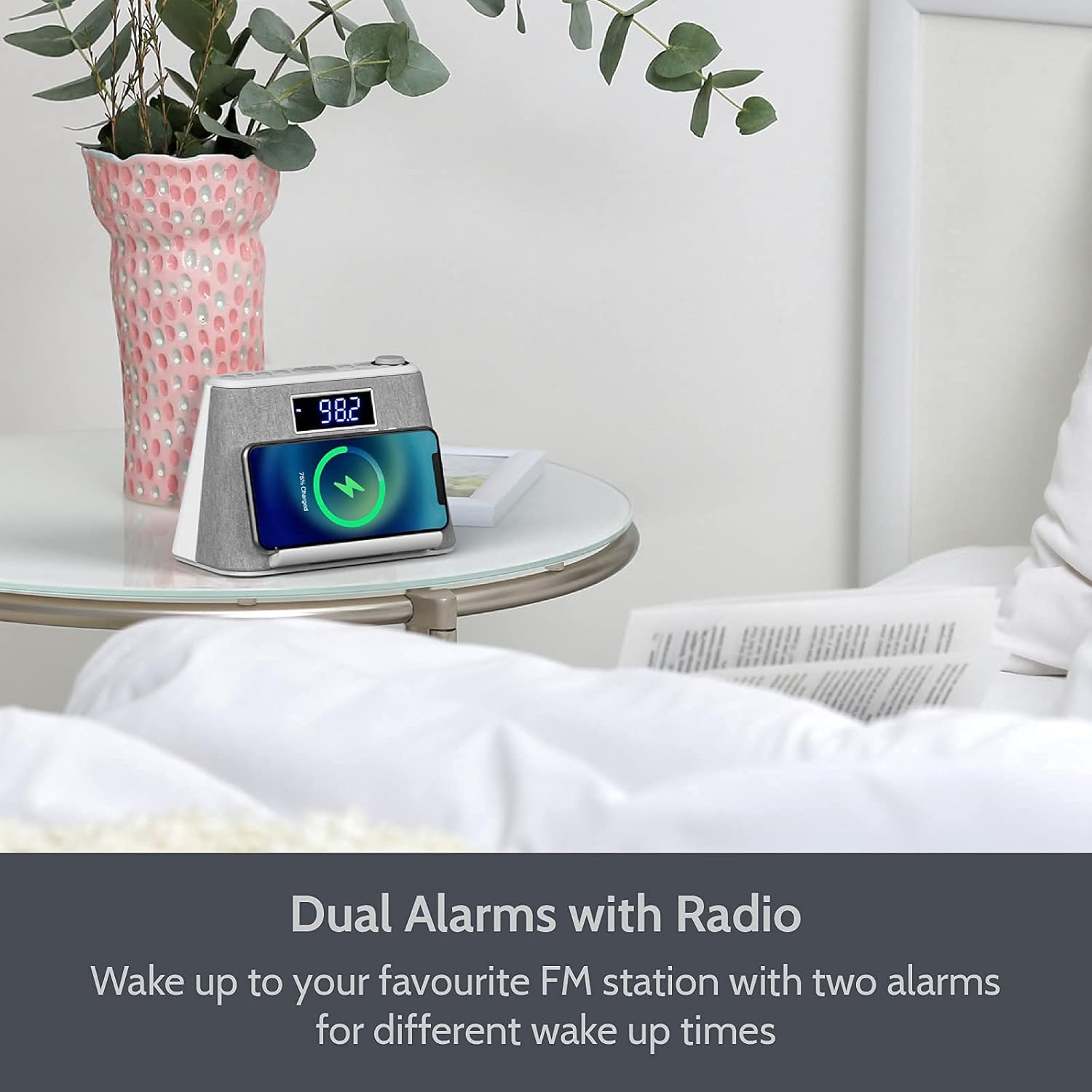
Figure 7: Using the FM Radio function.
6. RGB Mood LED Night Light
Press the "Light Control" button to cycle through the 6 ambient RGB color settings or to set it to your favorite color. Press and hold to turn the light off.

Figure 8: Various RGB mood lighting options.
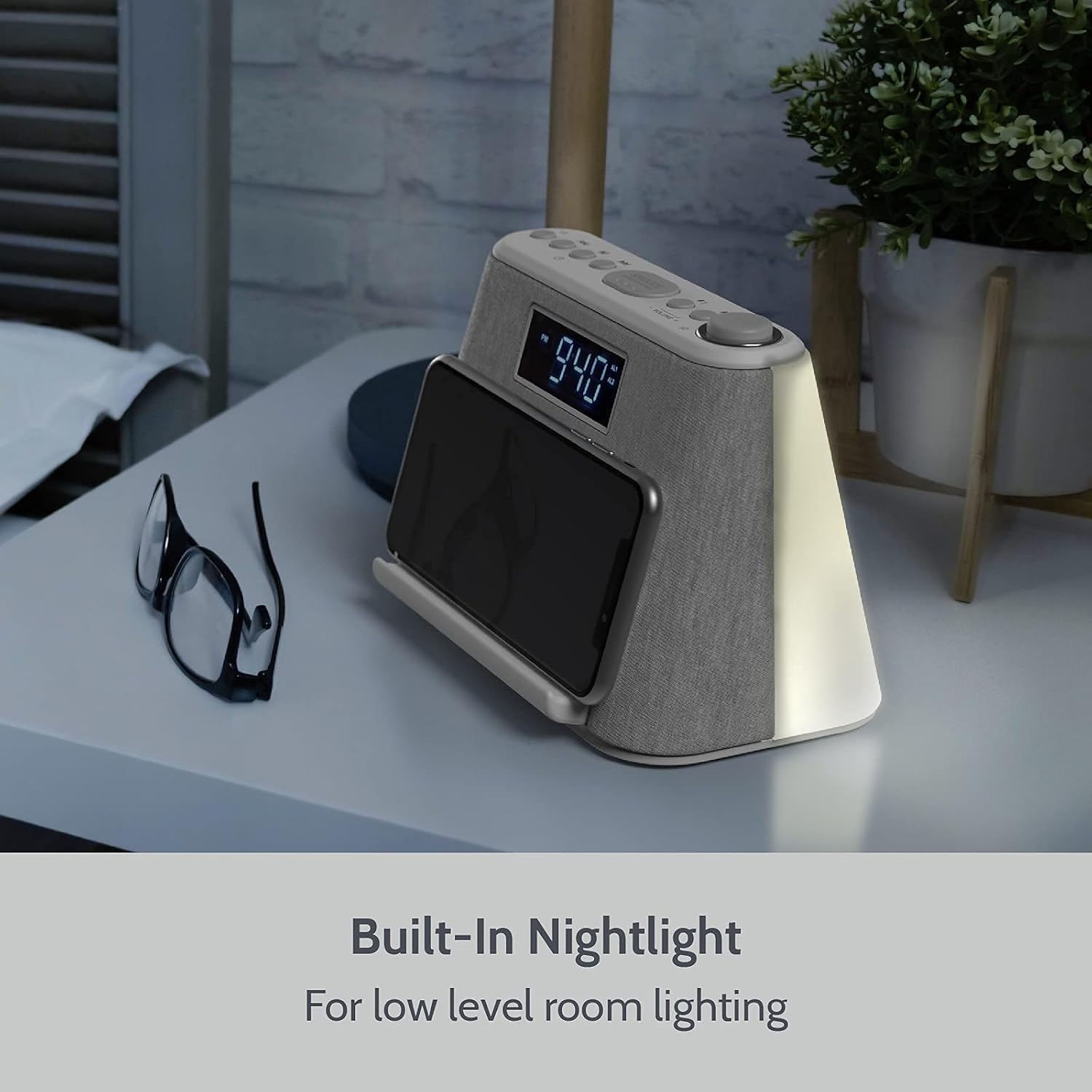
Figure 9: The built-in nightlight providing low-level room illumination.
7. Dimmable Display
Press the "Snooze/Sleep/Dimmer" button (short press) to adjust the brightness of the LCD display. There are multiple brightness levels, including an option to turn the display completely off.
8. White Noise Machine
Press the "Mode" button to cycle through the available modes until you reach the white noise/nature sounds. Use the "Previous" and "Next" buttons to select from the 4 built-in sounds (e.g., flowing water). Adjust volume using the volume knob.
9. Temporitzador de son
To activate the sleep timer, press and hold the "Snooze/Sleep/Dimmer" button. Continue pressing to cycle through the sleep timer durations (e.g., 15, 30, 60, 90 minutes). The unit will automatically switch off the audio after the set time.

Figure 10: The Sleep Timer function allows automatic audio shut-off.
Manteniment
To ensure the longevity and optimal performance of your i-box Digital Alarm Clock Radio, follow these maintenance guidelines:
- Neteja: Feu servir un drap suau i sec per netejar l'exterior de la unitat. No utilitzeu netejadors abrasius, ceres ni dissolvents, ja que poden danyar l'acabat.
- Pols: Regularly dust the unit, especially around the speaker grilles and buttons, to prevent accumulation that could affect performance.
- Col·locació: Place the unit on a stable, flat surface away from direct sunlight, heat sources, and excessive moisture. Ensure adequate ventilation.
- Cable d'alimentació: Inspect the power cord periodically for any signs of damage. If damaged, discontinue use and contact customer support.
- Substitució de la bateria: Replace the backup AA batteries annually or when the unit fails to retain time during a power interruption.
Resolució de problemes
| Problema | Causa possible | Solució |
|---|---|---|
| La unitat no s'encén. | Power cable not properly connected or power outlet is not active. | Ensure the power cable is securely plugged into the unit and the wall outlet. Test the outlet with another device. |
| La càrrega sense fil és lenta o no funciona. | Phone not properly aligned on the charging pad; phone case is too thick; phone is not Qi-enabled. | Ensure your phone is centered on the charging stand. Remove thick phone cases. Verify your phone supports Qi wireless charging. |
| L'alarma no sona. | Alarm not activated; alarm volume too low; incorrect alarm time set. | Check if the alarm icon is displayed. Increase alarm volume. Verify the alarm time is correctly set. |
| L'aparellament de Bluetooth falla. | Unit not in Bluetooth mode; device too far; previously paired device connected. | Ensure the unit is in Bluetooth mode and the symbol is flashing. Move your device closer. Disconnect from any other Bluetooth devices. |
| Mala recepció de ràdio FM. | Weak signal; unit's position. | Adjust the position of the unit or the aerial for better reception. Try auto-scanning for stations again. |
Especificacions
- Marca: i-box
- Número de model: 79295PI/17
- Color: Blanc
- Tipus de visualització: Digital
- Font d'alimentació: Elèctric amb cable
- Bateries de seguretat: 2 x AA (not supplied)
- Càrrega sense fils: Qi habilitat
- Sortida USB: 1A
- Versió Bluetooth: (Not specified in data, omit or state 'Standard')
- FM Radio Presets: Fins a 10
- Sons de soroll blanc: 4
- RGB Mood Light Settings: 6
- Dimensions: 10.04 x 5.98 x 5.31 polzades (dimensions del paquet)
- Pes de l'article: 1.82 lliures
- Fabricant: Philex Electronic Ltd
Garantia i Suport
All i-box products are designed and developed with customer satisfaction in mind. This product comes with a hassle-free 24 mesos de garantia des de la data de compra.
For any inquiries, technical support, or warranty claims, please contact i-box customer service. Refer to the contact information provided in your product packaging or visit the official i-box weblloc d'assistència.
Per a més informació i suport, podeu visitar el i-box Store on Amazon.


