1. Introducció
This manual provides essential information for the safe and efficient operation of your Sharp 32Bi3EA Smart Android TV. Please read these instructions thoroughly before using the television and retain them for future reference. This television features Android TV 9.0, Google Assistant with voice control, integrated Chromecast, Bluetooth connectivity, Harman/Kardon speakers, HDR10 support, and DTS Virtual X audio technology.
2. Informació de seguretat
Observeu sempre les precaucions de seguretat següents per evitar descàrregues elèctriques, incendis o danys al televisor:
- No exposeu el televisor a la pluja ni a la humitat.
- No obriu l'armari; Demani el servei a personal qualificat.
- Assegureu-vos que hi hagi una ventilació adequada al voltant del televisor.
- Avoid placing the television near heat sources or in direct sunlight.
- Use only the power cord supplied with the television.
- Mantingueu les piles fora de l'abast dels nens.
3. Què hi ha a la caixa
Verify that all the following items are included with your Sharp 32Bi3EA Smart Android TV:
- Sharp 32Bi3EA Smart Android TV Unit
- Pedestal Stand (2 pieces)
- Control remot
- Piles AAA (2x)
- Manual d'instruccions (aquest document)
- Cable d'alimentació
4. Configuració
4.1. Instal·lació física
Your television can be installed using the included pedestal stand or mounted on a wall (wall mount not included).
Attaching the Pedestal Stand
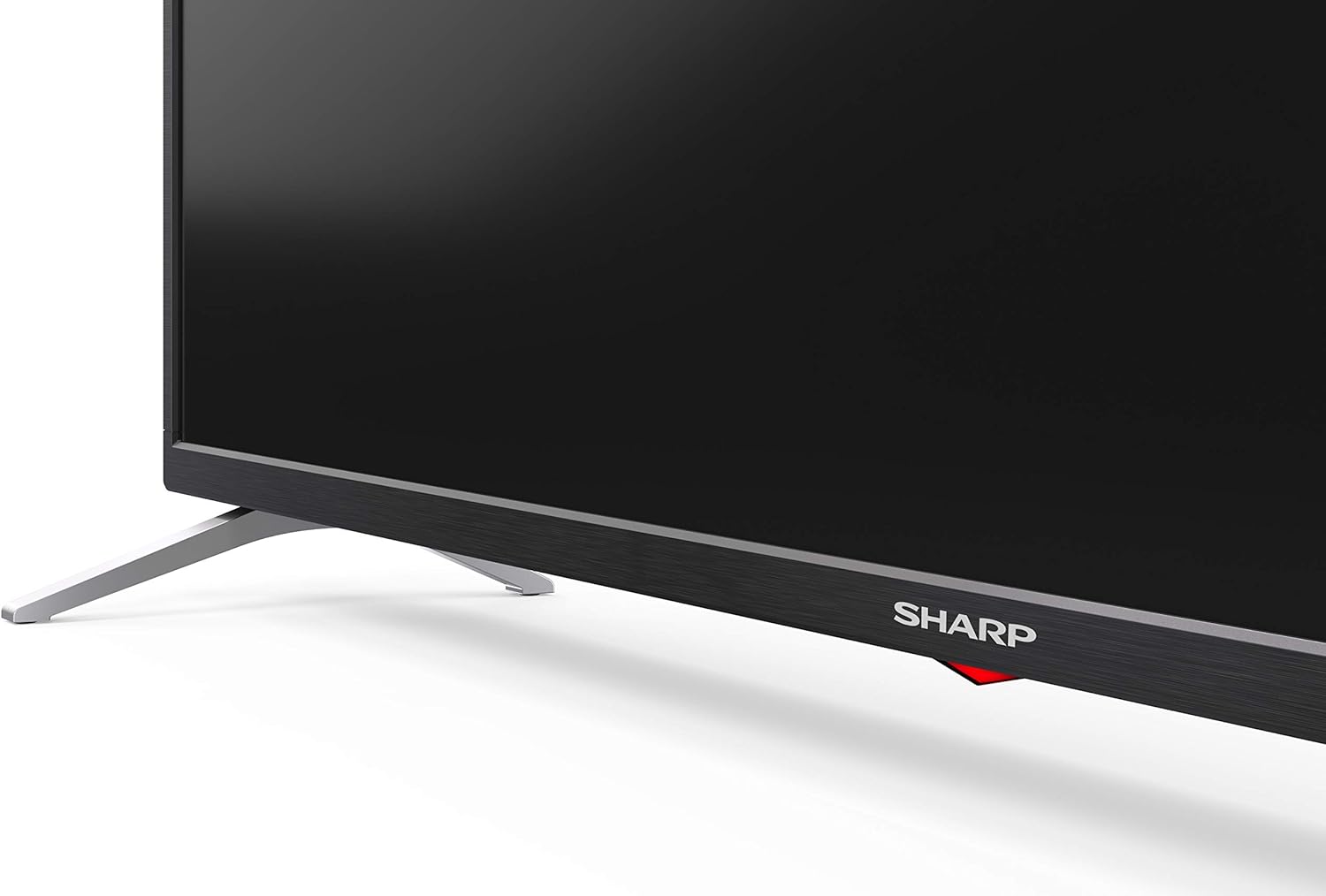
Carefully place the TV screen-down on a soft, flat surface. Align the pedestal stands with the screw holes on the bottom of the TV and secure them using the provided screws. Ensure the stands are firmly attached before placing the TV upright.

Imatge: Lateral view of the Sharp 32Bi3EA TV, illustrating the slim profile and the attached pedestal stand.
Muntatge a la paret
If you choose to wall mount the television, use a VESA compatible bracket with dimensions of 200x100 mm. Consult a professional for wall mounting to ensure proper installation and safety.
4.2. Dispositius de connexió
Connect your external devices to the appropriate ports on the back or side of the television.
Imatge: Part posterior view of the Sharp 32Bi3EA TV, highlighting the Ethernet, Optical, HDMI, USB, and AV input ports.
- Ports HDMI (3x): Connecteu reproductors de Blu-ray, consoles de jocs o descodificadors.
- Ports USB (2x): Connecteu dispositius d'emmagatzematge USB per a la reproducció de contingut multimèdia o actualitzacions de programari.
- Port Ethernet: Per a una connexió a Internet per cable.
- Sortida d'àudio digital òptica: Per connectar a un sistema d'àudio extern.
- Entrada AV: Per a dispositius més antics que utilitzen vídeo compost i àudio estèreo.
4.3. Initial Power-On and Android TV Setup
After connecting the power cord and turning on the TV, follow the on-screen instructions to complete the initial setup. This includes selecting your language, connecting to a Wi-Fi network, and logging into your Google account to activate Android TV features like Google Assistant and Chromecast.
5. Funcionament del televisor
5.1. Control remot
The included remote control allows you to navigate the Android TV interface, adjust settings, and use Google Assistant voice commands. Insert the two AAA batteries into the remote control, ensuring correct polarity.
- Botó d'encesa: Encén o apaga el televisor.
- Botó de l'Assistent de Google: Activa el control per veu. Mantén premut per dir ordres.
- Botons de navegació: Use the directional pad and OK button to move through menus.
- Botó d'inici: Torna a la pantalla d'inici d'Android TV.
- Volum +/-: Ajusta el nivell de volum.
- Canal +/-: Canvia els canals de televisió.
- Botons de drecera d'aplicacions: Direct access to popular streaming services (e.g., Netflix, Amazon Prime Video).
5.2. Funcions de Smart TV (Android TV)
Your Sharp 32Bi3EA TV runs on Android TV 9.0, providing access to a wide range of applications and services.
- Assistent de Google: Use your voice to search for content, control smart home devices, get answers, and manage tasks.
- Chromecast integrat: Cast content from your compatible smartphone, tablet, or computer directly to the TV screen.
- Google Play Store: Download and install additional apps, games, and streaming services.
- Serveis d'Internet compatibles: Access popular platforms such as Netflix, Amazon Prime Video, HBO, Disney+, Movistar+, DAZN, Atresmedia, KODI, IPTV, Steamlink, Twitch, VLC, YouTube, Puffin TV Browser, Spotify, Deezer, and TuneIn Radio.
5.3. Configuració d'àudio i vídeo
The television supports advanced audio and video technologies for an enhanced viewexperiència.
- HDR10: Provides a wider range of colors and contrast for compatible content.
- Harman/Kardon Speakers: Integrated audio system designed to deliver clear and powerful sound (2x10W).
- DTS Virtual X / DTS HD: Enhances audio with virtual surround sound capabilities.
- Active Motion 400: Improves motion clarity for fast-paced scenes.
5.4. Connectivitat
El televisor ofereix diverses opcions de connectivitat:
- Wi-Fi: Es connecta a la xarxa sense fil de casa per accedir a Internet.
- Bluetooth: Pair with compatible devices such as headphones, soundbars, or game controllers.
6. Manteniment
6.1. Neteja
Per netejar la pantalla del televisor, netegeu-la suaument amb un drap suau i sense borrissol. Per a marques difícils, netegeu-la lleugerament.ampen the cloth with water or a specialized screen cleaner. Do not use abrasive cleaners or solvents. For the TV cabinet, use a soft, dry cloth.
6.2. Actualitzacions de programari
Your Android TV may receive software updates periodically to improve performance and add new features. Ensure your TV is connected to the internet to receive these updates. You can check for updates manually through the TV's settings menu.
7. Solució De Problemes
Si teniu problemes amb el televisor, consulteu les solucions habituals següents:
| Problema | Possible solució |
|---|---|
| Sense poder | Comproveu si el cable d'alimentació està ben connectat al televisor i a la presa de corrent. Proveu una altra presa de corrent. |
| Sense imatge/so | Assegureu-vos que heu seleccionat la font d'entrada correcta. Comproveu les connexions dels cables als dispositius externs. |
| El comandament a distància no funciona | Canvieu les piles. Assegureu-vos que no hi hagi cap obstacle entre el comandament a distància i el sensor d'infrarojos del televisor. |
| Problemes de connexió Wi-Fi | Restart your router and the TV. Check Wi-Fi password. Ensure the TV is within range of the router. |
| Android TV apps freezing | Restart the TV. Clear the cache of the problematic app in the TV settings. Uninstall and reinstall the app. |
Si el problema persisteix després de provar aquestes solucions, poseu-vos en contacte amb el servei d'atenció al client de Sharp.
8. Especificacions
| Característica | Detall |
|---|---|
| Número de model | 32Bi3E |
| Mida de la pantalla | 32 polzades (81 cm) |
| Tecnologia de visualització | LED |
| Resolució | 720p (1366 x 768 píxels) |
| Freqüència d'actualització | 60 Hz |
| Sistema operatiu | Android TV 9.0 |
| Característiques especials | Google Assistant, Chromecast Built-in, HDR10, DTS Virtual X, Active Motion 400 |
| Sistema d'àudio | Harman/Kardon (2x10W) |
| Connectivitat | Bluetooth, Ethernet, HDMI (3x), USB (2x), Wireless (Wi-Fi) |
| Muntatge VESA | 200x100 mm |
| Dimensions (amb suport) | 803.0 x 542.0 x 149.0 mm (W x H x D) |
| Dimensions (sense suport) | 730.0 x 436.1 x 83.5 mm (W x H x D) |
| Pes | 4.6 kg |
| Power Consumption (1000h) | 31 kWh (Energy Class F) |

Image: Energy efficiency label for the Sharp 1T-C32BIx series, indicating an F energy class and 31 kWh per 1000 hours of operation. For more details, refer to the official EU EPREL database via the QR code or link: Base de dades EPREL.

Image: Detailed Product Information Sheet, providing comprehensive technical specifications and regulatory information for the Sharp 32Bi3EA TV in various languages.
9. Garantia i Suport
9.1. Informació de la garantia
Your Sharp 32Bi3EA Smart Android TV comes with a standard manufacturer's warranty. Please refer to the warranty card included with your product or visit the official Sharp weblloc web per obtenir termes i condicions detallats específics de la vostra regió.
9.2. Atenció al client
For technical assistance, troubleshooting beyond this manual, or warranty claims, please contact Sharp customer support. Contact information can typically be found on the official Sharp website or in the documentation provided with your television.
Online resources and FAQs may also be available on the Sharp support portal.


