1. Introducció
The TC Electronic Flashback 2 Mini Delay is a compact and powerful delay pedal designed for guitarists. It features next-generation delay algorithms, the innovative MASH footswitch for expressive control, and TonePrint technology for custom sound creation. This manual provides essential information for setting up, operating, and maintaining your Flashback 2 Mini Delay pedal.
2. Instruccions de seguretat importants
- Llegiu atentament aquestes instruccions abans de fer funcionar el dispositiu.
- Conserveu aquestes instruccions per a referència futura.
- Observeu totes les advertències i seguiu totes les instruccions.
- No utilitzeu aquest aparell prop de l'aigua.
- Netegeu només amb un drap sec.
- No bloquegeu cap obertura de ventilació. Instal·leu-ho d'acord amb les instruccions del fabricant.
- No instal·leu a prop de cap font de calor com ara radiadors, registres de calor, estufes o altres aparells (inclosos amplificadors) que produeixen calor.
- Utilitzeu només accessoris/accessoris especificats pel fabricant.
- Demaneu tot el servei a personal de servei qualificat. Cal fer servei quan l'aparell s'hagi fet malbé d'alguna manera.
3. Contingut del paquet
Si us plau, comproveu el paquet per veure si hi ha els elements següents:
- TC Electronic Flashback 2 Mini Delay Pedal
- Manual d'usuari (aquest document)
- TC Electronic sticker
Note: A 9V DC power supply (not included) is required for operation.
4. Controls i connectors

Figura 1: Frontal view of the Flashback 2 Mini Delay pedal, showing the three control knobs and the MASH footswitch.
4.1 Controls del panell superior
- DELAY Knob: Controls the delay time, from short slap-back echoes to long, ambient repeats.
- Maneta F.BACK: Adjusts the number of repeats (feedback) for the delay effect. Turn clockwise for more repeats, counter-clockwise for fewer.
- Control de nivell: Sets the mix level of the delayed signal relative to the dry signal.
- MASH Footswitch: This multi-functional footswitch acts as an on/off switch with a single tap. Pressing and holding the footswitch engages the MASH expression control, allowing you to dynamically control various delay parameters depending on the selected TonePrint.
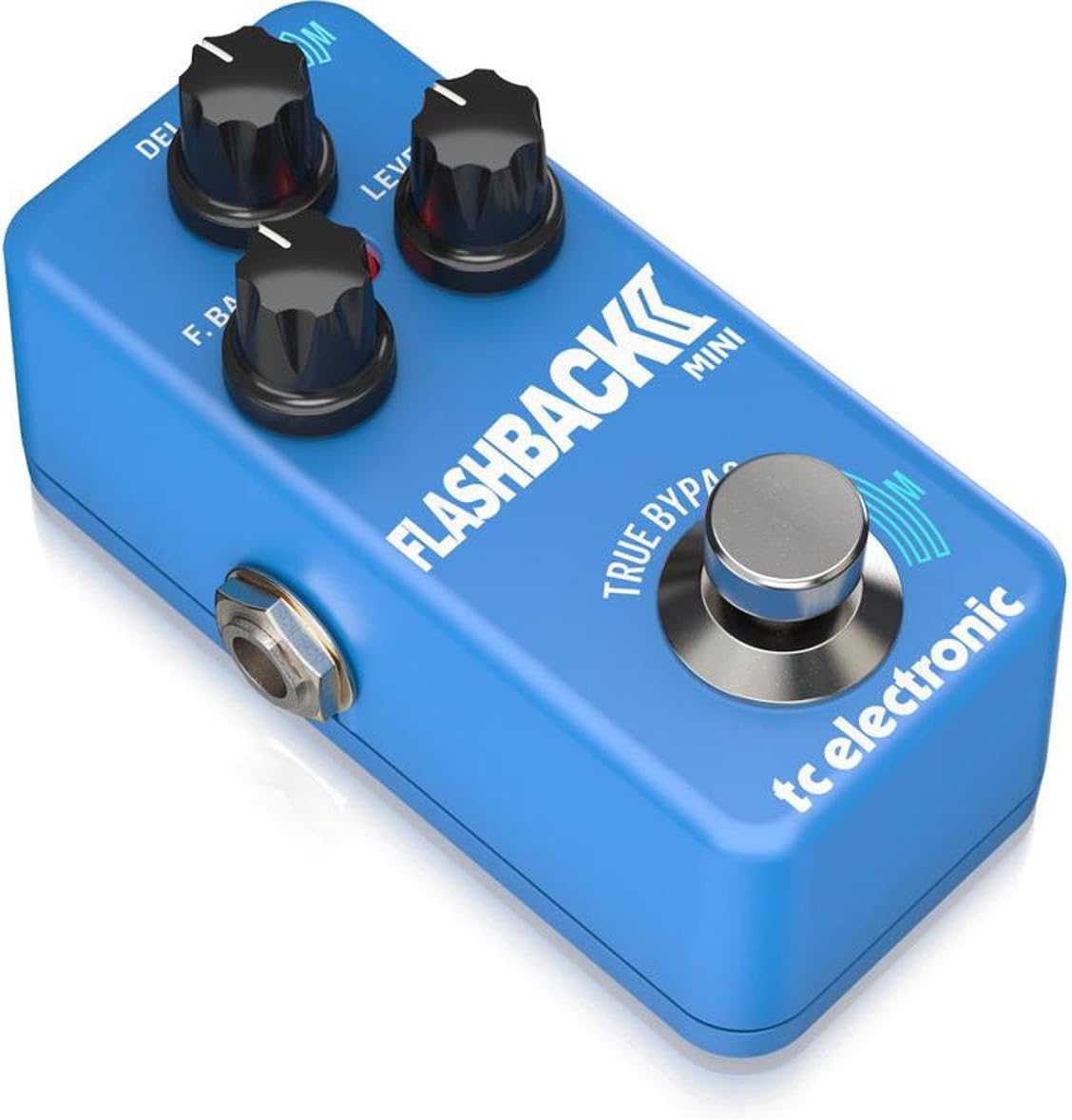
Figura 2: Angle view of the Flashback 2 Mini Delay pedal, highlighting the input, output, and power connections.
4.2 Side Panel Connectors
- Jack d'ENTRADA: Connect your guitar or the output of another pedal here using a standard 1/4-inch instrument cable.
- Presa de SORTIDA: Connect this to your amplifier or the input of the next pedal in your signal chain using a standard 1/4-inch instrument cable.
- Entrada d'alimentació de 9 V CC: Connect a standard 9V DC, center-negative power supply (not included) here.
- Port USB: Used for connecting the pedal to a computer for TonePrint editing and firmware updates.
5. Configuració
Follow these steps to connect your Flashback 2 Mini Delay pedal:
- Assegureu-vos el vostre amplifier is turned off or its volume is set to zero.
- Connect your guitar (or the output of a preceding pedal) to the ENTRADA jack of the Flashback 2 Mini using a 1/4-inch instrument cable.
- Connecteu el SORTIDA jack of the Flashback 2 Mini to your amplifier (or the input of a subsequent pedal) using another 1/4-inch instrument cable.
- Connect a 9V DC, center-negative power supply (not included) to the Entrada d'alimentació de 9 V CC.
- Once all connections are secure, you can power on your amplifier and begin using the pedal.
6. Operating the Flashback 2 Mini
6.1 Funcionament bàsic
To activate the delay effect, simply tap the MASH footswitch. The LED indicator will illuminate. Tap it again to bypass the effect. Adjust the DELAY, F.BACK, and LEVEL knobs to shape your desired delay sound.
6.2 MASH Footswitch Functionality
The MASH footswitch offers pressure-sensitive expression control. While the effect is active, press and hold the footswitch with varying pressure to dynamically control a specific parameter of the delay. The parameter controlled by MASH is determined by the selected TonePrint. For example, MASH can control delay time, feedback, modulation, or other effects.
6.3 TonePrint Feature
TonePrint allows you to load custom delay sounds created by TC Electronic and famous artists, or design your own using the free TonePrint Editor software. To load a TonePrint:
- Download the free TC Electronic TonePrint App for your smartphone or the TonePrint Editor for your computer.
- Using the app, select a TonePrint and 'beam' it to your pedal by holding your phone's speaker near your guitar pickup.
- Alternatively, connect the pedal to your computer via the USB port and use the TonePrint Editor software to load or create custom sounds.
6.4 Delay Algorithms
The Flashback 2 Mini features a range of high-quality delay algorithms, including new Tape and Analog algorithms for classic delay tones, and Crystal Delay algorithms based on the Sub'n'Up Octaver for unique, shimmering effects.
6.5 Bypass Modes (True Bypass / Buffered Bypass)
The pedal offers switchable bypass modes: True Bypass and Buffered Bypass. True Bypass ensures that your signal remains completely unaltered when the pedal is off, while Buffered Bypass provides a strong, clean signal over long cable runs. The bypass mode can typically be switched via an internal dip switch or through the TonePrint Editor software. Refer to the TonePrint Editor documentation for specific instructions on changing the bypass mode.
7. Manteniment
- Keep the pedal clean by wiping it with a soft, dry cloth. Avoid using abrasive cleaners or solvents.
- Guardeu el pedal en un lloc sec, allunyat de temperatures i humitat extremes.
- Ensure all cables are securely connected during use and disconnected when not in use to prevent accidental damage.
8. Solució De Problemes
- Sense so: Check all cable connections. Ensure the power supply is correctly connected and functioning. Verify that your ampL'activador està encès i el seu volum està pujat.
- So feble o distorsionat: Check cable integrity. Ensure the power supply provides the correct voltage (9V DC) and polarity (center-negative). Adjust the LEVEL knob on the pedal.
- Pedal Not Turning On: Confirm the power supply is connected and working. Try a different power outlet or power supply.
- MASH Footswitch Not Responding: Ensure the pedal is powered on and the effect is active. If using a custom TonePrint, verify that MASH control is assigned to a parameter within the TonePrint Editor.
- TonePrint Transfer Issues: Ensure your smartphone speaker is placed directly over your guitar pickup for beaming. For USB connection, ensure the correct drivers are installed and the TonePrint Editor software is up to date.
9. Especificacions
| Pes de l'article | 7.1 unces (200 grams) |
| Dimensions del producte | 3.66" de llargada x 2.01" d'amplada x 1.97" d'alçada (9.3 x 5.1 x 5 cm) |
| Font d'alimentació | Corded Electric (9V DC, center-negative, not included) |
| Voltage | 9 Volts |
| Interfície del maquinari | USB |
| Format del senyal | Analog (Analog-Dry-Through) |
| Mode bypass | Switchable True Bypass / Buffered Bypass |
10. Garantia i Suport
TC Electronic products are designed for reliability and performance. For detailed warranty information, please refer to the warranty card included with your product or visit the official TC Electronic website. For technical support, firmware updates, or to access the TonePrint Editor, please visit the TC Electronic support page online.
You can find additional resources and contact information at: www.tcelectronic.com


