Introducció
This manual provides essential information for setting up, operating, and maintaining your HP 27f 4K Monitor. Please read these instructions carefully before using your monitor to ensure proper functionality and longevity.
Característiques clau
- Ultra High Definition 4K: Experience cinematic quality with the incredible definition of 4K.
- Height Adjustment Stand: Easily adjust your display to the most comfortable position with 100 mm range of travel.
- Panoràmica View: Angle ultra gran de 178° viewamb detalls consistents i colors vibrants.
- Disseny modern: A sleek design that complements your workspace.
- Micro-edge Display: Virtually no bezel encircling the display for an ultra-wide viewing experience and seamless multi-monitor setups.
- Tecnologia del panell IPS: Provides consistent color and image clarity across a wide viewangle de ing.
- AMD FreeSync™: Reduces blurring and tearing for smoother visuals.
Què hi ha a la caixa
Verifiqueu que tots els components siguin presents a l'embalatge:
- HP 27f 4K Monitor
- A/C power cable (1.9 m / 6.2 ft)
- Power adapter (1.0 m / 3.3 ft)
- HDMI cable (1.8 m / 5.9 ft)
- Quick setup poster
- Targeta de la llista de telèfons del servei
- Documentació de garantia
Configuració
1. Muntatge del monitor
Carefully remove the monitor and stand components from the packaging. Attach the stand base to the stand column, then secure the stand to the back of the monitor. Ensure all connections are firm.
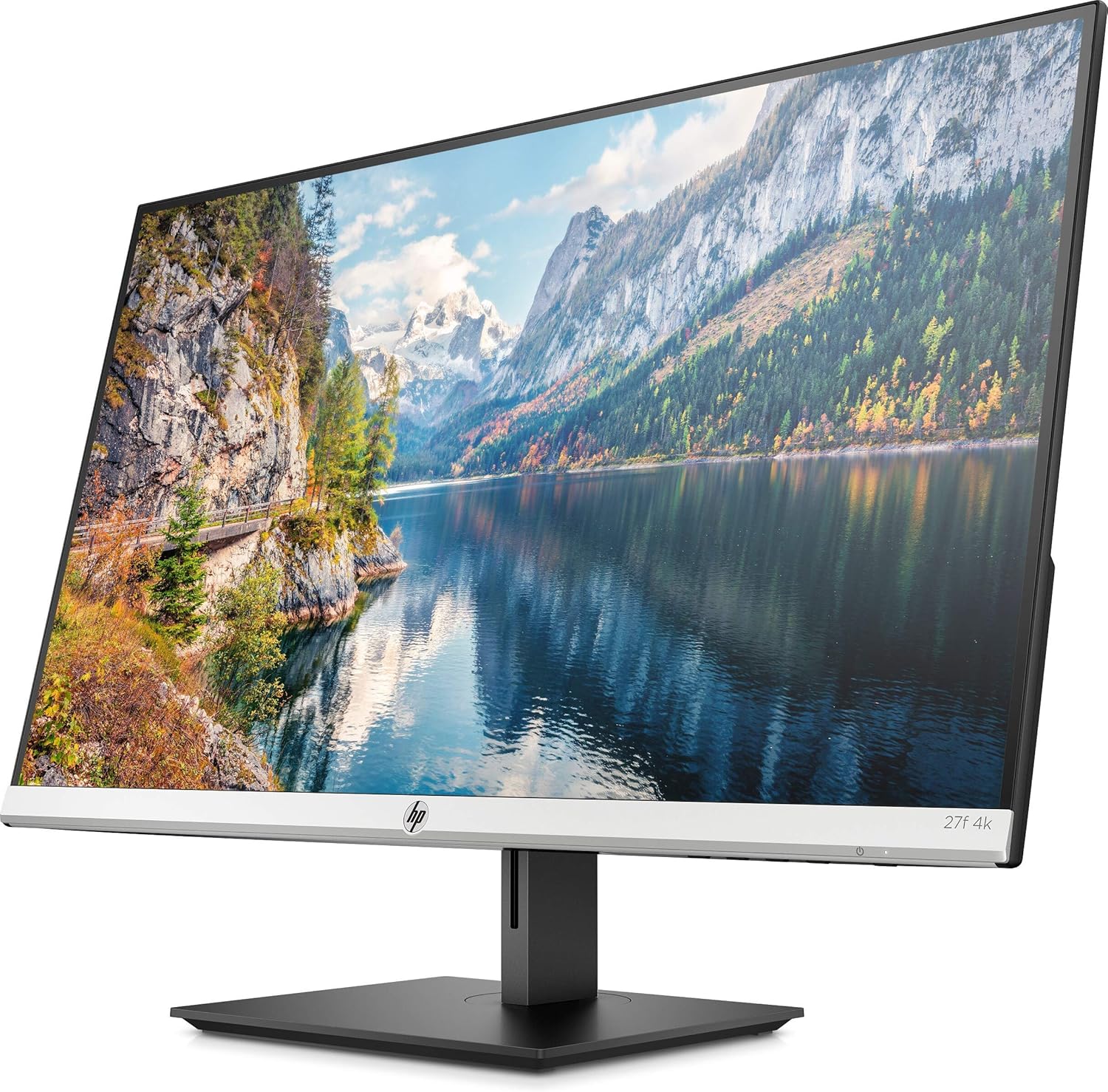
Figura 1: Frontal view of the HP 27f 4K Monitor with its stand.
2. Cables de connexió
Connect the power adapter to the monitor's power input and then to a power outlet. Use the provided HDMI cable to connect your computer to one of the HDMI ports on the monitor. Alternatively, use a DisplayPort cable if your computer supports it.

Figura 2: posterior view of the monitor displaying the HDMI and DisplayPort inputs.
3. Encès
Press the power button on the monitor to turn it on. The monitor should automatically detect the input signal from your computer.
Funcionament del monitor
Ajust de la pantalla
The HP 27f 4K Monitor features a height-adjustable stand and can be tilted and rotated for optimal viewing comfort. Adjust the height by gently pushing or pulling the monitor up or down. Tilt the screen forward or backward as needed. The monitor can also be rotated to a portrait orientation.

Figura 3: Pro lateralfile of the monitor demonstrating its adjustable stand.
Menú de visualització en pantalla (OSD).
Use the buttons located on the bottom bezel of the monitor to access the On-Screen Display (OSD) menu. This menu allows you to adjust various settings such as brightness, contrast, color temperature, input source, and other display preferences.
Multi-Monitor Setup
The micro-edge bezel design allows for seamless multi-monitor configurations, enhancing your productivity and immersive experience.

Figura 4: Example of a multi-monitor setup using HP 27f 4K Monitors.
Experiència visual
The HP 27f 4K Monitor delivers stunning 4K resolution and utilizes IPS Panel Technology for wide viewing angles and vibrant colors. AMD FreeSync™ technology helps reduce screen tearing and stuttering for a smoother visual experience, especially during fast-paced content.
Video 1: An official HP video showcasing the stunning 4K clarity of the HP 27f 4K Display.
Manteniment
Neteja del monitor
To clean the screen, gently wipe it with a soft, lint-free microfiber cloth. For stubborn smudges, slightly dampen the cloth with water or a screen-cleaning solution specifically designed for monitors. Avoid using harsh chemicals, abrasive cleaners, or spraying liquid directly onto the screen.
To clean the monitor's exterior, use a soft, damp cloth. Ensure the monitor is powered off and unplugged before cleaning.
Resolució de problemes
Sense poder
- Assegureu-vos que el cable d'alimentació estigui ben connectat tant al monitor com a una presa de corrent que funcioni.
- Comproveu si l'adaptador d'alimentació està connectat correctament.
- Verifiqueu que la presa de corrent funciona connectant-hi un altre dispositiu.
No Signal/Blank Screen
- Confirm that the video cable (HDMI or DisplayPort) is securely connected to both the monitor and your computer.
- Assegureu-vos que l'ordinador estigui encès i que no estigui en mode de repòs.
- Use the OSD menu to manually select the correct input source (e.g., HDMI 1, HDMI 2, DisplayPort).
- Try connecting the monitor to a different video port on your computer or using a different video cable to rule out cable or port issues.
Display Issues (Flickering, Blurry Image)
- Comproveu si el cable de vídeo està danyat o connexions soltes.
- Assegureu-vos que els controladors gràfics de l'ordinador estiguin actualitzats.
- Adjust the display resolution and refresh rate settings on your computer to match the monitor's capabilities.
- If using AMD FreeSync™, ensure it is enabled in both the monitor's OSD and your graphics card settings.
Especificacions
Detailed technical specifications for the HP 27f 4K Monitor:

Figure 5: Diagram illustrating the dimensions of the HP 27f 4K Monitor.
| Característica | Especificació |
|---|---|
| Mida de la pantalla de peu | 27 polzades |
| Resolució de pantalla | 3840x2160 (4K UHD 2160p) |
| Resolució de pantalla màxima | 3840 píxels |
| Marca | HP |
| Sèrie | HP 27f 4K Display |
| Número de model de l'article | 27f 4K |
| Pes de l'article | 10.56 lliures |
| Dimensions del producte | 24.16 x 7.62 x 19.74 polzades |
| Color | Natural silver and Black |
| Voltage | 240 volts (CA) |
| Relació d'aspecte | 16:9 |
| Descripció de la superfície de la pantalla | Anti-enlluernament |
Garantia i Suport
Your HP 27f 4K Monitor comes with a standard manufacturer's warranty. Please refer to the warranty documentation included in your product packaging for specific terms and conditions.
Per obtenir assistència tècnica, descàrregues de controladors o informació addicional sobre el producte, visiteu el lloc web oficial d'assistència d'HP. website or contact HP customer service using the contact information provided in your documentation.