Introducció
The Cooler Master Hyper 212 LED CPU Cooler is designed to provide efficient cooling for your desktop processor. Featuring a 120mm XtraFlo 'Fire Red' LED PWM fan and four direct contact copper heat pipes, this cooler offers a balanced performance between cooling efficiency and low noise operation. Its universal mounting system ensures compatibility with a wide range of Intel sockets.
Please read this manual carefully before installation and use to ensure proper setup and optimal performance.
Contingut del paquet
Verifiqueu que tots els elements que s'enumeren a continuació siguin presents al vostre paquet:
- 1 x Cooler Master Hyper 212 LED CPU Cooler Unit
- 1 x Mounting Kit (for Intel sockets)
- 1 x Thermal Grease Pack
- 1 x Manual d'usuari

Image: Illustrative view of the Cooler Master Hyper 212 LED CPU Cooler and its main components.
Configuració i instal·lació
This cooler is compatible with Intel sockets: LGA 2066, 2011-v3, 2011, 1156, 1155, 1151, 1150, 1366, and 775. The installation process involves securing the backplate, applying thermal paste, mounting the heatsink, and attaching the fan.
- Prepara la placa base: Ensure your motherboard is removed from the PC case if necessary for backplate installation. Identify the correct mounting holes for your Intel socket type.
- Instal·leu la placa posterior: Attach the universal Intel backplate to the rear of your motherboard, aligning the screws with the appropriate holes.
- Aplicar pasta tèrmica: Clean the CPU surface and apply a small amount of thermal grease (included) to the center of the CPU. Spread it evenly or allow the cooler's pressure to distribute it.
- Mount Heatsink: Carefully place the heatsink onto the CPU, ensuring the direct contact heat pipes make full contact. Secure the heatsink using the provided mounting brackets and screws, tightening them in a diagonal pattern until snug. Do not overtighten.
- Connectar ventilador: Use the quick-snap fan brackets to attach the 120mm XtraFlo fan to the heatsink. Ensure the fan is oriented to blow air through the heatsink fins towards the rear of your PC case.
- Connectar el cable del ventilador: Connecteu el cable del ventilador PWM de 4 pins al capçalera CPU_FAN de la placa base.

Imatge: Lateral view of the cooler, showing the copper heat pipes extending from the base through the aluminum fins.
Instruccions de funcionament
The Cooler Master Hyper 212 LED CPU Cooler operates automatically once connected to the motherboard's CPU_FAN header. The 4-pin PWM fan allows your motherboard to dynamically control the fan speed based on CPU temperature, optimizing for both cooling performance and noise levels.
- Control automàtic de velocitat: The fan speed will adjust between 600 and 1600 RPM (±10%) depending on the CPU load and temperature.
- Il·luminació LED: The 'Fire Red' LEDs on the fan will illuminate when the fan is operating, providing aesthetic lighting inside your PC case.
- Configuració de la BIOS/UEFI: You can fine-tune fan control settings through your motherboard's BIOS/UEFI interface for custom performance profiles, if desired.
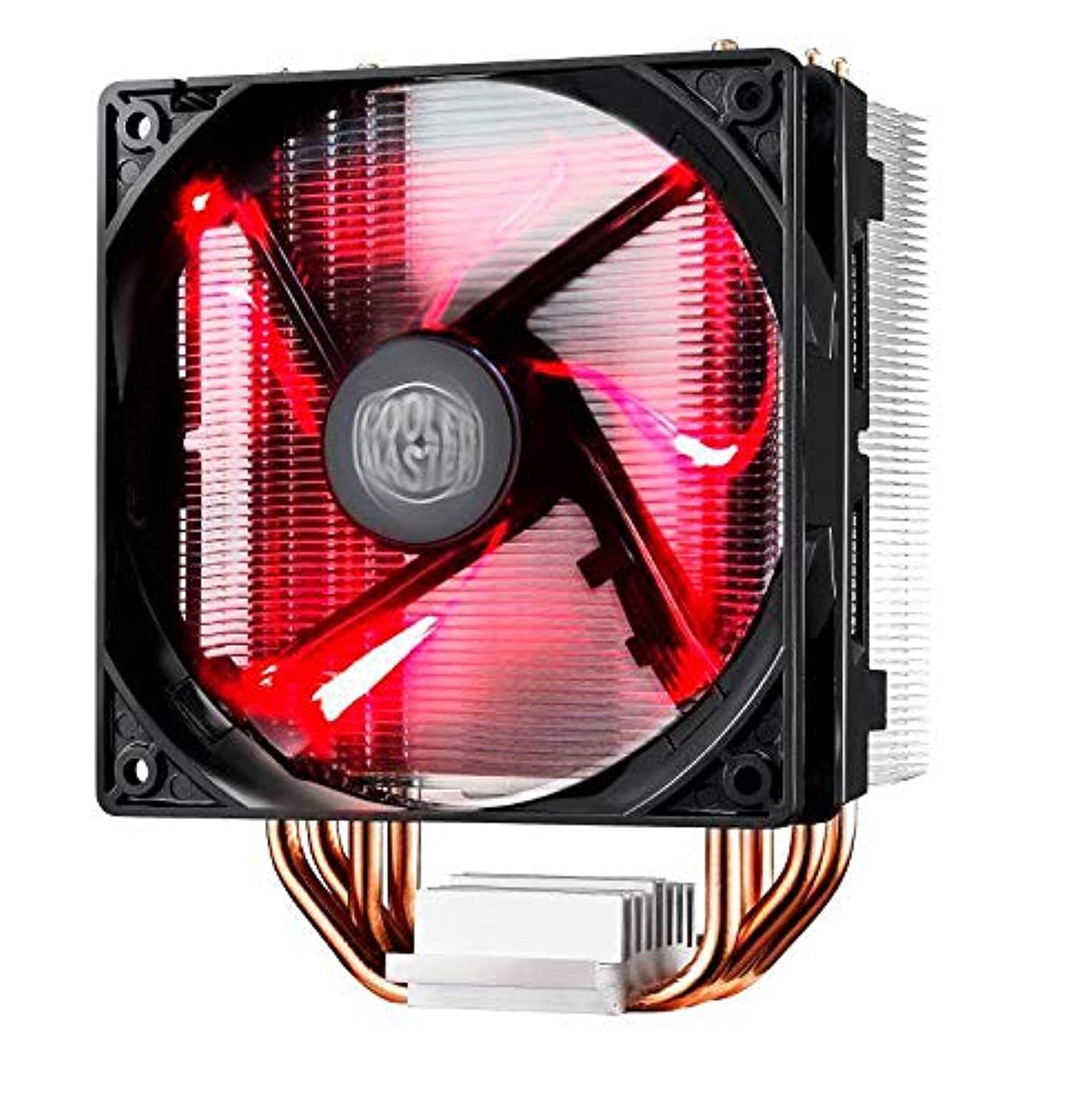
Image: The Cooler Master Hyper 212 LED CPU Cooler with its 'Fire Red' LED fan glowing.
Manteniment
Un manteniment regular garanteix un rendiment òptim de refrigeració i allarga la vida útil del refrigerador de la CPU.
- Eliminació de pols: Periodically clean dust from the heatsink fins and fan blades using compressed air or a soft brush. Ensure the fan is powered off before cleaning.
- Fan Cleaning/Replacement: The quick-snap fan bracket allows for easy removal of the fan for thorough cleaning or replacement if needed. Gently unclip the fan from the heatsink, clean, and reattach.
- Pasta tèrmica: If you remove the heatsink for any reason, it is recommended to clean off the old thermal paste from both the CPU and the cooler base and apply a fresh layer before reinstallation.
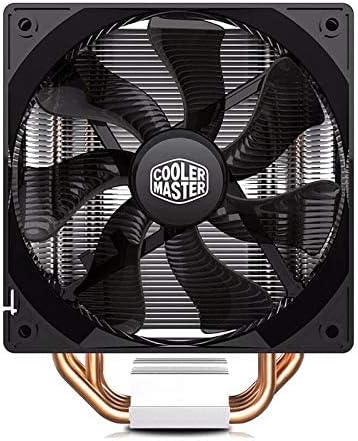
Imatge: Frontal view of the 120mm XtraFlo fan, showing its blade design.
Resolució de problemes
| Problema | Causa possible | Solució |
|---|---|---|
| Temperatures altes de la CPU |
|
|
| Soroll del ventilador excessiu |
|
|
| Cooler Does Not Fit in Case |
Especificacions
| Característica | Detall |
|---|---|
| Model de producte | RR-212L-16PR-R1 |
| Endolls compatibles | Intel LGA 2066 / 2011-v3 / 2011 / 1156 / 1155 / 1151 / 1150 / 1366 / 775 |
| Dimensions totals (L x A x A) | 120 x 84 x 160 mm (4.7 x 3.3 x 6.3 polzades) |
| Pes total | 705 g (1.55 lliures) |
| Heatsink Dimensions (L x W x H) | 116 x 60 x 160 mm (4.6 x 2.4 x 6.3 polzades) |
| Material del dissipador de calor | 4 Direct Contact Copper Heat Pipes, Aluminum Fins |
| Heat Pipe Dimensions | Ø6 mm |
| Dimensions del ventilador (L x A x A) | 120 x 120 x 25 mm (4.7 x 4.7 x 1 polzades) |
| Velocitat del ventilador | 600 - 1600 RPM (PWM) ±10% |
| Flux d'aire del ventilador | 66.3 CFM ±10% (@ 1600RPM) |
| Pressió d'aire del ventilador | 1.7 mm H2O ±10% (@ 1600RPM) |
| Esperança de vida dels fans | 40,000 hores |
| Nivell de soroll del ventilador | 9 - 31 dB |
| Tipus de rodament | Coixinet de rifle |
| Connector d'alimentació | PWM de 4 pins |
| Vol. classificat per fanstage | 12 VDC |
| Corrent nominal | 0.19 A |
| Consum d'energia | 2.28 W |
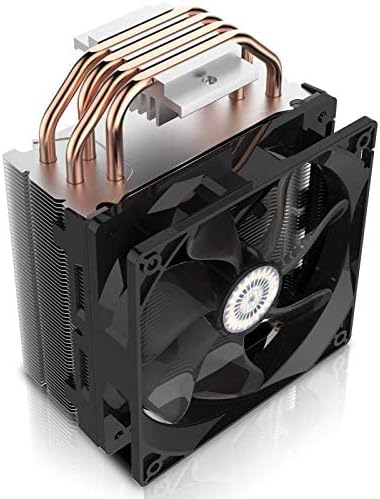
Imatge: De dalt a baix view of the heatsink, showing the aluminum fins and the ends of the copper heat pipes.
Garantia i Suport
Per obtenir informació sobre la garantia i assistència tècnica, consulteu la pàgina oficial de Cooler Master. weblloc web o poseu-vos en contacte amb el seu departament d'atenció al client. Conserveu el rebut de compra com a comprovant de compra.
Oficial de Cooler Master Weblloc: www.coolermaster.com