1. Introducció
The Anker PowerPort Solar Lite is a portable, foldable solar charger designed to provide power to your USB-powered devices using sunlight. It features two USB ports and high-efficiency solar panels for reliable charging on the go.
2. Contingut del paquet
Si us plau, verifiqueu que tots els elements siguin presents al vostre paquet:
- Anker PowerPort Solar Lite (15W 2-Port USB Solar Charger)
- Cable micro USB de 3 peus
- Guia de benvinguda
3. Configuració i col·locació
To optimize charging performance, proper setup and placement are crucial.
- Unfold the Solar Panels: Carefully unfold the Anker PowerPort Solar Lite to expose all solar panels.
- Posició per a la màxima llum solar: Place the solar panels directly facing the sun. For best results, ensure no shadows are cast on the panels. The 15W SunPower solar array is 21.5-23.5% efficient, but direct, unobstructed sunlight is essential.
- Col·locació segura: The unit features elastic loops on each corner, allowing for easy attachment to backpacks, trees, or tents. Ensure the panels are stable and will not shift, which could interrupt charging.

Image: Anker PowerPort Solar Lite attached to a backpack, demonstrating portable use during hiking.

Image: Anker PowerPort Solar Lite positioned on a rock to absorb sunlight for charging.
Important Note on Backpack Use: When attaching to a backpack, ensure the panels are angled upwards to catch the most direct sunlight. Strapping it flat against the back of a pack may result in slower charging. Consider tenting the charger over the top of the pack for better sun exposure, especially around midday.
4. Instruccions de funcionament
The PowerPort Solar Lite is designed for straightforward operation.
- Connecteu el vostre dispositiu: Use a USB cable (the included Micro USB cable or your device's original cable) to connect your smartphone, tablet, or other USB-powered device to one of the two USB output ports on the solar charger.
- Comença a carregar: Once connected and exposed to sufficient sunlight, the PowerIQ technology will automatically detect your device and deliver the fastest possible charge, up to 2.1 amps per port. The charger can power two devices simultaneously.
- Automatic Resume: If sunlight is temporarily interrupted (e.g., by clouds), the charger will automatically resume charging once sufficient sunlight returns.
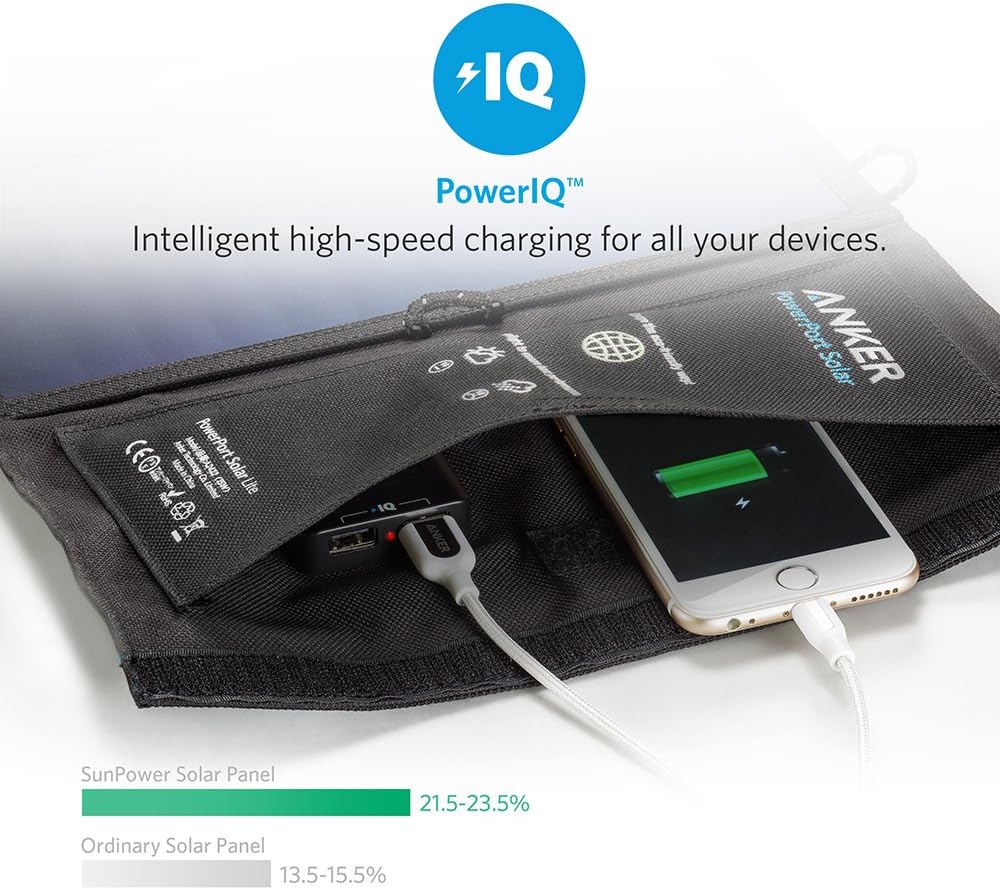
Image: A smartphone connected to the Anker PowerPort Solar Lite, illustrating the PowerIQ charging feature.
Consideracions importants:
- Sobreescalfament del dispositiu: Direct sunlight can cause connected devices to overheat. It is recommended to place the device being charged in the shade or cover it with a light-colored cloth to prevent excessive heat buildup.
- External Battery Recommendation: For consistent charging, especially in conditions with intermittent sunlight (e.g., while hiking or in partly cloudy weather), it is highly recommended to charge an external power bank first, and then use the power bank to charge your devices. This prevents frequent disconnections and reconnections that can occur when charging devices directly from the solar panel in fluctuating light conditions.
5. Manteniment i cura
To ensure the longevity and optimal performance of your Anker PowerPort Solar Lite, follow these maintenance guidelines:
- Neteja: Gently wipe the solar panels with a soft, damp cloth to remove dust or dirt. Avoid using harsh chemicals or abrasive materials that could scratch the panel surface.
- Emmagatzematge: Quan no l'utilitzeu, plegueu el carregador solar i guardeu-lo en un lloc fresc i sec, allunyat de la llum solar directa i de temperatures extremes.
- Durabilitat: The industrial-strength PET polymer faced solar panels and rugged polyester canvas offer weather-resistant outdoor durability. However, avoid prolonged exposure to heavy rain or submersion in water. The USB output unit should be kept dry.
- Manipulació: Avoid dropping the unit or subjecting it to strong impacts, which could damage the solar cells or internal components.
6. Solució De Problemes
If you encounter issues with your PowerPort Solar Lite, refer to the following common solutions:
- El dispositiu no es carrega o es carrega lentament:
- Ensure the solar panels are in direct, unobstructed sunlight. Any shade, even partial, can significantly reduce output.
- Verify that the USB cable is securely connected to both the solar charger and your device. Try a different USB cable to rule out cable issues.
- If charging directly from the solar panel, consider using an external power bank as an intermediary, especially in fluctuating light conditions. This can provide a more stable charge to your device.
- If charging was interrupted (e.g., by clouds), unplug and re-plug your device to reset the connection and initiate charging again.
- Device Disconnecting/Reconnecting Frequently:
- This often occurs when sunlight is inconsistent. As mentioned above, using an external power bank is the most effective solution.
- If charging a phone directly, placing it in silent mode with vibration off can prevent constant notifications from intermittent charging.
- Overheating Device:
- Always place the device being charged in the shade or cover it with a light-colored, breathable material to prevent direct sun exposure and overheating.
7. Especificacions
| Marca | Anker |
| Número de model | A2422011 |
| Potència màxima de sortida | 15 watts |
| Eficiència del panell solar | 21.5-23.5% (SunPower solar array) |
| Corrent de sortida USB | Fins a 2.1 Amps per port |
| Nombre de ports USB | 2 |
| Material | Polyethylene Terephthalate (PET) panels, Polyester canvas |
| Mides plegades | 11 × 6.3 polzades |
| Opened Dimensions | 18.11 × 11.02 polzades |
| Pes de l'article | 1.04 lliures (uns 472 grams) |
| Color | Negre |
| Connectivitat | USB |
8. Garantia i Suport
Anker proporciona una Garantia de 18 mesos sense preocupacions for the PowerPort Solar Lite. This warranty covers manufacturing defects and ensures customer satisfaction.
For technical support, warranty claims, or any product-related inquiries, please contact Anker customer service through their official website or the contact information provided in your welcome guide. Our friendly customer service team is available to assist you.