1. Introducció
This manual provides essential information for the proper use and care of your SanDisk Ultra 32GB microSDHC UHS-I Card with Adapter. This memory card is designed to enhance storage and performance for compatible devices, allowing you to capture and store high-quality photos and Full HD video.
The SanDisk Ultra microSDHC card is built for durability, featuring water-proof, temperature-proof, shock-proof, X-ray-proof, and magnet-proof properties. It is rated Class 10 for Full HD video recording and playback, ensuring reliable performance.
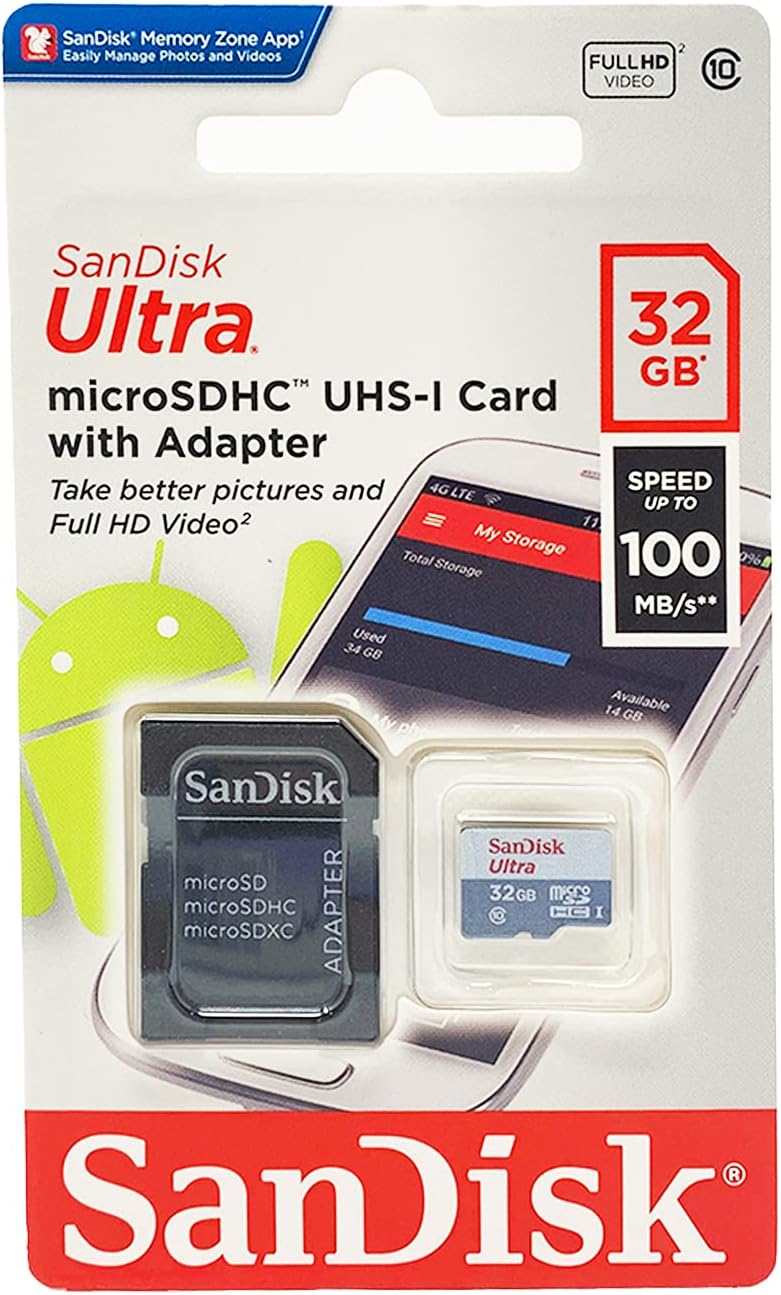
2. Contingut del paquet
- SanDisk Ultra 32GB microSDHC UHS-I Card
- Adaptador SD
3. Configuració i instal·lació
The SanDisk Ultra microSDHC card can be used directly in devices with a microSD slot or with the included SD adapter for devices requiring a standard SD card slot.
3.1. Inserting the microSD Card into the SD Adapter
- Locate the microSD card and the larger SD adapter.
- Align the microSD card with the slot on the side of the SD adapter, ensuring the gold contacts on the microSD card face the same direction as the contacts inside the adapter.
- Gently slide the microSD card into the adapter until it clicks into place. Do not force the card.

3.2. Installing the Card in Your Device
Once assembled (if using the adapter) or as a standalone microSD card, insert it into the appropriate slot on your compatible device (smartphone, tablet, camera, etc.).
- Consult your device's user manual for specific instructions on locating and opening the memory card slot.
- Carefully insert the microSD card (or SD adapter with microSD card) into the slot until it is fully seated. Ensure correct orientation to avoid damage.
- Some devices may require you to restart them for the card to be recognized.

4. Instruccions de funcionament
4.1. Emmagatzematge de fotos i vídeos
The SanDisk Ultra 32GB card provides ample space for high-quality photos and Full HD video. Once installed, your device should automatically detect the card and allow you to save media directly to it. You may need to adjust your device's settings to designate the microSD card as the default storage location for new media.
4.2. Transferència Files
Files can be transferred from the card to your PC at speeds up to 80MB/s. This can be done by:
- Inserting the SD adapter (with microSD card) into your computer's SD card reader.
- Connecting your smartphone or tablet to your PC via USB and accessing the card's contents.
4.3. SanDisk Memory Zone App
For Android smartphones and tablets, the SanDisk Memory Zone app (available on the Google Play Store) simplifies file management. It allows you to view, access, and back up your files. You can also configure the app to automatically off-load files from your phone's internal memory to the card, optimizing device performance.
5. Manteniment i durabilitat
The SanDisk Ultra microSDHC card is engineered for resilience in challenging environments:
- Impermeable: Designed to withstand accidental water exposure.
- Resistent a la temperatura: Funciona de manera fiable a temperatures extremes.
- A prova de xoc: Resistant to impacts and drops.
- Prova de raigs X: Protected against X-ray damage, such as those encountered at airport security.
- Magnet Proof: Shielded from magnetic interference.
To ensure optimal performance and longevity, handle the card with care, avoid bending it, and keep its gold contacts clean.
6. Solució De Problemes
6.1. Card Not Recognized by Device
- Re-insert the card: Remove the card and re-insert it firmly into the slot.
- Check device compatibility: Ensure your device supports microSDHC cards of 32GB capacity.
- Clean contacts: Gently clean the gold contacts on the card with a soft, dry cloth.
- Test in another device: If possible, test the card in another compatible device to determine if the issue is with the card or the original device.
- Format the card: If the card is new or has been used in multiple devices, it might need to be formatted. Warning: Formatting will erase all data on the card. Feu una còpia de seguretat de qualsevol cosa important files abans de continuar.
6.2. Slow Performance or Data Corruption
- Check for counterfeit cards: Some unofficial cards may have incorrect capacity or speed ratings. Use reputable vendors.
- Verify Class 10 rating: Ensure your card is indeed Class 10 for optimal Full HD video performance.
- Free up space: If the card is nearly full, performance may degrade.
- Busca errors: Use your computer's disk utility to scan the card for errors.
- Regular backups: To prevent data loss, regularly back up important files from your memory card to another storage device.
7. Especificacions
| Característica | Detall |
|---|---|
| Marca | SanDisk |
| Nom del model | SDSQUNC-032G-GN6MA |
| Tipus de memòria flash | Micro SDHC |
| Capacitat d'emmagatzematge de memòria | 32 GB |
| Classe de velocitat d'Associació Digital Segura | Classe 10 |
| Velocitat d'escriptura | Up to 80 MB per second |
| Interfície del maquinari | microSDHC, microSDXC |
| Dispositius compatibles | Càmera, telèfon intel·ligent, tauleta |
| Característiques especials | Drop Proof, Magnetic Proof, Temperature Proof, Water Proof, X Ray Proof |
| Color | Plata |
| Pes de l'article | 4.99 g (0.176 unces) |
| Dimensions del producte | 0.04 cm de llargada x 0.59 cm d'amplada x 0.43 cm d'alçada |
| UPC | 619659134747 |
8. Garantia i Suport
The SanDisk Ultra microSDHC UHS-I Card comes with a ten-year limited warranty. For warranty claims or technical support, please visit the official SanDisk weblloc web o poseu-vos en contacte amb el servei d'atenció al client. Conserveu el comprovant de compra per validar la garantia.
Per obtenir més informació i suport, visiteu el SanDisk official weblloc.


