1. Introducció
The Comfast CF-WU720N is a compact 150Mbps Wireless USB Adapter designed to provide high-speed wireless connectivity for your desktop or notebook computer. It allows you to connect to a wireless network and access the internet, share files, and enjoy online gaming at speeds up to 150Mbps. This adapter is compliant with IEEE 802.11b/g/n standards and supports USB 2.0 for efficient data transfer.
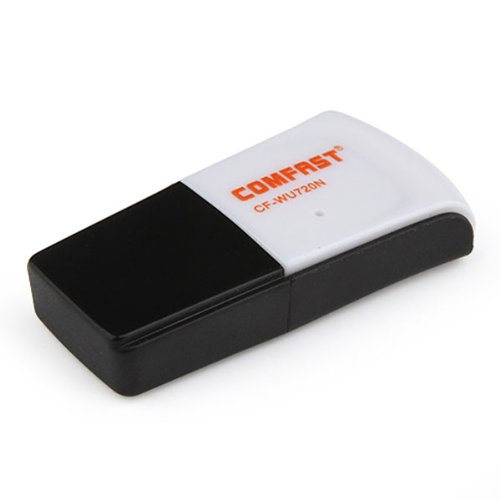
Image 1.1: The Comfast CF-WU720N Wireless USB Adapter, a compact device for wireless connectivity.
2. Característiques del producte
- Meets IEEE 802.11b/g/n wireless standards.
- Supports USB 2.0 interface for broad compatibility.
- Utilizes Realtek 8191 SU chipset for reliable performance.
- Achieves wireless connection rates up to 150Mbps.
- Supports wireless roaming technology for seamless connectivity.
- Strong compatibility with various popular operating systems.
- Compact size: approximately 39 x 12 x 7mm (1.5 x 0.7 x 0.3 inches).
- Lightweight design: approximately 5g.
3. Contingut del paquet
Si us plau, verifiqueu que tots els elements siguin presents al paquet:
- 1 x Comfast CF-WU720N Wireless USB Adapter
- 1 x Guia d'instal·lació ràpida
- 1 x CD-ROM Driver
- 1 x Targeta de garantia

Image 3.1: The retail packaging for the Comfast CF-WU720N, showing the adapter inside.
4. Configuració i instal·lació
4.1. Instal·lació del controlador
Before connecting the USB adapter, it is recommended to install the necessary drivers from the provided CD-ROM. This ensures proper functionality and compatibility with your operating system.
- Insert the driver CD-ROM into your computer's optical drive.
- If the installer does not launch automatically, navigate to "My Computer" or "This PC," open the CD-ROM drive, and run the setup executable (e.g., "setup.exe" or "autorun.exe").
- Follow the on-screen instructions to complete the driver installation. You may be prompted to restart your computer after installation.
- Nota: If your computer does not have an optical drive, you may need to download the latest drivers from the manufacturer's official weblloc.
4.2. Connecting the USB Adapter
Once the drivers are installed, you can connect the Comfast CF-WU720N Wireless USB Adapter to your computer.
- Locate an available USB 2.0 or 3.0 port on your desktop or laptop computer.
- Carefully insert the Comfast CF-WU720N adapter into the USB port. Ensure it is fully seated.
- The operating system should automatically detect the adapter and configure it using the installed drivers. A small LED indicator on the adapter may light up or blink, indicating activity.
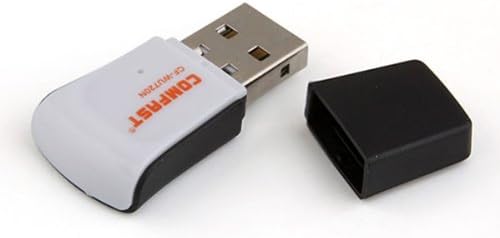
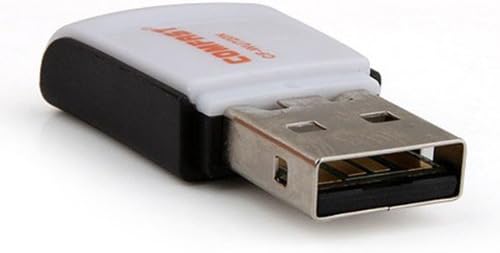
Image 4.1: The Comfast CF-WU720N adapter with its protective cap removed, revealing the USB connector. Image 4.2: A side view of the adapter, highlighting its compact design and USB interface.
5. Instruccions de funcionament
After successful driver installation and adapter connection, you can now connect to a wireless network.
- Accés a la configuració de xarxa:
- Windows: Feu clic a la icona de xarxa sense fil a la safata del sistema (normalment a la cantonada inferior dreta).
- macOS: Feu clic a la icona Wi-Fi de la barra de menú (normalment a la cantonada superior dreta).
- Linux: Access network settings through your desktop environment's network manager.
- Selecciona la teva xarxa: A list of available wireless networks (SSIDs) will appear. Select the name of your desired network.
- Connectar: Click "Connect" or "Join." If the network is secured, you will be prompted to enter the network security key (password).
- Confirmeu la connexió: Once connected, the network icon will typically change to indicate a successful connection, and you should be able to access the internet.
6. Manteniment
To ensure optimal performance and longevity of your Comfast CF-WU720N Wireless USB Adapter, follow these simple maintenance guidelines:
- Mantenir net: Netegeu suaument l'adaptador amb un drap suau i sec per eliminar la pols. Eviteu utilitzar netejadors líquids o dissolvents.
- Protegir el connector USB: When not in use, keep the protective cap on the USB connector to prevent dust and damage.
- Eviteu condicions extremes: No exposeu l'adaptador a temperatures extremes, humitat ni llum solar directa.
- Manejar amb cura: Eviteu deixar caure l'adaptador ni sotmetre'l a impactes forts.
- Actualitzacions de controladors: Reviseu periòdicament el fabricant website for updated drivers to ensure the best performance and compatibility.
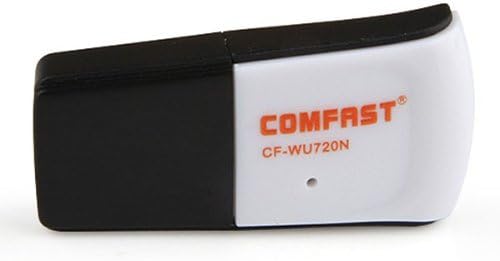
Image 6.1: The Comfast CF-WU720N adapter with its protective cap in place, ready for storage or transport.
7. Solució De Problemes
If you encounter issues with your Comfast CF-WU720N Wireless USB Adapter, refer to the following common solutions:
| Problema | Possible solució |
|---|---|
| Adapter not detected / No Wi-Fi networks visible. |
|
| Cannot connect to a specific Wi-Fi network. |
|
| Slow connection speed or frequent disconnections. |
|
8. Especificacions
| Característica | Detall |
|---|---|
| Model | CF-WU720N |
| Estàndards sense fil | IEEE 802.11b/g/n |
| Interfície | USB 2.0 |
| Chipset | Realtek 8191 SU |
| Velocitat sense fil | Fins a 150 Mbps |
| Interval de freqüència | 2.4 GHz |
| Característiques de seguretat | WPA/WPA2, WPA-PSK/WPA2-PSK, 64/128-bit WEP |
| Sistemes operatius | Windows XP/Vista/7/8/10, macOS, Linux (driver dependent) |
| Dimensions (L x A x A) | Aprox. 39 x 12 x 7 mm (1.5 x 0.7 x 0.3 polzades) |
| Pes | Aprox. 5 g |
9. Garantia i Suport
This product comes with a warranty as specified on the included Warranty Card. Please refer to the card for details regarding warranty period, terms, and conditions.
For technical support, driver updates, or further assistance, please visit the official Comfast weblloc web o poseu-vos en contacte amb el seu departament d'atenció al client. La informació de contacte normalment es pot trobar a l'embalatge del producte o al fabricant. weblloc.
Si us plau, conserveu el rebut de compra per motius de garantia.


