1. Introducció
This manual provides instructions for the proper use and care of your Belkin Right-Angled Aux/Auxiliary Cable. This cable is designed to connect audio devices with a 3.5mm jack, such as smartphones, MP3 players, and portable speakers, to car stereos, home stereo systems, or other compatible audio inputs. Its right-angle connector and flat design enhance durability and ease of use.
2. Característiques del producte
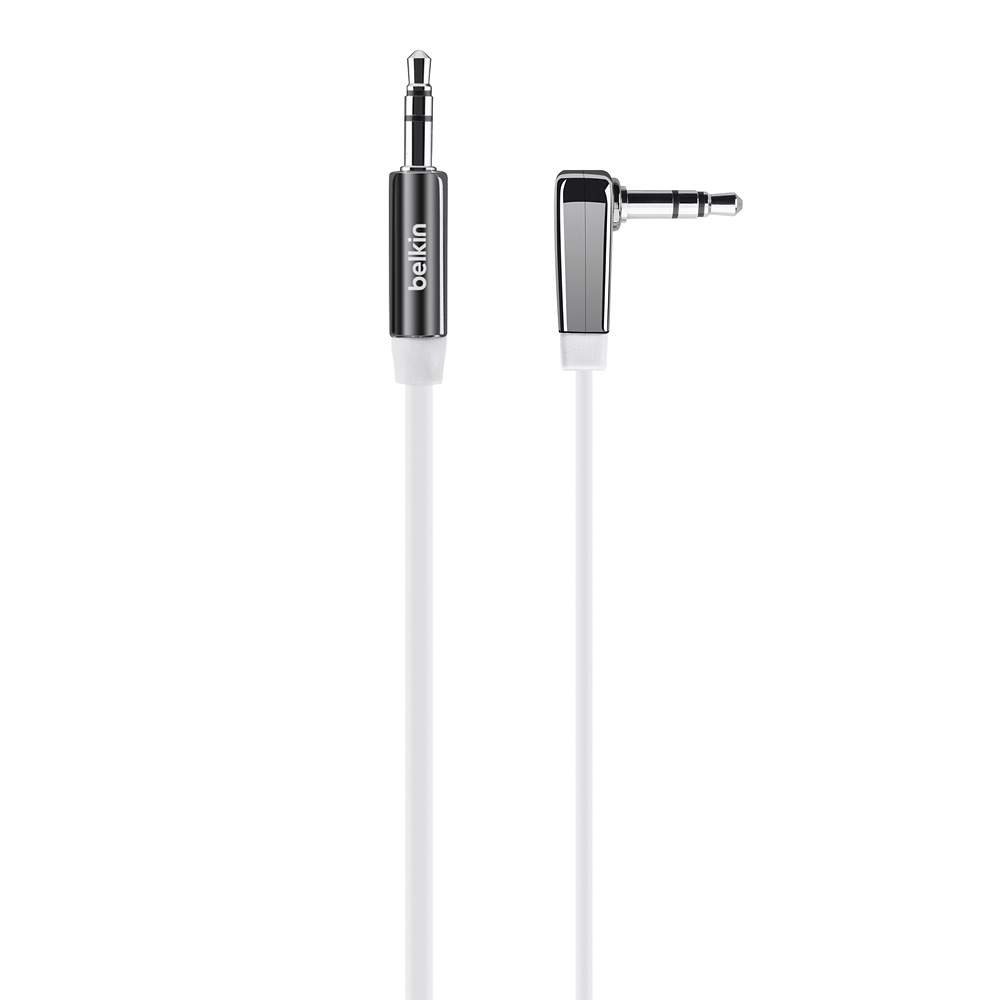
Figura 1: Belkin Right-Angled Aux/Auxiliary Cable. This image shows the black, flat cable with its right-angled 3.5mm connector on one end and a straight 3.5mm connector on the other.
- Right-Angle 3.5mm Plug: Reduces stress on the cable and device port, allowing for a flush connection.
- Disseny pla: Prevents tangles and makes storage easier.
- Chrome-Finished Plugs and Nickel-Plated Contacts: Ensures reliable connection and optimal audio signal transfer.
- Longitud: 6 feet (approximately 1.8 meters) for flexible placement of connected devices.
- Compatibilitat universal: Works with any device featuring a standard 3.5mm audio jack.
3. Configuració i connexió
Connecting your Belkin Aux/Auxiliary Cable is a straightforward process. Ensure both devices you intend to connect are powered off before making connections, if possible, to prevent any potential audio pops or damage.
- Identifica els ports d'àudio: Locate the 3.5mm audio output jack on your source device (e.g., smartphone, tablet, MP3 player) and the 3.5mm audio input jack on your receiving device (e.g., car stereo, home speaker, sound card). These are typically labeled "AUX OUT," "HEADPHONE," or "LINE IN," "AUX IN" respectively.
- Connect Right-Angle End: Insert the right-angled 3.5mm connector of the cable into the audio output jack of your source device. The right-angle design is particularly useful for devices in tight spaces or where a straight connector might be prone to damage.
- Connect Straight End: Insert the straight 3.5mm connector of the cable into the audio input jack of your receiving device.
- Connexió segura: Ensure both connectors are fully inserted into their respective ports for a secure and stable audio connection.
4. Funcionament
Un cop connectat el cable, seguiu aquests passos per iniciar la reproducció d'àudio:
- Dispositius d'encesa: Turn on both your audio source device and your receiving audio device.
- Seleccioneu l'entrada: On your receiving audio device (e.g., car stereo, home stereo), select the correct audio input source. This is usually labeled "AUX," "LINE IN," or similar. Refer to your receiving device's manual if you are unsure.
- Inicia la reproducció: Begin playing audio from your source device (e.g., music, podcast, audiobook).
- Ajustar el volum: Adjust the volume on both your source device and your receiving device to a comfortable listening level. It is often recommended to set the source device's volume to about 75-80% and control the main volume from the receiving device.
5. Manteniment i cura
To ensure the longevity and optimal performance of your Belkin Aux/Auxiliary Cable, follow these maintenance guidelines:
- Eviteu la flexió extrema: While the flat design helps prevent tangles, avoid sharp or excessive bends, especially near the connectors, as this can damage internal wiring.
- Emmagatzema correctament: When not in use, coil the cable loosely. The flat design makes it easy to store without tangling.
- Mantenir net: Periodically wipe the cable with a soft, dry cloth. If connectors appear dirty, gently clean them with a cotton swab lightly dampened with isopropyl alcohol, ensuring they are completely dry before use.
- Manejar amb cura: Always grasp the plug itself when inserting or removing the cable, rather than pulling on the cable wire.
- Condicions ambientals: Avoid exposing the cable to extreme temperatures, direct sunlight for prolonged periods, or excessive moisture.
6. Solució De Problemes
If you experience issues with your Belkin Aux/Auxiliary Cable, refer to the following common problems and solutions:
| Problema | Causa possible | Solució |
|---|---|---|
| Sense so |
|
|
| Poor Sound Quality (Static, Distortion) |
|
|
| Sound Only from One Channel |
|
|
7. Especificacions
| Característica | Detall |
|---|---|
| Marca | Belkin |
| Número de model | AV10128bt06 |
| Tipus de connector | 3.5 mm a 3.5 mm |
| Dispositius compatibles | Smartphone, Speaker, Car Stereo, Home Stereo |
| Color | Negre |
| Connector Gènere | Mascle a Mascle |
| Forma del cable | Pis |
| Longitud del cable | 6 peus (aproximadament 1.8 metres) |
| Pes de l'article | 1.62 unces (aproximadament 46 grams) |
| Dimensions del producte | 1.07 x 4.04 x 6.13 polzades (dimensions de l'embalatge) |
| Ús interior/exterior | Interior, Exterior |
8. Garantia i Suport
Per obtenir informació sobre la garantia del producte, l'assistència tècnica o el servei d'atenció al client, visiteu el lloc web oficial de Belkin. weblloc web o contacteu directament amb el seu servei d'atenció al client. Conserveu el rebut de compra com a comprovant de compra per a qualsevol reclamació de garantia.
Oficial de Belkin Weblloc: www.belkin.com


