1. Producte acabatview
The Logitech Wireless Mouse M305 is designed for comfort and convenience, featuring an ergonomic design with a soft rubber grip and a compact Nano-receiver. This manual provides instructions for setting up, operating, and maintaining your mouse.
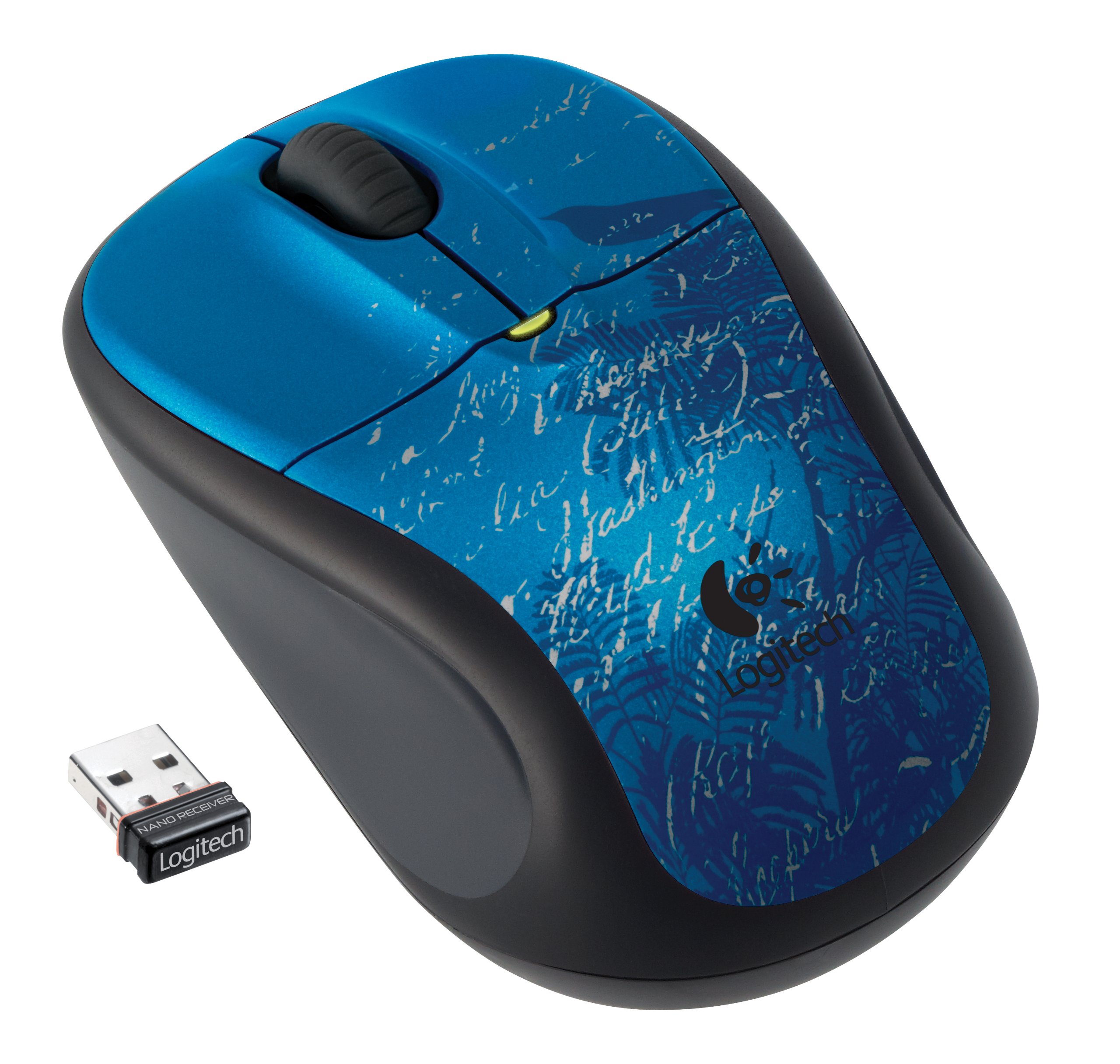
Image: Logitech Wireless Mouse M305 (Indigo Scroll) with its Nano receiver. The mouse features a blue design with white scroll patterns and a bird silhouette.
2. Instruccions de configuració
2.1. Instal·lació de la bateria
- Localitzeu el compartiment de la bateria a la part inferior del ratolí.
- Obriu la tapa del compartiment de la bateria.
- Inseriu una pila AA, assegurant-vos de la polaritat correcta (+/-).
- Tanqueu la tapa del compartiment de la bateria.
- Engegueu el ratolí amb l'interruptor d'encesa/apagada que es troba a la part inferior.
2.2. Connecting the Nano-Receiver
- Locate the USB Nano-receiver. It is typically stored inside the battery compartment or packaged separately.
- Plug the Nano-receiver into an available USB port on your computer.
- L'ordinador hauria de detectar i instal·lar automàticament els controladors necessaris. Aquest procés pot trigar uns instants.
- Un cop instal·lats els controladors, el ratolí ja està llest per al seu ús.

Image: The compact Nano receiver plugged into a laptop's USB port, demonstrating its small size.

Image: The Nano receiver shown next to a US nickel coin, highlighting its small, unobtrusive design.
3. Instruccions de funcionament
The Logitech Wireless Mouse M305 provides standard mouse functionality with enhanced comfort and precision.
3.1. Funcions bàsiques
- Botó esquerre del clic: S'utilitza per seleccionar elements, obrir files i executant ordres.
- Botó del botó dret: S'utilitza per accedir als menús contextuals i a opcions addicionals.
- Roda de desplaçament: S'utilitza per desplaçar-se pels documents i web pages. The scroll wheel may also function as a middle-click button for specific applications.
3.2. Ergonomics and Tracking
The mouse features an ergonomic design with a soft rubber grip for comfortable use over extended periods. Its high-definition optical tracking (1000 dpi) ensures responsive and smooth cursor control on various surfaces.

Imatge: Lateral view of the Logitech Wireless Mouse M305, illustrating its contoured shape and soft rubber side grips designed for comfort.
3.3. Gestió d'energia
To conserve battery life, the mouse includes an On/Off switch on its underside. It also features intelligent battery management, allowing for months of use from a single AA battery.
4. Manteniment
4.1. Substitució de la bateria
When the mouse's performance degrades or the battery indicator light (if present) signals low power, replace the AA battery by following the installation steps in Section 2.1.
4.2. Neteja
To clean your mouse, use a soft, dry cloth. For stubborn dirt, a slightly damp es pot fer servir un drap, assegurant-se que no entri humitat als components interns. Eviteu utilitzar productes químics agressius o netejadors abrasius.
5. Solució De Problemes
If you encounter issues with your Logitech Wireless Mouse M305, try the following troubleshooting steps:
- El ratolí no respon:
- Ensure the mouse is turned on using the On/Off switch.
- Comproveu la bateria. Substituïu-la si cal.
- Ensure the Nano-receiver is securely plugged into a working USB port. Try a different USB port.
- Reinicieu l'ordinador.
- Moviment erràtic del cursor:
- Netegeu el sensor òptic de la part inferior del ratolí.
- Assegureu-vos que feu servir el ratolí sobre una superfície adequada. Eviteu superfícies molt reflectants o transparents.
- Check for interference from other wireless devices. Move the receiver closer to the mouse or away from other electronics.
- Problemes de connexió:
- If the connection is frequently lost, try re-pairing the mouse with the receiver using Logitech's connection utility software (if available for your operating system).
6. Especificacions
| Característica | Detall |
|---|---|
| Número de model | 910-002462 |
| Dimensions del producte | 8.25 x 3.5 x 5.88 polzades |
| Pes de l'article | 4.8 unces |
| Bateries | 1 bateria AA (inclosa) |
| Tecnologia de connectivitat | Sense fil (2.4 GHz) |
| Tecnologia de detecció de moviment | Òptic (1000 ppp) |
| Fabricant | Logitech, Inc. |
7. Garantia i Suport
For warranty information and technical support, please refer to the documentation included with your product or visit the official Logitech website. Logitech provides customer support and resources for their products.
Logitech Official Weblloc: www.logitech.com


