1. Uvod
This manual provides detailed instructions for the LIGE FV21-F Smart Watch. Please read this guide thoroughly to ensure proper usage, optimal performance, and longevity of your device. This smartwatch is designed to enhance your daily life with health monitoring, fitness tracking, and smart communication features.
2. Šta se nalazi u kutiji
Upon unboxing your LIGE FV21-F Smart Watch, verify that all the following items are included:
- Smartwatch (LIGE FV21-F)
- Kabel za punjenje
- Watch Strap (Black Mesh)
- Additional Watch Strap (Apricot Silicone)
- Watch Setting Tools
- Smartwatch Manuals (this document)
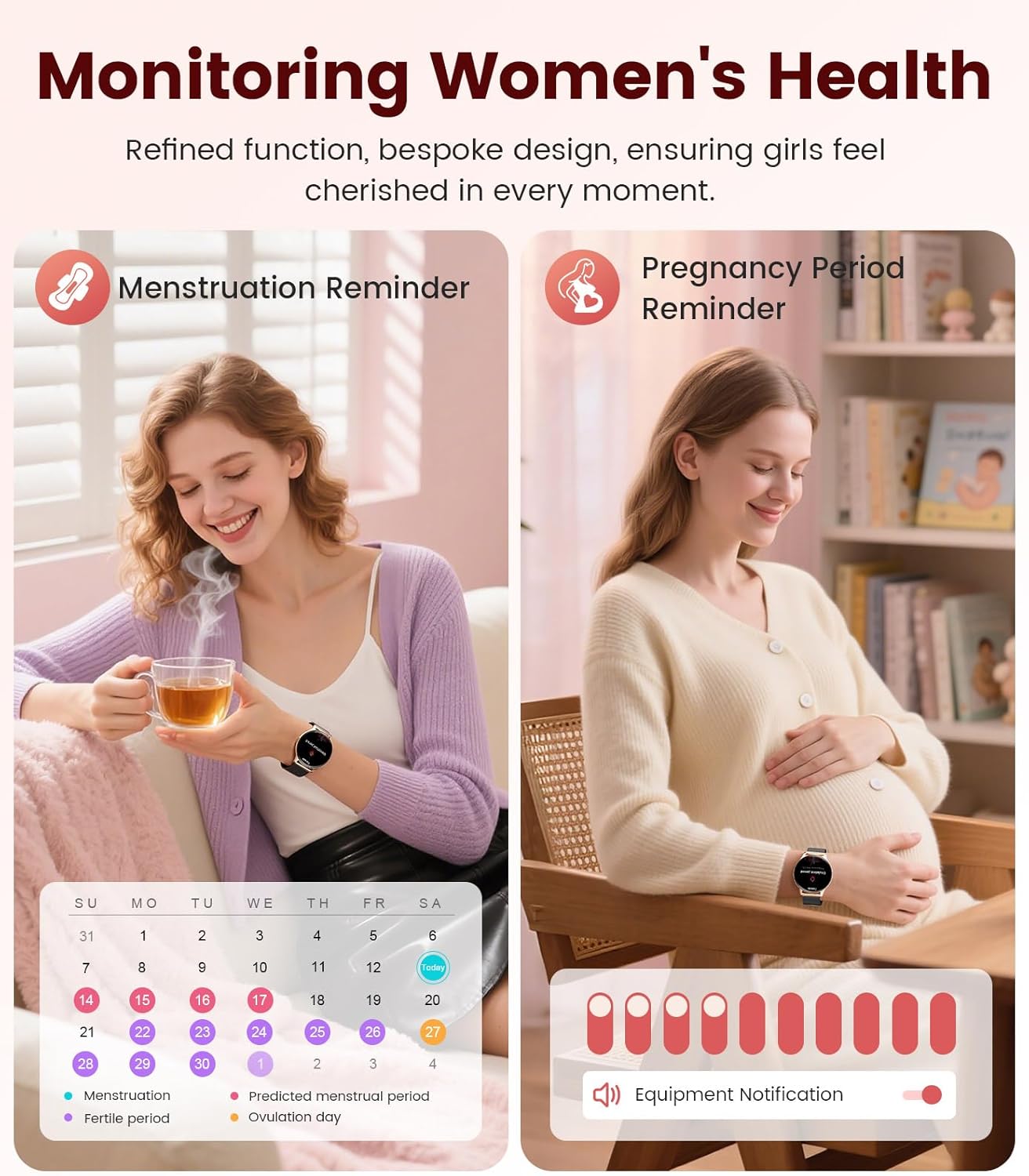
Image: Contents of the LIGE FV21-F Smart Watch package, showing the watch, charging cable, and two interchangeable bands.
3. Vodič za postavljanje
3.1 Attaching the Watch Straps
Your LIGE FV21-F Smart Watch comes with two interchangeable straps: a black mesh band and an apricot silicone band. To attach a strap:
- Locate the spring bar on the back of the watch strap.
- Align one end of the spring bar with the lug hole on the watch case.
- Push the spring bar inward and slide the strap into place between the lugs.
- Release the spring bar, ensuring both ends are securely seated in the lug holes.
- Gently pull the strap to confirm it is firmly attached.
Video: Demonstrates how to attach and change the watch straps, as well as initial setup and pairing with a smartphone.
3.2 Punjenje pametnog sata
Before first use, fully charge your smartwatch. Use the provided magnetic charging cable.
- Spojite USB kraj kabla za punjenje na adapter za napajanje (nije uključen) ili USB priključak računara.
- Place the magnetic end of the charging cable onto the charging contacts on the back of the smartwatch. The magnets will align it correctly.
- The watch screen will display a charging indicator. A full charge typically takes approximately 2-3 hours.
Image: The LIGE FV21-F Smart Watch being charged using its magnetic charging cable.
3.3 Preuzimanje i uparivanje aplikacije
To unlock the full functionality of your smartwatch, download the companion app, "FitCloudPro," and pair it with your smartphone.
- Preuzmite aplikaciju: Scan the QR code displayed on the watch screen (access via Settings > QR Code) or search for "FitCloudPro" in your smartphone's app store (App Store for iOS, Google Play Store for Android).
- Omogući Bluetooth: Provjerite je li Bluetooth omogućen na vašem pametnom telefonu.
- Otvorite aplikaciju i uparite: Open the FitCloudPro app, navigate to the "Device" section, and tap "Add Device" or "Search Now". Select "FV21" from the list of discovered devices.
- Potvrdite uparivanje: A pairing request will appear on both your phone and watch. Confirm the pairing on both devices.
- Dozvoli obavještenja: Grant necessary permissions for notifications (calls, messages, apps) when prompted by the app.

Image: The FitCloudPro app interface on a smartphone and the QR code on the smartwatch for easy app download and pairing.
4. Uputstvo za upotrebu
4.1 Osnovna navigacija
- Touchscreen: Prevucite lijevo/desno, gore/dolje za navigaciju kroz menije i ekrane. Dodirnite za odabir.
- Bočno dugme: Pritisnite da biste probudili ekran, vratili se na početni ekran ili pristupili listi aplikacija.
- Ekran za buđenje: Raise your wrist or press the side button to activate the display.
4.2 Prilagođavanje izgleda sata
The LIGE FV21-F offers over 200 customizable watch faces. You can also upload your own photos.
- On the watch, long-press the home screen to access watch face options, then swipe to select.
- In the FitCloudPro app, go to "Watch Face Store" to browse and sync new faces.
- To use a custom photo, select "Watch Face DIY" in the app, choose a photo, adjust its position, and sync to your watch.

Image: The smartwatch displaying a custom watch face, demonstrating the personalization options available through the app.
4.3 Komunikacijske funkcije
- Odgovaranje na pozive: Once paired via Bluetooth, you can answer incoming calls directly from your watch or dial numbers using the watch's dial pad.
- Obavještenja o poruci: Receive notifications for SMS, emails, and various social media apps (WhatsApp, Facebook, Instagram, etc.) directly on your wrist. Ensure app permissions are granted.
- Glasovni asistent: Koristite integriranog glasovnog asistenta za brze naredbe i informacije.

Image: The smartwatch displaying an incoming call and message notifications, highlighting its communication capabilities.
5. Praćenje zdravlja
The LIGE FV21-F Smart Watch provides comprehensive health tracking features to help you monitor your well-being.
- Praćenje srčanog ritma: Neprekidno prati vaš puls tokom cijelog dana.
- Praćenje spavanja: Analizira vaše obrasce spavanja, uključujući duboki san, lagani san i vrijeme buđenja.
- Praćenje kiseonika u krvi (SpO2): Mjeri nivo zasićenosti krvi kisikom.
- Women's Physiological Cycle Monitor: Provides reminders and tracking for menstrual and pregnancy periods.
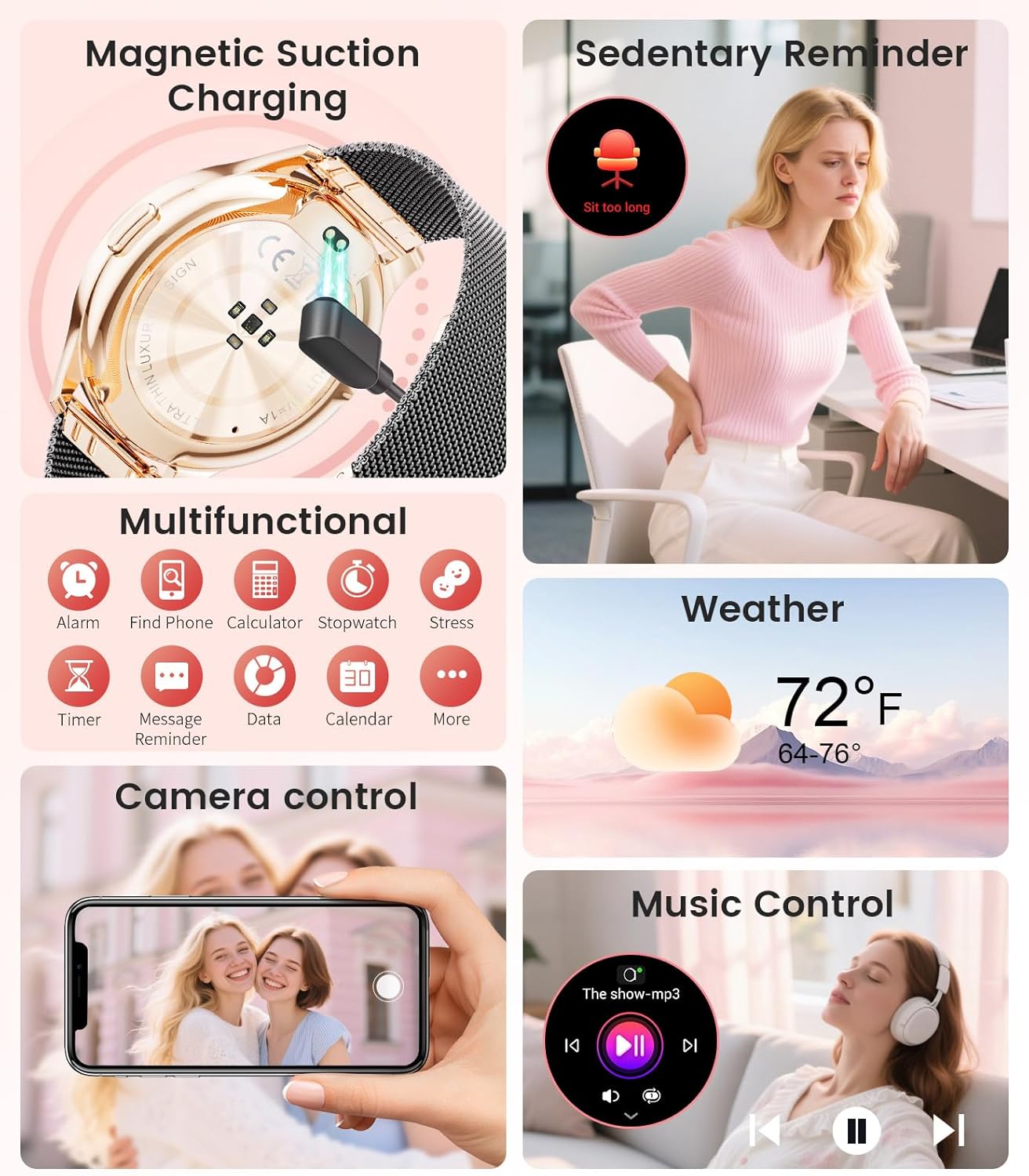
Image: The smartwatch interface showing women's health tracking features, including menstruation and pregnancy reminders.

Image: A user sleeping while wearing the smartwatch, with an inset showing the sleep tracking data on the watch face.
6. Fitness Tracking (120+ Sport Modes)
The LIGE FV21-F Smart Watch supports over 120 sport modes to track your activities, including walking, running, cycling, yoga, and more. It records steps, distance, calories burned, and heart rate during workouts.
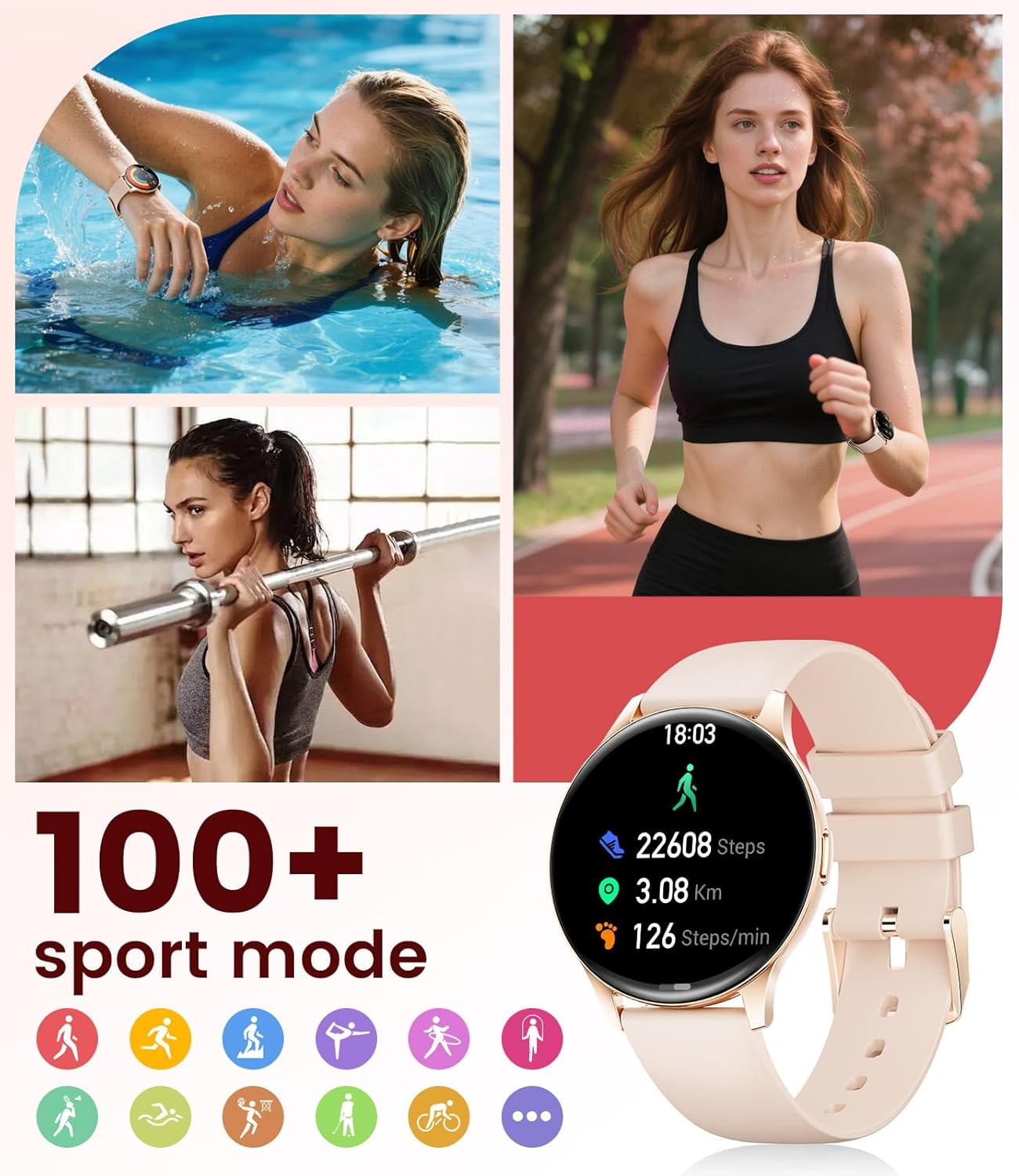
Image: The smartwatch showing different sport modes and real-time fitness data like steps, distance, and calories.
7. Ostale pametne funkcije
Beyond health and fitness, your smartwatch offers several convenient smart features:
- Kontrola muzike: Kontrolirajte reprodukciju muzike na svom pametnom telefonu direktno sa svog sata.
- Kontrola kamere: Koristite svoj sat kao daljinski okidač za kameru vašeg telefona.
- Prikaz vremena: Primajte vremenske informacije u stvarnom vremenu.
- Alarmi i podsjetnici: Set alarms, sedentary reminders, and drink water reminders.
- Pronađite telefon: Locate your misplaced phone by triggering an alarm from your watch.
- Calculator & Stopwatch: Basic utility tools available on your wrist.

Image: The smartwatch screen showing icons for music control, weather forecast, camera remote, and other utility features.
8. Specifikacije
Detailed technical specifications for the LIGE FV21-F Smart Watch:
| Feature | Detalj |
|---|---|
| Naziv modela | FV21-F |
| Display | 1.43" HD Curved AMOLED (466x466) |
| Kompatibilnost operativnog sistema | Android 4.4+ i iOS 9.0+ |
| Povezivanje | Bluetooth |
| Kapacitet baterije | 1000 Milliamp Sati (litijum-polimer) |
| Otpornost na vodu | IP68 Waterproof (up to 50 meters) |
| Kapacitet memorije | 256 MB |
| Vrsta materijala trake | Nerđajući čelik, silikon |
| Izmjerene metrike | Heart Rate, Sleep Duration, Blood Oxygen |
| Unos ljudskog interfejsa | Touchscreen |
| GPS | Preko pametnog telefona |
9. Održavanje
To ensure the longevity and optimal performance of your LIGE FV21-F Smart Watch, follow these maintenance guidelines:
- čišćenje: Regularly wipe the watch screen and straps with a soft, dry cloth. For silicone straps, a mild soap and water solution can be used, ensuring to rinse thoroughly and dry completely.
- Izbjegavajte oštre hemikalije: Do not use abrasive cleaners, solvents, or strong chemicals, as these can damage the watch's finish and internal components.
- Punjenje: Use only the provided magnetic charging cable. Avoid exposing the charging contacts to moisture or corrosive substances.
- Skladištenje: Kada se sat ne koristi duži period, čuvajte ga na hladnom i suhom mjestu, dalje od direktne sunčeve svjetlosti i ekstremnih temperatura.
- Izloženost vodi: While IP68 waterproof, avoid prolonged submersion in hot water, steam, or high-pressure water jets. Dry the watch thoroughly after exposure to water.
Video: The smartwatch being rinsed under tap water, showcasing its IP68 water resistance. Ensure to dry the watch after such exposure.
10. Otkrivanje problema
If you encounter issues with your LIGE FV21-F Smart Watch, refer to the following common solutions:
- Sat se ne uključuje: Provjerite je li sat potpuno napunjen. Spojite ga na punjač na najmanje 30 minuta.
- Nije moguće upariti s telefonom:
- Provjerite je li Bluetooth omogućen na vašem telefonu i je li sat u dometu.
- Ponovo pokrenite i telefon i sat.
- Obrišite Bluetooth keš memoriju na telefonu i pokušajte ponovo upariti uređaj.
- Ensure the FitCloudPro app has all necessary permissions.
- Obavještenja nisu primljena:
- Check app permissions for notifications in your phone settings and within the FitCloudPro app.
- Provjerite je li sat pravilno povezan putem Bluetootha.
- Disable and re-enable notifications in the FitCloudPro app.
- Netačni zdravstveni podaci:
- Pazite da sat čvrsto prianja na vašem zapešću, ne previše stegnut ili previše labav.
- Očistite senzor na poleđini sata.
- Imajte na umu da su zdravstveni podaci informativnog karaktera, a ne za medicinsku dijagnozu.
- Kratko trajanje baterije:
- Smanjite svjetlinu ekrana i vrijeme uključenosti ekrana.
- Onemogućite kontinuirano praćenje otkucaja srca ako nije potrebno.
- Ograničite broj aplikacija koje šalju obavještenja na sat.
Ako problem i dalje postoji, obratite se korisničkoj podršci.
11. Garancija i podrška
The LIGE FV21-F Smart Watch comes with a 2 godine garancije od datuma kupovine, pokrivajući nedostatke u proizvodnji. Ova garancija ne pokriva štetu uzrokovanu nepravilnom upotrebom, nezgodama, neovlaštenim modifikacijama ili normalnim habanjem.
For technical support, warranty claims, or any other inquiries, please contact LIGE customer service through the retailer where you purchased the product or visit the official LIGE webstranica za kontakt informacije.
We are committed to ensuring your satisfaction and providing a delightful experience with your LIGE Smart Watch.


