Uvod
This manual provides detailed instructions for the setup, operation, and maintenance of your LIGE EF21-I Smartwatch. Please read this manual thoroughly before using the device to ensure proper function and to maximize its features.
Sigurnosne informacije
- Ne pokušavajte rastaviti ili modificirati sat.
- Čuvajte sat podalje od ekstremnih temperatura i direktne sunčeve svjetlosti.
- Avoid exposing the watch to strong impacts or drops.
- Do not use corrosive chemicals to clean the watch.
- This device is not a medical device. Health data is for reference only and should not be used for medical diagnosis or treatment.
- Prije punjenja provjerite jesu li kontakti za punjenje čisti i suhi.
Sadržaj paketa
Provjerite da li se sve stavke nalaze u vašem paketu:
- LIGE EF21-I Smartwatch
- USB magnetski kabel za punjenje
- Kabel za punjenje tipa C
- Uputstvo za upotrebu

Image: The package includes both a USB magnetic charging cable and a Type-C charging cable for versatile power options.
Vodič za postavljanje
1. Početno punjenje
Before first use, fully charge your smartwatch. Connect the magnetic charging cable to the charging contacts on the back of the watch and the USB end to a power adapter (not included) or a computer USB port. The watch display will show the charging status.

Image: The smartwatch connected to its magnetic charger, indicating its 800 mAh battery capacity.
2. Instalacija i uparivanje aplikacije
To unlock all features, download and install the "Fit CloudPro" app on your smartphone.
- Scan the QR code in the manual or on the watch (if available) or search for "Fit CloudPro" in your phone's app store (compatible with Android 8.0+ and iOS 12.0+).
- Otvorite aplikaciju i kreirajte račun ili se prijavite.
- Provjerite je li Bluetooth omogućen na vašem pametnom telefonu.
- U aplikaciji idite do odjeljka za uređaje i odaberite "Dodaj uređaj" ili sličnu opciju.
- Select "EF21-I" from the list of available devices to pair.
- Pratite uputstva na ekranu da dovršite proces uparivanja.
Nakon uparivanja, sat će sinhronizovati vrijeme i podatke sa vašim telefonom.
Uputstvo za upotrebu
Osnovna navigacija
- Ekran na dodir: Prevucite prstom lijevo/desno, gore/dolje za navigaciju kroz menije i funkcije. Dodirnite za odabir.
- Bočna dugmad: Typically, one button acts as a power/back button, while others may be customizable shortcuts. Refer to the on-screen prompts for specific functions.

Image: The 1.43-inch AMOLED display offers brilliant colors and a fluid, efficient user experience.
Bluetooth funkcija poziva
The EF21-I Smartwatch supports Bluetooth calls, allowing you to make and receive calls directly from your wrist.
- Ensure the watch is connected to your smartphone via Bluetooth.
- Access the "Call" or "Phone" function on your watch.
- You can use the dial pad, access your contacts, or view historija poziva.
- Advanced noise cancellation ensures clear audio during calls.
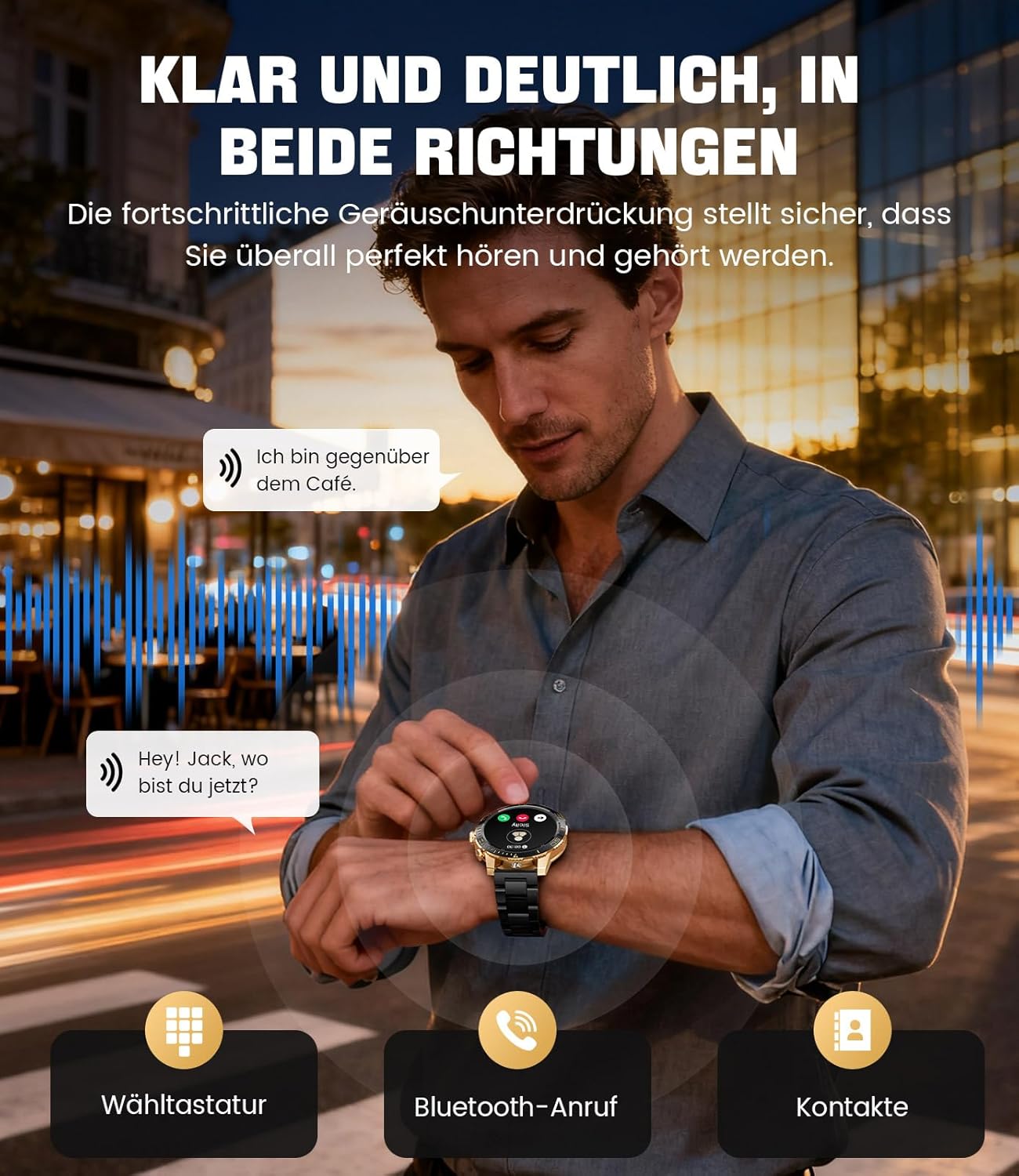
Image: The smartwatch allows clear two-way communication with advanced noise cancellation, featuring a dial pad, Bluetooth call option, and contacts access.
Obavještenja
Receive real-time notifications from your smartphone apps directly on your watch.
- Enable app notifications in the "Fit CloudPro" app settings.
- The watch will display incoming calls, SMS, and messages from social media apps (e.g., Facebook, Twitter, Instagram, WhatsApp).
- A quick glance at your wrist allows you to stay informed discreetly.

Image: The smartwatch displays real-time notifications from various social media applications, keeping you informed discreetly.
Monitoring zdravlja
The EF21-I Smartwatch acts as your 24/7 health guardian, providing continuous monitoring of key health metrics.
- Otkucaji srca: Prati vaš puls tokom cijelog dana.
- Kiseonik u krvi (SpO2): Mjeri nivo zasićenosti krvi kisikom.
- Praćenje spavanja: Analyzes your sleep patterns, distinguishing between deep sleep, light sleep, and awake times.
- Praćenje stresa: Prati nivo stresa.
- Sedentarni podsjetnici: Obavještava vas da se pokrenete nakon perioda neaktivnosti.
View detailed health data and trends in the "Fit CloudPro" app.
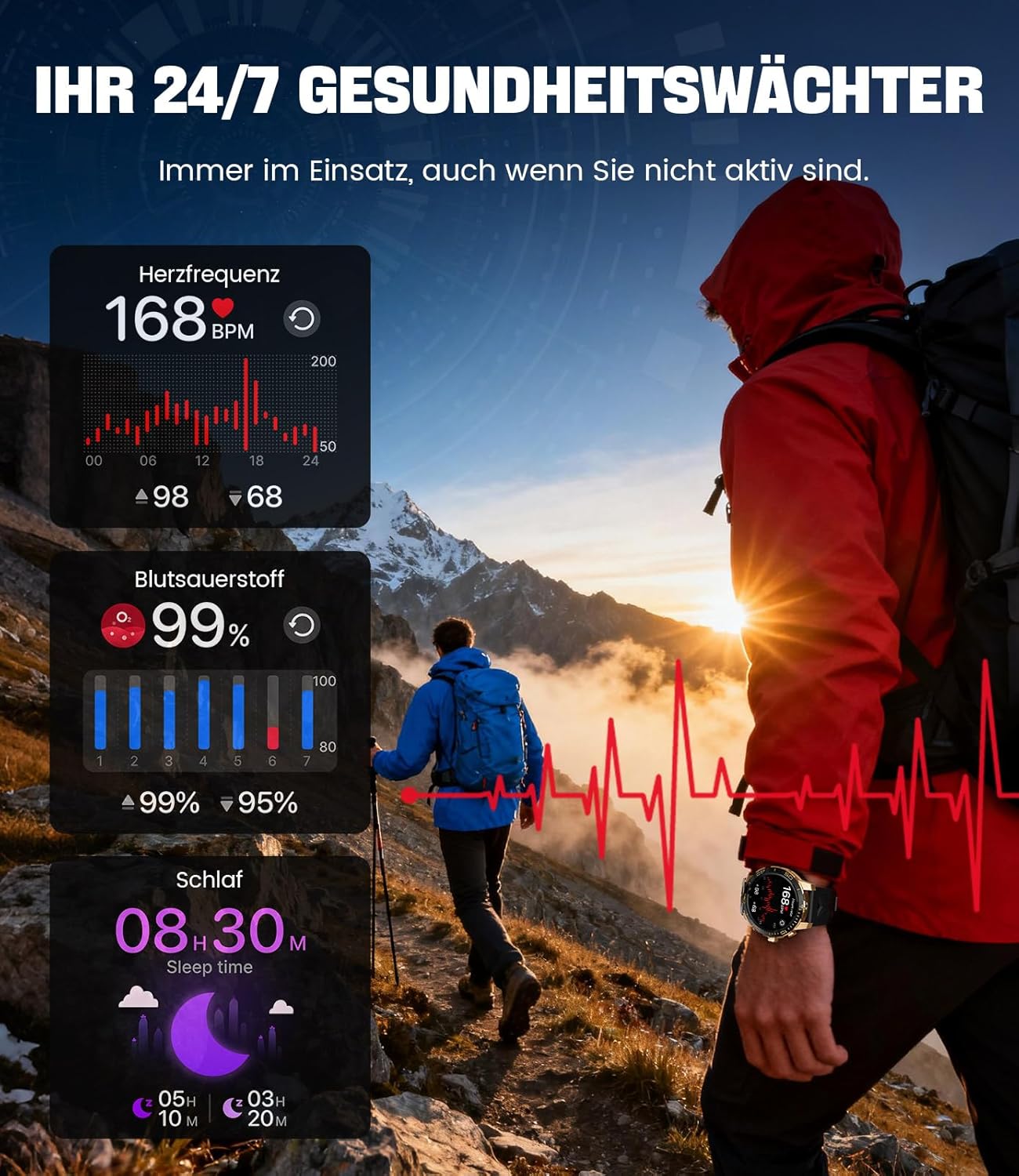
Image: The smartwatch functions as a 24/7 health guardian, monitoring heart rate, blood oxygen, and sleep patterns, even when you are not actively engaged in exercise.
Sportski modovi
With over 200 sports modes, the watch helps you track your workouts and achieve your fitness goals.
- Odaberite željeni sportski način rada iz izbornika sata.
- The watch records data such as heart rate, calories burned, and steps taken.
- Automatic recognition for walking, running, and cycling is supported.
- Review your activity data in the "Fit CloudPro" app for performance analysis.

Image: The smartwatch supports over 200 training modes, tracking heart rate, calories, and steps for various activities.
Prilagodljivi satovi
Personalizirajte svoj pametni sat pomoću raznih izgleda sata.
- The watch comes with several pre-installed classic watch faces.
- Access over 200 additional designs through the "Fit CloudPro" app.
- You can also upload your own photos to create custom watch faces.
Dodatne karakteristike
- Vremenska prognoza: Primajte vremenske informacije u stvarnom vremenu.
- Alarm: Podesite alarme direktno sa svog ručnog zgloba.
- Daljinsko upravljanje kamerom: Use your watch to trigger your phone's camera.
- svjetiljka: Activate a flashlight function on your wrist.
- Lokator telefona: Find your misplaced smartphone using the watch.

Image: The smartwatch features a wrist flashlight function, providing illumination for outdoor activities.
Održavanje
Čišćenje
- Obrišite ekran i kućište sata mekom krpom koja ne ostavlja dlačice.
- Za tvrdokorne mrlje, damplagano navlažite krpu vodom.
- Avoid using harsh chemicals, abrasive materials, or ultrasonic cleaners.
- Provjerite jesu li kontakti za punjenje čisti i bez prljavštine.
Vodootpornost (IP68)
The LIGE EF21-I Smartwatch is IP68 water-resistant, meaning it can withstand immersion in water up to 1.5 meters for up to 30 minutes. It is suitable for daily use, hand washing, and swimming.
- Ne koristite sat u vrućoj vodi, saunama ili parnim kupatilima.
- Izbjegavajte pritiskanje dugmadi pod vodom.
- After exposure to water, especially saltwater, dry the watch thoroughly.
Rješavanje problema
Sat se ne uključuje
- Provjerite je li sat potpuno napunjen. Spojite ga na punjač na najmanje 30 minuta.
- Pritisnite i držite dugme za napajanje nekoliko sekundi.
Unable to Pair with App
- Provjerite je li Bluetooth omogućen na vašem pametnom telefonu.
- Provjerite da li je sat dovoljno napunjen.
- Ponovo pokrenite i pametni telefon i pametni sat.
- Try unpairing and re-pairing the device through the "Fit CloudPro" app.
- Check if the app has necessary permissions on your phone.
Netačni zdravstveni podaci
- Pazite da sat čvrsto prianja uz vaš zglob, da nije ni previše labav ni previše stegnut.
- Očistite senzor na poleđini sata.
- Izbjegavajte pretjerano kretanje tokom mjerenja.
- Remember that health data is for reference and not for medical use.
Obavještenja nisu primljena
- Provjerite je li sat povezan s vašim telefonom putem Bluetootha.
- Check notification settings in the "Fit CloudPro" app.
- Ensure your phone's notification settings allow the app to send notifications.
- Disable any battery optimization settings for the "Fit CloudPro" app on your phone.
Specifikacije
| Feature | Detalj |
|---|---|
| Brand | LIGE |
| Broj modela | EF21-I |
| Veličina ekrana | 1.43 inča |
| Display Type | AMOLED |
| Kapacitet baterije | 800 mAh (litijum-polimer) |
| Povezivanje | Bluetooth |
| Kompatibilnost operativnog sistema | Android 8.0+ i iOS 12.0+ |
| Ocjena vodootpornosti | IP68 |
| Kapacitet memorije | 256 MB |
| Posebne karakteristike | Weather forecast, Sedentary reminder, Alarm clock, Touch screen, Always-on display, Bluetooth calling, Heart rate monitor, SpO2 monitor, Sleep monitor, 200+ sports modes, Phone locator |
| GPS | GPS putem pametnog telefona |

Image: The smartwatch features impact resistance, indicated by a 'Military Grade Drop-Tested' badge.
Garancija i podrška
Informacije o garanciji
The product is supported by a 12-month warranty. Please retain your proof of purchase for warranty claims.
Korisnička podrška
For technical assistance, troubleshooting, or warranty inquiries, please contact LIGE customer support. Refer to the contact information provided with your purchase or visit the official LIGE website.


