1. Uvod
Hvala na kupoviniasing the ZEBRONICS Zeb Vigor 100 Tower Speaker. This manual provides essential information for the safe and efficient operation of your device. Please read it thoroughly before use and retain it for future reference.
2. Sigurnosna uputstva
- Ne izlažite zvučnik vodi ili vlazi.
- Ne otvarajte zvučnik casing; sve servisne radove prepustite kvalifikovanom osoblju.
- Držite zvučnik dalje od direktne sunčeve svjetlosti, izvora toplote i otvorenog plamena.
- Osigurajte odgovarajuću ventilaciju oko zvučnika kako biste spriječili pregrijavanje.
- Use only the power cord supplied with the device.
- Izbjegavajte slušanje na visokim nivoima glasnoće tokom dužeg perioda kako biste spriječili oštećenje sluha.
3. Sadržaj paketa
Provjerite da li su sve stavke prisutne u paketu:
- Trolley DJ Speaker: 1 Unit
- Daljinski upravljač: 1 jedinica
- Wireless Microphone: 1 Unit
- Kabl za napajanje: 1 jedinica
- Input Cable (3.5mm): 1 Unit
- QR Code Guide: 1 Unit
4. Proizvod je gotovview
The ZEBRONICS Zeb Vigor 100 is a versatile tower speaker designed for various audio applications, featuring multiple connectivity options and a robust sound output.
Ključne karakteristike:
- Triple Full Range 20.32cm Drivers for comprehensive sound.
- 100W RMS Output for powerful audio delivery.
- TWS (True Wireless Stereo) Function for connecting two speakers.
- Karaoke & Mic Recording Function with included Wireless MIC.
- Multiconnectivity: Bluetooth v5.0, USB, mSD, AUX, FM.
- LED Display for easy navigation.
- Daljinski upravljač za praktičan rad.
- Carry Handle & Wheels for portability.
- RGB Lights for visual effects.
- Dual 6.3mm Microphone input.
- Ugrađena punjiva baterija.
- Dedicated Control Buttons for intuitive use.
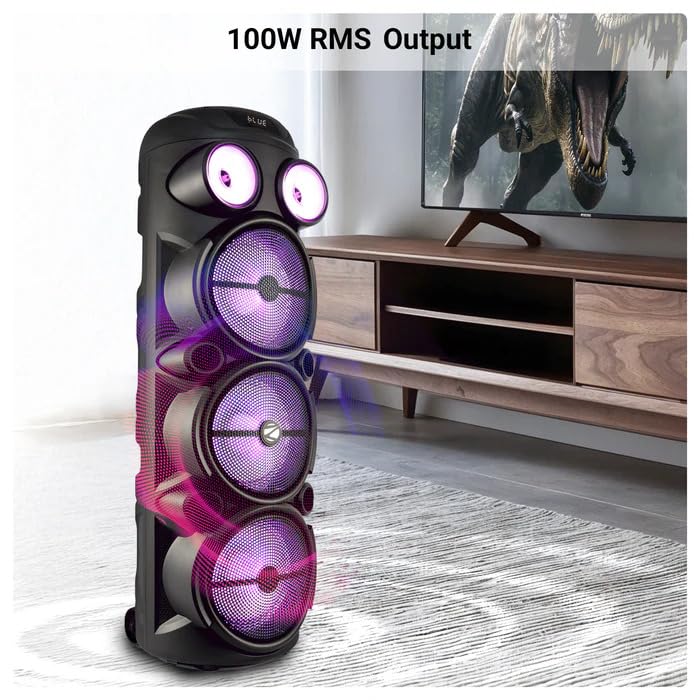
Image: The ZEBRONICS Zeb Vigor 100 Tower Speaker showcasing its 100W RMS output, positioned next to a television.
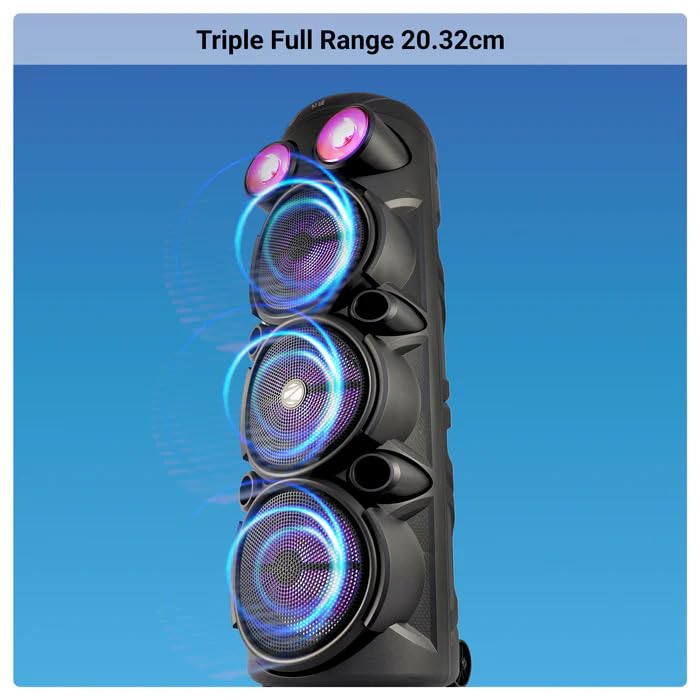
Slika: Krupni plan view of the ZEBRONICS Zeb Vigor 100 highlighting its triple full-range 20.32cm drivers.
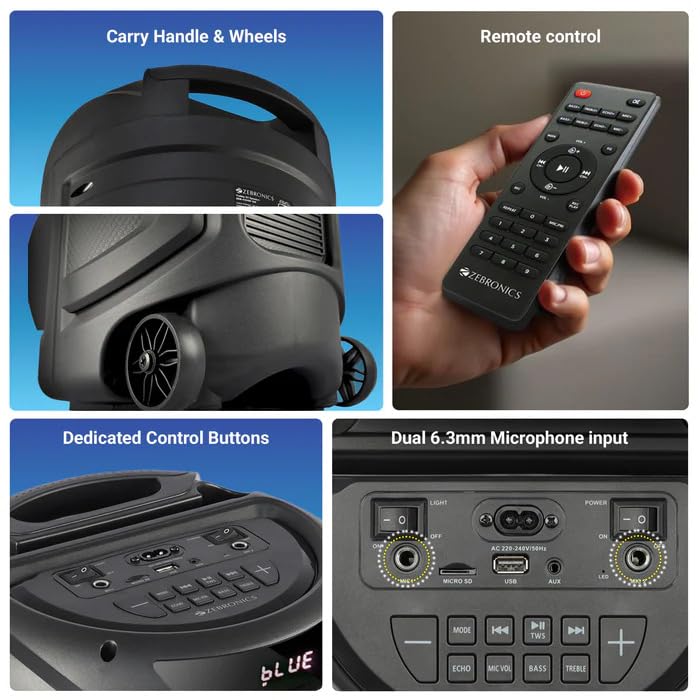
Image: A collage showing the speaker's carry handle and wheels for portability, the included remote control, the dedicated control buttons on the top panel, and the dual 6.3mm microphone inputs on the rear panel.
5. Podešavanje
5.1 Punjenje zvučnika
Before initial use, fully charge the speaker. Connect the provided power cord to the speaker's AC input and a suitable power outlet. The charging time is approximately 9.8 hours. A full charge provides up to 5 hours of playback at 50% volume with LED lights off.
5.2 Uključivanje/isključivanje
Locate the power switch on the speaker's control panel. Toggle the switch to the 'ON' position to power on the speaker. Toggle to 'OFF' to power off.
6. Uputstvo za upotrebu
6.1 Bluetooth Connection (BT v5.0)
- Power on the speaker. The speaker will automatically enter Bluetooth mode or you can select it using the 'MODE' button.
- Omogućite Bluetooth na svom mobilnom uređaju ili računaru.
- Traži available devices and select "ZEB-VIGOR 100" from the list.
- Nakon uparivanja, zvučnik će signalizirati uspješnu vezu i možete započeti reprodukciju zvuka.
6.2 USB/mSD Playback
- Insert a USB flash drive or mSD card (up to 32GB) containing MP3 audio files u odgovarajući port.
- The speaker will automatically detect the storage device and begin playback. If not, press the 'MODE' button to select USB or mSD mode.
- Use the control buttons or remote to play, pause, skip tracks, or adjust volume.
6.3 AUX ulaz
- Connect one end of the 3.5mm input cable to the AUX port on the speaker.
- Drugi kraj priključite na audio izlaz vašeg eksternog uređaja (npr. pametnog telefona, MP3 plejera).
- Press the 'MODE' button to select AUX input.
- Control playback and volume from your external device or the speaker.
6.4 FM radio
- Press the 'MODE' button to select FM radio mode.
- Press the Play/Pause button to auto-scan and save available FM stations (frequency range 87.5 MHz - 108 MHz).
- Koristite dugmad Prethodna/Sljedeća pjesma za navigaciju između sačuvanih stanica.
6.5 Karaoke & Mic Recording Function
- Connect the wireless microphone or a wired microphone (not included) to one of the dual 6.3mm microphone inputs.
- Adjust the microphone volume and echo using the dedicated controls.
- To record, ensure a USB drive or mSD card is inserted. Press the 'REC' button (if available on the control panel/remote) to start recording. Press again to stop.
6.6 TWS (Pravi bežični stereo) funkcija
To connect two Zeb Vigor 100 speakers for a stereo experience:
- Provjerite jesu li oba zvučnika uključena i u Bluetooth načinu rada.
- On one speaker (this will be the master), press and hold the 'TWS' button. The speaker will indicate it is searching for another TWS device.
- The two speakers will automatically pair. Once connected, they will function as a stereo pair.
- Connect your mobile device to the master speaker via Bluetooth as described in section 6.1.
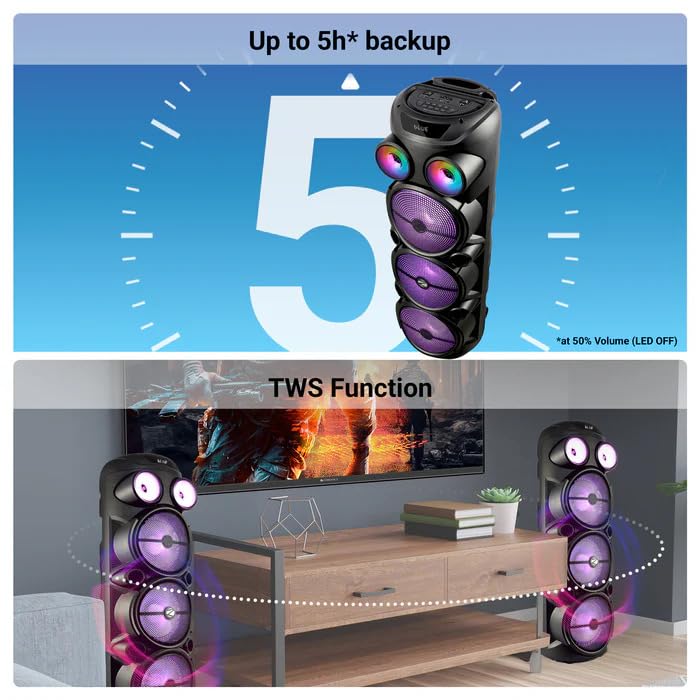
Image: The ZEBRONICS Zeb Vigor 100 speaker highlighting its up to 5-hour battery backup and the True Wireless Stereo (TWS) function, showing two speakers connected wirelessly.
6.7 RGB svjetla
The speaker features dynamic RGB lights. Use the dedicated 'LIGHT' switch or button on the control panel or remote to cycle through different light modes or turn them off.
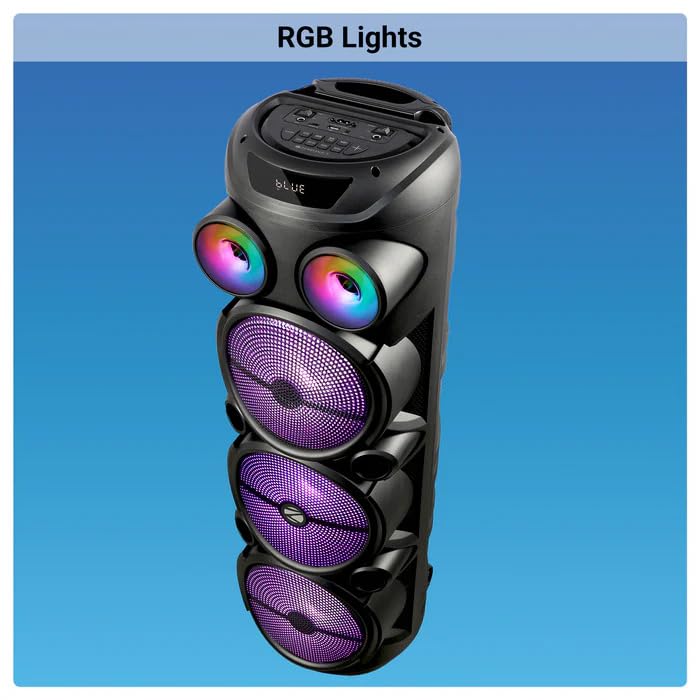
Image: The ZEBRONICS Zeb Vigor 100 Tower Speaker with its vibrant RGB lights illuminated.
6.8 Kontrolna tabla i daljinski upravljač
The speaker features a top-mounted control panel with buttons for mode selection, playback control, volume adjustment, microphone controls, and light control. A remote control is also provided for convenient operation from a distance.
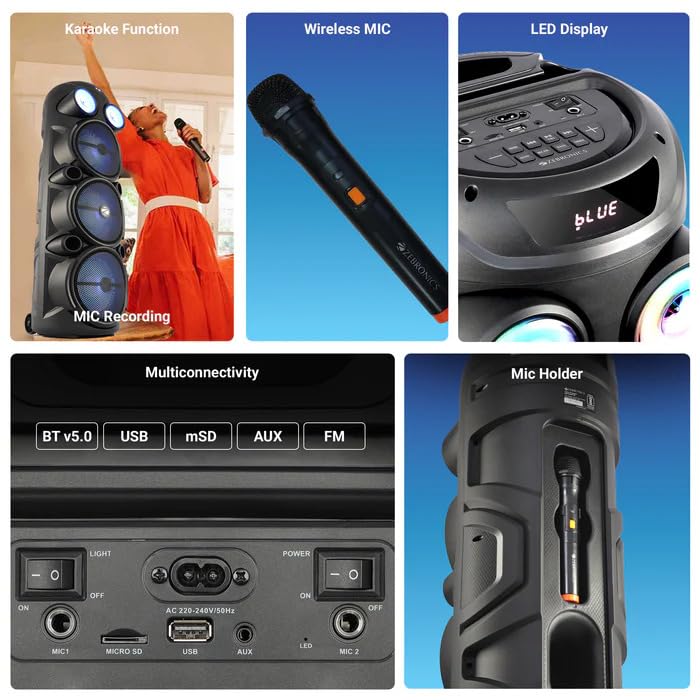
Slika: Detaljna view of the ZEBRONICS Zeb Vigor 100's control panel, showing options for Bluetooth v5.0, USB, mSD, AUX, and FM connectivity, along with various control buttons.
7. Održavanje
- čišćenje: Za čišćenje vanjske strane zvučnika koristite meku, suhu krpu. Ne koristite abrazivna sredstva za čišćenje ili rastvarače.
- Skladištenje: Kada se ne koristi duži period, zvučnik čuvajte na hladnom i suhom mjestu, dalje od direktne sunčeve svjetlosti i ekstremnih temperatura.
- Održavanje baterije: Da biste produžili vijek trajanja baterije, izbjegavajte često potpuno pražnjenje baterije. Redovno punite zvučnik, čak i ako ga ne koristite.
8. Otkrivanje problema
| Problem | Mogući uzrok | Rješenje |
|---|---|---|
| Zvučnik se ne uključuje. | Baterija je prazna ili kabel za napajanje nije spojen. | Charge the speaker or ensure the power cord is securely connected. |
| Nema izlaza zvuka. | Volume is too low, incorrect mode selected, or device not properly connected. | Increase volume, select the correct input mode (BT, USB, AUX, FM), or re-establish connection. |
| Bluetooth uparivanje nije uspjelo. | Zvučnik nije u načinu uparivanja ili je uređaj previše udaljen. | Ensure speaker is in Bluetooth mode, move device closer, or clear previous pairings on your device. |
| Mikrofon ne radi. | Microphone not powered on, or volume too low. | Ensure wireless mic has batteries and is powered on. Adjust mic volume. |
9. Specifikacije
| Feature | Specifikacija |
|---|---|
| Izlazna snaga (RMS) | 100W |
| Driver Size | Full range 20.32cm x 3, Tweeter 3.8cm |
| Impedansa | Full range 4Ω x 1, 8Ω x 2; Tweeter 8Ω |
| Frekvencijski odziv | 65Hz-18kHz |
| S/N odnos | ≥60dB |
| File Format Support (USB/SD) | MP3 |
| Linijski ulaz | 3.5mm |
| Max Supported USB/SD Memory Size | 32GB |
| FM Frekvencijski opseg | 87.5 MHz - 108 MHz |
| Vrijeme punjenja | 9.8 sati |
| Vrijeme reprodukcije | 5 hours* (at 50% Volume, LED OFF) |
| Bluetooth naziv | ZEB-VIGOR 100 |
| Bluetooth verzija | v5.0 |
| Dimenzije proizvoda (Š x D x V) | 28.6 x 28.5 x 90 cm |
| Neto težina | 6.4 kg |
| Tip konektora | Pomoćni, USB |
| Broj kanala | 2 |
| Audio ulaz | Wired Microphone, Wireless Microphone, Line-Level Input |
| Boja | Crna |
| Kompatibilni uređaji | Audio Player, DJ Mixer, DVD Player, Drum, Guitar, Headphone, Headset, Karaoke System, Keyboard, Laptop, MP3 Player, Microphone, Piano, Smartphone, Tablet, Television |
10. Garancija i podrška
10.1 Informacije o garanciji
The ZEBRONICS Zeb Vigor 100 Tower Speaker comes with a 1 godina garancije od datuma kupovine. Molimo sačuvajte račun za reklamaciju. Garancija pokriva proizvodne nedostatke u normalnim uslovima upotrebe.
10.2 Proizvođač
Zebronics India Pvt Ltd.
13/7 Smith Road, Royapettah, Chennai, Tamil Nadu - 600 002, India
10.3 Korisnička podrška
For technical assistance, service, or warranty inquiries, please contact Zebronics customer support through their official website or the contact information provided in the QR code guide included in your package.


