Uvod
This manual provides essential instructions for the safe and efficient use of your Philips TAT5000 True Wireless Bluetooth Earbuds. Please read this guide thoroughly before operating the device and retain it for future reference. These earbuds feature Adaptive Noise Canceling Pro, 6-mic call technology, and Bluetooth 5.4 multipoint connectivity, designed for a superior audio experience.
Šta je u kutiji
- Philips TAT5000 True Wireless Earbuds (Left and Right)
- Futrola za punjenje
- USB-C kabl za punjenje
- Nastavci za uši (mali, srednji, veliki)
- Uputstvo za upotrebu

Image: Philips TAT5000 True Wireless Earbuds shown inside their open charging case, ready for use.
Setup
1. Punjenje slušalica i kutijice
Before first use, fully charge the earbuds and charging case. Connect the USB-C charging cable to the charging port on the case and to a power source. The charging indicators on the case will show the charging status. A full charge provides up to 40 hours of total playtime (10 hours from earbuds + 30 hours from case with ANC off). A 15-minute quick charge provides approximately 3 hours of playtime.

Image: The Philips TAT5000 charging case, closed, displaying its USB-C charging port on the front.
2. Uparivanje sa vašim uređajem
- Provjerite jesu li slušalice napunjene i stavljene u kutijicu za punjenje.
- Otvorite kutijicu za punjenje. Slušalice će automatski ući u način rada za uparivanje.
- Na svom uređaju (pametnom telefonu, tabletu, laptopu) omogućite Bluetooth i potražite nove uređaje.
- Select "Philips TAT5000" from the list of available devices to connect.
- For Android devices, Google Fast Pair allows for instant connection. For Windows devices, Microsoft Swift Pair offers quick pairing.
- The earbuds support Bluetooth 5.4 multipoint connectivity, allowing connection to two devices simultaneously.
3. Odabir pravih nastavka za uši
Choose the soft silicone eartips (S/M/L) that provide the most comfortable and secure fit for optimal sound quality and noise cancellation performance.
Uputstvo za upotrebu
1. Uključivanje/isključivanje
- Uključeno: Otvorite kućište za punjenje i slušalice će se automatski uključiti.
- Iskljuciti: Vratite slušalice u kutijicu za punjenje i zatvorite poklopac. Automatski će se isključiti.
2. Music Playback (Touch Controls)
- Pusti/pauza: Tap the touch panel on either earbud once.
- Sljedeća pjesma: Double-tap the touch panel on the right earbud.
- Prethodni zapis: Double-tap the touch panel on the left earbud.
3. Call Management (Touch Controls)
- Odgovori/Završi poziv: Tap the touch panel on either earbud once.
- odbiti poziv: Press and hold the touch panel on either earbud for 2 seconds.
4. Režimi kontrole buke
The earbuds feature Adaptive Noise Canceling Pro. Tap the touch panel (specific earbud/pattern may vary, refer to app for customization) to cycle through modes:
- Adaptive Noise Canceling (ANC): Smanjuje ambijentalnu buku.
- Način rada svijesti: Allows you to hear your surroundings.
- Quick Awareness: Amplifies voices for quick conversations without removing earbuds.
5. Aplikacija za Philips slušalice
Download the Philips Headphones App for additional features, including:
- Customizing touch controls.
- Adjusting Equalizer (EQ) settings.
- Managing ANC levels and modes.
- Primanje ažuriranja firmvera.
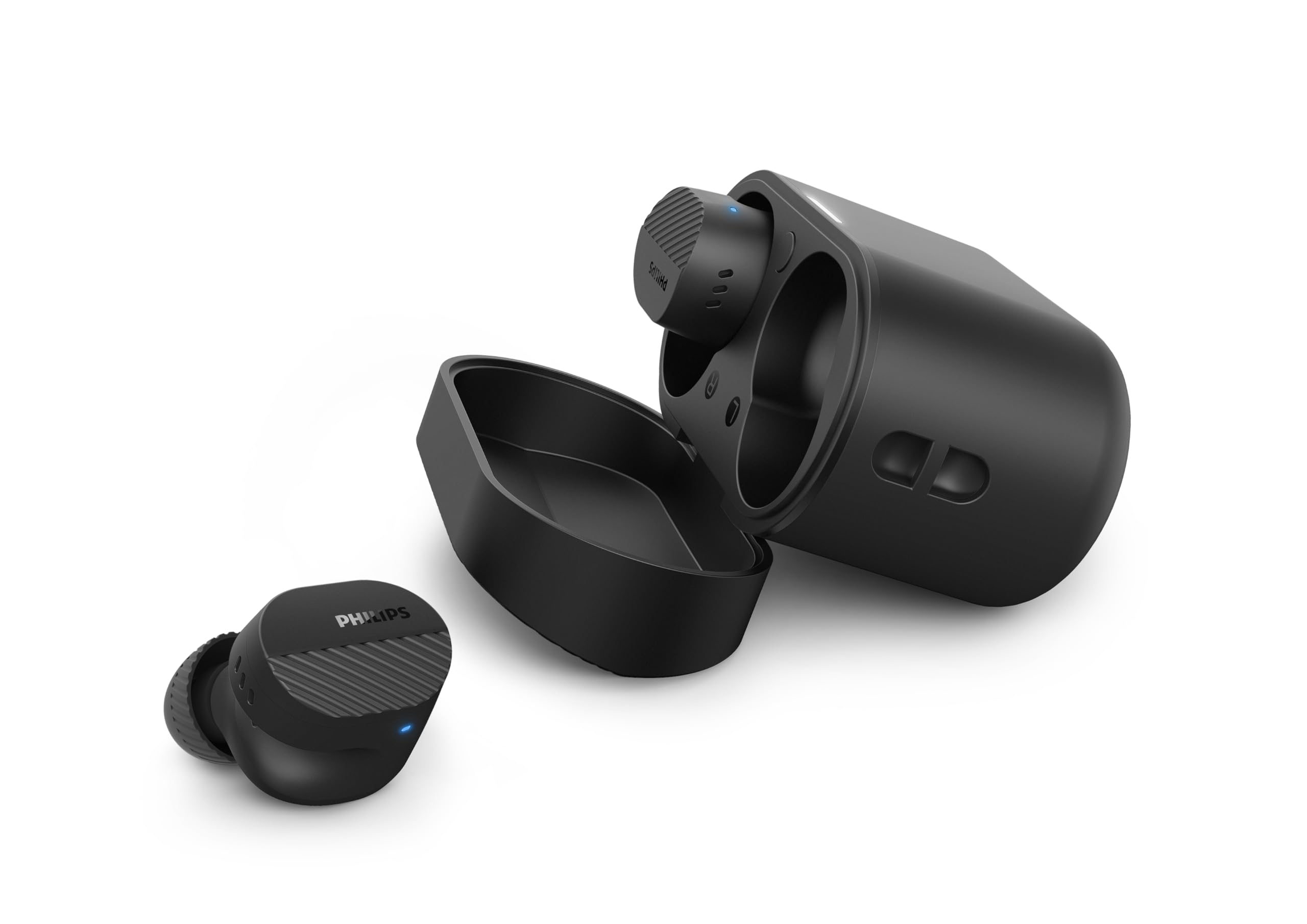
Image: A person holds the Philips TAT5000 earbuds in their charging case in one hand and a smartphone displaying the Philips Headphones app settings in the other, demonstrating app control.
Održavanje
Čišćenje
- Nježno obrišite slušalice i kućište za punjenje mekom, suhom krpom koja ne ostavlja dlačice.
- Skinite nastavke za uši i očistite ih blagim sapunom i vodom, a zatim ih dobro osušite prije ponovnog pričvršćivanja.
- Ne koristite abrazivna sredstva za čišćenje, alkohol ili hemijske rastvarače.
Otpornost na vodu
The earbuds are IPX5 water resistant, meaning they are protected against sweat and splashes of water. They are not designed for submersion in water. Ensure the charging port is dry before charging.
Skladištenje
Store the earbuds in their charging case when not in use to protect them and conserve battery life. Avoid extreme temperatures.
Rješavanje problema
| Problem | Mogući uzrok | Rješenje |
|---|---|---|
| Slušalice se ne uključuju | Niska baterija | Stavite slušalice u kutijicu za punjenje i potpuno ih napunite. |
| Nije moguće upariti uređaj | Bluetooth off, earbuds not in pairing mode, or device too far | Ensure Bluetooth is enabled on your device. Open the charging case to activate pairing mode. Move device closer to earbuds. Try forgetting the device in Bluetooth settings and re-pairing. |
| Nema zvuka ili je zvuk lošeg kvaliteta | Incorrect eartip size, low volume, or connection issue | Adjust eartips for a secure fit. Increase volume on your device. Reconnect earbuds to your device. |
| ANC ne funkcioniše efikasno | Improper fit, or ANC mode not active | Ensure earbuds are properly seated in your ears with the correct eartip size. Verify ANC is enabled via touch controls or the Philips Headphones App. |
| Futrola za punjenje se ne puni | Neispravan kabl ili izvor napajanja | Try a different USB-C cable and power adapter. Ensure the charging port is clean and dry. |
If issues persist, refer to the Philips Headphones App for further assistance or contact customer support.
Specifikacije
- Naziv modela: TAT5000BK/00
- Povezivanje: Bluetooth 5.4
- Audio drajveri: 8mm Graphene-Coated Dynamic Driver
- Trajanje baterije: Up to 40 Hours Total (10 hours earbuds + 30 hours case, ANC off)
- Brzo punjenje: 15 minuta za 3 sata igranja
- Otpornost na vodu: IPX5 (Otporan na znoj i prskanje)
- Metoda kontrole: Dodirnite
- Kontrola buke: Adaptive Noise Canceling Pro
- Težina: Approximately 4.16 ounces (earbuds and case)
- Uključene komponente: Earbuds, Charging Case, USB-C Cable, Eartips, User Manual
Garancija i podrška
Your Philips TAT5000 True Wireless Bluetooth Earbuds are covered by a limited warranty. Please refer to the warranty card included in your product packaging or visit the official Philips webweb stranicu za detaljne uslove garancije specifične za vašu regiju.
For technical support, product registration, or frequently asked questions, please visit the Philips support website or contact Philips customer service directly. Contact information can typically be found on the Philips webweb-mjestu ili u dokumentaciji vašeg proizvoda.


