Uvod
This manual provides detailed instructions for the GOBOULT Mirage Smart Watch. Please read this guide thoroughly to ensure proper setup, operation, and maintenance of your device. This smartwatch features a 1.39-inch HD display, Bluetooth calling, comprehensive health monitoring, and various sports modes.
Šta je u kutiji
- GOBOULT Mirage Smart Watch
- Kabel za punjenje
- Uputstvo za upotrebu
- Garantni list
Setup
1. Punjenje uređaja
Before initial use, fully charge your GOBOULT Mirage Smart Watch. Connect the provided charging cable to the charging port on the back of the watch and to a standard USB power adapter (not included). The watch typically charges within 120 minutes.

Image: GOBOULT Mirage Smart Watch displaying its features, including charging capability.
2. Uparivanje sa vašim pametnim telefonom
- Download the official GOBOULT companion app from your smartphone's app store (available for iOS and Android).
- Provjerite je li Bluetooth omogućen na vašem pametnom telefonu.
- Open the app and follow the on-screen instructions to search for and connect to your GOBOULT Mirage Smart Watch.
- Potvrdite zahtjev za uparivanje i na satu i na pametnom telefonu.
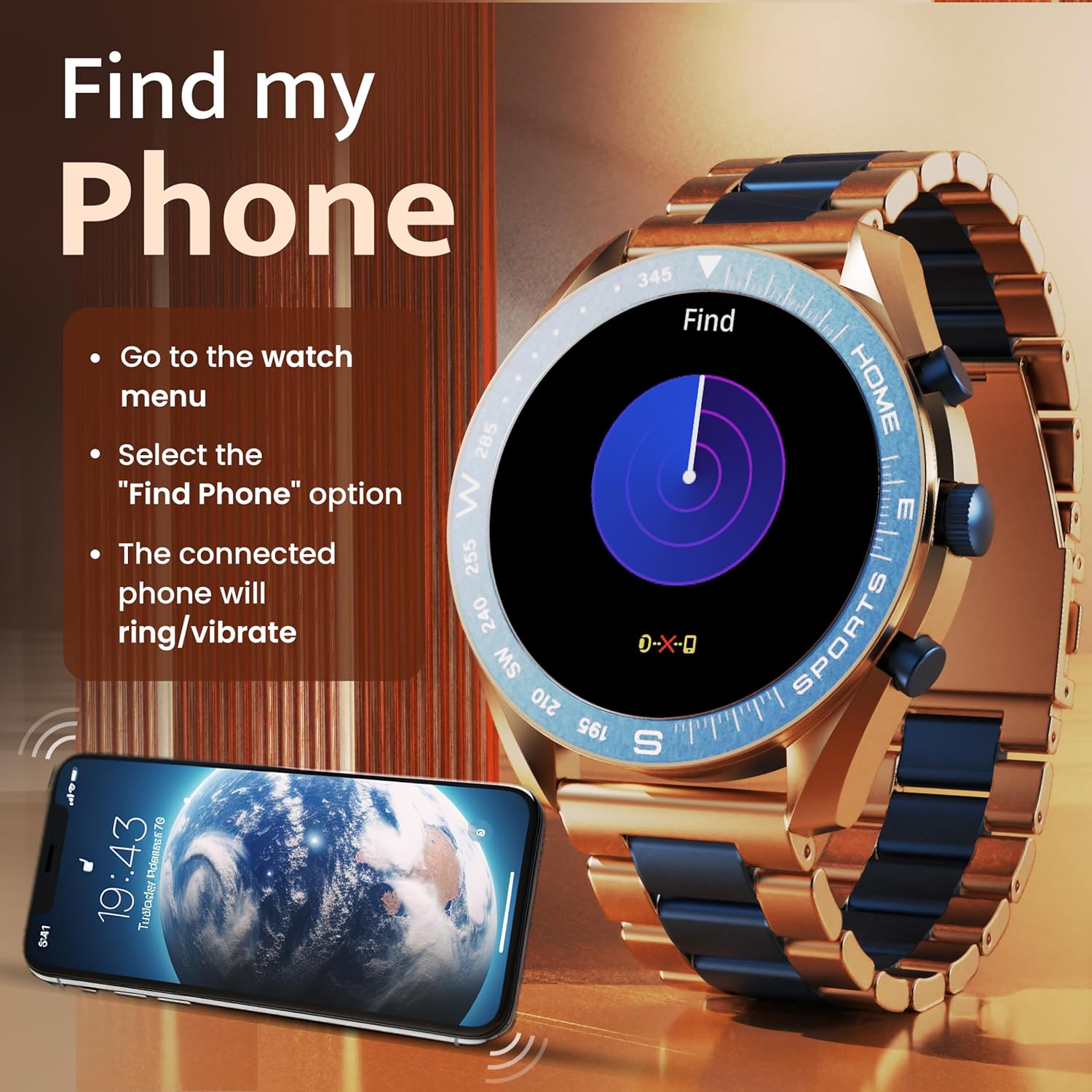
Image: The GOBOULT Mirage Smart Watch connected to a smartphone, illustrating connectivity.
Uputstvo za upotrebu
1. Prikaz i navigacija
The GOBOULT Mirage features a 1.39-inch HD display with 360x360 pixels resolution and 500 nits peak brightness for clear visibility. Navigate the watch interface using touch gestures and the digital crown.
- digitalna kruna: Press to power on/off, switch UIs, and navigate menus. Rotate to scroll through options.
- Bočna dugmad: Use for quick access to specific functions, such as launching sports modes.

Image: GOBOULT Mirage Smart Watch highlighting the digital crown and its various functions.
2. Bluetooth pozivi
With the built-in speaker and microphone, you can make and receive calls directly from your wrist once paired with your smartphone via Bluetooth 5.3.
- To answer a call, tap the green icon on the watch screen.
- To reject a call, tap the red icon.
- To make a call, access the dial pad or contacts through the watch menu.
Image: GOBOULT Mirage Smart Watch showing an incoming call notification.
3. Praćenje zdravlja
The GOBOULT Mirage provides comprehensive health tracking features:
- SpO2 Blood Oxygen Monitor: Mjeri nivo kisika u krvi.
- Monitor otkucaja srca: Praćenje otkucaja srca 24/7.
- Monitor spavanja: Prati obrasce i kvalitet spavanja.
- Breath Training Mode: Vodi vas kroz vježbe disanja.
- Podsjetnik za piće vode: Podstiče vas da ostanete hidrirani.
- Sedentarni podsjetnik: Alerts you after periods of inactivity.
- Praćenje aktivnosti: Bilježi korake, udaljenost i potrošene kalorije.
- Praćenje menstrualnog ciklusa: Helps monitor menstrual cycles.

Image: GOBOULT Mirage Smart Watch showcasing its complete health suite on the display.
4. Sportski načini rada
Track your performance across over 120 sports modes. Access these modes quickly using the shortcut buttons.
- Examples include Running, Cycling, Yoga, Cricket, Badminton, and Basketball.

Image: GOBOULT Mirage Smart Watch showing the selection of over 120 sports modes.
5. Brojčanici sata
Personalize your watch with over 300 cloud-based watch faces. You can also customize the dial to match your style.

Image: GOBOULT Mirage Smart Watch illustrating the variety of 300+ cloud watch faces.
6. Pametna obavještenja
Receive SMS and other smart notifications directly on your watch. Ensure your watch is connected to your phone via Bluetooth for this feature to function.

Image: GOBOULT Mirage Smart Watch showing a push notification from a messaging app.
7. AI glasovni asistent
Access an intelligent AI voice assistant for hands-free control. Long press the designated button or use the voice assistant icon on the screen to activate.
8. Pronađi moj telefon
If you misplace your connected smartphone, use the 'Find My Phone' feature on your watch:
- Go to the watch menu.
- Select the "Find Phone" option.
- The connected phone will ring or vibrate, helping you locate it.
Image: GOBOULT Mirage Smart Watch showing the 'Find My Phone' interface.
9. Otpornost na vodu
The GOBOULT Mirage Smart Watch is IP67 water-resistant, offering protection against dust and temporary immersion in water. It is suitable for daily wear and activities like hand washing or light rain.

Image: GOBOULT Mirage Smart Watch demonstrating its IP67 water resistance.
10. Mini Games
The watch includes several mini-games for entertainment during leisure time.
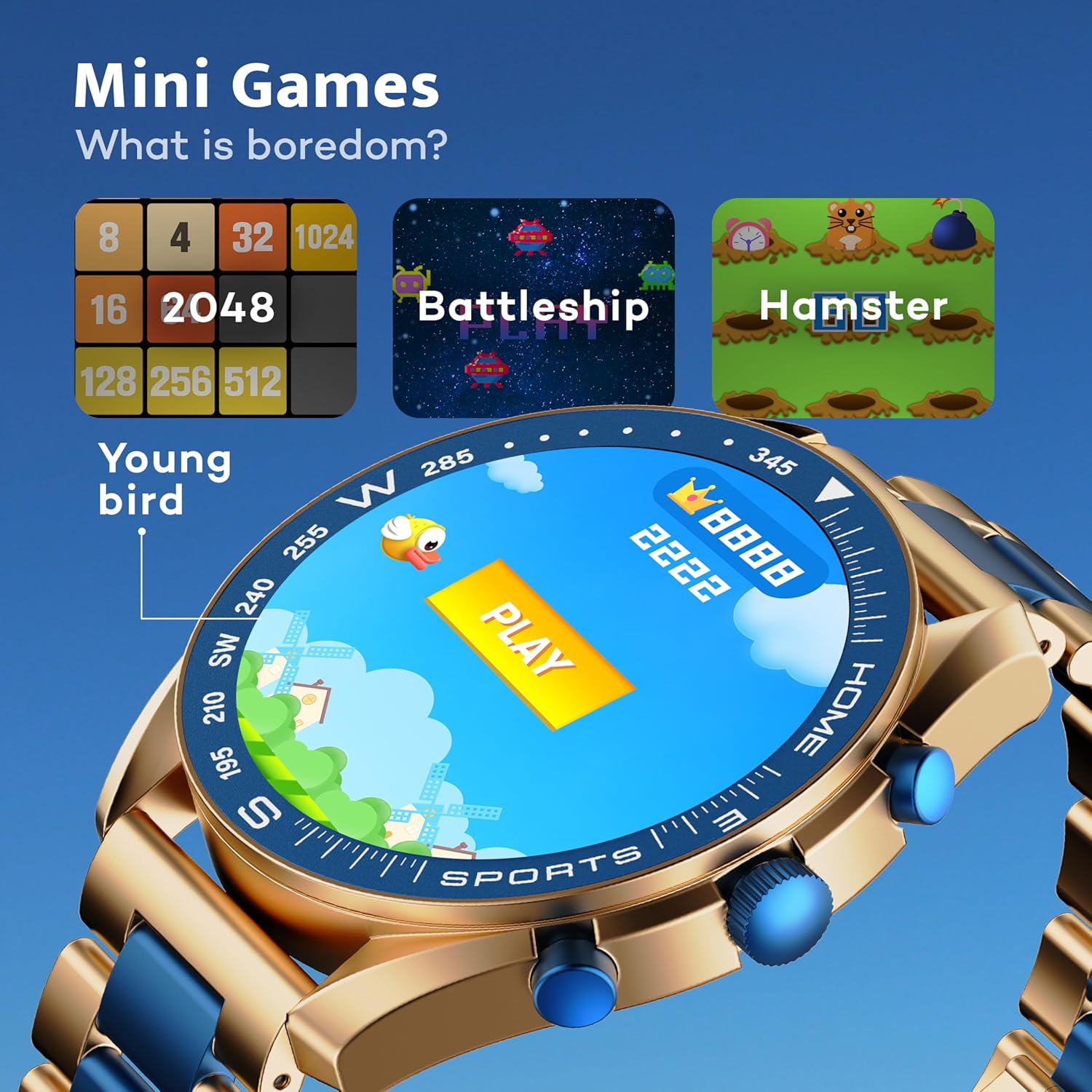
Image: GOBOULT Mirage Smart Watch showing the selection of mini-games.
Održavanje
1. Čišćenje
- Obrišite ekran i kućište sata mekom, suhom krpom.
- Za tvrdokornu prljavštinu koristite blagi damp cloth and immediately dry the watch.
- Izbjegavajte upotrebu jakih hemikalija ili abrazivnih materijala, jer oni mogu oštetiti završnu obradu.
2. Smjernice za otpornost na vodu
- The IP67 rating means the watch is protected from dust and can withstand immersion in water up to 1 meter for 30 minutes.
- Do not use the watch for swimming, showering with hot water, or diving.
- Izbjegavajte izlaganje sata vodi ili pari pod visokim pritiskom.
- If the watch gets wet, dry it thoroughly before charging or using any buttons.
Rješavanje problema
- Sat se ne uključuje: Provjerite je li sat potpuno napunjen. Spojite ga na punjač na najmanje 30 minuta.
- Nije moguće upariti s telefonom: Make sure Bluetooth is enabled on your phone and the watch is within range. Restart both devices and try pairing again.
- Netačni zdravstveni podaci: Pazite da sat čvrsto prianja uz zglob, ne previše stegnut ili previše labav. Redovno čistite senzore.
- Kratko trajanje baterije: Smanjite svjetlinu ekrana, onemogućite nepotrebne obavijesti i ograničite kontinuirano praćenje otkucaja srca ako nije potrebno.
- Problemi sa prikazom: Restart the watch. If the problem persists, contact customer support.
Specifikacije
| Feature | Detalj |
|---|---|
| Brand | GOBOULT |
| Broj modela | 8906133853464 |
| Veličina ekrana | 1.39 inča |
| Osvetljenost | 500 gnjida |
| Materijal okvira | Legura cinka |
| Bežični tip | Bluetooth 5.3 |
| Operativni sistem | iOS, Android |
| Otpornost na vodu | IP67 |
| Vrijeme punjenja baterije | 120 minuta |
| Vrsta baterije | Lithium Polymer |
| Težina artikla | 106 g |
Garancija i podrška
Your GOBOULT Mirage Smart Watch comes with a warranty card included in the box. Please refer to this card for details regarding warranty coverage and terms.
For technical support, troubleshooting assistance, or warranty claims, please contact GOBOULT customer service through their official webweb-mjesto ili kontakt informacije navedene na vašem garantnom listu.


