ASHATA BT5.0 bežične sklopive slušalice - uputstvo za upotrebu
Model: ASHATA93fkrxg8bw-13
Uvod
Hvala na kupoviniasing the ASHATA BT5.0 Wireless Foldable Headphones. This manual provides detailed instructions on how to set up, operate, and maintain your headphones to ensure optimal performance and longevity. Please read this manual carefully before using the product and retain it for future reference.
Product Overview
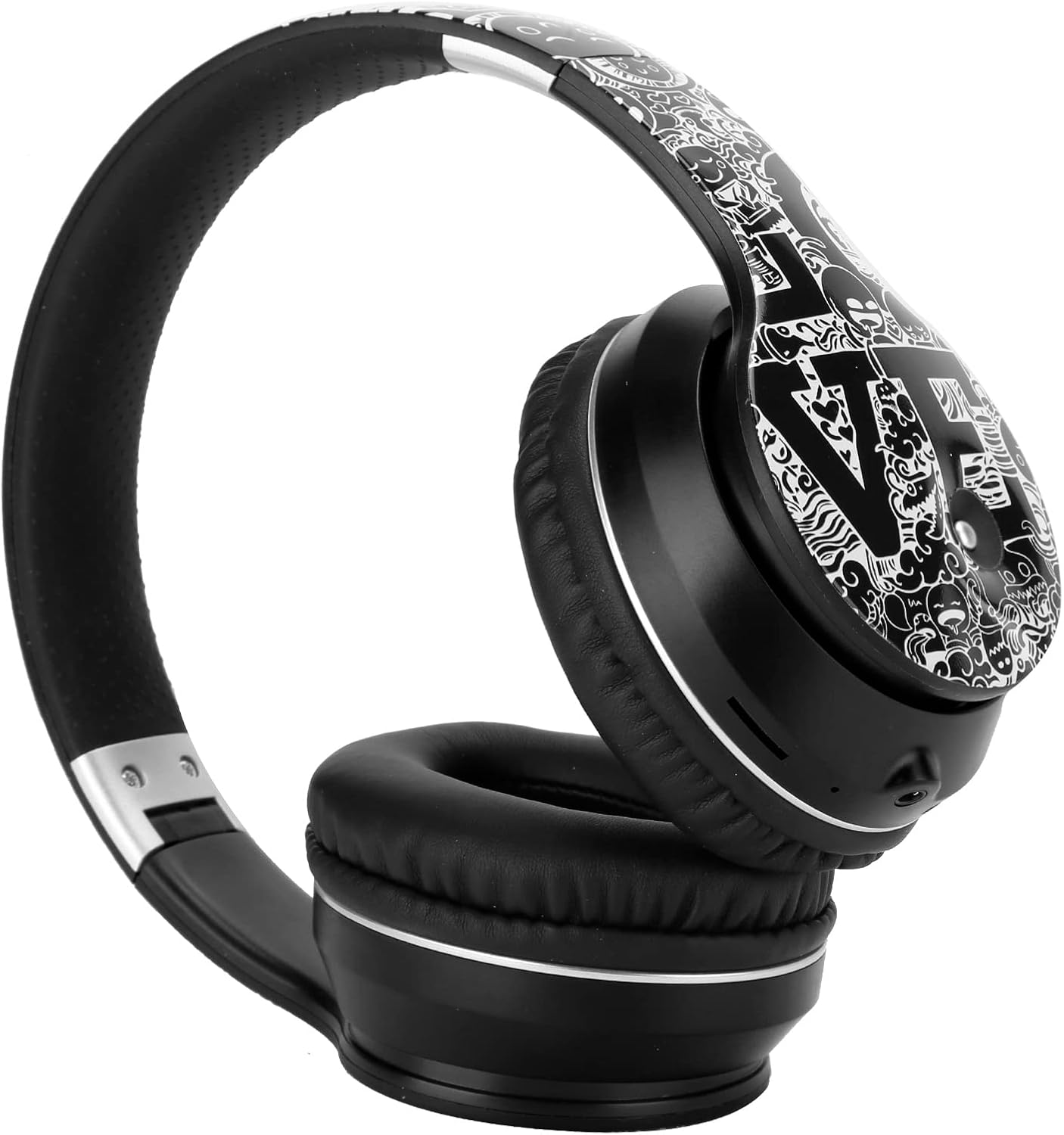
Image: The ASHATA BT5.0 Wireless Foldable Headphones in black and silver, showcasinnjihov dizajn preko uha i sklopiva traka za glavu.
The ASHATA BT5.0 Wireless Foldable Headphones are designed for a superior audio experience with features such as Bluetooth 5.0 connectivity, noise reduction, and a foldable design for portability. They also include an FM radio function and support for AUX audio input.
Sadržaj paketa
Molimo Vas da provjerite paket za sljedeće stavke:
- 1 x ASHATA Wireless Headphones
- 1 x USB kabl za punjenje
- 1 x AUX audio kabel
- 1 x Uputstvo za upotrebu

Image: The ASHATA headphones displayed alongside the USB charging cable and 3.5mm AUX audio cable.
Setup
1. Punjenje slušalica
Before first use, fully charge the headphones. Connect the supplied USB charging cable to the charging port on the headphones and to a DC5V power source (e.g., a computer USB port or a USB wall adapter). The charging indicator light will typically turn red during charging and turn off or change color when fully charged.
- Vrijeme punjenja: Približno 2 sata
- Napajanje za punjenje: DC5V
2. Uključivanje / isključivanje napajanja
Za uključivanje: Press and hold the Power button (usually marked with a power icon) for a few seconds until you hear a power-on prompt or see an indicator light flash.
Za isključivanje: Press and hold the Power button again for a few seconds until you hear a power-off prompt or the indicator light turns off.
3. Bluetooth uparivanje
After powering on, the headphones will automatically enter pairing mode if they are not connected to a previously paired device. The indicator light will typically flash blue and red alternately, or rapidly blue, indicating it's ready to pair.
- Ensure your device (smartphone, tablet, laptop) has Bluetooth enabled.
- Traži Bluetooth uređaji na vašem uređaju.
- Select "ASHATA Headphones" or a similar name from the list of available devices.
- Once paired, the indicator light will usually flash blue slowly or remain solid blue, and you will hear a confirmation tone.
The headphones support Bluetooth v5.0 for a stable connection up to an unobstructed distance of 10 meters.
Uputstvo za upotrebu

Slika: Detaljna view of the control buttons located on the side of the ASHATA headphones, including play/pause, volume, and track skip.
1. Osnovne kontrole
- Dugme za napajanje: Press and hold to power on/off. Short press may play/pause or answer/end calls.
- Jačina zvuka (+): Short press to increase volume. Long press may skip to the next track.
- Stišavanje (-): Short press to decrease volume. Long press may skip to the previous track.
- Dugme za reprodukciju/pauzu: Kratko pritisnite za reprodukciju ili pauziranje muzike.
2. Making/Receiving Calls
- Odgovori na poziv: Short press the Play/Pause button when a call comes in.
- Završi poziv: Kratko pritisnite dugme Reprodukuj/Pauziraj tokom poziva.
- odbiti poziv: Press and hold the Play/Pause button for 2 seconds when a call comes in.
3. Režim FM radija
The headphones feature a built-in FM radio. To activate:
- Switch to FM mode (refer to specific button on your device, often a mode button or a long press of the Play/Pause button).
- Pritisnite dugme Reprodukuj/Pauziraj za automatsko skeniranje i spremanje dostupnih FM stanica.
- Use the Volume Up/Down buttons to navigate between saved stations.
4. AUX audio ulaz
To use the headphones with non-Bluetooth devices or when the battery is depleted, connect the supplied 3.5mm AUX audio cable to the headphone's AUX port and to your audio source. The headphones will automatically switch to AUX mode.
Održavanje
- čišćenje: Za čišćenje slušalica koristite meku, suhu krpu. Ne koristite abrazivna sredstva za čišćenje ili rastvarače.
- Skladištenje: Kada se ne koriste, slušalice čuvajte na hladnom i suhom mjestu, dalje od direktne sunčeve svjetlosti i ekstremnih temperatura. Sklopivi dizajn omogućava kompaktno skladištenje.
- Održavanje baterije: Da biste produžili vijek trajanja baterije, izbjegavajte često potpuno pražnjenje slušalica. Redovno ih punite, čak i ako se ne koriste duži period.

Image: The ASHATA headphones shown in their folded configuration, demonstrating their portability and ease of storage.
Rješavanje problema
| Problem | Rješenje |
|---|---|
| Slušalice se ne uključuju. | Ensure the headphones are fully charged. Connect to a power source and try again after 10-15 minutes. |
| Nije moguće uparivanje s uređajem. | Make sure Bluetooth is enabled on your device and the headphones are in pairing mode. Move the headphones closer to your device. Try restarting both devices. |
| Nema zvuka ili je jačina zvuka niska. | Check the volume levels on both the headphones and your connected device. Ensure the headphones are properly paired. If using AUX, ensure the cable is fully inserted. |
| Bluetooth veza je nestabilna. | Ensure there are no obstructions between the headphones and your device. Avoid strong electromagnetic interference. Keep within the 10-meter range. |
Specifikacije
| Feature | Detalj |
|---|---|
| Brand | ASHATA |
| Broj modela | ASHATA93fkrxg8bw-13 |
| Bluetooth verzija | v5.0 |
| Bluetooth frekvencijski opseg | 2.4 GHz |
| Bluetooth udaljenost | Unobstructed 10M |
| Driver Diameter | Pribl. 40mm |
| Impedansa | 32 OHM |
| Frekvencijski odziv | 20-2000Hz |
| Kapacitet baterije | 250mAh (polymer lithium battery) |
| Vrijeme punjenja | Oko 2 sati |
| Vrijeme poziva | Oko 10-12 sata |
| Music Time | Oko 10-12 sata |
| Vrijeme pripravnosti | Oko 120 sati |
| Napajanje za punjenje | DC5V |
| Materijal | ABS, plastika |
| Priključak za slušalice | 3.5 mm Jack |
| Težina | Pribl. 405g |
| Kompatibilni sistemi | Android / iOS / Symbian (99% mobile phone function) |
Garancija i podrška
Specific warranty details are not provided in this manual. For warranty information, technical support, or service inquiries, please refer to the documentation included with your purchase or contact ASHATA customer support directly through their official webweb-mjestu ili prodavaču gdje je proizvod kupljen.


