1. Uvod
The JBL LIVE 400BT are on-ear wireless headphones designed to deliver JBL Signature Sound. These headphones feature Bluetooth connectivity, a built-in microphone for hands-free calls, and integrated voice assistant support (Amazon Alexa). They also include Ambient Aware and TalkThru technologies for enhanced situational awareness and convenient conversations without removing the headphones. The headphones offer up to 24 hours of battery life and can be used with an audio cable when the battery is depleted.
2. Šta se nalazi u kutiji
Prilikom otvaranja paketa, provjerite da li su svi sastojci prisutni:
- JBL LIVE 400BT Headphones
- Kabel za punjenje
- Aux Cable (3.5 mm)
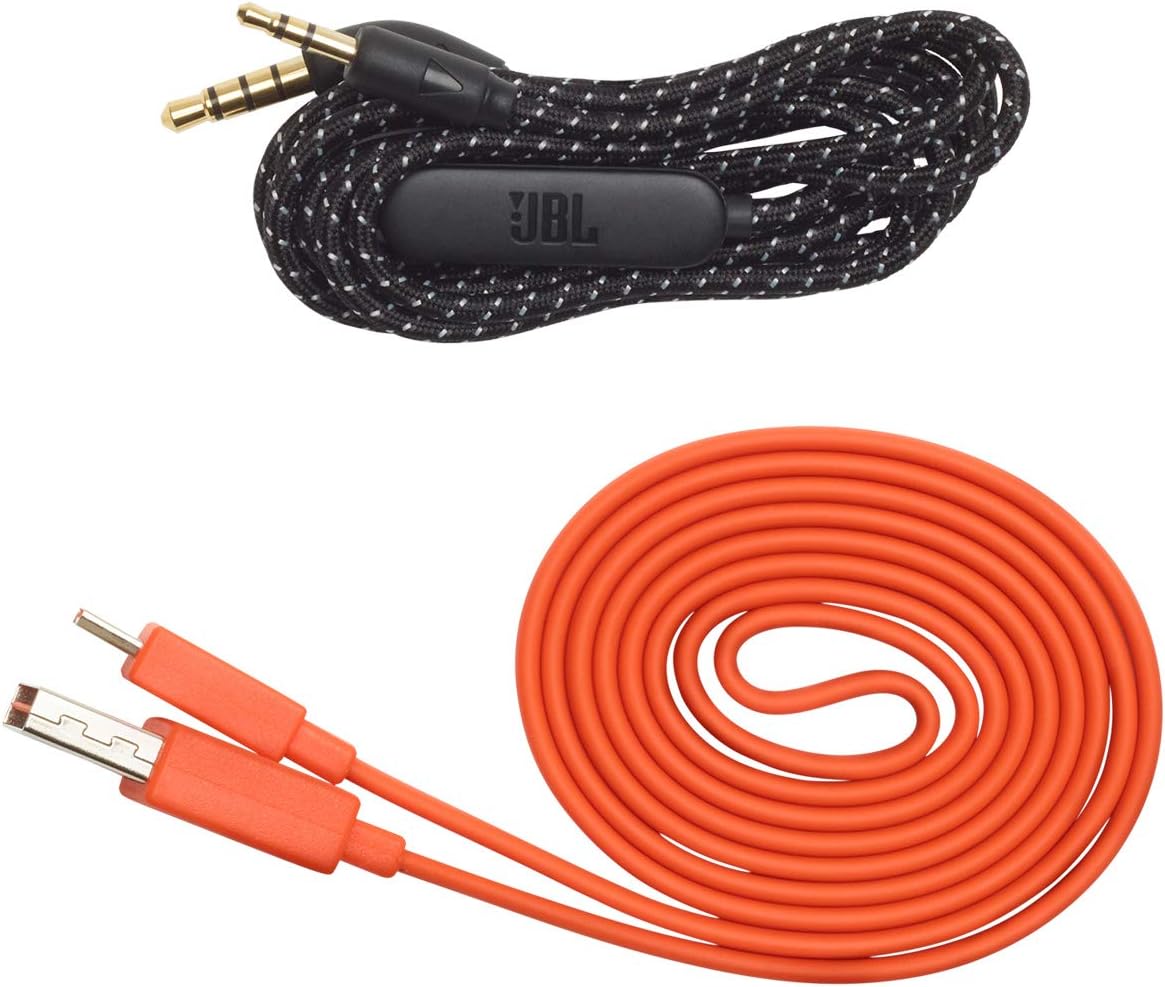
Image: JBL LIVE 400BT headphones shown with the included charging cable and 3.5mm aux cable.
3. Podešavanje
3.1. Punjenje slušalica
Before first use, fully charge your JBL LIVE 400BT headphones. A full charge provides up to 24 hours of playback. A quick 15-minute charge can provide an additional 2 hours of listening time.
- Spojite priloženi kabel za punjenje na priključak za punjenje na slušalicama.
- Drugi kraj kabla za punjenje priključite na USB izvor napajanja (npr. adapter za zidnu utičnicu, USB priključak računara).
- The LED indicator on the headphones will show charging status. It typically turns off or changes color when fully charged.
3.2. Uključivanje / isključivanje napajanja
- To power on, slide the power switch located on the right earcup.
- To power off, slide the power switch back to the off position.
3.3. Bluetooth uparivanje
The JBL LIVE 400BT headphones use Bluetooth 4.0 for wireless connectivity with a range of up to 10 meters.
- Uvjerite se da su slušalice isključene.
- Slide the power switch to the "on" position and hold it for approximately 3-5 seconds until the LED indicator flashes blue, indicating pairing mode.
- Na svom uređaju (pametnom telefonu, tabletu, računaru) omogućite Bluetooth i potražite dostupne uređaje.
- Select "JBL LIVE 400BT" from the list of available devices.
- Kada se poveže, LED indikator će postati plavo.

Image: The right earcup of the JBL LIVE 400BT headphones, highlighting the power switch and LED indicator for Bluetooth pairing.
4. Upravljanje slušalicama
4.1. Osnovne kontrole
The headphones feature intuitive controls on the earcups for managing audio and calls.
- Pusti/pauza: Jednom pritisnite višenamensko dugme.
- Sljedeća pjesma: Dvaput pritisnite višenamjensko dugme.
- Prethodni zapis: Tri puta pritisnite višenamjensko dugme.
- Pojačavanje/stišavanje glasnoće: Koristite namjenske tipke za jačinu zvuka.
- Odgovori/Završi poziv: Pritisnite višenamjensko dugme jednom tokom dolaznog poziva ili aktivnog poziva.
- odbiti poziv: Pritisnite i držite višenamjenski taster 2 sekunde tokom dolaznog poziva.
4.2. Voice Assistant (Amazon Alexa)
Access Amazon Alexa directly from your headphones. Use the JBL App to set up your voice assistant preference.
- Ensure your headphones are connected to your smartphone via Bluetooth.
- Download and open the JBL Headphones App.
- Follow the in-app instructions to select and configure Amazon Alexa as your voice assistant.
- Once configured, tap the left earcup to activate Alexa and issue commands (e.g., "Play my favorite playlist," "Check the weather").
4.3. Ambient Aware and TalkThru Technology
These features allow you to stay connected to your surroundings or have conversations without removing your headphones.
- Ambient Aware: A touch of the Ambient Aware button (located on the left earcup) increases ambient sound, allowing you to hear what's happening around you while music continues at a lower volume.
- TalkThru: Activate TalkThru mode by pressing the TalkThru button (located on the left earcup). This significantly drops the music volume, enabling clear conversations with others without removing the headphones.
Video: Official JBL demonstration of the LIVE 400BT headphones, highlighting features like JBL Signature Sound, Ambient Aware, TalkThru technology, and voice assistant integration.
4.4. Žična veza
If the battery runs out or you prefer a wired connection, use the provided 3.5mm audio cable.
- Uključite jedan kraj 3.5 mm audio kabla u audio priključak na slušalicama.
- Drugi kraj priključite na 3.5 mm izlaz vašeg audio izvora.
- The headphones will function passively, without requiring battery power.
5. Održavanje
Proper care ensures the longevity of your JBL LIVE 400BT headphones.
- čišćenje: Koristite meku, suhu krpu za čišćenje slušalica i trake za glavu. Izbjegavajte upotrebu jakih hemikalija ili abrazivnih materijala.
- Skladištenje: When not in use, store the headphones in a cool, dry place. Avoid extreme temperatures. The headphones are foldable for compact storage.
- Održavanje baterije: Da biste produžili vijek trajanja baterije, izbjegavajte često potpuno pražnjenje slušalica. Redovno ih punite, čak i ako ih ne koristite stalno.
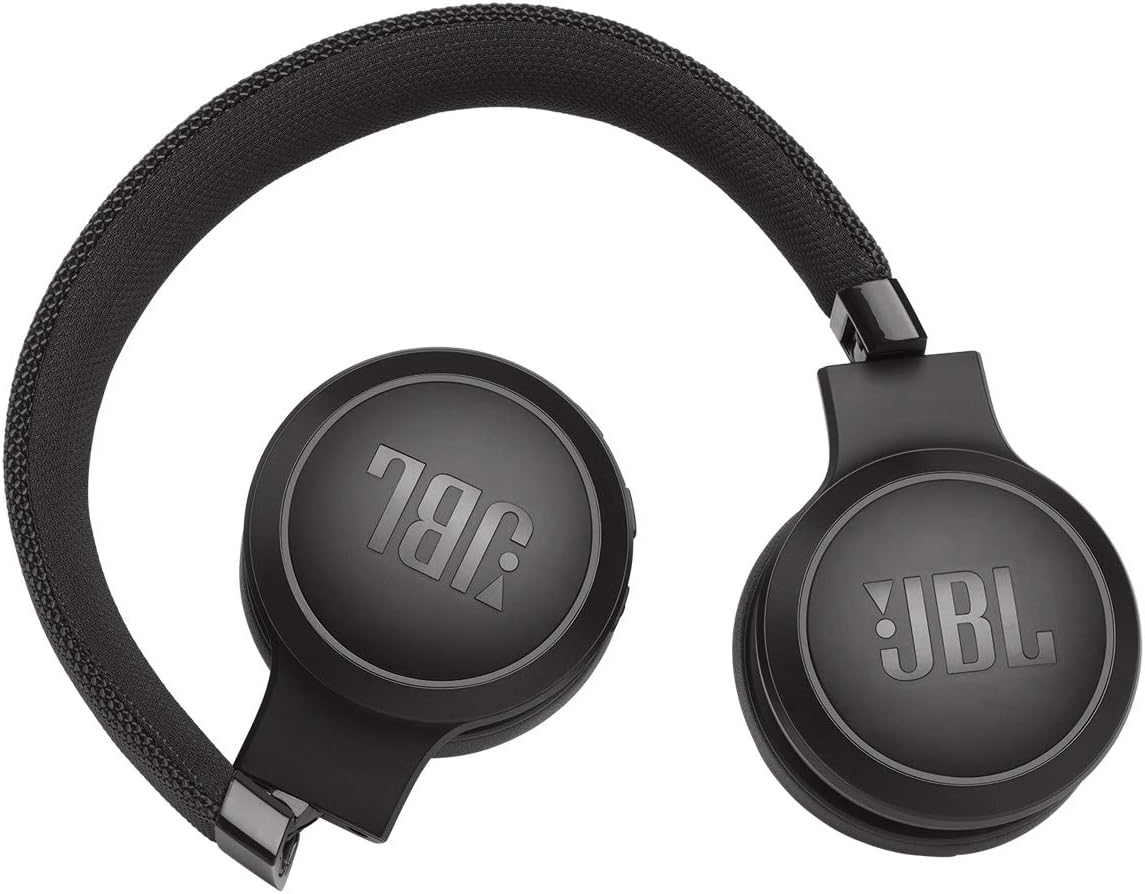
Image: JBL LIVE 400BT headphones shown in a folded position, demonstrating their portability and ease of storage.
6. Otkrivanje problema
If you encounter issues with your JBL LIVE 400BT headphones, refer to the following common solutions.
6.1. No Power / Cannot Turn Off
- Napunite bateriju: Ensure the headphones are fully charged. A low battery can cause unexpected behavior.
- Ciklus napajanja: If the headphones are stuck on or cannot be turned off, try connecting them to a charger for a few minutes, then attempt to power off again.
- Vraćanje na tvorničke postavke: If the issue persists, a factory reset may resolve it. Consult the JBL support website or the full user manual for specific factory reset instructions for your model, as this often involves a combination of button presses.
6.2. Problemi s Bluetooth povezivanjem
- Ensure Pairing Mode: Verify the headphones are in pairing mode (flashing blue LED).
- Blizina uređaja: Make sure the headphones are within 10 meters of your Bluetooth device.
- Zaboravi uređaj: On your device, "forget" or "unpair" the JBL LIVE 400BT from your Bluetooth settings, then attempt to pair again.
- Ponovo pokrenite uređaje: Restart both your headphones and the Bluetooth device.
6.3. Nema zvuka ili je jačina zvuka niska
- Provjerite nivoe jačine zvuka: Ensure volume is turned up on both the headphones and your connected device.
- Correct Output: Verify that your device is sending audio to the JBL LIVE 400BT.
- Žična veza: If using the aux cable, ensure it is fully inserted into both the headphones and the audio source.
7. Specifikacije
| Feature | Specifikacija |
|---|---|
| Naziv modela | JBL LIVE 400 - Black (JBLLIVE400BTBLKAM) |
| Brand | JBL |
| Tehnologija povezivanja | Bluetooth |
| Bežična komunikacijska tehnologija | Bluetooth |
| Bluetooth verzija | 4.0 |
| Bluetooth domet | 10 metara |
| Veličina audio drajvera | 40 milimetara |
| Vrsta audio drajvera | Dynamic Driver |
| Frekvencijski odziv | 20 KHz |
| Osjetljivost | 106 dB |
| Impedansa | 32 Ohma |
| Trajanje baterije | 24 sat |
| Vrijeme punjenja | 2 sata |
| Priključak za slušalice | 3.5 mm Jack |
| Tip kontrole | Alexa, Touch, Voice Assistant |
| Kontrolni metod | Dodir, glas |
| Kontrola buke | Active Noise Cancellation (basic_noise_control) |
| Materijal | Faux Leather |
| Težina artikla | 6.6 unci (185.8 grama) |
| Dimenzije proizvoda | 8.07 x 2.17 x 8.78 inča |
| Datum prve dostupnosti | 7. januara 2019 |
8. Garancija i podrška
For warranty information, technical support, or further assistance, please visit the official JBL support webweb-mjesto ili kontaktirajte njihovu korisničku službu. Sačuvajte dokaz o kupovini za slučaj reklamacije.
Dodatne resurse i kontakt informacije možete pronaći na JBL prodavnica na Amazonu.


