1. Uvod
This manual provides detailed instructions for the safe installation, operation, and maintenance of the Leviton 15 Amp, 125 Volt, Industrial Series Extra Heavy Duty Grade, 4-In-1 Receptacle, Model 1254-R. This device is designed for demanding environments requiring high-abuse tolerance, such as healthcare facilities, manufacturing plants, and educational institutions. It features four outlets in a single-gang footprint, offering increased power access without requiring larger electrical boxes.
2. Sigurnosne informacije
UPOZORENJE: To avoid fire, shock, or death, turn off power at the circuit breaker or fuse box and test that power is off before wiring. All wiring must be in accordance with national and local electrical codes. If you are unsure about any part of these instructions, consult a qualified electrician.
- Always disconnect power before servicing or installing the receptacle.
- Do not install in wet locations unless specifically rated for such use.
- Osigurajte da su svi spojevi žica sigurni i pravilno izolirani.
- Use only copper wire with this device.
- This device is rated for 15 Amp, 125 Volt applications. Do not exceed these ratings.
3. Sadržaj paketa
The package for the Leviton 1254-R 4-in-1 Receptacle typically includes:
- One (1) Leviton 1254-R 4-In-1 Receptacle
- Mounting Screws (typically two)
4. Specifikacije
| Feature | Detalj |
|---|---|
| Broj modela | 1254-R |
| AmpDob | 15 Amp |
| Voltage | 125 Volt |
| Ocjena | Industrial Series Extra Heavy Duty Grade |
| Receptacle Type | 4-In-1, Straight Blade, Grounding |
| Boja | Crveni |
| Materijal | Thermoplastic Nylon (Cover and Body) |
| Opcije ožičenja | Back and Side Wiring |
| Kontakti | Extra Heavy-Duty, T-type triple-wipe bronze |
| Dimenzije | Otprilike 8 x 8 x 8 inča (Dimenzije proizvoda) |
| Težina | Otprilike 6.4 unci |
5. Instalacija
Follow these steps for proper installation of your Leviton 4-in-1 Receptacle. If you are not familiar with electrical wiring, consult a qualified electrician.
- Isključite napajanje: Locate the circuit breaker or fuse that controls the outlet where you intend to install the receptacle. Turn it OFF. Verify that the power is off using a voltage tester.
- Remove Old Receptacle (if applicable): Unscrew the wall plate and then the mounting screws holding the existing receptacle in the electrical box. Carefully pull the old receptacle out of the box.
- Odspojite žice: Disconnect the wires from the old receptacle. Note which wire was connected to which terminal (hot, neutral, ground).
- Pripremite žice: Strip approximately 1/2 inch of insulation from the ends of the wires if necessary. Ensure the wire ends are clean and straight.
- Connect Wires to New Receptacle:
- Povežite HOT (Black or Red) žice za Brass terminalni zavrtnji.
- Povežite NEUTRALNO (bijelo) žice za Srebro terminalni zavrtnji.
- Povežite GROUND (Green or Bare Copper) žice za Zeleno vijak za uzemljenje.
This receptacle supports both back-wiring (inserting wires into holes on the back and tightening screws) and side-wiring (wrapping wires around terminal screws). Ensure connections are tight and no bare wire is exposed outside the terminals.
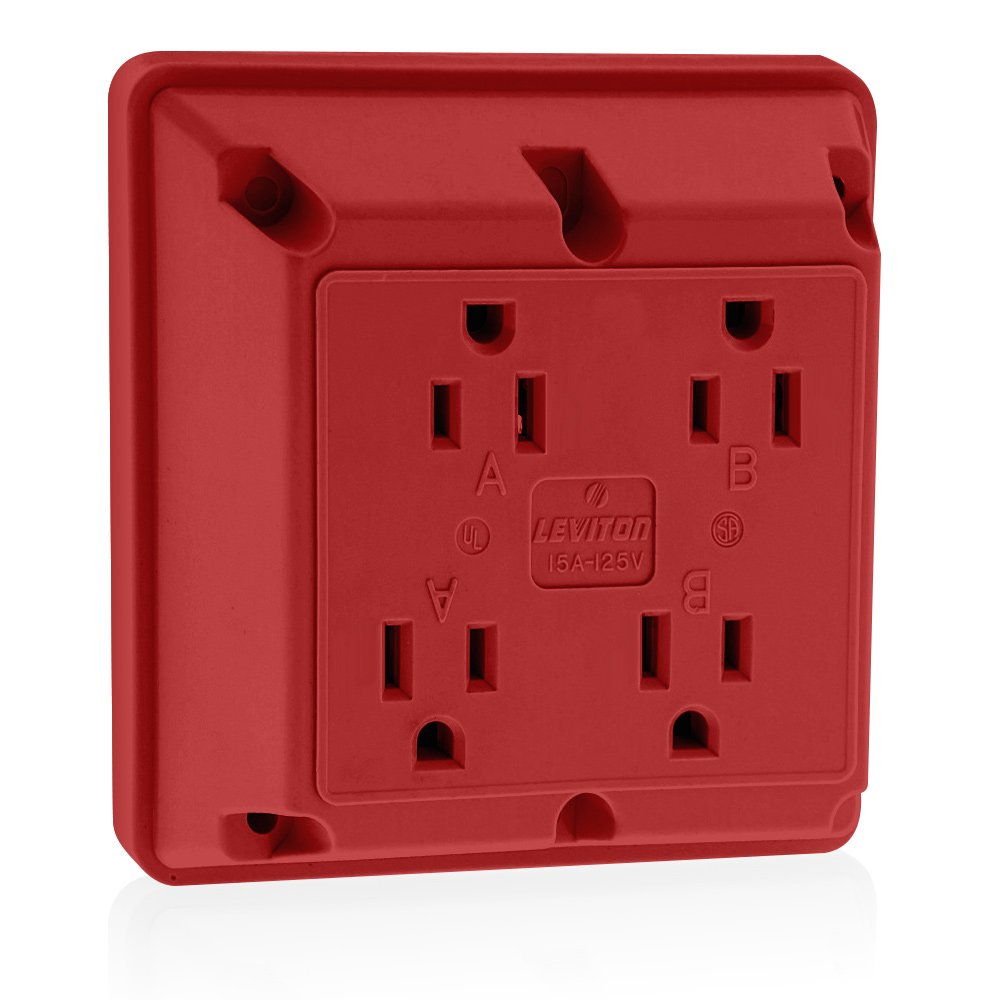
Slika 5.1: Prednja strana view of the Leviton 1254-R 4-in-1 Receptacle in Red. This image shows the four outlets and the robust construction.
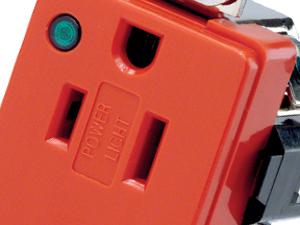
Slika 5.2: Krupni plan view of a Leviton receptacle's wiring terminals, illustrating the side-wiring option and the grounding screw.
- Mount Receptacle: Carefully push the wired receptacle back into the electrical box. Secure it with the provided mounting screws.
- Instalirajte zidnu ploču: Attach the wall plate over the receptacle.
- Vrati snagu: Turn the circuit breaker or fuse back ON.
- Test: Plug a device into each of the four outlets to ensure proper function.
The 1254-R features an interlocking thermoplastic nylon cover and body for enhanced durability and a nickel-plated brass strap with integral ground contacts for reliable grounding. The permanent "Green Dot" marking on the face indicates its hospital/industrial grade compliance.
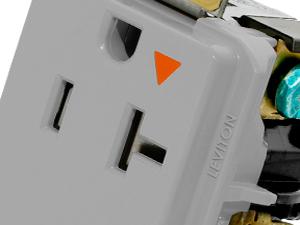
Image 5.3: Detail showing the "Green Dot" marking, signifying the industrial/hospital grade rating of the receptacle.
6. Operacija
The Leviton 1254-R 4-in-1 Receptacle operates like any standard electrical outlet. Simply insert the plug of your electrical device into one of the four available receptacles. Ensure the plug is fully inserted for a secure connection. The extra heavy-duty, T-type triple-wipe bronze contacts provide maximum performance and a strong grip on cords.
7. Održavanje
This industrial-grade receptacle requires minimal maintenance. Periodically inspect the receptacle for any signs of damage, such as cracks, discoloration, or loose connections. If any damage is observed, turn off power at the circuit breaker and replace the receptacle immediately. Clean the surface with a soft, dry cloth. Do not use abrasive cleaners or solvents.
8. Otkrivanje problema
| Problem | Mogući uzrok | Rješenje |
|---|---|---|
| Nema napajanja na utičnici. | Circuit breaker tripped or fuse blown. Loose wiring connection. | Check and reset the circuit breaker or replace the fuse. Turn off power and inspect wiring connections for tightness. |
| Device plug feels loose in the outlet. | Worn contacts (unlikely for new industrial grade). Incorrect plug type. | Ensure the plug is fully inserted. If the issue persists, and the receptacle is old, consider replacement. Verify plug compatibility. |
| Receptacle is warm to the touch. | Overload on the circuit. Loose wiring connection. | Disconnect some devices to reduce load. Turn off power and check wiring connections. If warming persists, consult an electrician. |
9. Informacije o garanciji
Leviton products are backed by a limited warranty. For specific warranty terms and conditions applicable to the 1254-R receptacle, please refer to the warranty documentation included with your purchase or visit the official Leviton webSačuvajte dokaz o kupovini za slučaj reklamacije.
10. Podrška
For technical assistance, product information, or customer support, please visit the official Leviton website or contact their customer service department. Contact details can typically be found on the product packaging or the Leviton website.
Leviton Webstranica: www.leviton.com


