1. ভূমিকা
This manual provides essential information for the safe and efficient operation of your INNOCN 27G2T 27-inch QHD 320Hz IPS Gaming Monitor. Please read this manual thoroughly before using the product and retain it for future reference.
The INNOCN 27G2T is a high-performance gaming monitor designed for an immersive visual experience, featuring a 2560x1440P QHD resolution, a rapid 320Hz refresh rate, and a 1ms response time. It incorporates an IPS panel for wide viewing angles and vibrant colors, supports HDR 400, and includes eye care technologies.
2. নিরাপত্তা তথ্য
- দুর্ঘটনাজনিত পতন রোধ করতে মনিটরটি একটি স্থিতিশীল, সমতল পৃষ্ঠে স্থাপন করা হয়েছে তা নিশ্চিত করুন।
- মনিটরকে বৃষ্টি, আর্দ্রতা বা চরম তাপমাত্রার সংস্পর্শে আনবেন না।
- অতিরিক্ত উত্তাপ রোধ করতে বায়ুচলাচল খোলার ব্লক এড়িয়ে চলুন।
- শুধুমাত্র প্রস্তুতকারকের সরবরাহিত পাওয়ার অ্যাডাপ্টার এবং কেবলগুলি ব্যবহার করুন।
- মনিটর পরিষ্কার করার আগে আউটলেট থেকে পাওয়ার কর্ডটি সংযোগ বিচ্ছিন্ন করুন।
- মনিটরটি নিজে মেরামত করার চেষ্টা করবেন না। সমস্ত পরিষেবা যোগ্য কর্মীদের কাছে পাঠান।
- মনিটরকে শক্তিশালী চৌম্বক ক্ষেত্র থেকে দূরে রাখুন।
3. প্যাকেজ বিষয়বস্তু
আপনার প্যাকেজে সমস্ত আইটেম উপস্থিত আছে কিনা তা যাচাই করুন:
- INNOCN 27G2T Monitor
- মনিটর স্ট্যান্ড (বেস এবং নেক)
- পাওয়ার ক্যাবল
- পাওয়ার অ্যাডাপ্টার
- ডিসপ্লেপোর্ট (ডিপি) কেবল
- HDMI কেবল
- ইউএসবি-সি কেবল
- ব্যবহারকারী ম্যানুয়াল (এই দস্তাবেজ)

4. সেটআপ
১. স্ট্যান্ড একত্রিত করা
- স্ক্রিনটি সুরক্ষিত রেখে, মনিটরটি সাবধানে প্যাকেজিং থেকে সরিয়ে ফেলুন।
- Attach the stand neck to the monitor panel. Ensure it clicks securely into place or is fastened with screws if applicable (refer to specific instructions in the quick start guide for screw details).
- Attach the stand base to the stand neck, tightening any screws as necessary.
- একত্রিত মনিটরটি একটি স্থিতিশীল ডেস্ক বা পৃষ্ঠের উপর রাখুন।
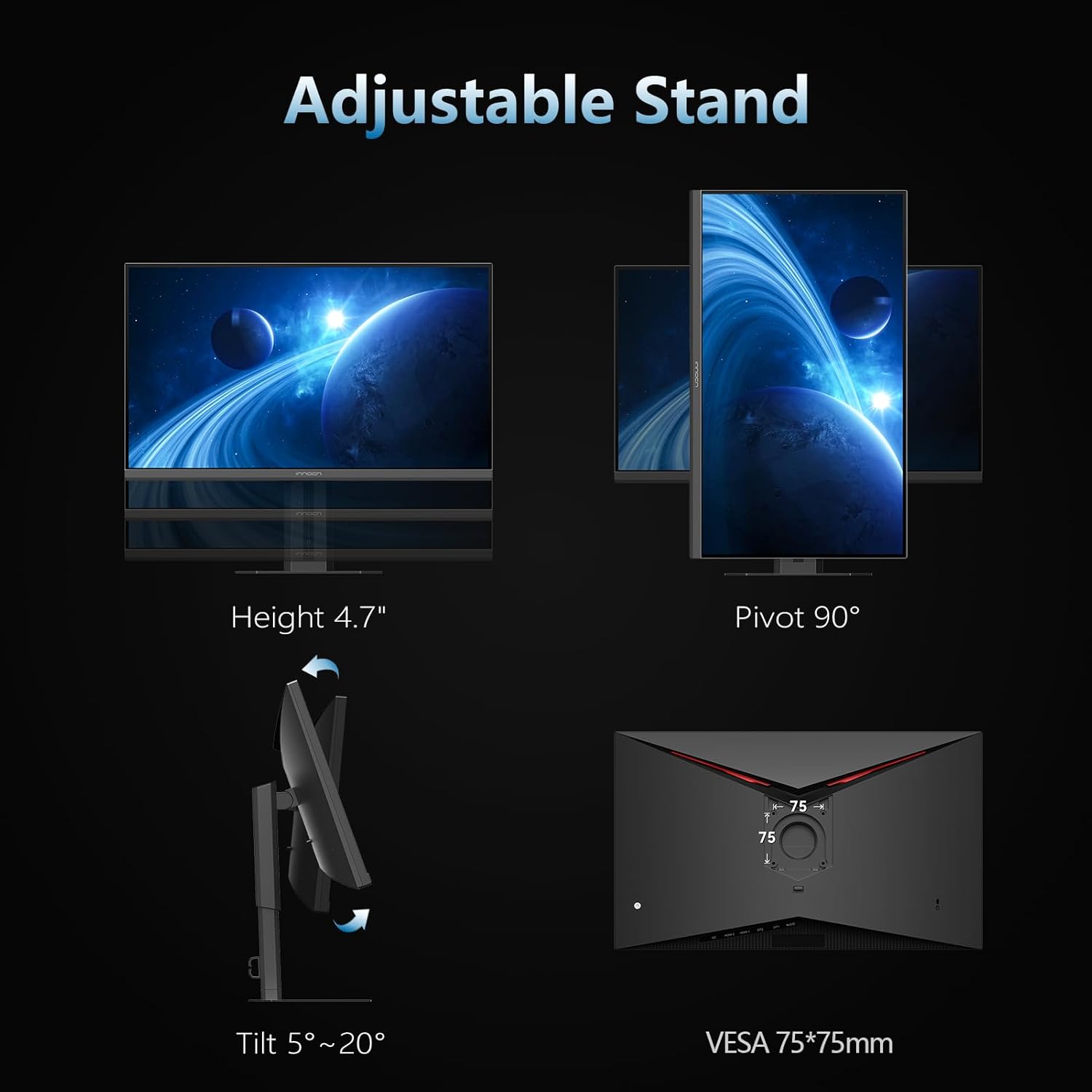
৩. VESA ওয়াল মাউন্টিং (ঐচ্ছিক)
The monitor supports VESA mounting (75x75mm). If using a VESA mount, remove the stand and attach the monitor to a compatible VESA bracket (not included) following the mount manufacturer's instructions.
4.3. একটি ডিভাইসের সাথে সংযোগ করা হচ্ছে৷
The INNOCN 27G2T monitor offers multiple connectivity options:
- DisplayPort (DP 1.4 x 2): For optimal performance, especially at 320Hz refresh rate. Connect one end of the DP cable to the monitor's DP input and the other end to your computer's DP output.
- HDMI (HDMI 2.1 x 2): Supports high refresh rates and resolutions. Connect one end of the HDMI cable to the monitor's HDMI input and the other end to your device's HDMI output.
- ইউএসবি-সি: For video, data, and power delivery (if supported by your device). Connect a USB-C cable from your device to the monitor's USB-C port.
- অডিও আউট: Connect external speakers or headphones to the 3.5mm audio jack.

4.4. পাওয়ার সংযোগ
- Connect the power adapter to the monitor's DC 19V input.
- পাওয়ার অ্যাডাপ্টারে পাওয়ার কেবলটি প্লাগ করুন।
- পাওয়ার তারের অন্য প্রান্তটি পাওয়ার আউটলেটে প্লাগ করুন।
5. অপারেটিং নির্দেশাবলী
5.1. পাওয়ার চালু/বন্ধ
Press the power button (usually located on the back or bottom of the monitor) to turn the monitor on or off. The power indicator light will illuminate when the monitor is on.
5.2. ওএসডি মেনু নেভিগেশন
The On-Screen Display (OSD) menu allows you to adjust various monitor settings. Navigate the menu using the joystick or buttons typically found on the back or bottom of the monitor.
- ওএসডি মেনু খুলতে জয়স্টিক/বোতাম টিপুন।
- Move the joystick up/down or use corresponding buttons to navigate through menu options.
- Move the joystick left/right or use corresponding buttons to adjust values or enter sub-menus.
- Press the joystick/button again to confirm a selection or exit a sub-menu.
5.3. ইনপুট উৎস নির্বাচন
If multiple devices are connected, you can switch between input sources (DP1, DP2, HDMI1, HDMI2, USB-C) via the OSD menu or a dedicated input selection button.
5.4। ছবির সেটিংস
Adjust settings such as Brightness, Contrast, Color Temperature, Gamma, and Sharpness to optimize your viewঅভিজ্ঞতা।

৬. গেমিং বৈশিষ্ট্য
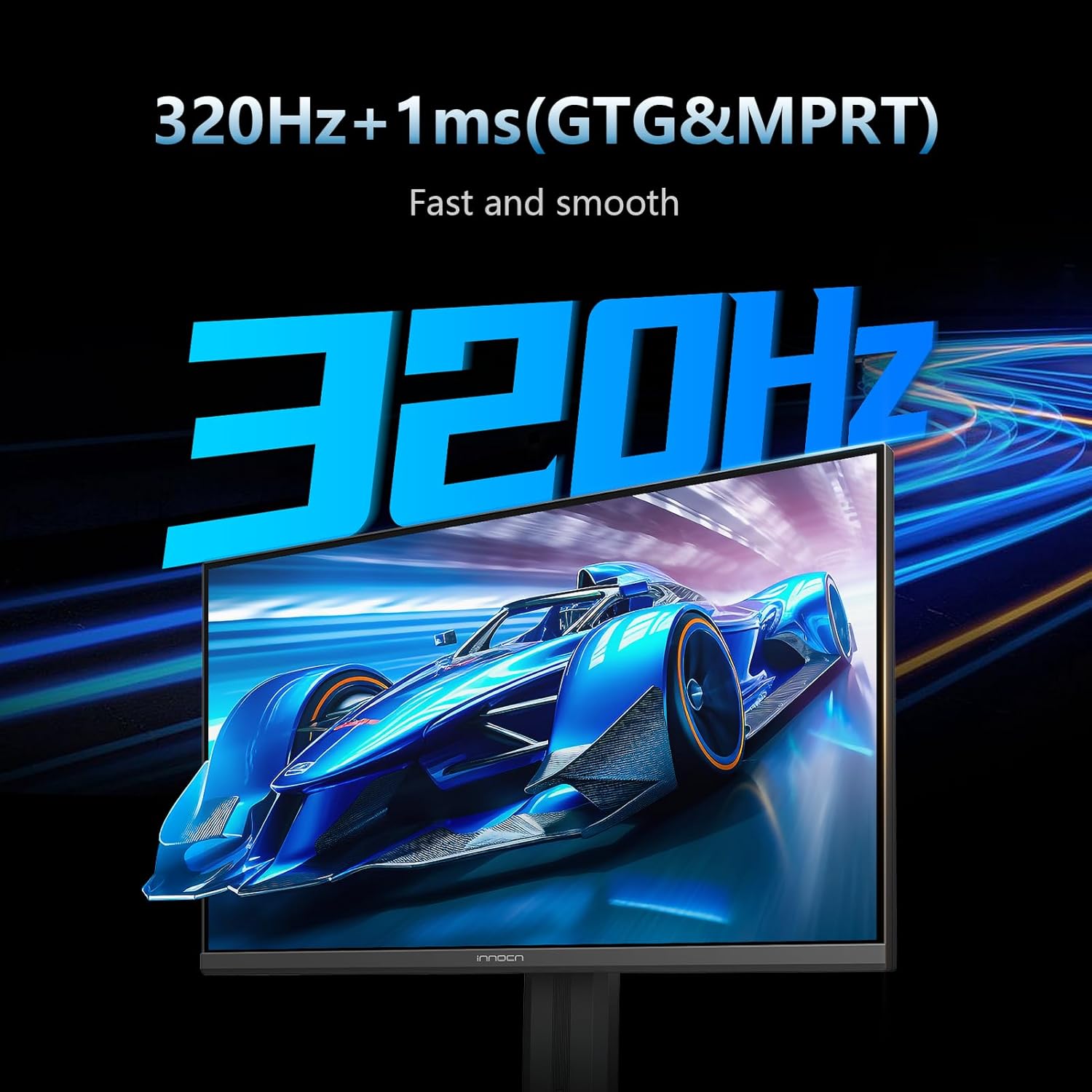
- রিফ্রেশ রেট: The monitor supports up to 320Hz. Ensure your graphics card and connection cable support this refresh rate.
- প্রতিক্রিয়া সময়: Features 1ms (GTG & MPRT) response time for reduced motion blur.
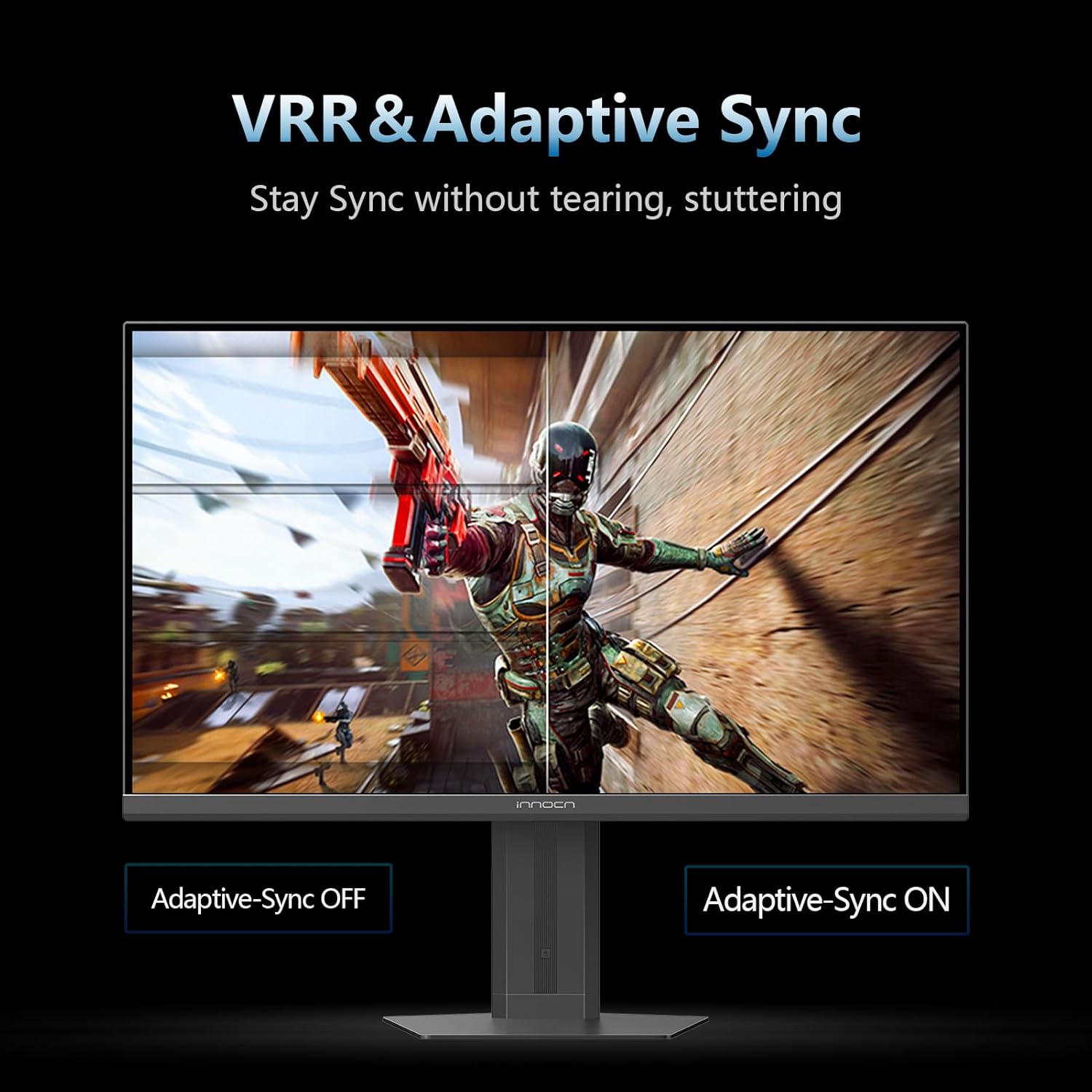
- অভিযোজিত সিঙ্ক: Compatible with G-Sync for a tear-free and low-latency gaming experience. Enable this feature in the OSD menu and your graphics card settings.
- Game Assist Functions: Includes features like AI Aiming, High Refresh Rate display, Timer Function, Vision Mode, Magnifier Mode, and All Game Mode for an enhanced gaming experience.
5.6. Productivity Features
- ছবিতে ছবিতে (পিআইপি) / ছবিতে ছবিতে (পিবিপি): Allows displaying content from multiple input sources simultaneously on the screen. Refer to the OSD menu for configuration options.
৩.৩। চোখের যত্নের বৈশিষ্ট্য
The monitor includes Blue Light Reduction and Flicker-Free technology to minimize eye fatigue and irritation during extended use.
6. রক্ষণাবেক্ষণ
- পর্দা পরিষ্কার করা: নরম, লিন্ট-মুক্ত কাপড় দিয়ে আলতো করে পর্দাটি মুছুন। একগুঁয়ে দাগের জন্য, সরাসরি পর্দায় নয়, কাপড়ে লাগানো মনিটর-নির্দিষ্ট পরিষ্কারের দ্রবণ ব্যবহার করুন।
- সি পরিষ্কার করাasing: মনিটরটি মুছতে একটি নরম, শুকনো কাপড় ব্যবহার করুন।asinছ) ঘষিয়া তুলিয়া ফেলিতে সক্ষম ক্লিনার বা দ্রাবক এড়িয়ে চলুন।
- সঞ্চয়স্থান: যদি মনিটরটি দীর্ঘ সময়ের জন্য সংরক্ষণ করা হয়, তাহলে বিদ্যুৎ সংযোগ বিচ্ছিন্ন করুন, ধুলো থেকে রক্ষা করার জন্য এটি ঢেকে দিন এবং একটি শীতল, শুষ্ক জায়গায় সংরক্ষণ করুন।
7. সমস্যা সমাধান
| সমস্যা | সম্ভাব্য কারণ | সমাধান |
|---|---|---|
| স্ক্রিনে কোনও চিত্র নেই | পাওয়ার কেবল সংযোগ বিচ্ছিন্ন, ভুল ইনপুট সোর্স, ডিভাইসটি চালু নেই। | Check power connections, select correct input source via OSD, ensure connected device is on. |
| ছবিটি ঝাপসা বা বিকৃত | Incorrect resolution, faulty cable, graphics driver issue. | Set display resolution to 2560x1440, try a different cable, update graphics drivers. |
| ঝিকিমিকি পর্দা | Refresh rate mismatch, faulty cable, interference. | Ensure refresh rate is set correctly (e.g., 320Hz), try a different cable, check for nearby electronic interference. |
| শব্দ নেই | Volume too low, incorrect audio output selected, faulty audio cable. | Adjust monitor volume, select monitor as audio output on your device, check audio cable connection. |
8. স্পেসিফিকেশন
| বৈশিষ্ট্য | বিস্তারিত |
|---|---|
| মডেল নম্বর | 27G2T (Internal: 27S2S) |
| পর্দার আকার | 27 ইঞ্চি |
| প্যানেলের ধরন | আইপিএস |
| রেজোলিউশন | ২৫৬০ x ১৪৪০ পিক্সেল (QHD ওয়াইড ১৪৪০পি) |
| আকৃতির অনুপাত | 16:9 |
| রিফ্রেশ হার | Up to 320Hz (also supports 120Hz/144Hz/165Hz/180Hz/240Hz) |
| প্রতিক্রিয়া সময় | 1ms (GTG & MPRT) |
| এইচডিআর সমর্থন | HDR 400 |
| কালার গামুট | 99% sRGB |
| উজ্জ্বলতা | 350 ক্যান্ডেলা |
| সংযোগ | 2 x HDMI 2.1, 2 x DisplayPort 1.4, 1 x USB-C, Audio Out |
| এর্গোনমিক্স | Height/Pivot/Tilt Adjustable |
| ভিসা মাউন্ট | 75 x 75 মিমি |
| পণ্যের মাত্রা | 7.28 x 24.37 x 20.4 ইঞ্চি |
| আইটেম ওজন | 15.97 পাউন্ড |
9. ওয়্যারেন্টি এবং সমর্থন
ওয়ারেন্টি তথ্য, প্রযুক্তিগত সহায়তা, বা পরিষেবা অনুসন্ধানের জন্য, অনুগ্রহ করে অফিসিয়াল INNOCN দেখুন। webসাইটে যান অথবা সরাসরি তাদের গ্রাহক পরিষেবার সাথে যোগাযোগ করুন। ওয়ারেন্টি দাবির জন্য ক্রয়ের প্রমাণ হিসাবে আপনার ক্রয়ের রসিদটি রাখুন।
আপনি দেখতে পারেন অ্যামাজনে INNOCN স্টোর আরও পণ্য তথ্য এবং সহায়তা সংস্থানের জন্য।


