1. ভূমিকা
This manual provides detailed instructions for the setup, operation, and maintenance of your INNOCN 24.5" 240Hz 1ms Gaming Monitor (Model 25G2H Plus). Designed for high-performance gaming and productivity, this monitor features a 1080p Fast IPS panel, 240Hz refresh rate, 1ms response time, and Adaptive Sync technology for a smooth visual experience.
2. প্যাকেজ বিষয়বস্তু
অনুগ্রহ করে যাচাই করুন যে নীচে তালিকাভুক্ত সমস্ত আইটেম আপনার প্যাকেজে অন্তর্ভুক্ত আছে:
- INNOCN 24.5" Monitor (25G2H Plus)
- মনিটর স্ট্যান্ড (বেস এবং নেক)
- পাওয়ার ক্যাবল
- পাওয়ার অ্যাডাপ্টার
- ডিসপ্লেপোর্ট (ডিপি) কেবল
- ব্যবহারকারী ম্যানুয়াল (এই দস্তাবেজ)

Image: Monitor dimensions and included accessories, including power cable, adapter, DisplayPort cable, and user manual.
3. সেটআপ নির্দেশাবলী
১. স্ট্যান্ড একত্রিত করা
- প্যাকেজিং থেকে মনিটর এবং স্ট্যান্ডের উপাদানগুলি সাবধানে সরিয়ে ফেলুন।
- স্ট্যান্ড নেকটি মনিটর প্যানেলের সাথে সংযুক্ত করুন। নিশ্চিত করুন যে এটি নিরাপদে জায়গায় ক্লিক করছে।
- Connect the stand base to the stand neck. Tighten any screws as indicated in the quick start guide.
3.2. একটি ডিভাইসের সাথে সংযোগ করা হচ্ছে৷
মনিটরটি HDMI এবং DisplayPort সংযোগ সমর্থন করে। আপনার ডিভাইসের জন্য উপযুক্ত কেবলটি বেছে নিন।
- HDMI সংযোগ: Connect one end of the HDMI cable to the HDMI port on your computer or console, and the other end to an HDMI port on the monitor.
- ডিসপ্লেপোর্ট সংযোগ: Connect one end of the DisplayPort cable to the DisplayPort on your computer or console, and the other end to the DisplayPort on the monitor.
- পাওয়ার সংযোগ: Connect the power adapter to the monitor's DC 12V input, then plug the power cable into a power outlet.

ছবি: পিছন view of the monitor, highlighting the HDMI, DisplayPort, DC 12V power input, and Audio out ports.
4. অপারেটিং নির্দেশাবলী
4.1. পাওয়ার চালু/বন্ধ
Press the power button, usually located on the back or bottom of the monitor, to turn the monitor on or off. The power indicator light will illuminate when the monitor is on.
4.2. ওএসডি মেনু নেভিগেশন
The On-Screen Display (OSD) menu allows you to adjust various monitor settings. Use the joystick or buttons (refer to your quick start guide for exact location) to navigate the menu:
- ওএসডি মেনু খুলতে জয়স্টিক/বোতাম টিপুন।
- Move the joystick/buttons up/down/left/right to navigate through options.
- একটি বিকল্প নির্বাচন করতে বা একটি সেটিং নিশ্চিত করতে আবার জয়স্টিক/বোতাম টিপুন।
4.3. Basic Display Settings
Within the OSD menu, you can adjust:
- উজ্জ্বলতা: স্ক্রিনের সামগ্রিক উজ্জ্বলতা সামঞ্জস্য করুন।
- বৈসাদৃশ্য: ছবির সবচেয়ে উজ্জ্বল এবং সবচেয়ে অন্ধকার অংশের মধ্যে পার্থক্য পরিবর্তন করুন।
- রঙের তাপমাত্রা: Select from preset modes (e.g., Warm, Cool, User) or adjust RGB values manually.
- ইনপুট উত্স: HDMI এবং DisplayPort ইনপুটগুলির মধ্যে ম্যানুয়ালি নির্বাচন করুন।
5. বৈশিষ্ট্য ওভারview
5.1. High Refresh Rate & Response Time
Experience fluid visuals with a 240Hz রিফ্রেশ রেট and a rapid 1ms প্রতিক্রিয়া সময়, crucial for fast-paced gaming.
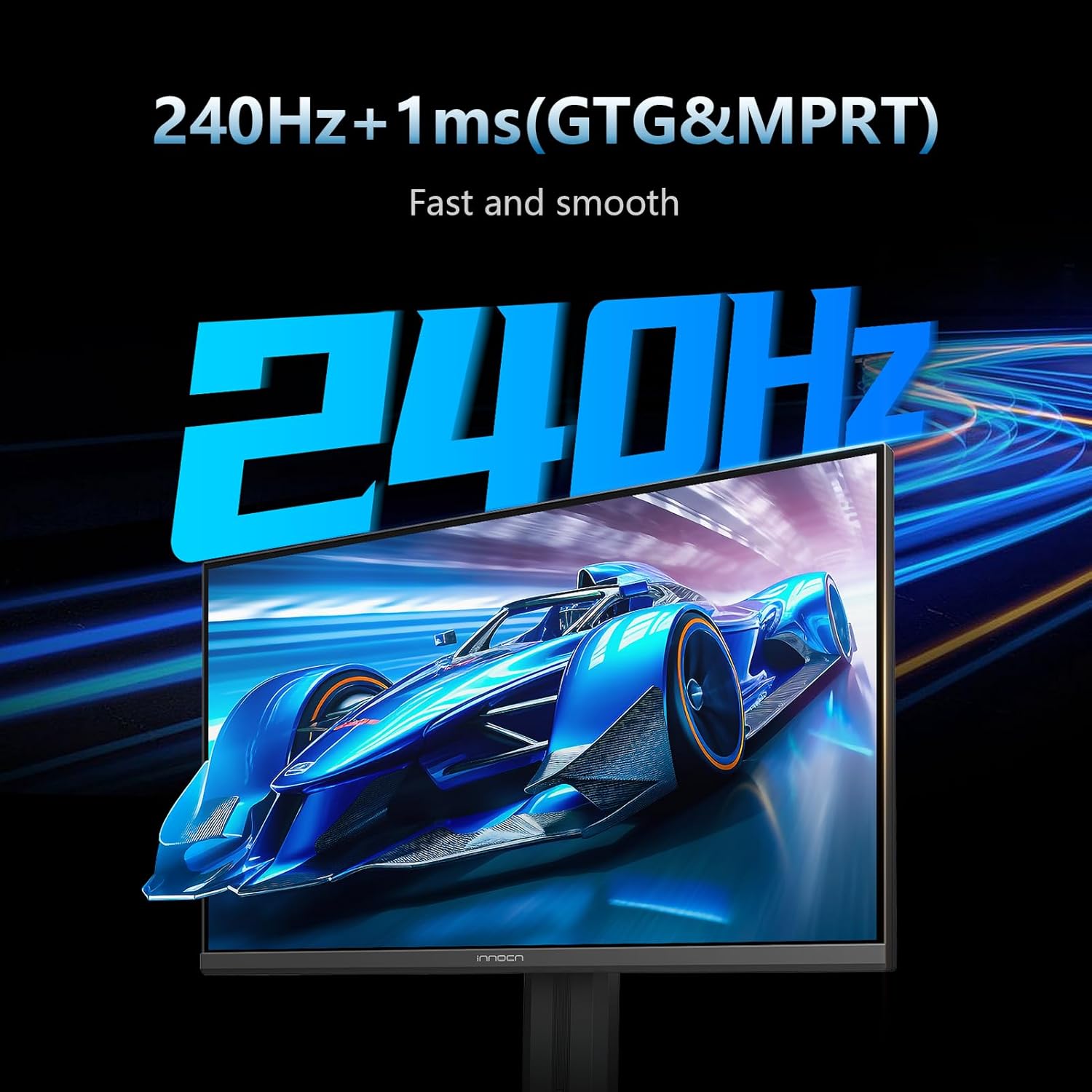
Image: The monitor screen showing a fast-moving car, illustrating the 240Hz refresh rate and 1ms response time for smooth visuals.
5.2. Adaptive Sync (G-Sync Compatible)
Eliminate screen tearing and stuttering with Adaptive Sync technology, ensuring a seamless gaming experience by synchronizing the monitor's refresh rate with your GPU's frame rate.
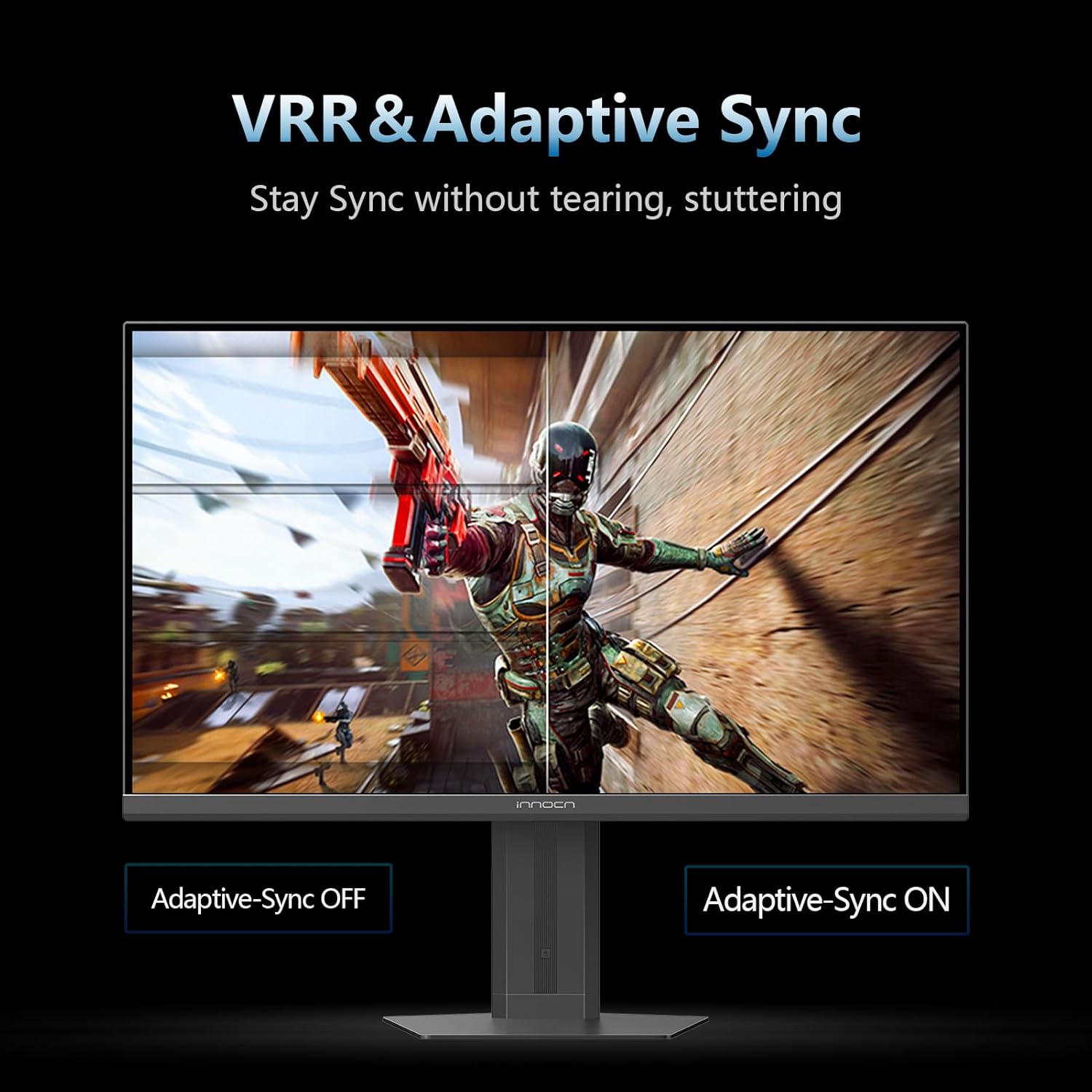
Image: A split screen comparison demonstrating Adaptive Sync technology, with one side showing screen tearing (Adaptive Sync OFF) and the other showing a smooth image (Adaptive Sync ON).
5.3. IPS Panel & Color Performance
দ Fast IPS panel delivers wide viewing angles and accurate color reproduction, covering 99% sRGB for vibrant and lifelike images at 1920x1080p resolution.

Image: The monitor displaying a colorful nebula, highlighting its excellent color performance with 16.7 million colors and 99% sRGB coverage.
৪.৩. HDR400 সাপোর্ট
Enjoy enhanced contrast and brightness with HDR400 সাপোর্ট, revealing more detail in both dark and bright scenes.
6। সংযোগ
মনিটরটি বহুমুখী সংযোগের বিকল্পগুলি অফার করে:
- ২ x HDMI 2.1 পোর্ট: For connecting gaming consoles, PCs, and other HDMI-enabled devices.
- ১ x ডিসপ্লেপোর্ট ১.৪: For high-bandwidth connections to PCs, supporting the full 240Hz refresh rate.
- অডিও আউট: A 3.5mm jack for connecting external speakers or headphones.

Image: A close-up of the monitor's rear panel, showing the various input ports including HDMI, DisplayPort, and Audio out.
৪.৭। সামঞ্জস্যযোগ্য স্ট্যান্ড
The ergonomic stand allows for flexible positioning to optimize your viewআরাম
- উচ্চতা সামঞ্জস্য: Adjust the monitor's height by up to 3.93 inches.
- পিভট: পোর্ট্রেট মোডের জন্য স্ক্রিন 90 ডিগ্রি ঘোরান viewing
- কাত: Adjust the screen angle from 5° to 20° (forward/backward).
- সুইভেল: মনিটরটি অনুভূমিকভাবে ঘোরান।
- VESA মাউন্টযোগ্য: Compatible with 75x75mm VESA mounts for alternative mounting solutions.

Image: A diagram illustrating the various adjustments of the monitor stand, including height, pivot, tilt, and VESA mounting options.
৩.৩। চোখের যত্নের বৈশিষ্ট্য
The monitor incorporates features designed to reduce eye strain during extended use:
- নীল আলো হ্রাস: ক্ষতিকারক নীল আলোর নির্গমন কমিয়ে দেয়।
- ফ্লিকার-মুক্ত প্রযুক্তি: Reduces screen flickering for a more comfortable viewঅভিজ্ঞতা।
৬. গেমিং বৈশিষ্ট্য
Enhance your gaming performance with dedicated features:
- এআই লক্ষ্য: Changes the color of the reticle in real-time to match the screen's center.
- উচ্চ রিফ্রেশ রেট প্রদর্শন: Shows the display refresh rate in real-time during gameplay.
- টাইমার ফাংশন: Easily manage game time with a count-up/down timer.
- Vision Mode: Highlights map areas in MOBA and FPS games to enhance visibility.
- ম্যাগনিফায়ার মোড: Enlarges the center of the screen to see details.
- সমস্ত গেম মোড: ১:১ ডিসপ্লে সমর্থন করে এবং অবাধে স্ক্রিন স্পেসিফিকেশন পরিবর্তন করে।
10. স্পেসিফিকেশন
| বৈশিষ্ট্য | স্পেসিফিকেশন |
|---|---|
| পর্দার আকার | 24.5 ইঞ্চি |
| রেজোলিউশন | ১৯২০ x ১০৮০ পিক্সেল (FHD ১০৮০p) |
| আকৃতির অনুপাত | 16:9 |
| রিফ্রেশ হার | 240Hz |
| প্রতিক্রিয়া সময় | 1 মি |
| প্যানেলের ধরন | আইপিএস |
| এইচডিআর সমর্থন | HDR400 |
| সংযোগ | HDMI 2.1, ডিসপ্লেপোর্ট 1.4 |
| মাউন্ট টাইপ | VESA Wall Mountable (75x75 mm) |
| সমন্বয় | উচ্চতা, পিভট, সুইভেল, টিল্ট |
| পণ্যের মাত্রা | 7.08 x 21.89 x 19.29 ইঞ্চি |
| আইটেম ওজন | 13.01 পাউন্ড |
| মডেল নম্বর | ৪৪এস০৫এইচ |
11. রক্ষণাবেক্ষণ
- পর্দা পরিষ্কার করা: হালকাভাবে একটি নরম, লিন্ট-মুক্ত কাপড় ব্যবহার করুন dampজল বা স্ক্রিন ক্লিনার দিয়ে ঘষুন। কঠোর রাসায়নিক এড়িয়ে চলুন।
- সি পরিষ্কার করাasing: মনিটরটি মুছুন casing একটি নরম, শুকনো কাপড় দিয়ে মুছে ফেলুন।
- বায়ুচলাচল: অতিরিক্ত গরম হওয়া রোধ করার জন্য মনিটরের বায়ুচলাচল খোলা অংশগুলি বন্ধ না থাকে তা নিশ্চিত করুন।
12. সমস্যা সমাধান
আপনার মনিটরে যদি কোনও সমস্যা দেখা দেয়, তাহলে নিম্নলিখিত সাধারণ সমাধানগুলি দেখুন:
- ক্ষমতা নেই: Ensure the power cable and adapter are securely connected to the monitor and a working power outlet.
- কোন সংকেত নেই: Verify that the video cable (HDMI/DisplayPort) is correctly connected to both the monitor and your device. Check the input source in the OSD menu.
- ঝিকিমিকি পর্দা: Ensure the video cable is securely connected. Try a different cable or input port. Check your device's display settings for refresh rate compatibility.
- Image Distortion/Poor Quality: Adjust resolution and refresh rate settings on your connected device. Reset monitor settings to factory defaults via the OSD menu.
13. ওয়্যারেন্টি এবং সমর্থন
INNOCN is committed to providing excellent customer service and product reliability.
- ওয়ারেন্টি কভারেজ: This product includes 12 months of coverage from the date of purchase.
- রিটার্ন: Enjoy 30 days of free returns from the date of purchase.
- প্রযুক্তিগত সহায়তা: এই পণ্যের জন্য আজীবন প্রযুক্তিগত সহায়তা পাওয়া যায়।
For further assistance, please contact INNOCN customer support through their official webসাইট অথবা আপনার পণ্য প্যাকেজিংয়ে প্রদত্ত যোগাযোগের তথ্য।


