1. ভূমিকা
কেনার জন্য ধন্যবাদ।asing the ZEBRONICS Zeb Vigor 100 Tower Speaker. This manual provides essential information for the safe and efficient operation of your device. Please read it thoroughly before use and retain it for future reference.
2. নিরাপত্তা নির্দেশাবলী
- স্পিকারকে জল বা আর্দ্রতার সাথে প্রকাশ করবেন না।
- স্পিকার খুলবেন না গasinছ; সমস্ত পরিষেবা যোগ্য কর্মীদের কাছে পাঠান।
- স্পিকারকে সরাসরি সূর্যালোক, তাপের উৎস এবং খোলা আগুন থেকে দূরে রাখুন।
- অতিরিক্ত গরম রোধ করতে স্পিকারের চারপাশে সঠিক বায়ুচলাচল নিশ্চিত করুন।
- Use only the power cord supplied with the device.
- শ্রবণ ক্ষতি রোধ করতে বর্ধিত সময়ের জন্য উচ্চ ভলিউম স্তরে শোনা এড়িয়ে চলুন।
3. প্যাকেজ বিষয়বস্তু
প্যাকেজে সমস্ত আইটেম উপস্থিত আছে কিনা তা যাচাই করুন:
- Trolley DJ Speaker: 1 Unit
- রিমোট কন্ট্রোল: 1 ইউনিট
- Wireless Microphone: 1 Unit
- পাওয়ার কর্ড: 1 ইউনিট
- Input Cable (3.5mm): 1 Unit
- QR Code Guide: 1 Unit
4. পণ্য শেষview
The ZEBRONICS Zeb Vigor 100 is a versatile tower speaker designed for various audio applications, featuring multiple connectivity options and a robust sound output.
মূল বৈশিষ্ট্য:
- Triple Full Range 20.32cm Drivers for comprehensive sound.
- 100W RMS Output for powerful audio delivery.
- TWS (True Wireless Stereo) Function for connecting two speakers.
- Karaoke & Mic Recording Function with included Wireless MIC.
- Multiconnectivity: Bluetooth v5.0, USB, mSD, AUX, FM.
- LED Display for easy navigation.
- সুবিধাজনক অপারেশন জন্য রিমোট কন্ট্রোল.
- Carry Handle & Wheels for portability.
- RGB Lights for visual effects.
- Dual 6.3mm Microphone input.
- রিচার্জেবল ব্যাটারি অন্তর্নির্মিত।
- Dedicated Control Buttons for intuitive use.
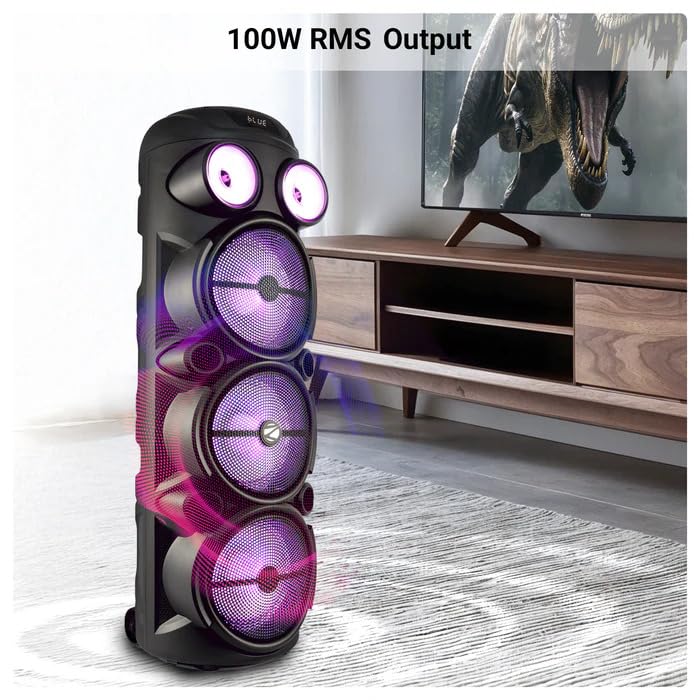
Image: The ZEBRONICS Zeb Vigor 100 Tower Speaker showcasing its 100W RMS output, positioned next to a television.
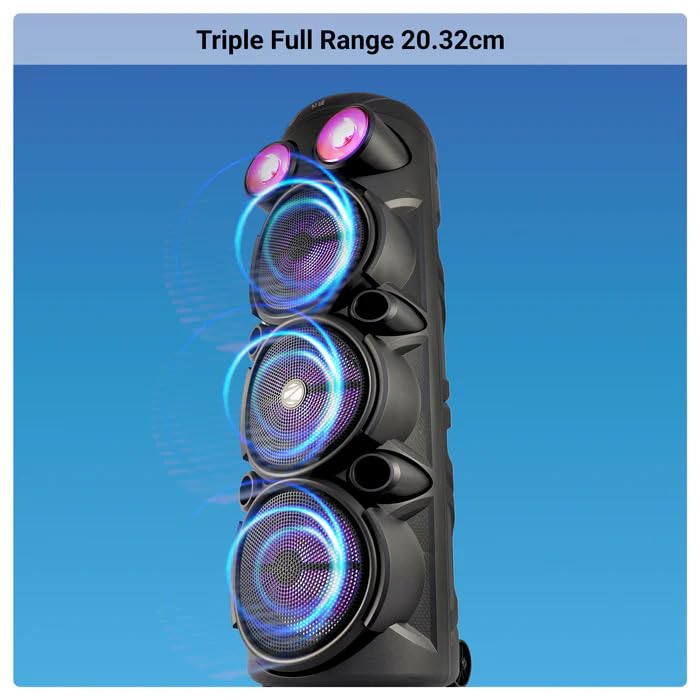
ছবি: ক্লোজ-আপ view of the ZEBRONICS Zeb Vigor 100 highlighting its triple full-range 20.32cm drivers.
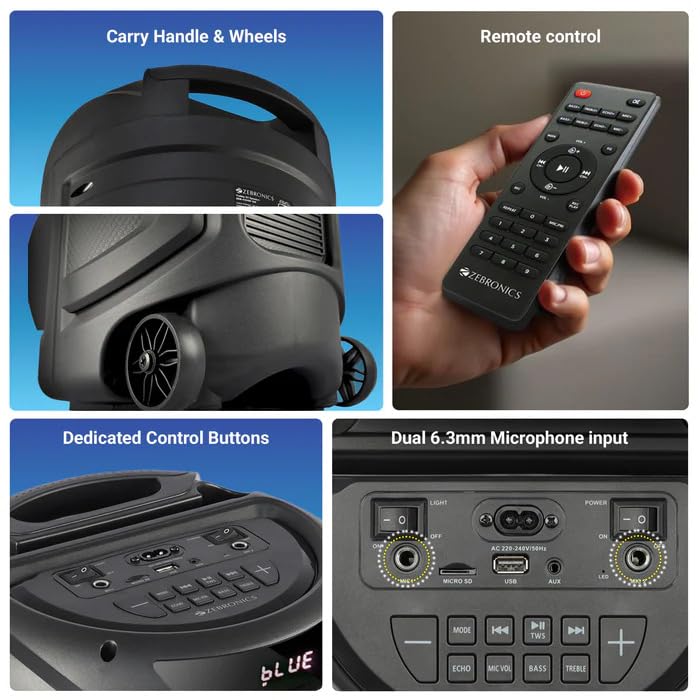
Image: A collage showing the speaker's carry handle and wheels for portability, the included remote control, the dedicated control buttons on the top panel, and the dual 6.3mm microphone inputs on the rear panel.
5. সেটআপ
৫.১ স্পিকার চার্জ করা
Before initial use, fully charge the speaker. Connect the provided power cord to the speaker's AC input and a suitable power outlet. The charging time is approximately 9.8 hours. A full charge provides up to 5 hours of playback at 50% volume with LED lights off.
5.2 পাওয়ারিং অন/অফ
Locate the power switch on the speaker's control panel. Toggle the switch to the 'ON' position to power on the speaker. Toggle to 'OFF' to power off.
6. অপারেটিং নির্দেশাবলী
6.1 Bluetooth Connection (BT v5.0)
- Power on the speaker. The speaker will automatically enter Bluetooth mode or you can select it using the 'MODE' button.
- Enable Bluetooth on your mobile device or computer.
- জন্য অনুসন্ধান করুন available devices and select "ZEB-VIGOR 100" from the list.
- একবার পেয়ার হয়ে গেলে, স্পিকারটি একটি সফল সংযোগ নির্দেশ করবে এবং আপনি অডিও বাজানো শুরু করতে পারবেন।
6.2 USB/mSD Playback
- Insert a USB flash drive or mSD card (up to 32GB) containing MP3 audio fileসংশ্লিষ্ট পোর্টে।
- The speaker will automatically detect the storage device and begin playback. If not, press the 'MODE' button to select USB or mSD mode.
- Use the control buttons or remote to play, pause, skip tracks, or adjust volume.
6.3 AUX ইনপুট
- Connect one end of the 3.5mm input cable to the AUX port on the speaker.
- আপনার বাহ্যিক ডিভাইসের (যেমন, স্মার্টফোন, MP3 প্লেয়ার) অডিও আউটপুট জ্যাকের সাথে অন্য প্রান্তটি সংযুক্ত করুন।
- Press the 'MODE' button to select AUX input.
- Control playback and volume from your external device or the speaker.
6.4 এফএম রেডিও
- Press the 'MODE' button to select FM radio mode.
- Press the Play/Pause button to auto-scan and save available FM stations (frequency range 87.5 MHz - 108 MHz).
- সংরক্ষিত স্টেশনগুলির মধ্যে নেভিগেট করতে পূর্ববর্তী/পরবর্তী ট্র্যাক বোতামগুলি ব্যবহার করুন।
6.5 Karaoke & Mic Recording Function
- Connect the wireless microphone or a wired microphone (not included) to one of the dual 6.3mm microphone inputs.
- Adjust the microphone volume and echo using the dedicated controls.
- To record, ensure a USB drive or mSD card is inserted. Press the 'REC' button (if available on the control panel/remote) to start recording. Press again to stop.
৬.৩ TWS (ট্রু ওয়্যারলেস স্টেরিও) ফাংশন
To connect two Zeb Vigor 100 speakers for a stereo experience:
- নিশ্চিত করুন যে উভয় স্পিকারই চালু আছে এবং ব্লুটুথ মোডে আছে।
- On one speaker (this will be the master), press and hold the 'TWS' button. The speaker will indicate it is searching for another TWS device.
- The two speakers will automatically pair. Once connected, they will function as a stereo pair.
- Connect your mobile device to the master speaker via Bluetooth as described in section 6.1.
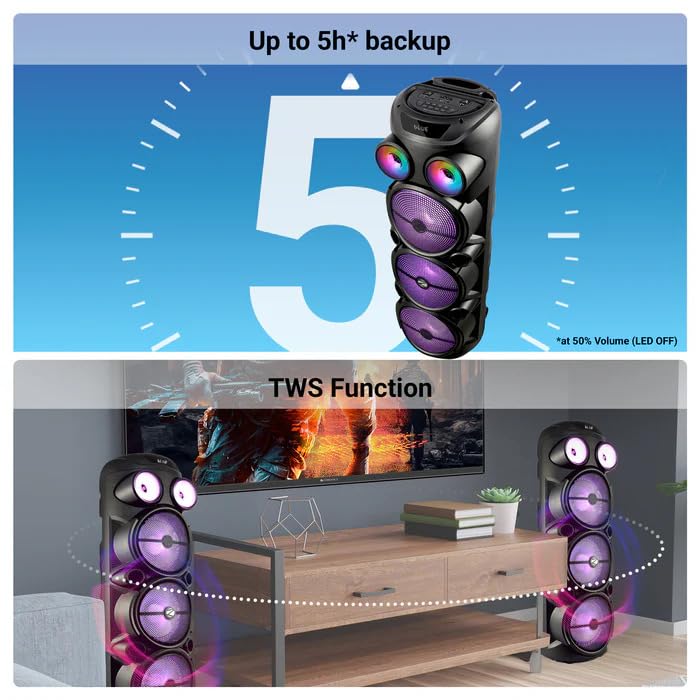
Image: The ZEBRONICS Zeb Vigor 100 speaker highlighting its up to 5-hour battery backup and the True Wireless Stereo (TWS) function, showing two speakers connected wirelessly.
6.7 আরজিবি লাইট
The speaker features dynamic RGB lights. Use the dedicated 'LIGHT' switch or button on the control panel or remote to cycle through different light modes or turn them off.
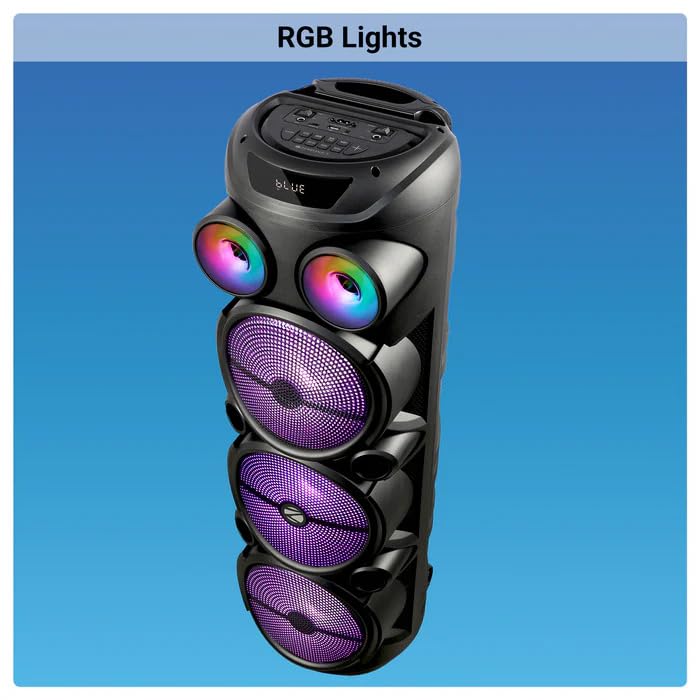
Image: The ZEBRONICS Zeb Vigor 100 Tower Speaker with its vibrant RGB lights illuminated.
৩.১ কন্ট্রোল প্যানেল এবং রিমোট কন্ট্রোল
The speaker features a top-mounted control panel with buttons for mode selection, playback control, volume adjustment, microphone controls, and light control. A remote control is also provided for convenient operation from a distance.
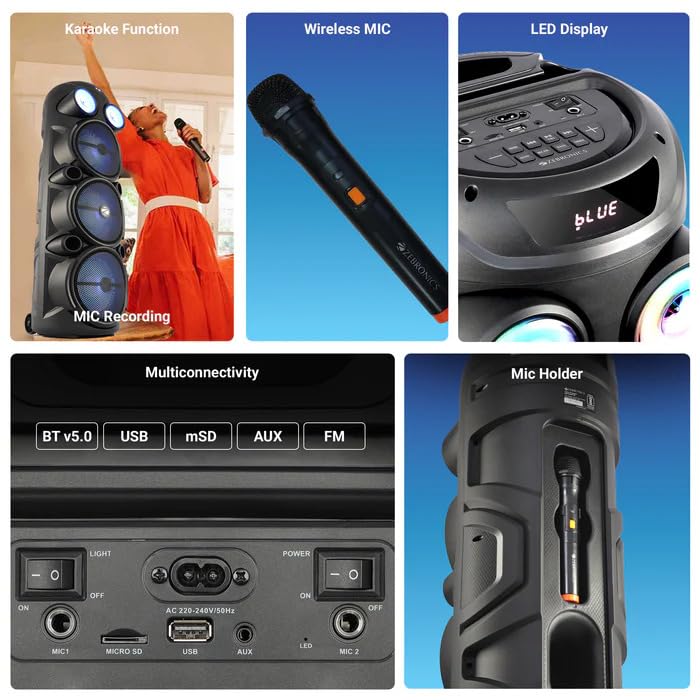
ছবি: বিস্তারিত view of the ZEBRONICS Zeb Vigor 100's control panel, showing options for Bluetooth v5.0, USB, mSD, AUX, and FM connectivity, along with various control buttons.
7. রক্ষণাবেক্ষণ
- পরিষ্কার করা: স্পিকারের বাইরের অংশ পরিষ্কার করার জন্য একটি নরম, শুকনো কাপড় ব্যবহার করুন। ঘষিয়া তুলিয়া ফেলিতে সক্ষম ক্লিনার বা দ্রাবক ব্যবহার করবেন না।
- সঞ্চয়স্থান: যখন দীর্ঘ সময় ধরে ব্যবহার করা না হয়, তখন স্পিকারটি সরাসরি সূর্যালোক এবং চরম তাপমাত্রা থেকে দূরে একটি শীতল, শুষ্ক জায়গায় সংরক্ষণ করুন।
- ব্যাটারি যত্ন: ব্যাটারির আয়ু বাড়ানোর জন্য, ঘন ঘন ব্যাটারি সম্পূর্ণরূপে চার্জ করা এড়িয়ে চলুন। স্পিকার নিয়মিত চার্জ করুন, এমনকি ব্যবহার না করলেও।
8. সমস্যা সমাধান
| সমস্যা | সম্ভাব্য কারণ | সমাধান |
|---|---|---|
| স্পিকার চালু হচ্ছে না। | ব্যাটারি শেষ হয়ে গেছে অথবা পাওয়ার কর্ড সংযুক্ত নেই। | Charge the speaker or ensure the power cord is securely connected. |
| কোন সাউন্ড আউটপুট নেই। | Volume is too low, incorrect mode selected, or device not properly connected. | Increase volume, select the correct input mode (BT, USB, AUX, FM), or re-establish connection. |
| ব্লুটুথ জুড়ি ব্যর্থ হয়। | স্পিকার পেয়ারিং মোডে নেই, অথবা ডিভাইসটি অনেক দূরে। | Ensure speaker is in Bluetooth mode, move device closer, or clear previous pairings on your device. |
| মাইক্রোফোন কাজ করছে না। | Microphone not powered on, or volume too low. | Ensure wireless mic has batteries and is powered on. Adjust mic volume. |
9. স্পেসিফিকেশন
| বৈশিষ্ট্য | স্পেসিফিকেশন |
|---|---|
| আউটপুট পাওয়ার (RMS) | 100W |
| ড্রাইভারের আকার | Full range 20.32cm x 3, Tweeter 3.8cm |
| প্রতিবন্ধকতা | Full range 4Ω x 1, 8Ω x 2; Tweeter 8Ω |
| ফ্রিকোয়েন্সি রেসপন্স | 65Hz-18kHz |
| S/N অনুপাত | ≥60dB |
| File Format Support (USB/SD) | MP3 |
| লাইন ইনপুট | 3.5 মিমি |
| Max Supported USB/SD Memory Size | 32GB |
| এফএম ফ্রিকোয়েন্সি রেঞ্জ | ৫১২.১ মেগাহার্টজ - ৫৬২.৬ মেগাহার্টজ |
| চার্জ করার সময় | 9.8 ঘন্টা |
| প্লেব্যাক সময় | 5 hours* (at 50% Volume, LED OFF) |
| ব্লুটুথের নাম | জেব-ভিগর ২০০ |
| ব্লুটুথ সংস্করণ | v5.0 |
| পণ্যের মাত্রা (W x D x H) | 28.6 x 28.5 x 90 সেমি |
| নেট ওজন | 6.4 কেজি |
| সংযোগকারী প্রকার | অক্স, ইউএসবি |
| চ্যানেলের সংখ্যা | 2 |
| অডিও ইনপুট | Wired Microphone, Wireless Microphone, Line-Level Input |
| রঙ | কালো |
| সামঞ্জস্যপূর্ণ ডিভাইস | Audio Player, DJ Mixer, DVD Player, Drum, Guitar, Headphone, Headset, Karaoke System, Keyboard, Laptop, MP3 Player, Microphone, Piano, Smartphone, Tablet, Television |
10. ওয়্যারেন্টি এবং সমর্থন
10.1 ওয়ারেন্টি তথ্য
The ZEBRONICS Zeb Vigor 100 Tower Speaker comes with a 1 বছরের ওয়ারেন্টি ক্রয়ের তারিখ থেকে। ওয়ারেন্টি দাবির জন্য দয়া করে আপনার ক্রয়ের রসিদটি সংরক্ষণ করুন। স্বাভাবিক ব্যবহারের শর্তে ওয়ারেন্টি উৎপাদন ত্রুটিগুলিকে কভার করে।
10.2 প্রস্তুতকারক
Zebronics India Pvt Ltd.
13/7 Smith Road, Royapettah, Chennai, Tamil Nadu - 600 002, India
10.3 গ্রাহক সহায়তা
For technical assistance, service, or warranty inquiries, please contact Zebronics customer support through their official website or the contact information provided in the QR code guide included in your package.


