1. Уводзіны
This manual provides essential instructions for the setup, operation, and maintenance of your HUAWEI Watch GT 6 Pro Smart Watch. Please read this manual thoroughly before using the device to ensure proper function and safety.
Што ў скрынцы:
- HUAWEI Watch GT 6 Pro Smart Watch
- Зарадны кабель
- Кіраўніцтва карыстальніка (гэты дакумент)
2. Прадукт скончыўсяview
The HUAWEI Watch GT 6 Pro features a 1.47-inch AMOLED display, a durable titanium alloy casing, and sapphire glass. It is designed for comprehensive health monitoring and advanced sports tracking.
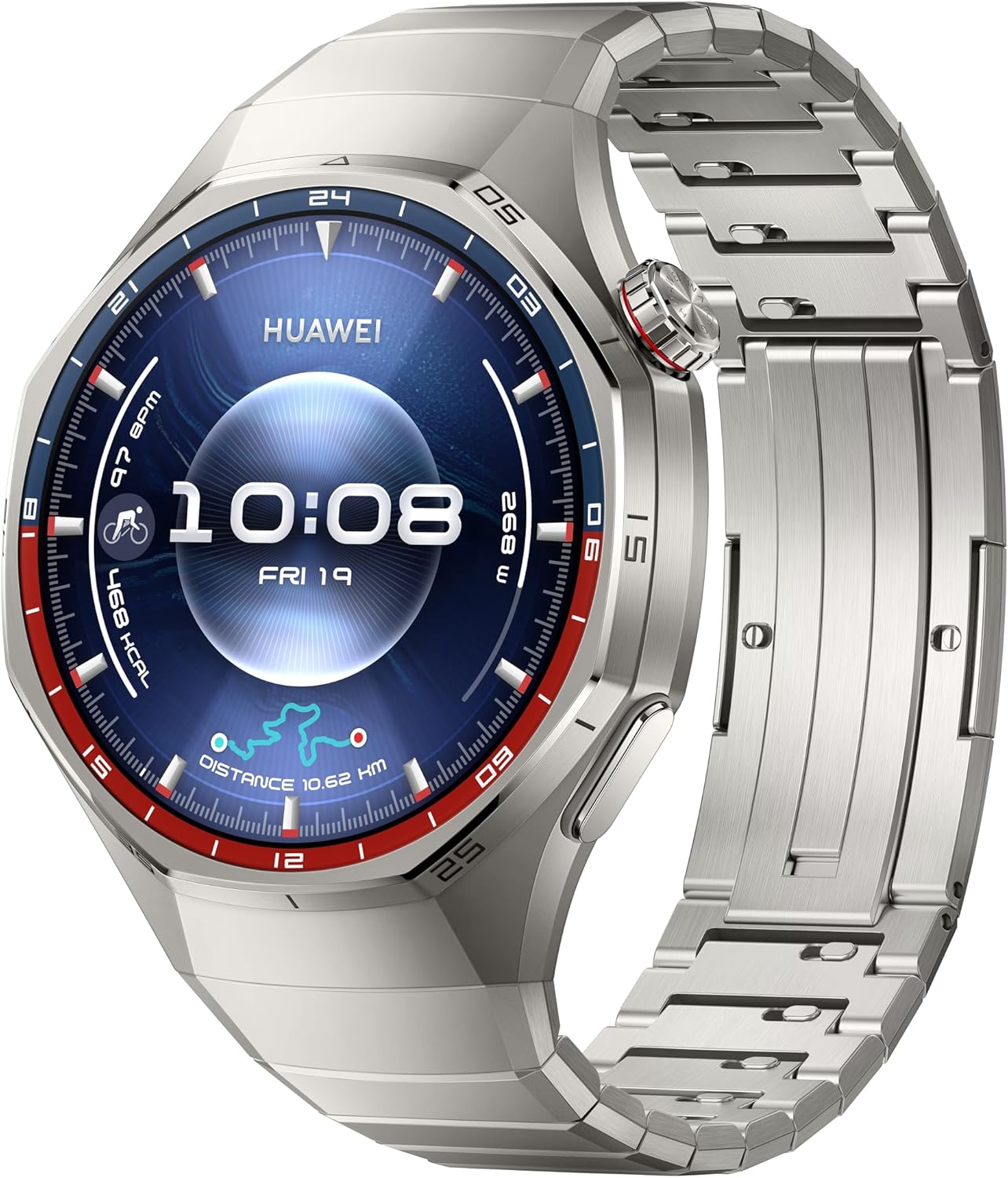
Малюнак 2.1: Фронт view of the HUAWEI Watch GT 6 Pro, displaying the watch face with time, date, and various health and activity metrics. The watch features a round display with a metallic bezel and a matching metal strap.
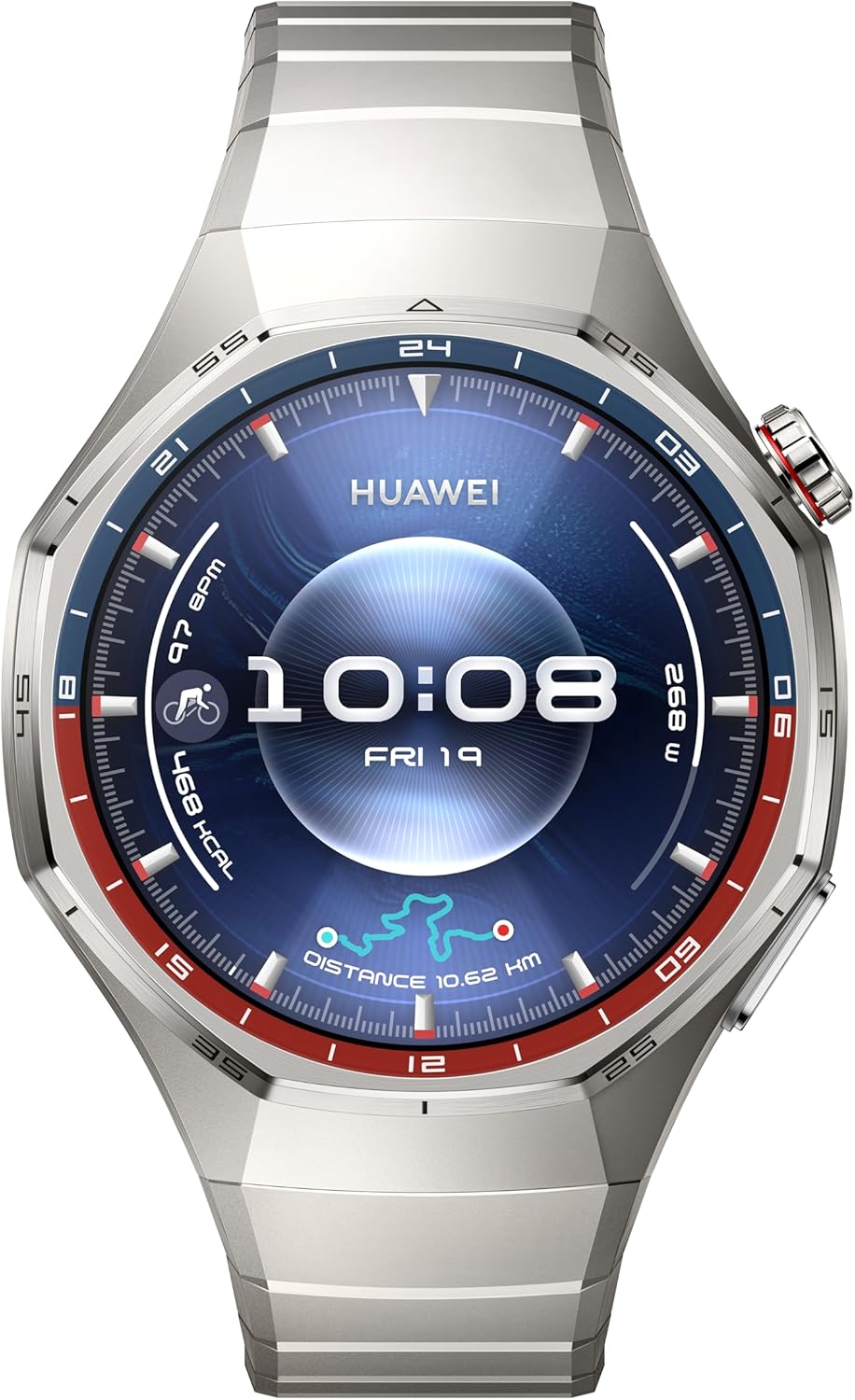
Малюнак 2.2: Яшчэ адзін фронт view of the HUAWEI Watch GT 6 Pro, showcasing a different watch face. This image highlights the watch's sleek design and the clarity of its AMOLED display.
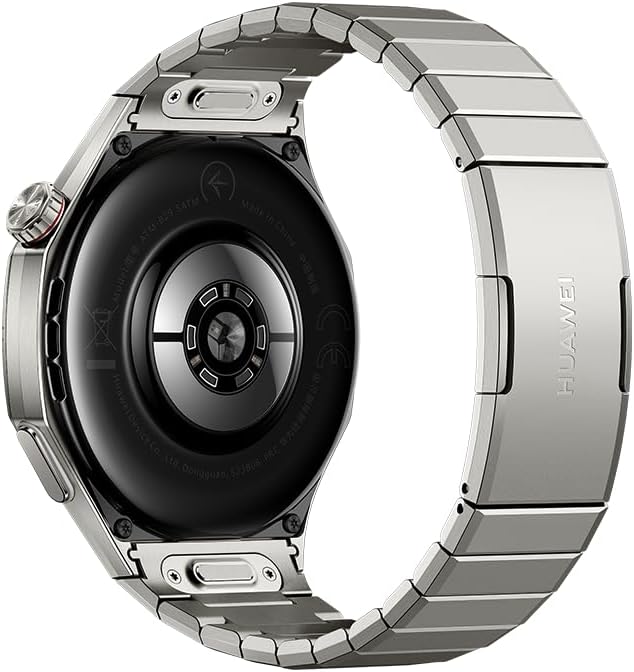
Малюнак 2.3: Тыл view of the HUAWEI Watch GT 6 Pro, showing the advanced health sensors and charging contacts. The back casing is designed for comfortable wear and accurate data collection.
3. Настройка
3.1 Першапачатковая зарадка
- Падключыце зарадны кабель да зараднага порта на задняй панэлі гадзінніка.
- Падключыце другі канец зараднага кабеля да сумяшчальнага адаптара харчавання USB (не ўваходзіць у камплект) або да USB-порта кампутара.
- Allow the watch to charge fully before first use. A full charge can provide up to 21 days of battery life under typical usage.
3.2 Спалучэнне са смартфонам
- Download and install the HUAWEI Health app from your smartphone's app store (compatible with iOS and Android devices).
- Open the HUAWEI Health app and follow the on-screen instructions to create an account or log in.
- Пераканайцеся, што Bluetooth уключаны на вашым смартфоне.
- In the HUAWEI Health app, navigate to "Devices" and select "Add device."
- Select your HUAWEI Watch GT 6 Pro from the list of available devices.
- Пацвердзіце запыт на спалучэнне як на гадзінніку, так і на смартфоне.
4. Інструкцыя па эксплуатацыі
4.1 Асноўная навігацыя
- Сэнсарны экран: Правядзіце пальцам уверх, уніз, улева або ўправа, каб перамяшчацца па меню і апавяшчэннях. Націсніце, каб выбраць элементы.
- Карона: Rotate the crown to scroll through lists or zoom in/out. Press the crown to return to the home screen or access the app list.
- Бакавая кнопка: Press the side button to access customizable shortcuts or specific functions.
4.2 спартыўных рэжымаў
The watch supports over 100 sports modes, including advanced tracking for trail running, cycling, and free diving. Integrated GPS provides accurate location and route tracking.
- From the app list, select the "Workout" app.
- Choose your desired sports mode (e.g., Outdoor Run, Cycling, Free Dive).
- Follow the on-screen prompts to start your workout. The watch will record relevant data such as duration, distance, heart rate, and calories burned.
- For free diving, ensure you understand the safety guidelines provided by the watch and consult a medical professional if necessary.
4.3 Маніторынг здароўя
Utilizing the HUAWEI TruSense System, the watch provides comprehensive health insights:
- Маніторынг сардэчнага рытму: Continuous heart rate tracking with alerts for abnormal readings.
- Адсочванне сну: Маніторы снуtages, quality, and provides suggestions for improvement.
- Emotional Wellbeing: Tracks stress levels and offers breathing exercises.
- Маніторынг SpO2: Вымярае ўзровень насычэння крыві кіслародам.
Access health data through the respective apps on your watch or the HUAWEI Health app on your smartphone.
4.4 Апавяшчэнні
Receive notifications from your paired smartphone directly on your watch. Manage notification settings through the HUAWEI Health app.
5. Тэхнічнае абслугоўванне
5.1 Чыстка гадзінніка
- Працярыце экран і корпус гадзінніка мяккай тканінай без ворса.
- Для ўстойлівых плям, dampзлёгку прамакніце тканіну вадой. Пазбягайце выкарыстання агрэсіўных хімікатаў або абразіўных матэрыялаў.
- Перад зарадкай пераканайцеся, што кантакты зараднай прылады чыстыя і сухія.
5.2 Воданепранікальнасць
The HUAWEI Watch GT 6 Pro is designed to be water-resistant. However, avoid exposing it to hot water, steam, or high-velocity water. After exposure to saltwater, rinse the watch with fresh water and dry it thoroughly.
6. Выпраўленне непаладак
| выпуск | Магчымае рашэнне |
|---|---|
| Гадзіннік не ўключаецца | Пераканайцеся, што гадзіннік цалкам зараджаны. Падключыце яго да зараднай прылады як мінімум на 10 хвілін. |
| Немагчыма спалучыць прыладу са смартфонам |
|
| Недакладныя дадзеныя пра здароўе | Пераканайцеся, што гадзіннік шчыльна прылягае да запясця, не занадта свабодна і не занадта туга. Рэгулярна чысціце датчыкі. |
| Кароткі тэрмін службы батарэі | Зменшце яркасць экрана, адключыце рэжым пастаяннага ўключэння дысплея, абмяжуйце абнаўленне фонавых праграм і адключыце непатрэбныя апавяшчэнні. |
7. Тэхнічныя характарыстыкі
| Асаблівасць | Дэталь |
|---|---|
| Нумар мадэлі | ATM-B29 |
| Дысплей | 1.47 цалі AMOLED |
| Тэрмін службы батарэі | Да 21 дзён (пры тыповым выкарыстанні) |
| Ёмістасць батарэі | 800 Міліamp Гадзіны (літый-палімерны) |
| Аперацыйная сістэма | HarmonyOS |
| Сувязь | Bluetooth |
| GPS | Убудаваны GPS |
| Асаблівасці | Activity Tracker, Cycle Tracking, Health Monitoring (Heart Rate, Sleep, Emotional Wellbeing, SpO2), 100+ Sports Modes (including Free Diving, Trail Running, Cycling) |
| Матэрыял | Aerospace-grade Titanium Alloy, Sapphire Glass |
| Памеры | 0.47 x 0.47 x 0.26 inches (approximate watch body) |
| Вага | 12.3 ounces / 0.35 Kilograms (approximate) |
8. Інфармацыя па бяспецы
- Consult your doctor before starting any new exercise regimen or if you have pre-existing health conditions.
- The watch is not a medical device and should not be used for medical diagnosis, treatment, or prevention.
- Захоўвайце прыладу і яе аксэсуары ў месцах, недаступных дзецям.
- Пазбягайце экстрэмальных тэмператур, прамых сонечных прамянёў і высокай вільготнасці.
- Do not attempt to disassemble or repair the watch yourself. This may void the warranty and cause damage.
- Выкарыстоўвайце толькі зацверджаныя зарадныя кабелі і адаптары.
9. Гарантыя і падтрымка
For warranty information, technical support, or service inquiries, please refer to the official HUAWEI website or contact HUAWEI customer service in your region. Keep your proof of purchase for warranty claims.
Official HUAWEI Support: consumer.huawei.com/en/support/


