1. Уводзіны
The CUBOT Kingkong 11 is a rugged 5G smartphone designed for durability and high performance. It features a powerful processor, extensive memory, a large battery, and an advanced camera system, all housed in a robust, water-resistant, and dustproof body.
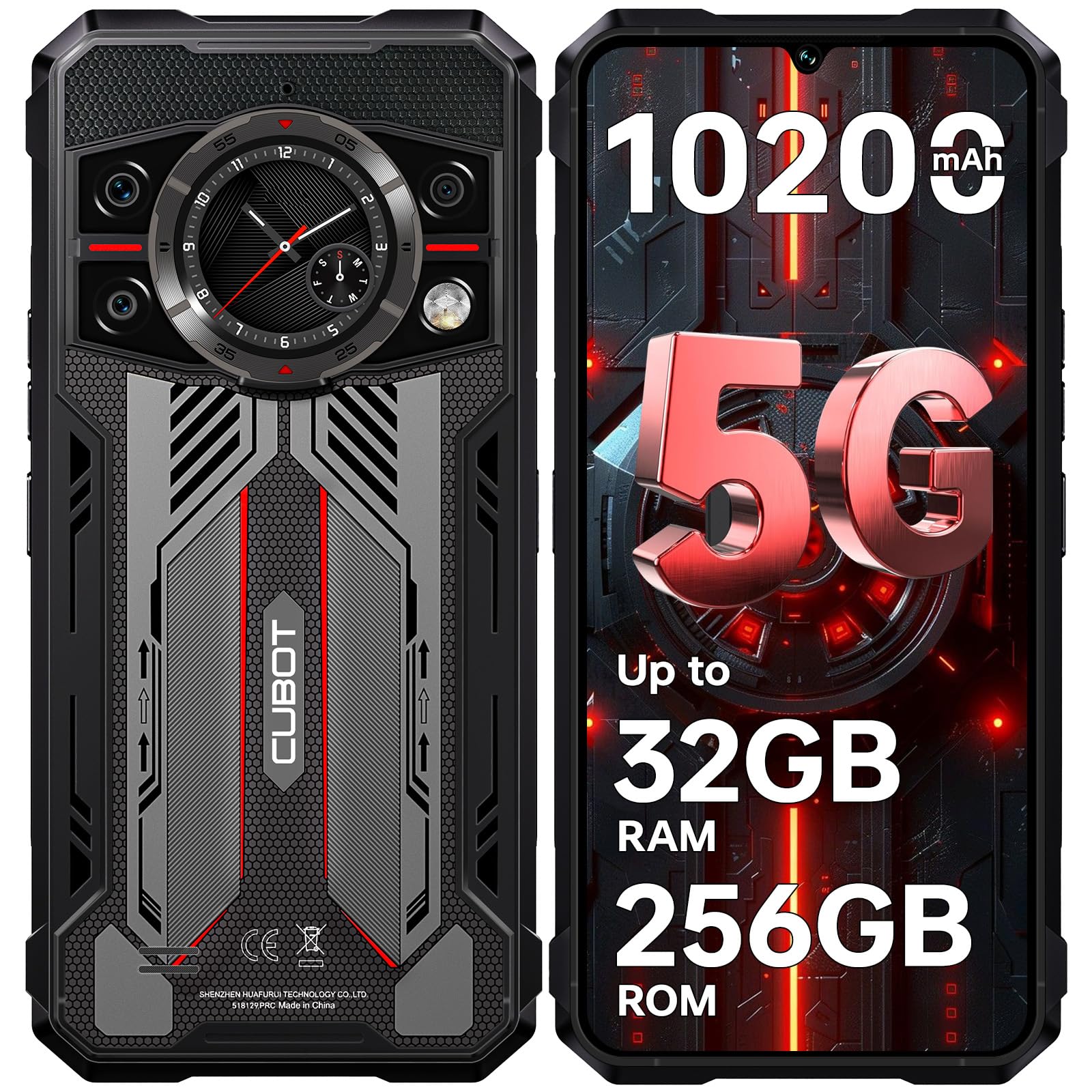
Выява: спераду і ззаду view of the CUBOT Kingkong 11 5G smartphone, highlighting its rugged design.
2. Пачатковая налада
2.1. Устаўка SIM-карт і карты MicroSD
The CUBOT Kingkong 11 supports dual SIM cards and a MicroSD card for expanded storage.
- Знайдзіце латок для SIM-карты на бакавой панэлі прылады.
- Выкарыстайце інструмент для выцягвання SIM-карты, які ўваходзіць у камплект, каб адкрыць латок.
- Акуратна ўстаўце карты Nano-SIM і/або MicroSD у прызначаныя слоты. Забяспечце правільную арыентацыю.
- Акуратна ўстаўце латок назад у прыладу, пакуль ён не будзе ўраўноўвацца з бакамі.

Image: Close-up of the CUBOT Kingkong 11 showing the SIM card tray with waterproof seals.
2.2. Уключэнне і першапачатковая зарадка
- Press and hold the power button located on the side of the device until the CUBOT logo appears.
- For first-time use, it is recommended to fully charge the device. Connect the USB-C cable to the phone and the 33W fast charger to a power outlet.
- Індыкатар батарэі на экране будзе паказваць стан зарадкі.

Image: Illustration of the 10200mAh battery capacity and 33W fast charging capability of the CUBOT Kingkong 11.
2.3. Канфігурацыя праграмнага забеспячэння
Follow the on-screen prompts to complete the initial setup, including language selection, Wi-Fi connection, Google account login, and security settings (Face ID/Fingerprint).
3. Аперацыя
3.1. Аперацыйная сістэма Android 15
The CUBOT Kingkong 11 runs on Android 15, offering an intuitive user interface and enhanced features. Navigate through apps, customize settings, and utilize smart functions for an optimized experience.

Image: Screenshot of the Android 15 operating system interface on the CUBOT Kingkong 11.
3.2. Main Display (6.72" FHD+ 120Hz)
The 6.72-inch FHD+ display provides vibrant visuals with a 120Hz refresh rate for smooth scrolling and gaming. The 1080x2400 resolution ensures clear and detailed content viewінж.

Image: Visual representation of the 6.72-inch FHD+ display with 120Hz refresh rate on the CUBOT Kingkong 11.
3.3. Rear Smart Display (1.46")
The 1.46-inch rear smart display provides quick access to essential information such as time, notifications, battery status, and compass without activating the main screen. This feature is useful for quick glances during activities.

Image: The 1.46-inch rear smart display of the CUBOT Kingkong 11, showing widgets for clock, camera, music, battery, calls, compass, and alarm.
3.4. Сістэма камер
The device features a versatile quad-camera system:
- Асноўная камера 108 Мп: Captures high-resolution photos with impressive detail.
- 32-мегапіксельная франтальная камера: For high-definition selfies and video calls.
- 24-мегапіксельная камера начнога бачання: Equipped with infrared LEDs for clear imaging in complete darkness.
- Макрааб'ектыў 8 Мп: Allows for close-up photography, capturing intricate details of small subjects.

Выява: Зверхуview of the CUBOT Kingkong 11's quad-camera system, including the 108MP main, 32MP front, 24MP night vision, and 8MP macro lenses, with exampфотаздымкі.
3.5. Падключэнне і навігацыя
The Kingkong 11 supports 5G full-band connectivity for fast data speeds. It includes NFC for contactless payments and data transfer, and a quadruple positioning system (GPS+GLONASS+BeiDou+Galileo) for accurate navigation.

Image: Graphic illustrating the CUBOT Kingkong 11's 5G ultra-fast global coverage and connectivity features.
4. Тэхнічнае абслугоўванне
4.1. Даўгавечнасць і абарона
The CUBOT Kingkong 11 is certified with IP68/IP69K for dust and water resistance, and MIL-STD-810H for shock resistance. It can withstand submersion in water up to 5 meters for 30 minutes.
- Воданепранікальнасць: Ensure all ports (USB-C, SIM tray) are properly sealed before exposing the device to water. After exposure to water, dry the device thoroughly before charging.
- Устойлівасць да пылу: The device is designed to prevent dust ingress. Clean any accumulated dust from ports and crevices using a soft, dry brush.
- Ударатрываласць: While rugged, avoid intentional drops or impacts from extreme heights to preserve the device's integrity.

Image: Visual representation of the CUBOT Kingkong 11's IP68, IP69K, and MIL-STD-810H certifications for water, dust, and shock resistance.
4.2. Уборка
Use a soft, lint-free cloth to clean the screen and body of the phone. For stubborn smudges, a slightly damp можна выкарыстоўваць тканіну, а затым неадкладна высушыць.
5. Выпраўленне непаладак
5.1. Прылада не ўключаецца
- Пераканайцеся, што акумулятар зараджаны. Падключыце зарадную прыладу і пачакайце некалькі хвілін, перш чым зноў уключыць прыладу.
- Націсніце і ўтрымлівайце кнопку харчавання не менш за 10-15 секунд, каб выканаць прымусовы перазапуск.
5.2. Poor Performance/Lag
- Зачыніце непатрэбныя фонавыя праграмы.
- Ачысціце кэш часта выкарыстоўваных праграм.
- Забяспечце дастаткова месца для захоўвання. Падумайце аб перамяшчэнні вялікіх files to the MicroSD card or cloud storage.
- Перыядычна перазапускайце прыладу.
5.3. Праблемы з зарадкай
- Пераканайцеся, што зарадны кабель і адаптар надзейна падключаны і не пашкоджаны.
- Try using a different compatible charger and cable.
- Check the USB-C port for any debris or obstruction.
5.4. Праблемы з падключэннем да сеткі
- Ensure SIM cards are correctly inserted and activated.
- Check network settings (e.g., APN settings) with your service provider.
- Уключэнне і выключэнне рэжыму палёту.
- Перазапусціце прыладу.
6. Тэхнічныя характарыстыкі
| Асаблівасць | Дэталь |
|---|---|
| Марка | КУБОТ |
| мадэль | CUBOT KINGKONG 11 |
| Аперацыйная сістэма | Android 15 |
| Працэсар | 5G Dimensity 7025 Octa-Core |
| АЗП | Up to 32 GB (16 GB physical + 16 GB extended) |
| Унутраная памяць | 256 ГБ |
| Сховішча з магчымасцю пашырэння | Да 1 ТБ праз карту MicroSD |
| Галоўны дысплей | 6.72 inches FHD+ (1080x2400), 120Hz refresh rate, 450 nits brightness |
| Задні дысплей | 1.46 inches Smart Display |
| Асноўная камера | 108 МП |
| Пярэдняя камера | 32 МП |
| Камера начнога бачання | 24 MP with IR LED |
| Макрааб'ектыў | 8 МП |
| Ёмістасць батарэі | 10200 мАг |
| Зарадка | Хуткая зарадка 33 Вт, зваротная зарадка OTG |
| Сувязь | 5G, NFC, дзве SIM-карты |
| Навігацыя | GPS+ГЛОНАСС+BeiDou+Galileo |
| Даўгавечнасць | IP68/IP69K, MIL-STD-810H (Water resistant up to 5m for 30 min) |
| Бяспека | Face ID, Fingerprint Sensor |
| Памеры | 22.4 x 17.3 x 4.2 см (упакоўка) |
| Вага | 700 г (упакоўка) |

Image: Energy label for the CUBOT Kingkong 11, showing battery life and durability ratings. View Інфармацыйны ліст прадукту EPREL
7. Гарантыя і падтрымка
CUBOT offers a comprehensive support package for the Kingkong 11:
- Вяртае: Беспраблемнае вяртанне на працягу 30 дзён з моманту пакупкі.
- Гарантыя: A two-year warranty covers manufacturing defects.
- Тэхнічная падтрымка: Long-term technical assistance is available.
- Абслугоўванне кліентаў: 24/7 online customer service is provided for any inquiries during your ownership.
For assistance, please contact CUBOT customer service through their official channels.


