1. Уводзіны
This manual provides essential instructions for the proper use, setup, and maintenance of your HUAWEI FreeBuds 7i wireless Bluetooth earphones. Please read this manual thoroughly before using the product to ensure optimal performance and longevity.

Image 1.1: HUAWEI FreeBuds 7i charging case open with both earbuds inside, showing the green indicator light.
2. Змесціва ўпакоўкі
Праверце, ці ёсць усе прадметы ў камплекце з вашым прадуктам:
- HUAWEI FreeBuds 7i Earbuds (Left and Right)
- Чахол для бесправадной зарадкі
- Ear tips (4 pairs: L, M, S, and XS sizes; M size ear tips are pre-installed on the earbuds)
- Кароткае кіраўніцтва па запуску і інфармацыя аб бяспецы
- Гарантыйны талон
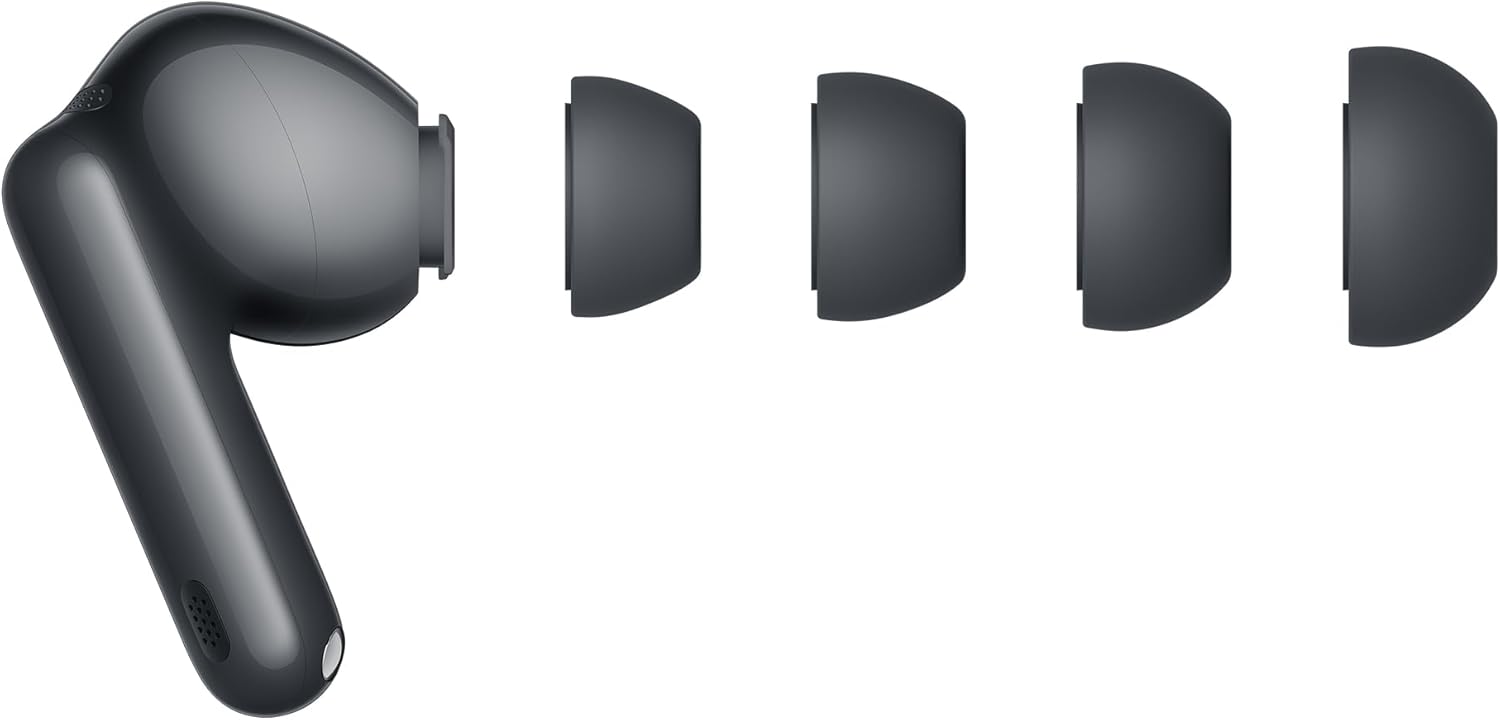
Image 2.1: HUAWEI FreeBuds 7i earbud with various ear tip sizes.
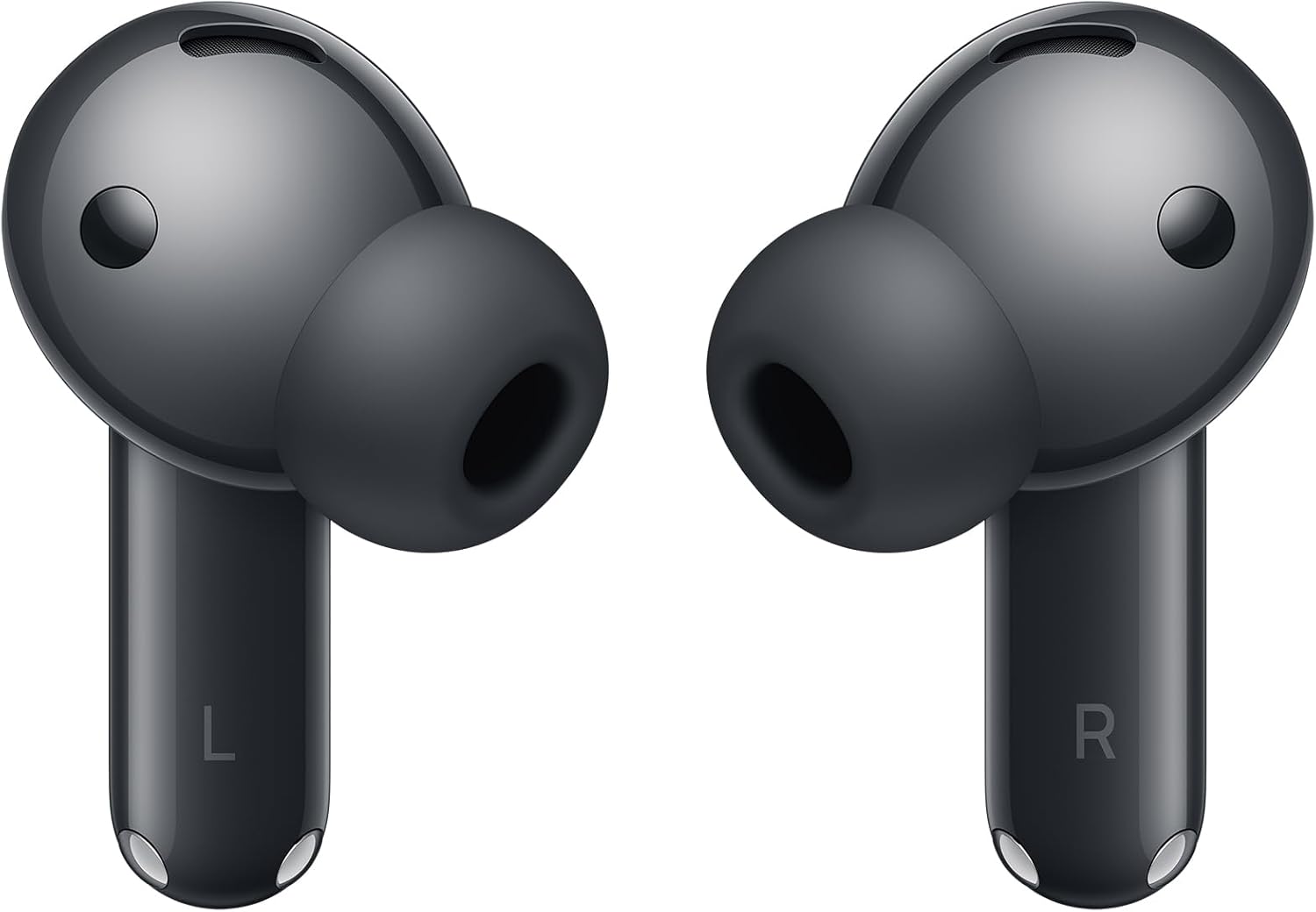
Выява 2.2: Спераду view of the HUAWEI FreeBuds 7i earbuds.
3. Настройка
3.1. Зарадка навушнікаў і чахла
Before first use, fully charge the HUAWEI FreeBuds 7i and their charging case. Place the earbuds into the charging case and close the lid. Connect the charging case to a power source using a USB-C cable (not included). The indicator light on the case will show charging status.
- Зялёнае святло: Fully charged or high battery level.
- Жоўтае святло: Сярэдні ўзровень батарэі.
- Чырвонае святло: Low battery level, requires charging.
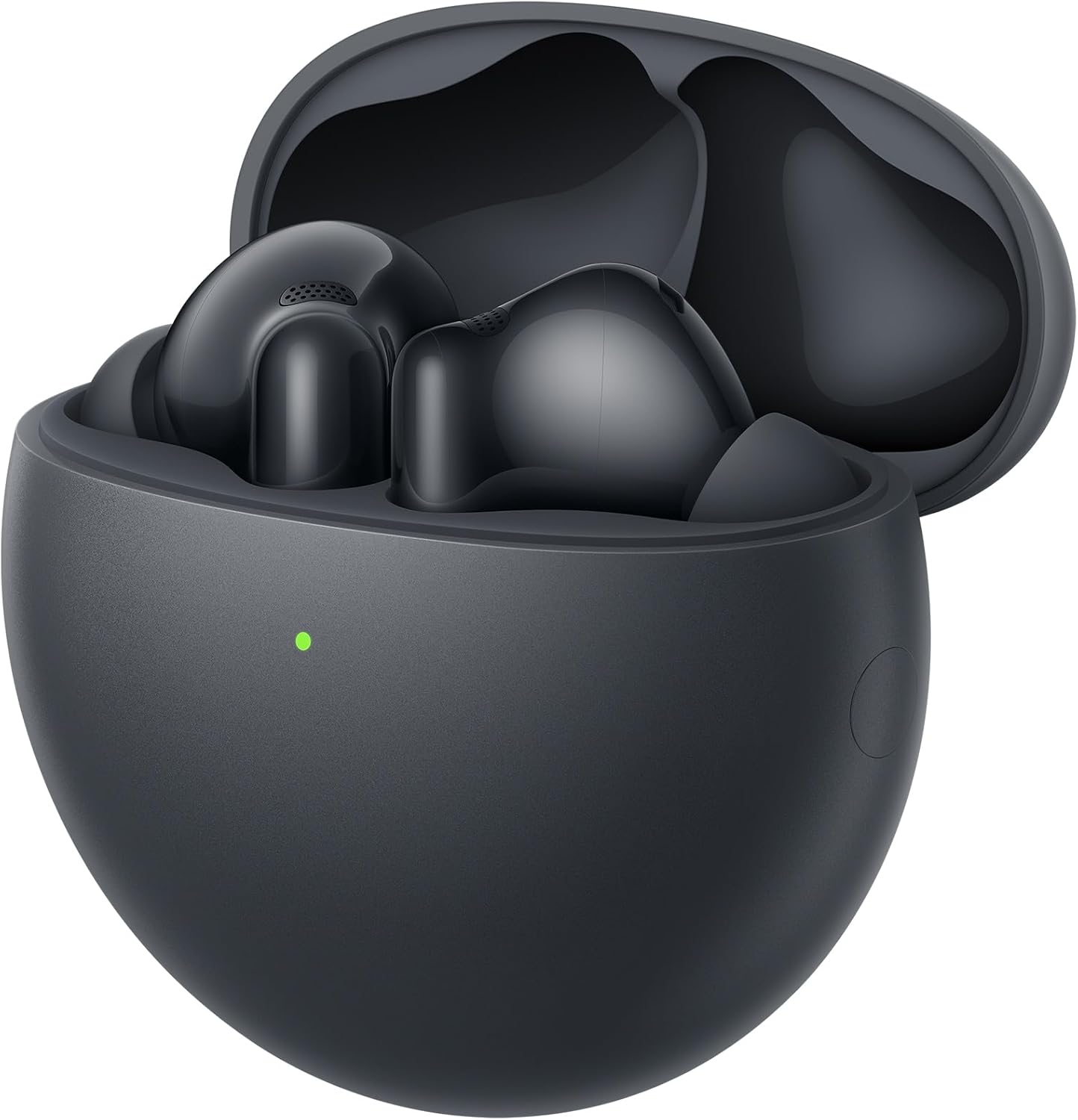
Image 3.1: Earbuds inside the charging case.
3.2. Спалучэнне з прыладай
- Пераканайцеся, што навушнікі знаходзяцца ў зарадным чахле, а вечка адкрыта.
- Press and hold the Function button on the charging case for 2 seconds until the indicator light flashes white. This indicates the earbuds are in pairing mode.
- На прыладзе з падтрымкай Bluetooth (смартфоне, планшэце і г.д.) перайдзіце ў налады Bluetooth.
- Select "HUAWEI FreeBuds 7i" from the list of available devices.
- Once connected, the indicator light on the charging case will turn off.
For Huawei EMUI devices, a pop-up window will appear for easy pairing when the case is opened near the device.

Image 3.2: Earbuds in charging case, ready for pairing.
3.3. Выбар амбушюр
Choose the ear tips that provide the best seal and comfort for your ears. A good seal is crucial for optimal sound quality and Active Noise Cancellation performance. Experiment with the included L, M, S, and XS sizes.
4. Інструкцыя па эксплуатацыі
4.1. Сэнсарныя элементы кіравання
The HUAWEI FreeBuds 7i feature intuitive touch controls on the earbud stems:
| Жэст | Функцыя |
|---|---|
| Двойчы націсніце | Прайграванне/прыпыненне музыкі, адказ/завяршэнне выкліку |
| Доўгі націск | Switch Noise Control modes (Active Noise Cancellation, Awareness, Off) |
| Правядзіце пальцам уверх/уніз | Адрэгулюйце гучнасць |

Малюнак 4.1: ззаду view of earbuds showing touch-sensitive areas.
4.2. Актыўнае шумапрыглушэнне (ANC)
The FreeBuds 7i feature Adaptive Active Noise Cancellation (ANC 4.0) to reduce ambient noise. You can switch between modes by long-pressing an earbud:
- Актыўнае падаўленне шуму: Reduces external noise for an immersive audio experience.
- Рэжым інфармаванасці: Allows you to hear your surroundings and conversations without removing the earbuds.
- Выключана: Disables noise control features.
4.3. Здзяйсненне званкоў
The earbuds utilize AI Clear Call Technology to ensure clear voice transmission during calls, even in noisy environments. Double-tap an earbud to answer or end a call.
5. Тэхнічнае абслугоўванне
5.1. Уборка
- Рэгулярна працірайце навушнікі і зарадны футляр мяккай, сухой тканінай без ворса.
- Зніміце амбушуры і пры неабходнасці памыйце іх вадой з мяккім мылам. Перад тым, як зноў прымацаваць іх, пераканайцеся, што яны цалкам сухія.
- Акуратна ачысціце зарадныя кантакты на навушніках і ўнутры футляра сухім ватным тампонам, каб забяспечыць належную зарадку.
- Пазбягайце выкарыстання абразіўных матэрыялаў, растваральнікаў або агрэсіўных хімікатаў.
5.2. Захоўванне
- Калі навушнікі не выкарыстоўваюцца, захоўвайце іх у зарадным чахле, каб абараніць і падтрымліваць зараджанасць.
- Захоўвайце прадукт у прахалодным, сухім месцы, удалечыні ад экстрэмальных тэмператур і прамых сонечных прамянёў.
6. Выпраўленне непаладак
If you encounter issues with your HUAWEI FreeBuds 7i, refer to the following common solutions:
| праблема | Магчымае рашэнне |
|---|---|
| Навушнікі не спалучаюцца | Ensure earbuds are charged. Place them in the case, open the lid, and long-press the Function button until the indicator flashes white. Re-attempt pairing from your device's Bluetooth settings. |
| Няма гуку альбо малая гучнасць | Check device volume. Ensure earbuds are properly seated in your ears and ear tips provide a good seal. Clean earbud mesh if obstructed. |
| Праблемы з зарадкай | Ensure charging cable is securely connected. Clean charging contacts on earbuds and case. Try a different USB-C cable and power adapter. |
| АНК неэфектыўны | Ensure ear tips provide a tight seal. Switch between ANC modes to confirm it's active. |
| Перарывістае злучэнне | Move closer to your connected device. Avoid environments with strong electromagnetic interference. Disconnect and reconnect Bluetooth. |
7. Тэхнічныя характарыстыкі
| Асаблівасць | Дэталь |
|---|---|
| Назва мадэлі | Conch-T010 |
| Марка | HUAWEI |
| Тэхналогія падлучэння | Bluetooth, бесправадная сувязь |
| Тэхналогія бесправадной сувязі | Bluetooth |
| Кантроль шуму | Актыўнае падаўленне шуму |
| Форм-фактар навушнікаў | У вуха |
| Размяшчэнне навушнікаў у вушах | У вуха |
| Памеры прадукту | 2.78 х 5.78 х 5.78 см; 41 г |
| Батарэі | Патрабуецца 1 батарэйка 12 В (у камплекце) |
| Вытворца | HUAWEI |
| Краіна паходжання | Кітай |
8. Гарантыя і падтрымка
8.1. Інфармацыя аб гарантыі
Your HUAWEI FreeBuds 7i are covered by a limited warranty. Please refer to the included Warranty Card for detailed terms and conditions, including warranty period and coverage. Keep your proof of purchase for warranty claims.
8.2. Падтрымка кліентаў
For technical assistance, troubleshooting beyond this manual, or warranty service, please contact HUAWEI customer support through their official webсайт або кантактную інфармацыю, указаную ў гарантыйным талоне.


