Уводзіны
This manual provides essential information for setting up, operating, and maintaining your HP 17.3" FHD Laptop. Designed for productivity and connectivity, this laptop features an Intel Core i3-N305 processor, a Full HD IPS anti-glare display, and runs on Windows 11 Pro. Please read this manual thoroughly to ensure proper use and to maximize your laptop's performance.
Што ў скрынцы
Праверце наяўнасць усіх прадметаў у камплекце:
- 1 x HP 17.3" FHD Laptop
- 1 х адаптар сілкавання
- 1 х Інструкцыя па эксплуатацыі (гэты дакумент)
- 1 x Accessory Kit (includes 32GB USB Flash Drive, Bluetooth Earbuds, Electronic Cleaning Kit, USB-C Hub, 3-in-1 Charging Cable, USB-C Cable)
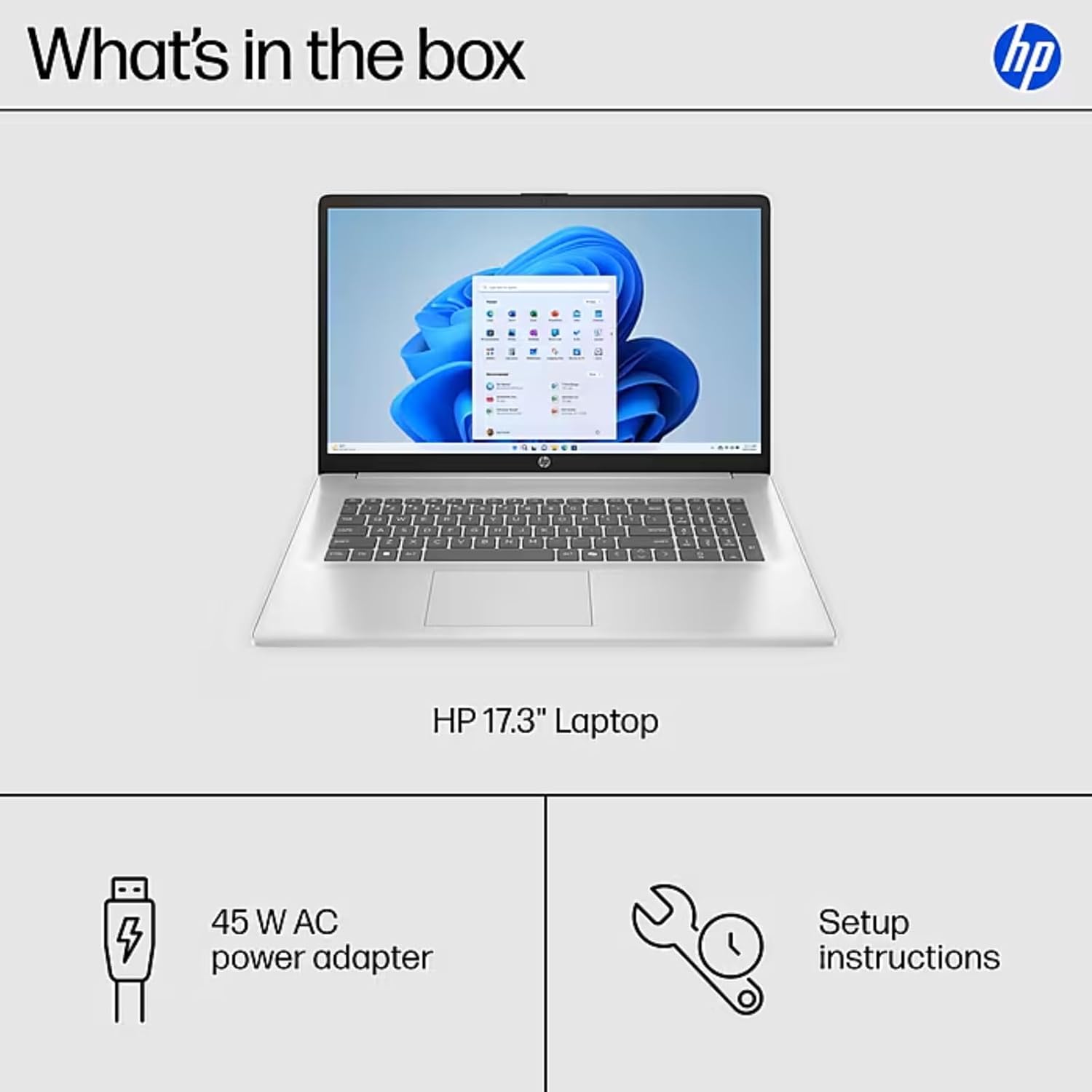
Image: The contents of the HP 17.3" Laptop box, including the laptop, power adapter, and a separate accessory kit.
Настройка
- Распакуйце ноўтбук: Акуратна дастаньце ноўтбук і ўсе аксэсуары з упакоўкі.
- Падключыце харчаванне: Plug the power adapter into the laptop's AC Smart Pin port and then into a power outlet. Allow the battery to charge for at least 30 minutes before initial use.
- Пачатковая загрузка: Open the laptop lid and press the power button. The laptop will guide you through the Windows 11 Pro setup process. Follow the on-screen instructions to configure your language, region, network, and user account.
- Падключыцеся да Wi-Fi: During the initial setup, you will be prompted to connect to a wireless network. Select your network and enter the password.
- Усталяваць абнаўленні: After setup, it is recommended to check for and install any available Windows updates to ensure optimal performance and security.
Кіраванне ноўтбукам
Асаблівасці дысплея
The HP 17.3" laptop features a Full HD (1920 x 1080) IPS anti-glare display. This screen provides vibrant colors and wide 178° viewing angles, reducing reflections for comfortable viewing in various lighting conditions. The large screen size is ideal for multitasking, document review, and media consumption.
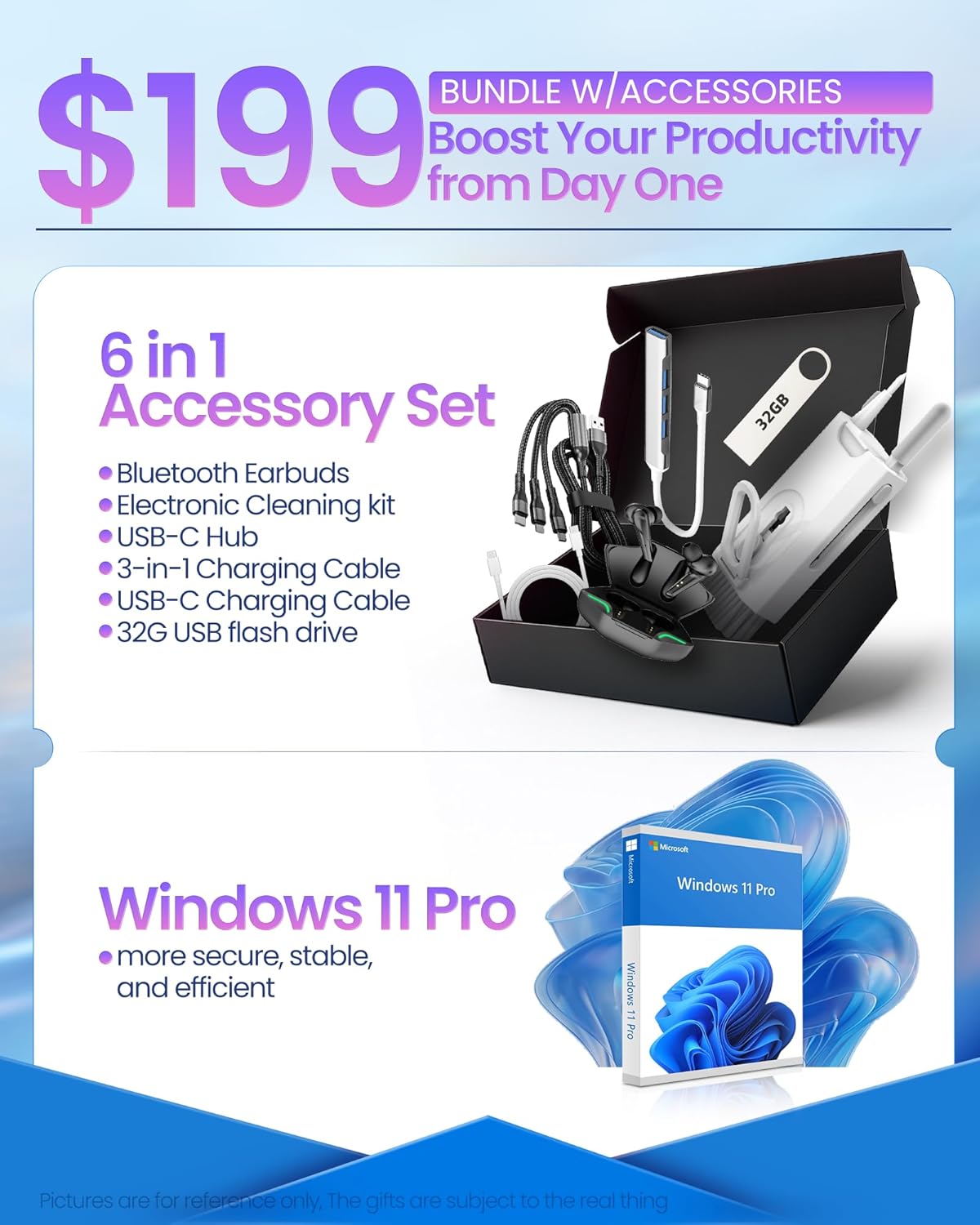
Image: The HP 17.3" laptop showcasing its Full HD display.
Працэсар і прадукцыйнасць
Equipped with an Intel Core i3-N305 processor (8 cores, up to 3.9 GHz turbo) and Intel UHD Graphics, this laptop delivers efficient performance for daily tasks, schoolwork, and business applications. The 32GB DDR4 RAM ensures smooth multitasking, while the 2TB NVMe SSD provides fast storage access and quick boot times.

Image: The HP laptop running multiple applications, illustrating its multitasking performance.
Copilot AI Key
The dedicated Copilot AI Key provides instant access to AI-powered productivity tools within Windows 11 Pro. Press this key to quickly get assistance with writing, brainstorming, or finding information, streamlining your workflow.

Выява: буйны план view of the Copilot key on the HP laptop keyboard.
Парты і падключэнне
Ноўтбук прапануе мноства партоў для падключэння перыферыйных прылад і знешніх дысплеяў:
- 1 х USB 2.0 тыпу A
- 1 x USB 3.2 Gen 1 Type-A
- 1 x USB 3.2 Gen 1 Type-C (5 Gbps)
- 1 х HDMI 1.4b
- 1 x Headphone/Mic Combo Jack
- 1 х AC Smart Pin
For wireless connectivity, the laptop supports Wi-Fi 6 and Bluetooth 5.4.

Выява: Падрабязная view of the laptop's side ports.
Прадукт скончаныview Відэа
Відэа: Чыноўнік скончыўview of the HP 17.3" HD Laptop for Student & Business with Windows 11 Pro, highlighting its features and benefits.
Тэхнічнае абслугоўванне
- Уборка: Для чысткі экрана і вонкавых паверхняў выкарыстоўвайце мяккую тканіну без ворса. Для выдалення ўстойлівых плям злёгкуampпрацярыце тканіну вадой або сродкам для ачысткі экрана. Пазбягайце агрэсіўных хімічных рэчываў.
- Сыход за батарэяй: Каб падоўжыць тэрмін службы акумулятара, пазбягайце экстрэмальных тэмператур. Рэкамендуецца перыядычна разраджаць акумулятар ніжэй за 20%, а затым цалкам зараджаць яго.
- Абнаўленні праграмнага забеспячэння: Regularly install operating system and driver updates to ensure security and optimal performance.
- Кіраванне сховішчам: Перыядычна чысціце непатрэбнае files and applications to maintain sufficient free storage space on your SSD.
- Фізічная абарона: Transport your laptop in a protective sleeve or bag to prevent scratches and damage.
Ліквідацыю непаладак
If you encounter issues with your HP laptop, consider the following common solutions:
- Ноўтбук не ўключаецца:
- Пераканайцеся, што адаптар сілкавання надзейна падключаны як да ноўтбука, так і да спраўнай разеткі.
- Праверце працаздольнасць разеткі, падключыўшы да яе іншую прыладу.
- Паспрабуйце ўтрымліваць кнопку харчавання 15-20 секунд, каб выканаць жорсткі скід.
- Праблемы з экранам (няма выявы, мігценне):
- Падключыце знешні манітор да порта HDMI, каб праверыць, ці праблема звязана з дысплеем або графічным выхадам ноўтбука.
- Перазагрузіце ноўтбук.
- Ensure display drivers are up to date via Windows Update or HP Support Assistant.
- Праблемы з падключэннем да Wi-Fi:
- Toggle Wi-Fi off and on in Windows settings.
- Перазагрузіце маршрутызатар і мадэм.
- Ensure Wi-Fi drivers are updated.
- Забудзьцеся пра сетку і падключыцеся зноў.
- Нізкая прадукцыйнасць:
- Зачыніце непатрэбныя праграмы, якія працуюць у фонавым рэжыме.
- Праверце дыспетчар задач на наяўнасць працэсаў, якія спажываюць шмат рэсурсаў працэсара або аператыўнай памяці.
- Пераканайцеся, што Windows і драйверы абноўленыя.
- Запусціце ачыстку дыска, каб вызваліць месца на дыску.
For more advanced troubleshooting or persistent issues, please refer to the HP support webсайт або звярніцеся ў службу падтрымкі.
Тэхнічныя характарыстыкі
| Марка | HP |
| Назва мадэлі | HP 17 inch Laptop (B5RH2UA#ABA) |
| Аперацыйная сістэма | Windows 11 Pro |
| Памер экрана | 17.3 цаляў |
| Дазвол экрана | 1920 x 1080 пікселяў (Full HD) |
| Тып дысплея | IPS, Anti-glare, LED, 178° wide viewныя вуглы |
| Працэсар | Intel Core i3-N305 (8 cores, up to 3.9 GHz) |
| Графіка | Убудаваная Intel UHD Graphics |
| АЗП | 32 ГБ DDR4 (3200 МГц) |
| Захоўванне | 2 ТБ NVMe SSD |
| Бесправоднае падключэнне | Wi-Fi 6, Bluetooth 5.4 |
| Парты | 1x USB 2.0 Type-A, 1x USB 3.2 Gen 1 Type-A, 1x USB 3.2 Gen 1 Type-C, 1x HDMI 1.4b, 1x Headphone/Mic Combo, 1x AC Smart Pin |
| Тэрмін службы батарэі | Up to 9.5 hours (Average: 9 hours) |
| Памеры (Д х Ш х У) | 15.78" x 10.15" x 0.78" |
| Вага | 4.6 фунта |
| Колер | Серабро |
Гарантыя і падтрымка
Your HP 17 FHD Laptop comes with a standard manufacturer's warranty. For detailed information regarding warranty terms, coverage, and duration, please refer to the warranty card included with your product or visit the official HP support webсайт.
For technical assistance, driver downloads, and frequently asked questions, please visit the HP Support webсайт: support.hp.com. You can also contact HP customer service directly for personalized support.