Уводзіны
This manual provides detailed instructions for the Arboleaf MW10D Shiatsu Back and Neck Massage Cushion. Please read this manual thoroughly before using the product to ensure safe and effective operation. Keep this manual for future reference.

Image: Arboleaf MW10D Shiatsu Massage Cushion with its accompanying mobile application interface.
Інфармацыя па бяспецы
Always follow the manufacturer's operating and maintenance instructions. Keep the massager away from water and do not use it while sleeping or bathing. Do not apply the massager to broken skin or inflamed areas. If you experience discomfort or pain, stop use immediately. Keep the massager out of reach of children and pets. Always unplug the massager from the power source when not in use. If the massager becomes hot, stop use and allow it to cool before using it again.
Асаблівасці прадукту
- 4-Node Kneading Massage: Utilizes human-like bidirectional massage technology with 4 preset modes (expandable to 6 modes + custom mode via app) for muscle relaxation and acupressure targeting.
- DIY Mode and Bluetooth Control: Connects via Bluetooth to the Arboleaf app, allowing adjustment of intensity, mode, temperature, speed, and massage duration.
- Enhanced Ergonomic Comfort: Designed to conform to the natural curve of the spine, suitable for chairs, car seats, or booster cushions. Features adjustable straps for secure attachment.
- Cordless Freedom and Durability: Equipped with a 2000mAh battery for extended use. Automatic shut-off after 15 minutes (adjustable from 10 to 30 minutes via app) to prevent overuse.
- Ціхая праца: Features a brushless motor for silent and relaxing massage sessions.
- Чахол, які мыецца: Removable and washable cover for hygiene and easy maintenance.
- High-Quality Stretch Fabric: Durable and skin-friendly material with excellent elasticity.
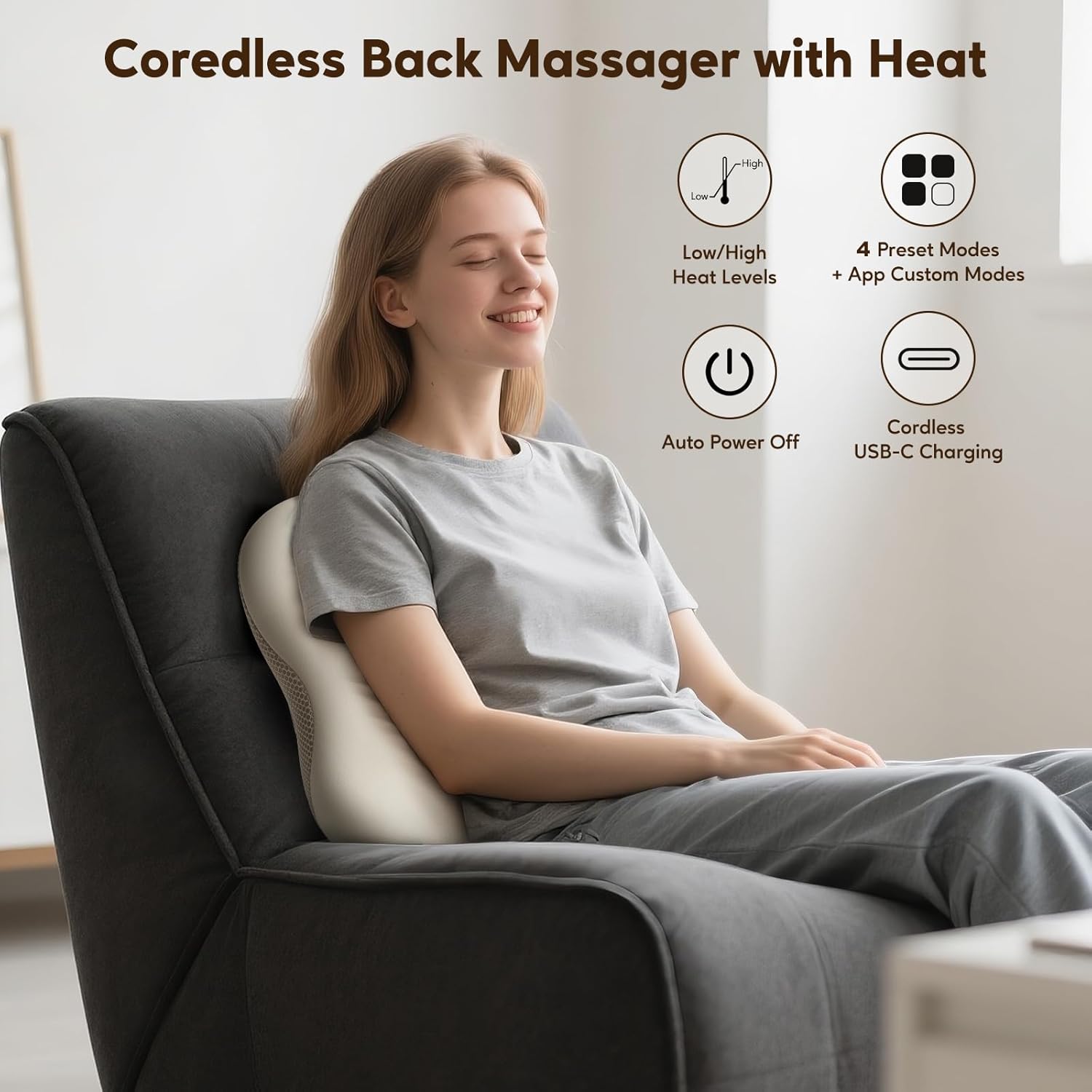
Выява: Зверхуview of the Arboleaf MW10D massage cushion highlighting its cordless design, heat levels, preset modes, auto power off, and USB-C charging.
Змест пакета
Калі ласка, праверце ўпакоўку на наяўнасць наступных прадметаў:
- 1 x Arboleaf MW10D Massage Cushion
- 1 х USB-кабель для зарадкі
- 1 x Removable and Washable Cover
- 1 х Кіраўніцтва карыстальніка
- 1 х ўпаковачная скрынка

Image: Contents of the Arboleaf MW10D package, including the massager, USB cable, removable cover, and user manual.
Настройка і ўстаноўка
1. Зарадка прылады
Before first use, fully charge the massage cushion using the provided USB charging cable. Connect the USB cable to the cushion's charging port and a compatible USB power source (e.g., computer, wall adapter). The charging indicator will show the charging status.

Image: The Arboleaf MW10D massage cushion being charged via a USB cable connected to a laptop.
2. Attaching the Cushion
The massage cushion features adjustable straps to secure it to various seating options such as office chairs, car seats, or sofas. Adjust the straps to ensure a snug and stable fit.

Image: Close-up of the adjustable straps on the Arboleaf MW10D massage cushion, designed for secure attachment to chairs.
3. Bluetooth App Pairing
To unlock personalized massage settings, download and pair the Arboleaf app:
- Download & Register: Install the "Arboleaf" app from your device's app store. Create an account or log in.
- Device Selection & Addition: Open the app, tap "Add Device". Choose "Back Massager" from the list. Confirm device connection.
- Уключэнне і падключэнне: Turn on the massager (press and hold the power button for 3 seconds). Activate Bluetooth on your phone. The app should automatically connect (or manually connect if needed).
- Гатовы да выкарыстання: Control modes, intensity, and duration directly from the app. Enjoy your personalized massage!
Tip: Reconnect via the app if there is a pause during the session.

Image: Step-by-step guide for Bluetooth pairing and app control of the Arboleaf MW10D massage cushion.
Інструкцыя па эксплуатацыі
1. Basic Operation (Physical Buttons)
The massager can be operated using the physical buttons located on the device:
- Кнопка харчавання: Press and hold to turn on/off. Short press to change massage modes.
- Кнопка нагрэву: Press to cycle through low heat, high heat, or turn off the heat function.
- Індыкатар зарадкі: Паказвае стан батарэі.
- Індыкатар злучэння Bluetooth: Паказвае стан спалучэння Bluetooth.
2. Кіраванне праграмамі
Once paired via Bluetooth, the Arboleaf app provides comprehensive control:
- Выбар рэжыму: Choose from preset modes (e.g., Repair, Vitality, Relax) or create custom massage sessions.
- Рэгуляванне інтэнсіўнасці: Fine-tune the massage intensity.
- Кантроль цяпла: Adjust heat levels (low/high) or turn off.
- Кіраванне напрамкам: Select massage direction (clockwise, counter-clockwise, or alternating).
- Налада працягласці: Customize massage session duration from 10 to 30 minutes.

Image: Illustration of both the physical control buttons on the Arboleaf MW10D and the app interface for smart control.
3. Usage Areas
The Arboleaf MW10D is versatile and can be used for various body parts:
- Шыя
- Талія
- Назад
- Ногі

Image: Demonstrations of the Arboleaf MW10D massage cushion providing relief to the neck, waist, back, and legs.
Тэхнічнае абслугоўванне
1. Уборка
The massage cushion comes with a removable and washable cover. To clean, simply remove the cover and wash it according to the care instructions on the label. Do not wash the main unit.

Image: The Arboleaf MW10D massage cushion with its removable cover being taken off for washing.
2. Захоўванне
When not in use, store the massager in a cool, dry place, away from direct sunlight and moisture. Ensure it is fully charged before long-term storage to preserve battery life.
Ліквідацыю непаладак
If you encounter any issues with your Arboleaf MW10D massage cushion, please refer to the following common solutions:
- Прылада не ўключаецца: Пераканайцеся, што прылада цалкам зараджана. Націсніце і ўтрымлівайце кнопку харчавання на працягу 3 секунд.
- Няма цяпла: Check if the heat function is activated via the physical button or the app. Ensure the battery level is sufficient.
- Праграма не падключаецца: Make sure Bluetooth is enabled on your phone and the massager is powered on. Try restarting both the app and the massager.
- Massage feels too strong/weak: Adjust the intensity settings via the app. Reposition the cushion for optimal comfort.
- Незвычайны шум: Спыніце выкарыстанне і звярніцеся ў службу падтрымкі кліентаў, калі вы чуеце якія-небудзь незвычайныя гукі.
For further assistance, please contact Arboleaf customer support.
Тэхнічныя характарыстыкі
| Асаблівасць | Дэталь |
|---|---|
| Марка | дрэвападобная |
| Нумар мадэлі | MW10D |
| Памеры (Д х Ш х У) | 29 х 4.5 х 30.5 см |
| Вага | 1.6 кілаграма |
| Крыніца харчавання | Battery Powered (2 Lithium-ion batteries included) |
| Матэрыял | Сіліконавая гума |
| Асаблівасці | Automatic Shut-off, Heat Function, Bidirectional Control, Speed Control, Rechargeable |
| Колер | Бэжавы |
| Перавагі | Pain Relief, Stress Relief, Muscle Therapy |
Гарантыя і падтрымка
Arboleaf products are designed for quality and reliability. For warranty information or technical support, please refer to the warranty card included with your product or visit the official Arboleaf webсайт. Захоўвайце чэк аб куплі як пацвярджэнне пакупкі для гарантыйных прэтэнзій.
For customer service inquiries, please contact Arboleaf directly through their official channels.


