Уводзіны
Thank you for choosing the GOBOULT Flex On-Ear Bluetooth Headphones. This manual provides essential information for setting up, operating, and maintaining your headphones to ensure optimal performance and longevity. Please read this manual thoroughly before using the product.
Што ў скрынцы
- GOBOULT Flex On-Ear Bluetooth Headphones
- Кабель для хуткай зарадкі Type-C
- Кіраўніцтва карыстальніка
- Гарантыйны талон
Прадукт скончаныview
The GOBOULT Flex headphones are designed for comfort and high-quality audio. They feature 40mm bass-boosted drivers, Bluetooth 5.4 connectivity, and an adjustable, foldable design.

Выява: Зверхуview of GOBOULT Flex features including 40mm drivers, Bluetooth 5.4, 4 EQ modes, 60ms low latency, 80-hour battery, and ENC calling.
Ключавыя кампаненты:
- Навушнікі: Soft, cushioned earcups for comfort.
- Рэгуляваная павязка на галаву: Allows for a customized fit.
- Кнопкі кіравання: Located on the earcups for power, volume, playback, and call management.
- Порт для зарадкі Type-C: Для зарадкі навушнікаў.
- Уваход AUX: Для праваднога падключэння аўдыё.
- Мікрафон: Integrated Zen™ ENC mic for clear calls.

Image: The adjustable headband and earcups of the GOBOULT Flex headphones, designed for a comfortable fit.
Настройка
1. Зарадка навушнікаў
Before first use, fully charge your GOBOULT Flex headphones. Use the provided Type-C charging cable.
- Connect the Type-C cable to the charging port on the headphones.
- Падключыце другі канец кабеля да крыніцы харчавання USB (напрыклад, адаптара для сеткі, USB-порта кампутара).
- The LED indicator will show charging status (refer to product for specific light patterns).
- A full charge takes approximately 60 minutes and provides up to 80 hours of playtime.
- Fast charging provides 5 hours of playtime with just 10 minutes of charging.
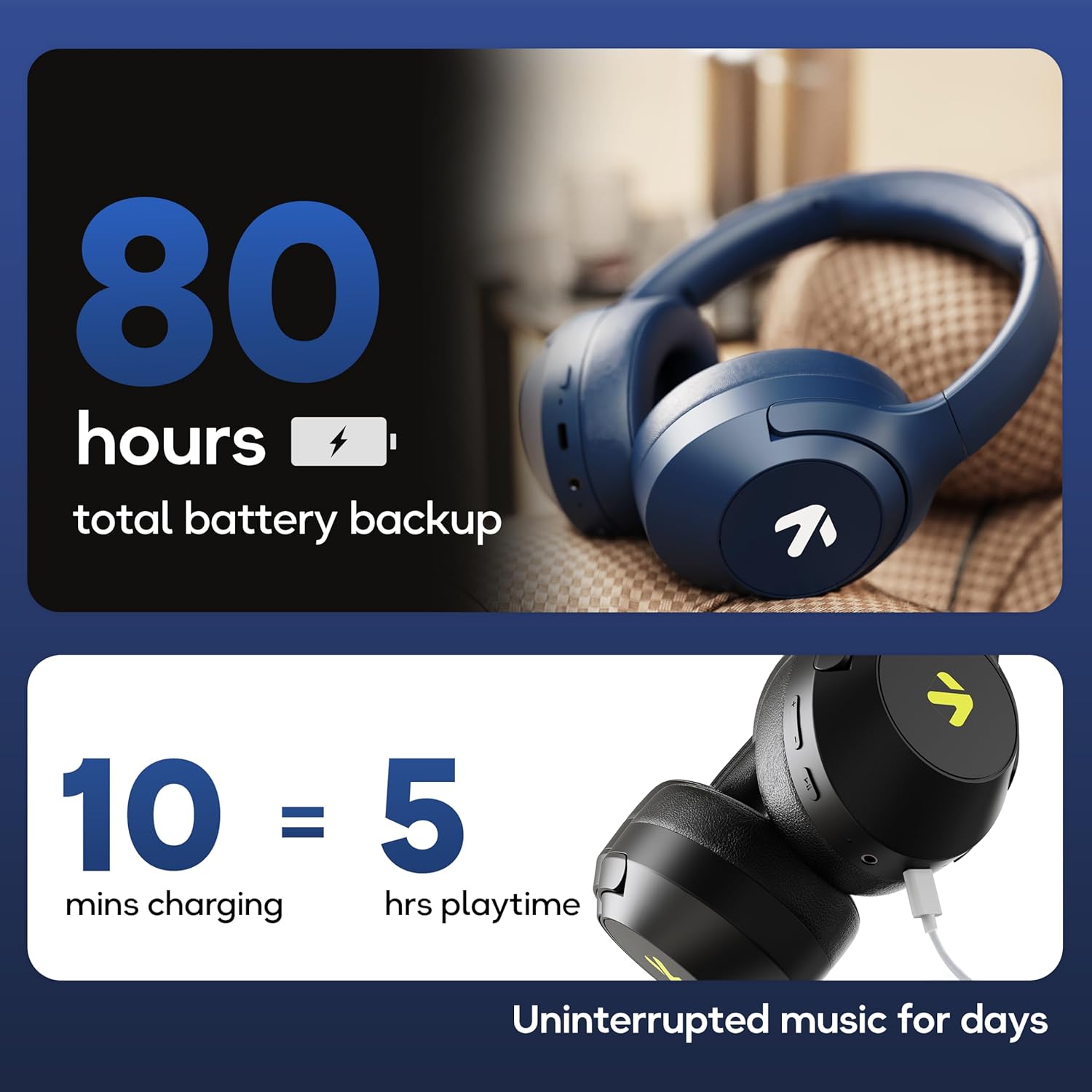
Image: Visual representation of the 80-hour battery life and fast charging capability (10 minutes charge for 5 hours playback).
2. Спарванне Bluetooth
Падключыце навушнікі да прылады для бесправаднога аўдыё.
- Пераканайцеся, што навушнікі зараджаныя і выключаныя.
- Press and hold the Power button until the LED indicator flashes (usually blue and red alternately), indicating pairing mode.
- На вашай прыладзе (смартфоне, планшэце, ноўтбуку) уключыце Bluetooth і знайдзіце даступныя прылады.
- Select "GOBOULT Flex" from the list of devices.
- Пасля падключэння святлодыёдны індыкатар звычайна будзе гарэць сінім святлом або павольна міргаць.
- The headphones feature Bluetooth 5.4 and Blink & Pair™ technology for fast and stable connections.

Image: The headphones connected via Bluetooth 5.4, highlighting the Blink & Pair feature for quick device connection.
Інструкцыя па эксплуатацыі
Уключэнне/выключэнне харчавання
- Уключэнне: Націсніце і ўтрымлівайце кнопку харчавання прыблізна 3 секунды.
- Выключэнне: Націсніце і ўтрымлівайце кнопку харчавання прыблізна 5 секунды.
Кіраванне музыкай
- Прайграванне/Паўза: Націсніце шматфункцыянальную кнопку адзін раз.
- Наступны трэк: Націсніце і ўтрымлівайце кнопку павелічэння гучнасці.
- Папярэдні трэк: Націсніце і ўтрымлівайце кнопку памяншэння гучнасці.
- Павялічыць гучнасць: Кароткачасова націсніце кнопку павелічэння гучнасці.
- Паменшыць гучнасць: Кароткачасова націсніце кнопку памяншэння гучнасці.
Кантроль выклікаў
The Zen™ ENC mic ensures clear communication by reducing environmental noise.

Выява: Падрабязная view of the Zen™ ENC microphone technology for effective environmental noise cancellation during calls.
- Адказ/завяршэнне выкліку: Націсніце шматфункцыянальную кнопку адзін раз.
- Адхіліць выклік: Націсніце і ўтрымлівайце шматфункцыянальную кнопку на працягу 2 секунд.
- Паўторны набор апошняга нумара: Двойчы націсніце шматфункцыянальную кнопку.
Галасавы памочнік
Activate your device's voice assistant (e.g., Google Assistant) directly from the headphones.
- Актываваць галасавы памочнік: Тройчы націсніце шматфункцыянальную кнопку.

Image: The headphones featuring voice assistant compatibility and IPX5 water resistance for protection against sweat and splashes.
Гульнявы рэжым (нізкая затрымка 60 мс)
Engage Combat™ Gaming Mode for ultra-low latency audio, ideal for gaming.
- Актываваць гульнявы рэжым: Refer to the specific button combination in your quick start guide (often a dedicated button or a long press of a volume button).
- This mode reduces audio latency to 60ms for a synchronized gaming experience.
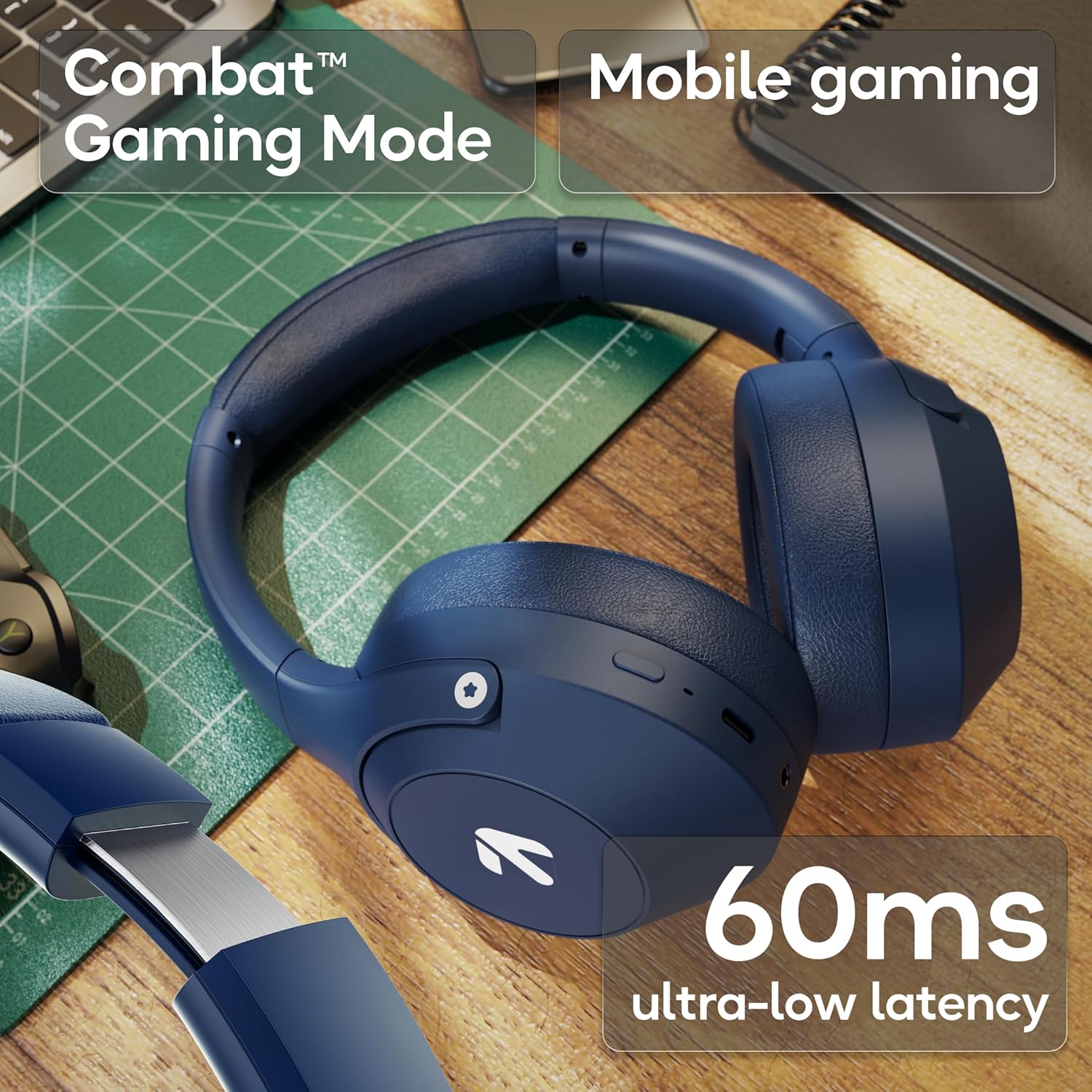
Image: The headphones highlighting the Combat™ Gaming Mode with 60ms ultra-low latency for an enhanced gaming experience.
Правадной рэжым
Use the included AUX cable for a wired connection when wireless is not preferred or the battery is low. Note that the microphone is typically off in wired mode.
- Connect one end of the 3.5mm AUX cable to the headphone's AUX port.
- Connect the other end to your audio source's 3.5mm jack.
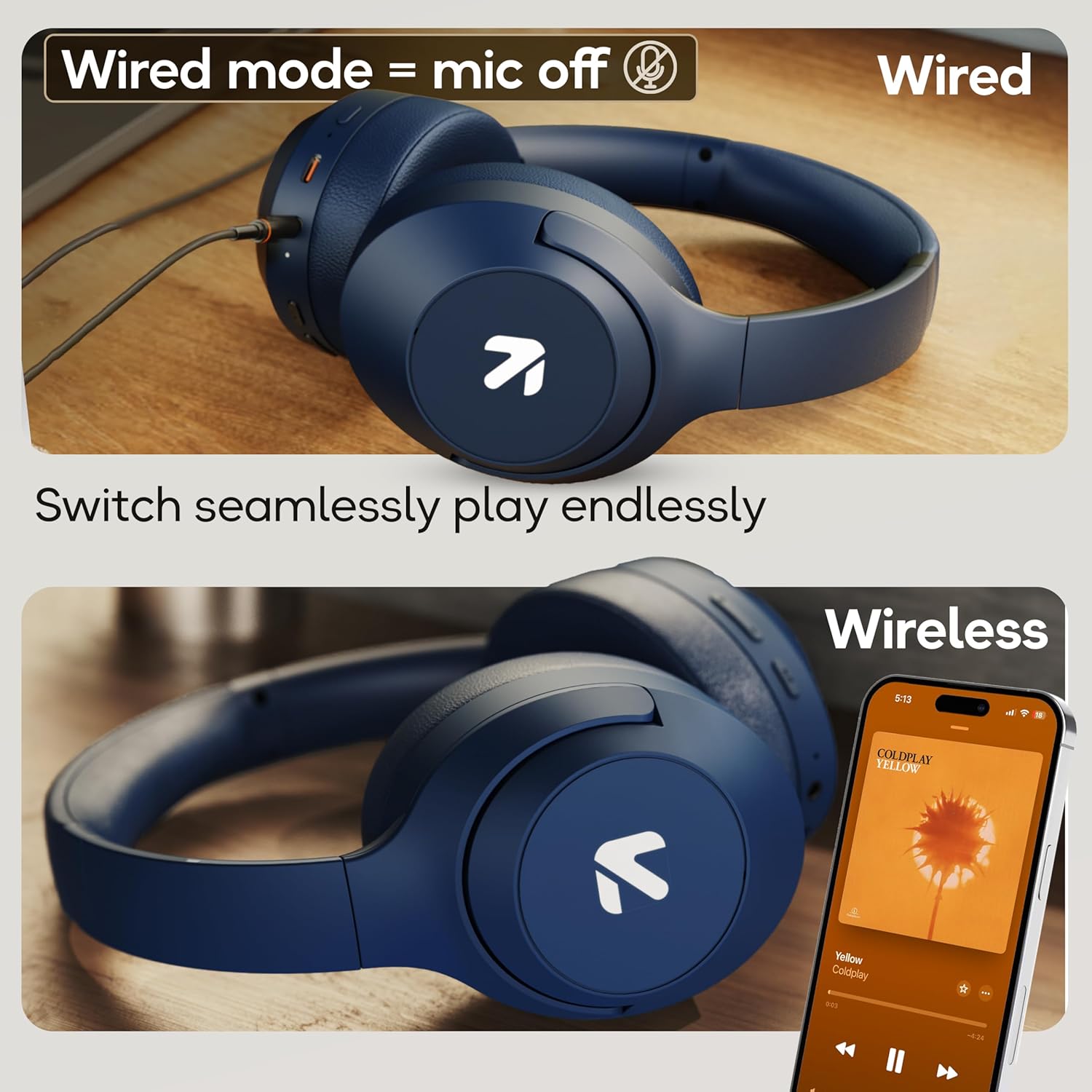
Image: Comparison of wired mode (with mic off) and wireless mode, demonstrating the flexibility of connection options.
Рэжымы эквалайзера
The headphones offer 4 Equalizer (EQ) modes to customize your audio experience.
- Даступныя рэжымы: Bass, Rock, Pop, Vocal.
- Пераключэнне рэжымаў: Refer to the specific button combination in your quick start guide (often a dedicated EQ button or a combination press).

Image: The headphones emphasizing powerful bass delivered by 40mm boosted drivers with Boomx™ technology, and support for AAC/SBC codecs.

Выява: Унутраная view of the headphones showing the DSP processor, indicating features like seamless VoIP calls, adaptive audio equalization, and 16-bit dual-audio processing.
Тэхнічнае абслугоўванне
Proper maintenance ensures the longevity of your headphones.
- Уборка: Працірайце навушнікі мяккай сухой тканінай. Не выкарыстоўвайце агрэсіўныя хімічныя рэчывы або абразіўныя матэрыялы.
- захоўванне: Store the headphones in a cool, dry place away from direct sunlight and extreme temperatures. The foldable design allows for compact storage.
- Воданепранікальнасць: The headphones are IPX5 rated, meaning they are resistant to sweat and light splashes. Do not submerge them in water or expose them to heavy rain.
Ліквідацыю непаладак
Няма сілы
- Пераканайцеся, што навушнікі цалкам зараджаныя.
- Праверце кабель зарадкі і крыніцу харчавання.
Немагчыма падключыць прыладу праз Bluetooth
- Пераканайцеся, што навушнікі знаходзяцца ў рэжыме спалучэння (святлодыёд міргае сінім/чырвоным колерам).
- Пераканайцеся, што на вашай прыладзе ўключаны Bluetooth, і яна знаходзіцца ў межах 10 метраў ад навушнікаў.
- Forget "GOBOULT Flex" from your device's Bluetooth list and try pairing again.
- Перазагрузіце і навушнікі, і прыладу.
Без гуку
- Праверце ўзровень гучнасці як на навушніках, так і на падлучанай прыладзе.
- Пераканайцеся, што навушнікі правільна спалучаныя і падключаныя.
- If using wired mode, ensure the AUX cable is fully inserted into both the headphones and the audio source.
Дрэнная якасць выкліку
- Пераканайцеся, што мікрафон нічым не перакрыты.
- Move to a quieter environment to allow the ENC mic to function optimally.
- Праверце налады выклікаў на вашай прыладзе.
Тэхнічныя характарыстыкі
| Асаблівасць | Спецыфікацыя |
|---|---|
| Назва мадэлі | Флекс |
| Марка | ГОБАЛТ |
| Тэхналогія падлучэння | Bluetooth, бесправадная сувязь |
| Версія Bluetooth | 5.4 (Product Title says 5.4, Specs say 5.3, using 5.4 as per title) |
| Дыяпазон Bluetooth | 10 метраў |
| Памер аўдыё драйвера | 40 міліметраў |
| Тып аўдыё драйвера | Дынамічны драйвер |
| Тэрмін службы батарэі | 80 гадзін (час прайгравання) |
| Час зарадкі | 60 хвілін |
| Хуткая зарадка | 10 хвілін на 5 гадзіны прайгравання |
| Гняздо для навушнікаў | Type-C Fast Charging Jack, 3.5mm AUX |
| Мікрафон | Zen™ ENC Mic |
| Рэжым нізкай затрымкі | 60ms (Combat™ Gaming Mode) |
| Узровень воданепранікальнасці | IPX5 (Sweatproof, Water-resistant, Splashproof) |
| Кантроль шуму | Пасіўнае падаўленне шуму |
| Вага прадмета | 214 грам |
| Памеры прадукту | 5 х 19 х 20 см |
| Уключаныя кампаненты | Cable, Headphone, Type-C Fast Charging Cable, User Manual, Warranty Card |
Гарантыя і падтрымка
The GOBOULT Flex On-Ear Bluetooth Headphones come with a 1 год гарантыі.
For warranty registration, technical support, or customer service inquiries, please visit the official GOBOULT website or contact their customer support team using the information provided on the warranty card.