1. Уводзіны
This manual provides detailed instructions for the setup, operation, and maintenance of your Taiahiro Mechanical Gaming Keyboard and Mouse Combo (Model BK6301). Please read this manual thoroughly before using the product to ensure optimal performance and longevity.
2. Змесціва ўпакоўкі
- Taiahiro Mechanical Gaming Keyboard (Model BK6301)
- Taiahiro RGB Gaming Mouse
- Дыванок для мышы
- Кіраўніцтва карыстальніка
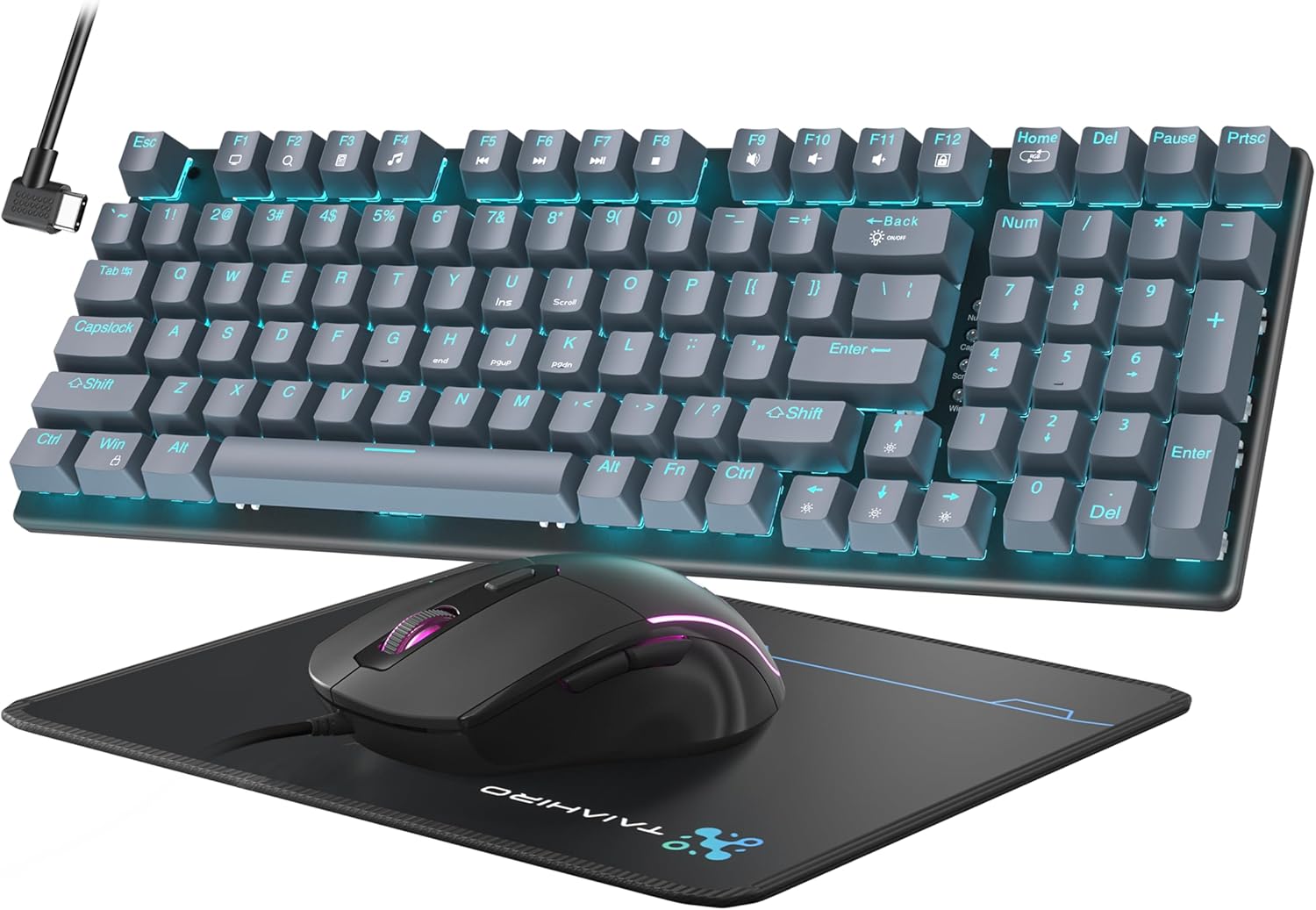
Figure 2.1: Taiahiro Mechanical Gaming Keyboard and Mouse Combo.
3. Настройка
The Taiahiro Mechanical Gaming Keyboard and Mouse Combo is a plug-and-play device, requiring no additional drivers or software for basic functionality. Both the keyboard and mouse connect via USB-A.
3.1 Падключэнне клавіятуры і мышы
- Locate an available USB-A port on your computer (PC or Mac).
- Plug the USB connector of the keyboard into the USB-A port.
- Plug the USB connector of the mouse into another available USB-A port.
- The devices should be automatically recognized by your operating system.
Video 3.1: Introduction to the Taiahiro Mechanical Keyboard and Mouse, demonstrating basic setup and features.
Video 3.2: Unboxing and initial setup of the Taiahiro Typewriter Mechanical Keyboard and Mouse.
4. Інструкцыя па эксплуатацыі
4.1 Функцыі клавіятуры
The keyboard features a 98-key full-size layout, including a numeric keypad, designed for both gaming and professional use. It utilizes durable mechanical switches for tactile and audible feedback.
- Механічныя перамыкачы: Provides responsive and smooth keystrokes with tactile feedback. The keyboard features blue mechanical switches.
- Клавішы: Double-shot-molded ABS keycaps are wear-resistant, non-fading, and removable for easy cleaning.
- Anti-Ghosting: Full anti-ghosting ensures all key presses are registered accurately during intense gaming sessions.
- Эрганамічны дызайн: The keyboard has an ergonomic, sloped design with adjustable feet for comfortable typing.

Малюнак 4.1: Закончанаview of keyboard and mouse features including LED backlight, mouse/pad combo, floated layout, double shot keycaps, ergonomic design, 98 keys full size, N-keys rollover, and tactile mechanical switch.

Малюнак 4.2: падрабязна view of the blue mechanical switches, highlighting key force, stroke travel, and key life.
4.2 Keyboard Backlighting
The keyboard features 18 modes of blue LED backlighting. Brightness and breathing speed can be adjusted.
- Пераключэнне рэжымаў: Прэса Fn + Галоўная to cycle through 18 different lighting modes.
- Рэгуляванне яркасці: Прэса Fn + ↑ (Стрэлка ўверх) або Fn + ↓ (Down Arrow) to adjust the backlight brightness (5 levels).
- Рэгуляванне хуткасці: Прэса Fn + ← (Стрэлка ўлева) або Fn + → (Right Arrow) to adjust the breathing speed (5 levels).
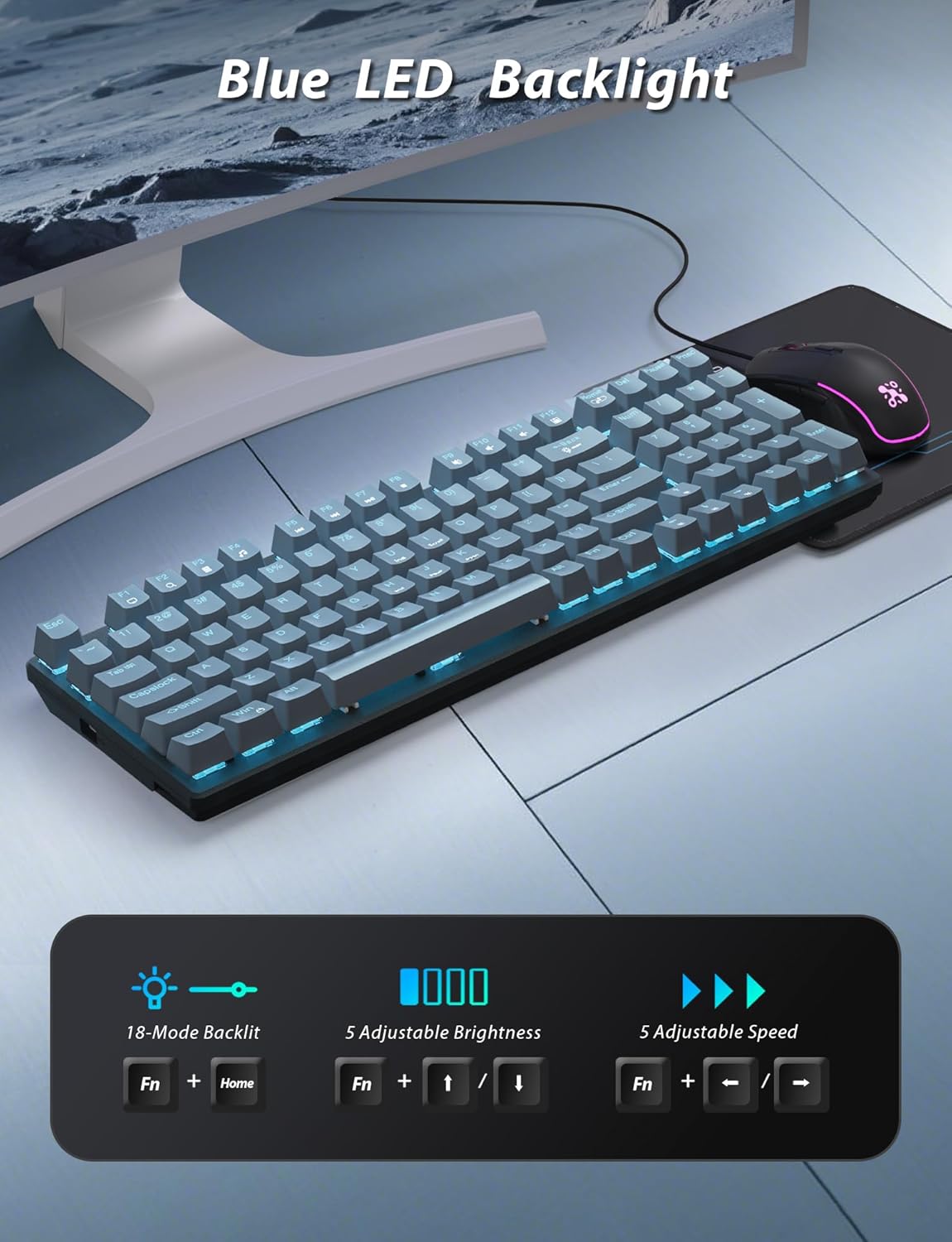
Figure 4.3: Visual guide for adjusting LED backlight modes, brightness, and speed using Fn key combinations.
Video 4.1: Demonstration of the Taiahiro Mechanical Gaming Keyboard and Mouse & Pad Combo, including keyboard backlighting and typing experience.
4.3 Функцыі мышы
The wired gaming mouse is equipped with a high-precision optical sensor and features customizable RGB backlighting.
- Рэгуляваны DPI: Cycle through 4 DPI levels (800/1600/2400/3200) to match your preference for precision and speed.
- RGB-падсветка: Features 7-color lighting with a constantly breathing and cycling effect.
- Эрганамічны дызайн: Contoured shape fits comfortably in the hand with a textured grip for secure hold, reducing hand fatigue.
- Праграмуемыя кнопкі: Side buttons can be programmed for gaming purposes.
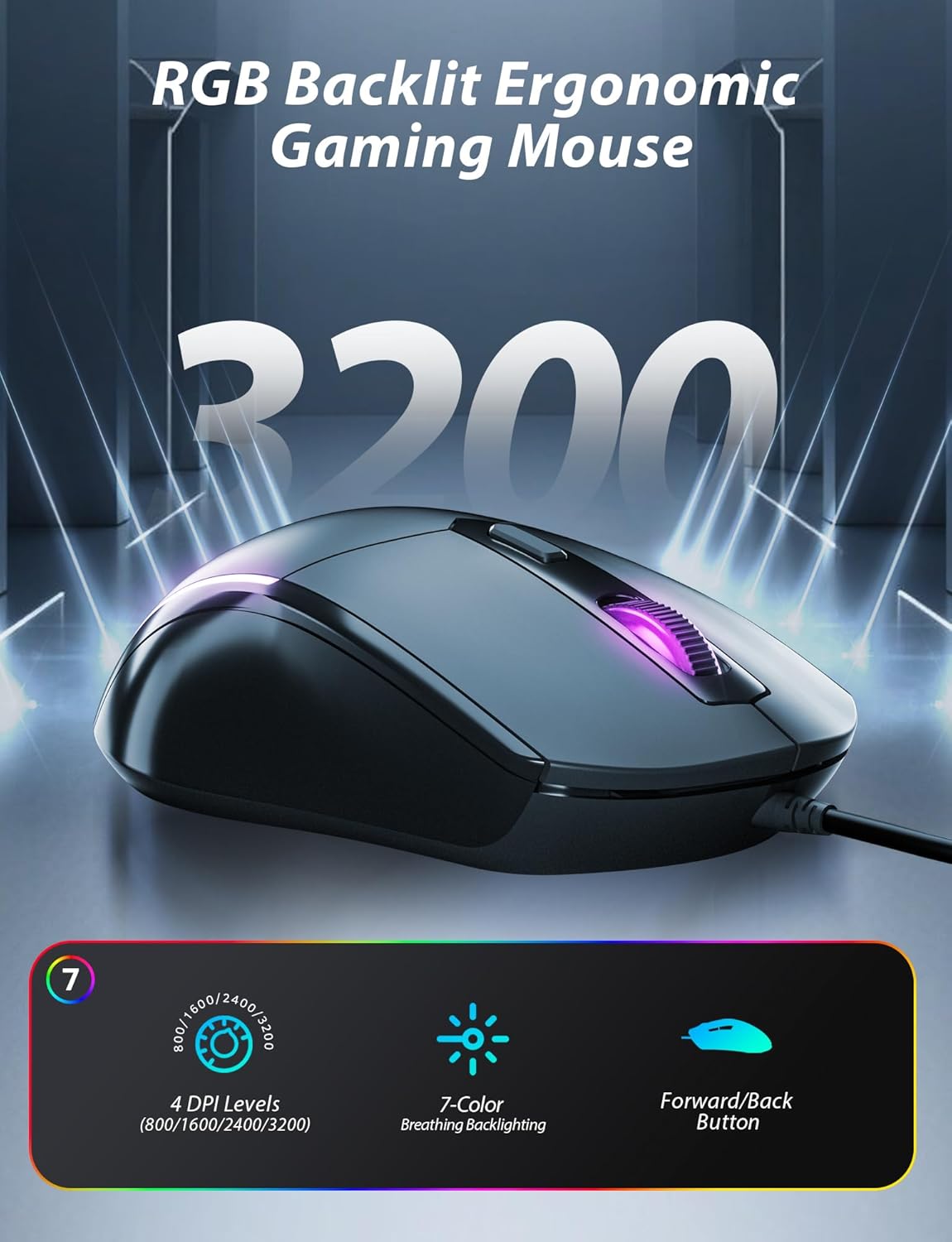
Figure 4.4: Features of the RGB backlit ergonomic gaming mouse, including 4 DPI levels, 7-color breathing backlighting, and forward/back buttons.

Figure 4.5: Illustration of the ergonomic design for both the keyboard (adjustable stand) and mouse (responsive, fits the hand).
5. Тэхнічнае абслугоўванне
5.1 Чыстка клавіятуры
To maintain the keyboard's appearance and functionality, regular cleaning is recommended.
- Адключыце клавіятуру ад кампутара перад чысткай.
- The keycaps are removable for easy cleaning. Gently pull them off to clean underneath.
- Выкарыстоўвайце мяккі, damp cloth to wipe down the surface of the keyboard and mouse.
- For stubborn dirt, a mild cleaning solution can be applied to the cloth (not directly to the device).
- Ensure all components are completely dry before reconnecting.
6. Выпраўленне непаладак
If you encounter any issues with your Taiahiro Mechanical Gaming Keyboard and Mouse Combo, please refer to the following common solutions:
- Прылада не адказвае: Ensure both the keyboard and mouse USB cables are securely plugged into your computer's USB-A ports. Try a different USB port or restart your computer.
- Праблемы з падсветкай: If the backlighting is not working or not displaying correctly, ensure the keyboard is properly connected. Use the Fn + Home key combination to cycle through lighting modes, and Fn + Arrow keys to adjust brightness and speed.
- Mouse DPI Adjustment: If the mouse sensitivity is not as expected, press the DPI button on the mouse to cycle through the available DPI settings (800/1600/2400/3200).
- Асноўныя функцыі: If a specific key is not responding, ensure no debris is lodged under the keycap. If removable, carefully remove the keycap and clean the switch.
7. Тэхнічныя характарыстыкі
| Асаблівасць | Спецыфікацыя |
|---|---|
| Марка | Тайахіра |
| Нумар мадэлі | BK6301 |
| Тып клавіятуры | Механічная гульнявая клавіятура |
| Раскладка клавіш | 98-Key Full-Size with Numeric Keypad |
| Тып клавішы | Double-shot-molded ABS, Floating Keycap |
| Тып перамыкача | Mechanical (Blue Switches) |
| Падсвятленне | 18 Modes Blue LED Backlighting |
| Анты-прывіды | Full Anti-Ghost |
| Тып мышкі | Правадная гульнявая мыш RGB |
| Узроўні DPI мышы | 800/1600/2400/3200 |
| Падсветка мышы | 7-Color Breathing RGB |
| Сувязь | USB (правадной) |
| Сумяшчальныя прылады | Personal Computer (macOS, Windows) |
| Памеры (клавіятура) | 38.4 х 13.8 х 7.7 см |
| Вага (клавіятура) | 1.24 кг |
8. Гарантыя і падтрымка
For warranty information and customer support, please refer to the product packaging or contact Taiahiro customer service directly. Keep your purchase receipt for warranty claims.


