1. Уводзіны
This manual provides essential instructions for the safe and efficient operation, maintenance, and troubleshooting of your Vexilar T6T7T8 Robot Vacuum. Please read this manual thoroughly before using the product and retain it for future reference.
2. Важныя інструкцыі па бяспецы
- Перад выкарыстаннем гэтага прыбора прачытайце ўсе інструкцыі.
- Не выкарыстоўвайце робат-пыласос у вільготных памяшканнях або паблізу вады.
- Пераканайцеся, што адаптар сілкавання сумяшчальны з вашай мясцовай тэмпературай.tage.
- Трымайце валасы, свабодную вопратку, пальцы і ўсе часткі цела далей ад адтулін і рухомых частак.
- Не збірайце вялікія або вострыя прадметы, вадкасці або падпаленыя/дымячыя матэрыялы.
- Сачыце за дзецьмі і хатнімі жывёламі падчас працы робата-пыласоса.
- Выкарыстоўвайце толькі названыя вытворцам насадкі і аксэсуары.
- Unplug the charging dock when not in use for extended periods.
3. Змесціва ўпакоўкі
Праверце наяўнасць і спраўнасць усіх прадметаў:
- 1 x Vexilar T6T7T8 Robot Vacuum
- 1 х зарадная док-станцыя
- 1 х сеткавы адаптар
- 1 х пульт дыстанцыйнага кіравання
- 2 HEPA-фільтры
- 1 х сродак для ачысткі
- 4 х бакавых шчотак
- 1 х Кіраўніцтва карыстальніка (гэты дакумент)

Малюнак 3.1: Vexilar T6T7T8 Robot Vacuum with its charging dock, remote control, and other accessories.
4. Прадукт скончыўсяview
4.1 Robot Vacuum Components (Top View)
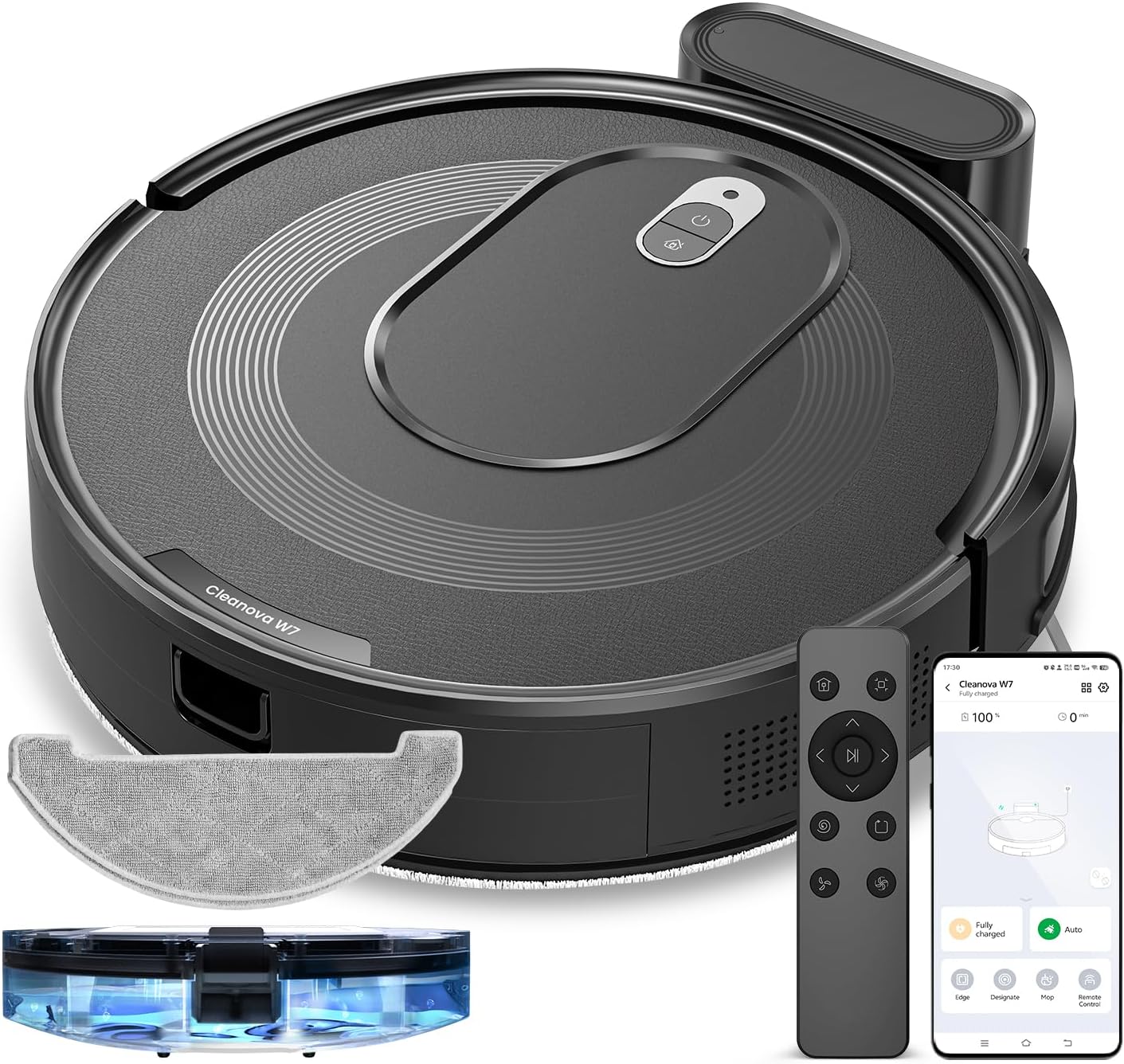
Малюнак 4.1: Топ view of the Vexilar T6T7T8 Robot Vacuum, showing the power button and dustbin cover.
4.2 Robot Vacuum Components (Bottom View)
Малюнак 4.2: Знізу view of the Vexilar T6T7T8 Robot Vacuum, illustrating the side brushes, main brush, and wheels.
4.3 Slim Design and Navigation
The robot's ultra-thin design (2.89 inches height) allows it to easily navigate under furniture and in tight spaces, ensuring comprehensive cleaning.

Малюнак 4.3: The Vexilar T6T7T8 Robot Vacuum demonstrating its ability to clean under low-clearance furniture.
5. Кіраўніцтва па наладцы
5.1 Размяшчэнне зараднай док-станцыі
- Place the charging dock against a wall in an open, uncluttered area.
- Ensure there is at least 0.5 meters (1.6 feet) of clear space on both sides of the dock and 1.5 meters (4.9 feet) in front.
- Падключыце адаптар сілкавання да зараднай станцыі і ўстаўце яго ў разетку.
5.2 Першапачатковая зарадка
Before first use, fully charge the robot vacuum. Place the robot onto the charging dock, ensuring the charging contacts align. The indicator light will show charging status. A full charge typically takes 4-5 hours.
5.3 App Connection and Smart Control
For enhanced control and scheduling features, download the Vexilar app from your smartphone's app store. The app supports 2.4GHz WiFi networks only (5G WiFi is not supported).
- Download and install the Vexilar app.
- Зарэгіструйце ўліковы запіс і ўвайдзіце ў сістэму.
- Выконвайце інструкцыі ў дадатку, каб падключыць робат-пыласос да хатняй сеткі Wi-Fi.
- Once connected, you can control the robot via the app, or integrate with voice assistants like Siri, Google Home, or Alexa.
- Alternatively, use the included remote control or Bluetooth for basic operations without Wi-Fi.

Малюнак 5.1: Example of the Vexilar app interface for controlling the robot vacuum.
6. Аперацыя
6.1 Запуск і прыпыненне ўборкі
- Press the power button on the robot or the "Clean" button on the remote/app to start cleaning.
- Press the button again to pause cleaning.
- To send the robot back to the charging dock, press the home button on the remote/app.
6.2 Рэжымы ачысткі
The Vexilar T6T7T8 offers four cleaning modes:
- Аўтаачыстка: The robot intelligently navigates using gyroscope technology to cover the entire floor area in an efficient zig-zag pattern.
- Spot Clean: Засяроджваецца на канкрэтнай забруджанай зоне, чысцячы па спіралі.
- Ачыстка краёў: Чысціць уздоўж сцен і па краях мэблі.
- Рэжым швабры: Engages the mopping function for hard floors.
6.3 2-in-1 Sweeping and Mopping
The robot can simultaneously vacuum and mop. To use the mopping function:
- Fill the water tank (200ml capacity) with clean water.
- Прымацуеце тканіну швабры да рэзервуара для вады.
- Insert the water tank assembly into the robot.
- Select Mop Mode via the app or remote control. The electronically controlled water pump allows for adjustable four-level water output.
- Заўвага: For carpeted areas, remove the mop holder before cleaning to prevent wetting the carpet. The robot automatically recognizes carpets and switches to max suction mode when the mop holder is removed.

Малюнак 6.1: The Vexilar T6T7T8 Robot Vacuum simultaneously vacuuming and mopping a hard floor.
7. Тэхнічнае абслугоўванне
Рэгулярнае тэхнічнае абслугоўванне забяспечвае аптымальную прадукцыйнасць і падаўжае тэрмін службы вашага робата-пыласоса.
7.1 Ачыстка пылазборніка і фільтра
- Націсніце кнопку вызвалення смеццевага бака і выміце яго.
- Empty the dustbin contents into a trash receptacle.
- Remove the HEPA filter and sponge filter. Tap them gently to remove dust. Do not wash HEPA filters with water.
- Rinse the dustbin with water if necessary, ensuring it is completely dry before reinstallation.
- Reinstall the filters and dustbin.
7.2 Side Brush and Main Brush Cleaning
- Periodically check side brushes for tangled hair or debris. Remove and clean them using the provided cleaning tool.
- Remove the main brush cover and lift out the main brush. Use the cleaning tool to remove hair and debris.
7.3 Ачыстка датчыка
Wipe the cliff sensors, wall sensors, and charging contacts on the robot and charging dock with a clean, dry cloth to ensure proper function.
7.4 Water Tank and Mop Cloth Maintenance
- After each mopping session, empty any remaining water from the tank.
- Remove and wash the mop cloth. Allow it to air dry completely before reuse.
8. Выпраўленне непаладак
| праблема | Магчымая прычына | Рашэнне |
|---|---|---|
| Робат не запускаецца | Нізкі зарад батарэі; Выключальнік харчавання | Charge the robot; Turn on the power switch |
| Робат часта захрасае | Obstacles; Dirty sensors | Прыбярыце перашкоды; ачысціце датчыкі |
| Дрэнная прадукцыйнасць ачысткі | Full dustbin; Clogged filters/brushes | Empty dustbin; Clean/replace filters and brushes |
| Робат не можа знайсці зарадную док-станцыю | Dock obstructed; Dock unplugged | Ensure clear path to dock; Plug in dock |
| Праблемы з падключэннем праграмы | Incorrect Wi-Fi band; Network issues | Ensure 2.4GHz Wi-Fi; Restart router/robot |
9. Тэхнічныя характарыстыкі
| Асаблівасць | Дэталь |
|---|---|
| Назва мадэлі | T6T7T8 |
| Марка | Вексілар |
| Памеры прадукту | 16 см Д х 13 см Ш х 4.5 см В |
| Вага прадмета | 7 фунта (3.17 кг) |
| Магутнасць ўсмоктвання | Up to 3000Pa (Max Mode) |
| Тэрмін службы батарэі | Up to 120 minutes (Quiet Mode) |
| Ёмістасць сметніцы | 0.5 літра (500 мл) |
| Ёмістасць бака для вады | 200 мл |
| Тып фільтра | Sponge, HEPA (H10 Grade with 95% filtration above 3 microns) |
| Метады кантролю | App, Siri, Google Home, Alexa, Remote Control, Bluetooth |
| Тып навігацыі | Gyroscope Smart Navigation |
| Час зарадкі | Прыкладна 4-5 гадзін |
| Узровень шуму | Менш за 60 дБ |
| Крыніца харчавання | Харчаванне ад батарэі (10.8 вольт) |
10. Гарантыя і падтрымка
The Vexilar T6T7T8 Robot Vacuum comes with a Гарантыя 12 месяцаў з даты пакупкі, якая пакрывае вытворчыя дэфекты. Калі ласка, захавайце пацвярджэнне пакупкі для прэтэнзій па гарантыі.
For technical support, troubleshooting assistance, or warranty inquiries, please visit our support page or contact customer service:
- Інтэрнэт-падтрымка: http://www.utenic.com/qr/support/vactidy/
- Падтрымка па электроннай пошце: support@gracevacuum.com


