1. Уводзіны
Thank you for choosing the soyes Mini Phone 4G Unlocked Smartphone. This compact and feature-rich device is designed for portability and essential communication, offering a balance of functionality and convenience. This manual provides detailed instructions to help you set up, operate, and maintain your new smartphone.
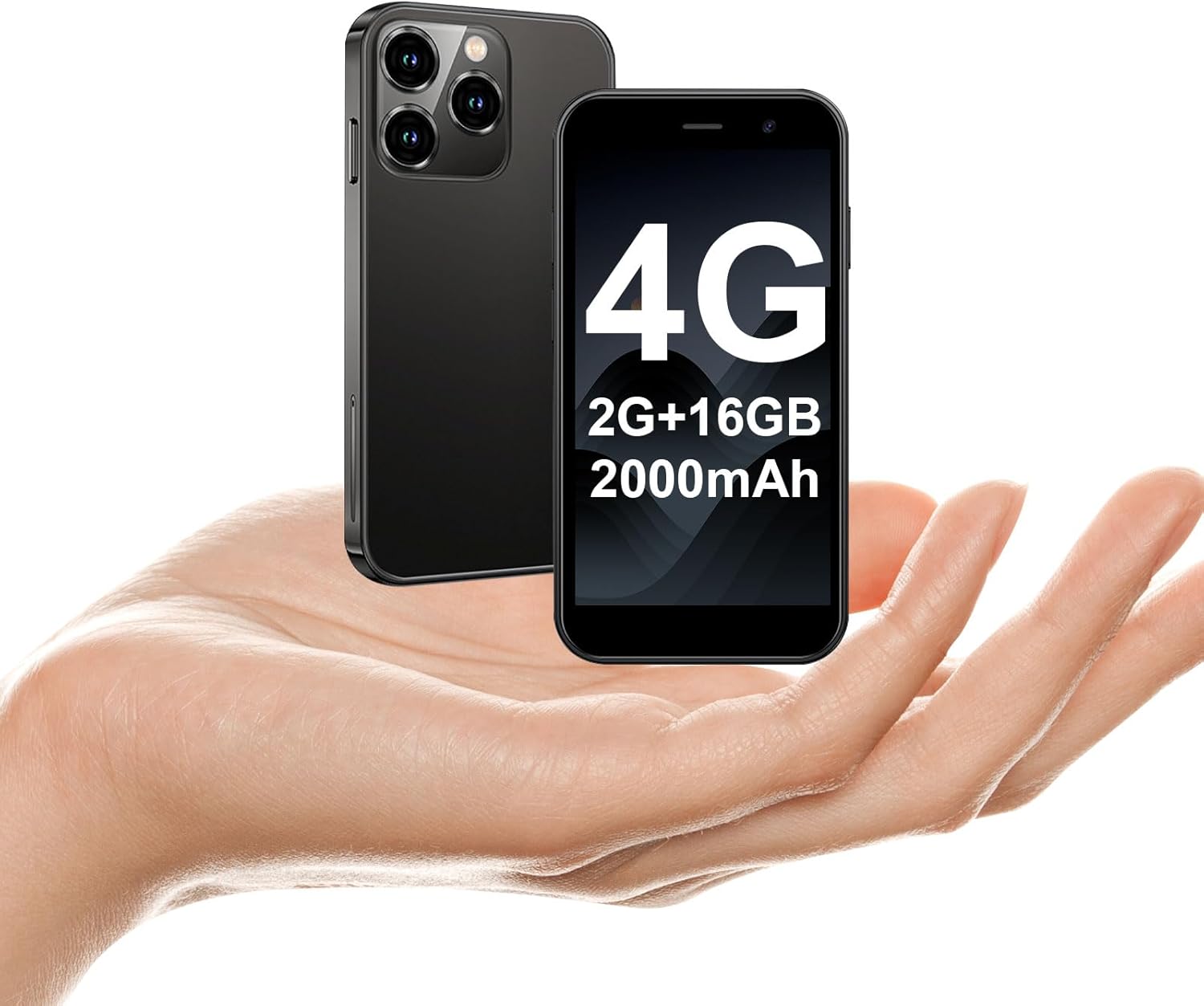
The soyes Mini Phone 4G Unlocked Smartphone, designed for portability and essential communication.
2. Што ў скрынцы
Калі ласка, пераканайцеся, што ўсе прадметы прысутнічаюць у вашай упакоўцы:
- 1 x soyes Mini Smartphone
- 1 x Tempered Film (Screen Protector)
- 1 х кабель тыпу C
- 1 x Mobile Phone Case
- 1 x SIM Ejector Pin
3. Настройка
3.1. Усталёўка SIM-карты і карты памяці
The soyes Mini Phone supports dual SIM cards and a memory card for expanded storage. Ensure your SIM card is compatible with the following frequency bands: WCDMA B2/B4, B5; FDD B2/B4/B5/B7/B17/B28/B28A/B41/B66.
- Знайдзіце латок для SIM-карты на бакавой панэлі тэлефона.
- Insert the provided SIM ejector pin into the small hole next to the tray and press gently until the tray pops out.
- Асцярожна выцягніце паддон.
- Place your Nano-SIM cards into the designated slots (SIM1, SIM2) and the TF (microSD) card into its slot, ensuring the gold contacts face downwards.
- Акуратна ўстаўце латок назад у тэлефон, пакуль ён не зашчоўкнецца.

Insert your SIM and memory cards into the tray.
3.2. Пачатковае ўключэнне
Press and hold the Power button (located on the right side of the phone) until the screen lights up. Follow the on-screen prompts to complete the initial setup, including language selection, Wi-Fi connection, and Google account setup.
3.3. Зарадка прылады
Before first use, it is recommended to fully charge the phone. Connect the provided Type-C cable to the phone's charging port and the other end to a compatible USB power adapter (not included) or a computer's USB port.

Connect the Type-C cable to charge your device.
4. Інструкцыя па эксплуатацыі
4.1. Базавая навігацыя
The soyes Mini Phone features a 3.0-inch HD touchscreen. Navigate the interface by tapping, swiping, and pinching. The Android 8.1 operating system provides an intuitive user experience.

Experience clear visuals on the 3.0-inch HD touchscreen.
4.2. Званкі і паведамленні
Utilize the Phone app for making and receiving calls. The Messaging app allows you to send and receive SMS/MMS messages. With dual SIM support, you can manage two different phone numbers simultaneously.
4.3. Выкарыстанне камеры
The phone is equipped with a 2MP front camera and a 5MP rear camera. Open the Camera app to capture photos and videos. Tap the screen to focus and press the shutter button to take a picture.

Capture moments with the HD Dual Camera.
4.4. Усталёўка і выкарыстанне праграмы
Running on Android 8.1, the soyes Mini Phone is fully compatible with the Google Play Store. You can download and install a wide range of applications, including social media, entertainment, and productivity tools.
- Ensure you are connected to Wi-Fi or have mobile data enabled.
- Open the 'Play Store' app from your home screen or app drawer.
- Пошук your desired application.
- Tap 'Install' to download and set up the app.

Download and enjoy a wide variety of applications from the Google Play Store.
4.5. Face ID
The device features advanced facial recognition technology for faster and secure unlocking. To set up Face ID, go to Settings > Security > Face Unlock and follow the on-screen instructions.

Unlock your phone quickly and securely with Face ID.
4.6. Кіраванне сховішчам
The soyes Mini Phone comes with 2GB RAM and 16GB ROM. You can expand the storage capacity up to 256GB using a TF (microSD) card, allowing you to store more photos, videos, and applications.

Manage your storage with 2GB RAM, 16GB ROM, and expandable memory.
5. Тэхнічнае абслугоўванне
5.1. Сыход за батарэяй
The phone is equipped with a 2000mAh battery. To maximize battery life:
- Пазбягайце экстрэмальных тэмператур.
- Charge the phone regularly, but avoid leaving it fully charged or fully depleted for extended periods.
- Для зарадкі выкарыстоўвайце кабель Type-C, які ўваходзіць у камплект.

The 2000mAh battery provides extended usage time.
5.2. Уборка
Выкарыстоўвайце мяккую тканіну без ворса для чысткі экрана і корпуса тэлефона. Пазбягайце выкарыстання агрэсіўных хімічных рэчываў або абразіўных матэрыялаў.
5.3. Абнаўленне праграмнага забеспячэння
Periodically check for software updates in Settings > System > System update to ensure your device has the latest features and security patches.
6. Выпраўленне непаладак
If you encounter issues with your soyes Mini Phone, please refer to the following common solutions:
| праблема | Магчымае рашэнне |
|---|---|
| Тэлефон не рэагуе або завісае | Націсніце і ўтрымлівайце кнопку харчавання каля 10-15 секунд, каб прымусова перазагрузіць кампутар. |
| Акумулятар хутка разраджаецца | Close unused apps, reduce screen brightness, disable Wi-Fi/Bluetooth when not in use, or check for background app activity. |
| Немагчыма падключыцца да Wi-Fi/мабільнай перадачы дадзеных | Toggle Wi-Fi/Mobile Data off and on. Restart the phone. Ensure correct SIM card installation and network settings. |
| Apps crashing or not installing | Clear cache for the app or Play Store. Ensure sufficient storage space. Check app compatibility with Android 8.1. |
| Face ID not working | Ensure good lighting and that your face is clearly visible to the front camera. Re-register your face in settings if necessary. |
If the problem persists, consider performing a factory reset (backup your data first) or contact customer support.
7. Тэхнічныя характарыстыкі
The soyes Mini Phone 4G Unlocked Smartphone offers the following technical specifications:

Кампактная і лёгкая канструкцыя для лёгкай пераноскі.

Designed to fit comfortably in the palm of your hand.
| Асаблівасць | Дэталь |
|---|---|
| Назва мадэлі | soyes-15mini-bk |
| Аперацыйная сістэма | Android 8.1 |
| Працэсар | Чатырох'ядравы |
| АЗП | 2 ГБ |
| Унутраная памяць (ROM) | 16 ГБ |
| Памяць з магчымасцю пашырэння | TF Card Slot (up to 256GB) |
| Памер экрана | 3.0 цалі |
| Дазвол экрана | 480*854 HD |
| Задняя камера | 5 МП |
| Пярэдняя камера | 2 МП |
| Ёмістасць батарэі | 2000 мАг літый-іённы |
| Падтрымка SIM-карты | Дзве SIM (Nano-SIM) |
| Сотавая тэхналогія | 4G (разблакіраваны) |
| Падтрымліваюцца дыяпазоны частот | WCDMA B2/B4, B5; FDD B2/B4/B5/B7/B17/B28/B28A/B41/B66 |
| Сувязь | Wi-Fi, Bluetooth, GPS |
| Асаблівасці | Face ID, Stereo Speakers, Fast Charging Support |
| Dimensions (Phone) | Approx. 3.7 inches (L) x 1.87 inches (W) |
| Вага | 3.35 унцыі (95 грама) |
| Порт для зарадкі | Тып-C |
8. Гарантыя і падтрымка
For warranty information and customer support, please refer to the documentation included with your product packaging or visit the official soyes webсайт. Захоўвайце чэк аб куплі як пацверджанне пакупкі.


