Прадукт скончаныview
The Kanto R600 is a recessed in-wall articulating TV mount designed for televisions ranging from 65 to 90 inches. It features an oversized in-wall box to accommodate various AV equipment, including TV breakout boxes and mini AV receivers. The mount offers extensive articulation, allowing for optimal viewing angles and a flush-to-wall appearance when retracted.

Figure 1: Kanto R600 Recessed in-Wall Articulating TV Mount.
Асноўныя характарыстыкі:
- Oversized In-Wall Box: Забяспечвае ample space for TV breakout boxes, mini AV receivers, and cable set-top boxes, keeping them hidden behind the TV. Includes an accessory plate for easy component access.
- Versatile TV Placement: Offers both a 300x300 VESA plate for a no-gap flush fit and a larger 800x600 interface for precise height and horizontal offset adjustments.
- Contractor-Friendly Design: Features a foldable in-wall template for new construction, allowing for pre-planning of cabling and drywall installation while protecting the mount.
- Integrated Power Options: Metal knock-outs facilitate the installation of power outlets directly inside the box for convenient equipment power.
- Clean Cable Management: Equipped with metal cable management clips along the articulating arm and rubber grommets within the box to ensure tidy cable routing.
Інфармацыя па бяспецы
Please read and understand all instructions before installation. If you have any questions, contact Kanto support. Improper installation can cause property damage or personal injury.
- Walls may conceal hidden wires and plumbing. Always verify the location of these items before drilling or cutting into the wall.
- Use a hand drywall saw to carefully cut into the wall.
- Ensure your wall can support the combined weight of the mount and your TV. This mount is designed for wood studs only.
- Do not attempt installation if your studs are not 16" (40.6 cm) apart.
- Заўсёды выкарыстоўвайце адпаведныя сродкі бяспекі падчас усталёўкі.
Кіраўніцтва па ўстаноўцы
1. Планаванне і падрыхтоўка
Before beginning installation, carefully plan the TV's position and prepare the wall.
Determine Ideal TV Height
To find the optimal viewing height, measure the distance from the floor to your eye level when seated in your primary viewing position. Mark this height on the wall. This mark will correspond to the vertical center of the mount's back plate once installed, and subsequently, the center of your TV screen.

Figure 2: Guide for determining optimal TV viewING вышыні.
Consider VESA Pattern
Note your TV's VESA mounting pattern. If the VESA pattern is centered on the back of your TV, the TV will be centered when flush against the wall. If the VESA pattern is offset (e.g., towards the bottom), you will need to account for this during installation to ensure the TV is centered when retracted.
Малюнак 3: Выпample of a centered VESA pattern.
Locate Studs and Mark Cutout
Use a stud finder to locate two adjacent wood studs that are 16 inches on-center. Mark the inner edges of these studs. These marks will define the vertical sides of the in-wall box cutout. Use the provided template or measure the box dimensions (14.5 inches wide and 13 inches tall) to mark the precise cutout area on your drywall. Ensure the marked area is level.
Consider how power will be routed to the recessed TV mount before cutting. The in-wall box includes four electrical knockouts (two top, two bottom) for single-gang recessed outlets.
Video 1: NSY Audio USA - How to Install 50101 In Wall Recessed TV Mount. This video demonstrates the process of determining TV height, considering VESA patterns, locating studs, marking the wall, and preparing for electrical connections for a recessed TV mount.
Выразаць адтуліну
Once the outline is marked, use a drywall saw or box cutter to carefully cut along the lines. Remove the cut drywall section.
2. Mount Assembly and Installation
Assemble the mount components and install the in-wall box.
Install In-Wall Box
Insert the in-wall box into the prepared cutout. Ensure the box is level before fastening. Pre-drill holes for the lag screws using a 3/16-inch drill bit. Fasten the tabs (labeled M1 and M2 in the manual) onto the wood studs using the lag screws. Tighten the lag screws by hand to avoid over-tightening.
Attach Articulating Arm Assembly
Install the articulating arm assembly inside the in-wall box. Ensure the hooks on the arm align with the pre-drilled holes in the box. Secure the arm to the box using the provided screws.
3. TV Attachment
Attach the TV to the articulating arm.
Прымацуйце кранштэйны для тэлевізара
Attach the appropriate horizontal and vertical brackets to the back of your TV using the necessary hardware (screws, washers, spacers) that match your TV's VESA pattern. Ensure all screws are securely tightened.

Figure 4: Two VESA interfaces provided for flexible TV mounting.
Hang TV onto Mount
With assistance, carefully lift the TV and hook the attached brackets onto the articulating arm assembly. Once the TV is in place, install the two top screws first, then secure the two socket cap screws on the bottom of the mount to fully secure the TV.
Карэкціроўкі выраўноўвання
Check if your TV is level. If not, use the post-installation leveling adjustment feature to make your TV perfectly level. This involves loosening or tightening specific knobs on the mount.

Figure 5: Mount features including extension, tilt, and cable routing options.
Эксплуатацыя і налады
The Kanto R600 mount allows for flexible positioning of your TV.
- Пашырэнне: The mount extends up to 27.6 inches from the wall, providing significant reach for optimal viewінж.
- Паваротны: You can swivel your TV left or right to achieve the desired viewвугал. Напрыкладample, a 65-inch TV can turn 70 degrees left or right.
- Нахіл: The mount offers a tilt angle of up to 10 degrees, allowing you to reduce glare or adjust for comfortable viewінж.
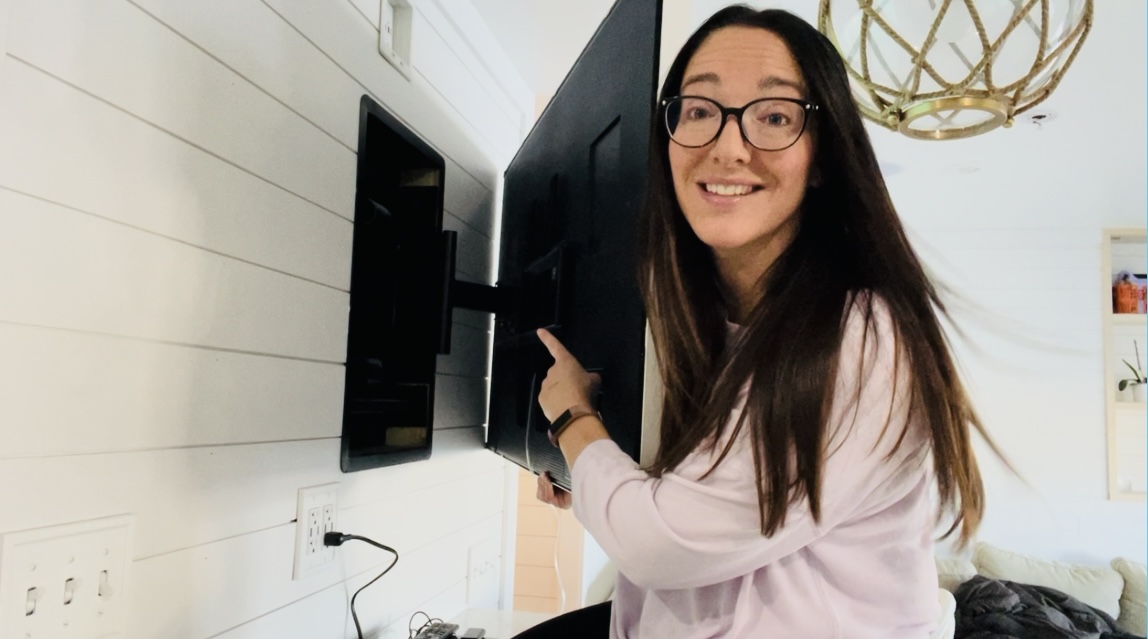
- Адпачынак: When not in use, the TV can be recessed to sit almost completely flush against the wall, with a profile of less than one inch.

Figure 6: Cable management and oversized in-wall box for hidden components.
Тэхнічнае абслугоўванне
Рэгулярнае тэхнічнае абслугоўванне забяспечвае даўгавечнасць і бяспечную працу вашага тэлевізара.
- Перыядычна правярайце ўсе шрубы і балты, каб пераканацца, што яны закручаныя.
- Clean the mount with a soft, dry cloth. Avoid abrasive cleaners.
- Ensure cables are properly managed and not pinched by the articulating arm.
Ліквідацыю непаладак
Калі ў вас узнікнуць праблемы, звярніцеся да наступных распаўсюджаных рашэнняў:
- Тэлевізар не роўныя: Use the post-installation leveling adjustment feature as described in the installation guide.
- Цяжкасці з рухам рукі: Check for any obstructions or overtightened bolts. Ensure cables are not interfering with movement.
- Cables Visible/Messy: Utilize the integrated cable management clips and rubber grommets to route and secure cables neatly.
- Mount Feels Unstable: Re-check all lag screws and mounting points to ensure they are securely fastened to the wood studs.
For further assistance, please contact Kanto support.
Тэхнічныя характарыстыкі
| Атрыбут | Каштоўнасць |
|---|---|
| Марка | Канта |
| Нумар мадэлі | R600 |
| Вага прадмета | 45.2 фунта |
| Памеры прадукту | 22.28 х 33.46 х 32.01 цалі |
| Колер | Чорны |
| Матэрыял | Метал |
| Тып мацавання | Насценнае мацаванне |
| Тып руху | Артыкулюючы |
| Максімальны кут нахілу | 10 градусаў |
| Сумяшчальныя прылады | Monitor, Television |
| UPC | 800152721668 |
Гарантыя і падтрымка
For warranty information or technical support, please contact Kanto directly. If you have any questions or need support with your installation, feel free to reach out to one of our helpful techs at support@nsyaudio.com.


