1. паview
1.1 Апісанне прадукту
The PNI GreenHouse SC1800C PRO Solar Inverter is a central component for small off-grid solar systems, suitable for areas with or without grid electricity. It provides a continuous output of 3000W with a pure sine wave, making it suitable for various household lighting installations and other small electronic motors, including refrigerators, pumps, tools, and charging devices for phones, laptops, and TVs.
1.2 Асноўныя магчымасці
- Maximum photovoltaic panel input power: 2000 W.
- Максімальны уваходны аб'ём пастаяннага токуtage from photovoltaic panels: 30 - 120 VDC (Vmp).
- Maximum solar charge current: 30 A input from panels, 60 A output to batteries.
- Solar charging efficiency: 98%.
- MPPT solar charger type.
- Намінальная выхtage: 230 В.
- Rated output power: 3000 W (under ideal conditions with proportional battery count and 100% charged batteries).
- Maximum apparent power: 6000 VA (peak, 0.5 seconds under ideal conditions).
- Выхад абtage waveform: Pure sine wave.
- Output signal frequency: 50, 60 Hz.
- Увод абtage: 230 В пераменнага току.
- Grid connection for backup.
- Compatible with 24V batteries: AGM, lead-acid, gel, flooded lithium-ion.
- Minimum battery start voltage: 23 V (cold start voltagе).
- Integrated high-frequency inverter type (switching).
- Inverter efficiency: 90% ~ 93% (100% charged battery).
- Typical transfer time: 10 ms (UPS, VDE) 20 ms (APL).
- Line mode efficiency: > 95% (rated R load, fully charged battery).
- Hybrid operating modes: SBU – Solar/Battery/Utility, Solar Utility (UPS).
- AC charge voltage: 230 В.
- Maximum AC charge current: 30 A.
- Automatic switching: Solar - Batteries - Grid.
- Функцыя энергазберажэння.
- Multiple protections.
- Шматфункцыянальны дысплей.
- Dedicated menu for advanced settings.
- Monitoring with PC software (USB cable included).
- Remote monitoring from mobile/PC (with optional WiFi USB dongle).
1.3 Змест пакета
- PNI GreenHouse SC1800C PRO Solar Inverter
- Кабель USB
- Кіраўніцтва карыстальніка
- PNI Smart Dongle-WLAN (for WiFi monitoring)
2. Інфармацыя па бяспецы
Калі ласка, уважліва прачытайце ўсе інструкцыі і папярэджанні перад устаноўкай і эксплуатацыяй. Невыкананне гэтых інструкцый можа прывесці да паражэння электрычным токам, пажару або сур'ёзных траўмаў.
- Кваліфікаваны персанал: Устаноўка і абслугоўванне павінны выконвацца кваліфікаваным персаналам.
- Небяспека паразы электрычным токам: Гэта прылада працуе з высокай гучнасцюtages. Do not open the casing unless specifically instructed.
- Бяспека акумулятара: Batteries can produce explosive gases. Ensure proper ventilation. Do not smoke or allow sparks or flames near batteries. Wear eye protection.
- Правільная вентыляцыя: Install the inverter in a well-ventilated area to prevent overheating.
- Умовы навакольнага асяроддзя: Avoid exposure to rain, snow, spray, or any liquids. Operate within the specified temperature range (-26 °C to 80 °C).
- Зазямленне: Пераканайцеся, што інвертар належным чынам заземлены ў адпаведнасці з мясцовымі электрычнымі нормамі.
- Адключыць харчаванне: Always disconnect all power sources (solar, battery, AC grid) before performing any wiring or maintenance.
3. Кампаненты прадукту
3.1 PNI GreenHouse SC1800C PRO Solar Inverter

Малюнак 3.1: Спераду view of the PNI GreenHouse SC1800C PRO Solar Inverter, showing the display and control buttons.

Малюнак 3.2: Задняя частка view of the PNI GreenHouse SC1800C PRO Solar Inverter, illustrating the various connection ports for solar panels, batteries, AC input, and AC output.
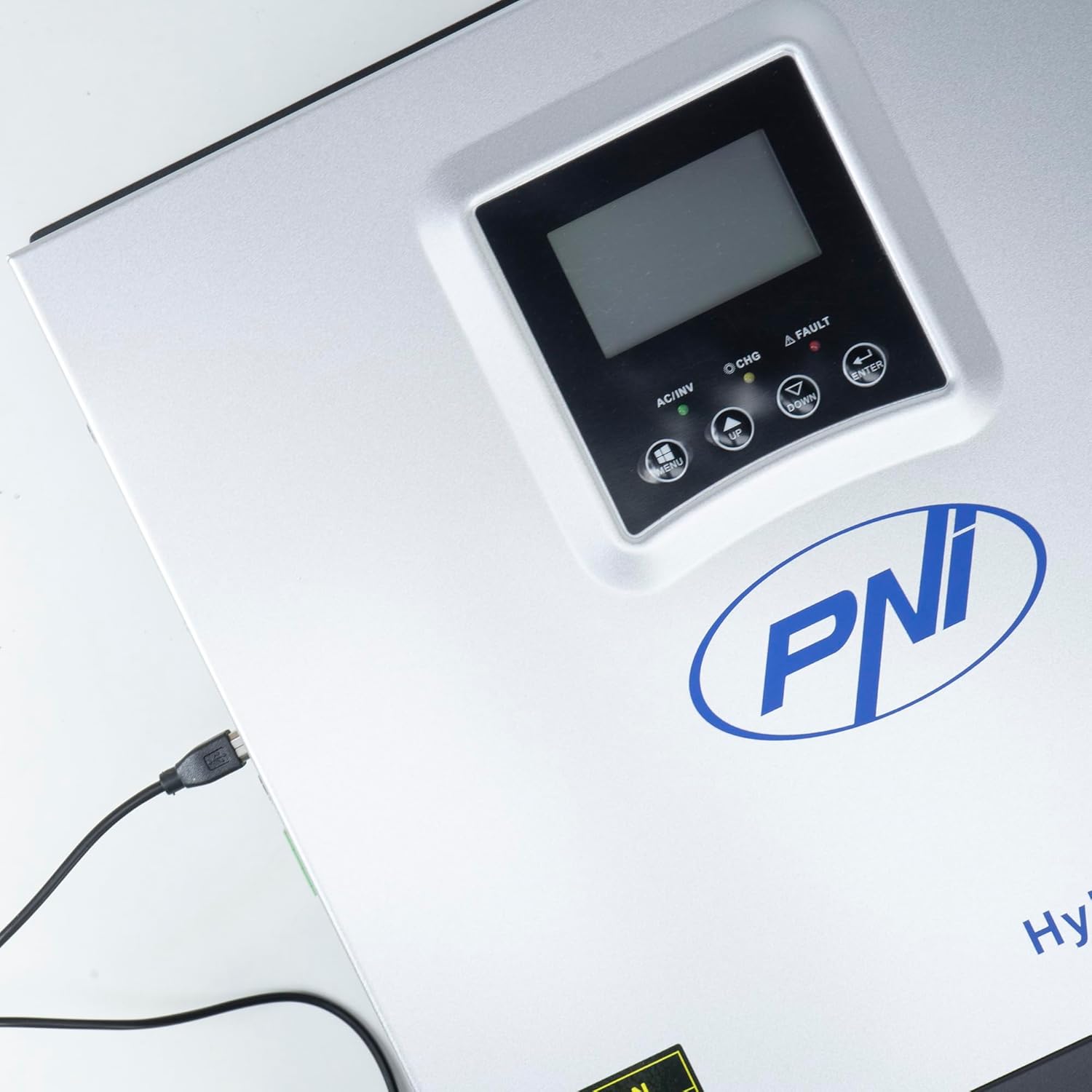
Figure 3.3: Close-up of the USB connection port on the inverter, used for PC monitoring.
3.2 PNI Smart Dongle-WLAN (Optional)

Figure 3.4: The PNI Smart Dongle-WLAN, an optional accessory for remote WiFi monitoring of the inverter.

Figure 3.5: The PNI Smart Dongle-WLAN connected to the inverter's dedicated port for WiFi communication.
4. Ўстаноўка і налада
4.1 Насценны мантаж
The inverter is designed for wall mounting. Choose a location that is dry, well-ventilated, and protected from direct sunlight and moisture. Ensure sufficient clearance around the unit for proper airflow and heat dissipation. Use appropriate mounting hardware for your wall type.
4.2 Схема падключэння сістэмы

Figure 4.1: Basic application diagram showing the connections between solar panels, utility grid, generator, inverter, battery, and home loads. Note: Generator, PV modules, WiFi module, and battery are not included with the inverter unless specified.
4.3 Правадныя злучэнні
Follow the diagram above and the labels on the inverter for correct wiring. Ensure all connections are secure and properly insulated. It is highly recommended that a qualified electrician performs all wiring.
- Падключэнне панэлі сонечных батарэй: Connect your solar panels to the designated PV input terminals. Observe correct polarity (positive to positive, negative to negative). The maximum DC input voltage складае 120 В пастаяннага току.
- Падключэнне батарэі: Connect the 24V battery bank to the battery terminals. Ensure correct polarity. The inverter supports AGM, lead-acid, gel, and flooded lithium-ion batteries.
- Уваход пераменнага току (сетка/генератар): Connect the AC utility grid or a generator to the AC input terminals. This provides backup power and can charge batteries.
- Выхад пераменнага току (нагрузкі): Падключыце хатнія нагрузкі да выхадных клем пераменнага току.
4.4 Першапачатковае ўключэнне
After all connections are made and verified:
- Уключыце выключальнік акумулятара.
- Turn on the solar panel breaker (if applicable).
- Turn on the AC input breaker (if connected to grid/generator).
- Turn on the inverter's power switch.
- Observe the display for status indicators and initial readings.
5. Рэжымы працы
The PNI GreenHouse SC1800C PRO offers intelligent energy management with several configurable operating modes:
- Solar Priority Mode (SBU): In this mode, the inverter prioritizes power consumption from solar energy. If solar power is insufficient, it will draw from batteries. The utility grid acts as a backup.
- Рэжым прыярытэту батарэі: The inverter prioritizes drawing power from the batteries. Solar energy will charge the batteries. The utility grid is used only when battery voltagе падае ніжэй за ўстаноўлены парог.
- Utility Priority Mode (UPS): This mode prioritizes power from the utility grid. Solar energy will charge the batteries. The inverter switches to battery power only when the grid is unavailable, functioning as an Uninterruptible Power Supply (UPS).
These modes can be configured via the inverter's multifunction display and dedicated menu for advanced settings.
5.1 Маніторынг
The inverter supports monitoring through:
- PC Software (USB): Connect the inverter to a PC using the provided USB cable and dedicated software for detailed monitoring and analysis of parameters.
- Remote Monitoring (WiFi - Optional): With the optional PNI Smart Dongle-WLAN, you can monitor the inverter remotely via a mobile application or web інтэрфейс.
6. Тэхнічнае абслугоўванне
Regular maintenance ensures optimal performance and longevity of your inverter. Always disconnect all power sources before performing any maintenance.
- Уборка: Перыядычна працірайце знешнія паверхні інвертара сухой анучай. Пераканайцеся, што вентыляцыйныя адтуліны чыстыя ад пылу і смецця. Не выкарыстоўвайце вадкія ачышчальнікі.
- Праверкі злучэння: Annually inspect all wiring connections (solar, battery, AC input/output) for tightness and signs of corrosion. Tighten any loose connections.
- Праверка батарэі: If using lead-acid batteries, check electrolyte levels and terminal condition as per battery manufacturer guidelines.
- Экалагічная праверка: Пераканайцеся, што тэмпература і вільготнасць у асяроддзі ўстаноўкі знаходзяцца ў межах зададзеных дыяпазонаў.
7. Выпраўленне непаладак
У гэтым раздзеле прыведзены рэкамендацыі па вырашэнні распаўсюджаных праблем. У выпадку складаных праблем звярніцеся да кваліфікаванага абслугоўваючага персаналу.
| Праблема/Сігналізацыя | Магчымая прычына | Рашэнне |
|---|---|---|
| Сігналізацыя разраду батарэі | Акумулятар абtage знаходзіцца ніжэй нізкай гучнасціtage warning threshold. | Check battery charge level. Ensure solar panels are producing power or AC input is connected for charging. Reduce load. |
| Battery Disconnected Alarm | Battery cables are loose or disconnected. | Safely disconnect all power sources and check battery connections. Reconnect securely. |
| Аверволtage Сігналізацыя | Увод абtage (PV or AC) exceeds safe limits. | Verify solar panel array voltage or AC input voltage. Ensure it is within the inverter's specifications. |
| Абарона ад перагрузкі пераменнага току | Connected loads exceed the inverter's output capacity. | Reduce the total load connected to the inverter. Check individual appliance power consumption. |
| Няма выходнай магутнасці | Inverter off, low battery, overload, or fault. | Check if the inverter is powered on. Verify battery voltage. Check for overload or fault codes on the display. |
8. Тэхнічныя характарыстыкі
| Асаблівасць | Спецыфікацыя |
|---|---|
| Марка | PNI |
| Нумар мадэлі | PNI-SC1800P-DG |
| Намінальная магутнасць | 3000 Вт |
| Пікавая магутнасць | 6000 VA (0.5 seconds) |
| Акумулятар Voltage | 24 В |
| Макс. Уваходная магутнасць PV | 2000 Вт |
| Макс. PV ўваходных выпtagе (Vmp) | 30 - 120 В пастаяннага току |
| MPPT Solar Charge Current | 60 A (output to batteries) |
| Аб'ём уваходнага токуtage | 230 В |
| Выхад пераменнага току Voltage | 230 В |
| Форма выхаднога сігналу | Чыстая сінусоід |
| Выхадная частата | 50/60 Гц |
| Максімальны ток зарадкі пераменным токам | 30 А |
| Эфектыўнасць інвертар | 90% ~ 93% |
| Працоўная тэмпература | -26 °C да 80 °C |
| Памеры (Д х Ш х У) | 29 х 12 х 35 см |
| Вага | 6.9 кг |
| Спажыванне ў рэжыме чакання | ≈ 25 W (Energy saving mode ≈ 12.5 W) |
| Сувязь | USB, Optional WiFi Dongle |
9. Гарантыя і падтрымка
Каб атрымаць інфармацыю аб гарантыі і тэхнічнай падтрымцы, звярніцеся да дакументацыі, якая пастаўляецца з пакупкай, або звярніцеся да прадаўца. Захоўвайце пацвярджэнне пакупкі для прэтэнзій па гарантыі.


