1. Уводзіны
Thank you for choosing the SBS MagSafe Compatible Wireless Power Bank. This compact and versatile 5000 mAh power bank is designed to provide convenient and efficient charging for a wide range of devices, including iPhones with MagSafe technology, Android smartphones, e-readers, smartwatches, and TWS earphones. Its dual charging capabilities (wireless and USB-C) ensure your devices stay powered on the go. This manual provides essential information on how to set up, operate, and maintain your power bank.

Image 1: The SBS MagSafe Compatible Wireless Power Bank magnetically attached to the back of an iPhone, illustrating its primary use.
2. Прадукт скончыўсяview
2.1 Асноўныя магчымасці
- Ёмістасць 5000 мАг: Provides sufficient power to charge most smartphones up to two times.
- Сумяшчальнасць з MagSafe: Magnetic attachment and wireless charging for compatible iPhones.
- Universal Wireless Charging: Supports wireless charging for other Qi-enabled Android devices.
- USB-C 10W Output/Input: Fast and safe wired charging for various devices, and for recharging the power bank itself.
- Intelligent Charge (IC) Technology: Optimizes charging speed for connected devices.
- Святлодыёдныя індыкатары стану: Four LEDs to precisely monitor the power bank's internal charge level.
- Кампактны і партатыўны дызайн: Лёгка насіць з сабой для зарадкі ў дарозе.
- Адобрана авіякампаніяй: Safe for transport in aircraft cabins.
- Функцыі бяспекі: Includes short-circuit protection and overload protection.
2.2 Змест пакета
- SBS MagSafe Compatible Wireless Power Bank (Model: TEBB5000MAG1CK)
- Зарадны кабель USB-A да USB-C

Image 2: The power bank's interface, highlighting its compatibility with various electronic devices.

Малюнак 3: Падрабязны view of the power bank's features, including wireless charging area and port labels.
3. Настройка
3.1 Пачатковая зарадка знешніх акумулятараў
Before first use, it is recommended to fully charge your SBS Power Bank. This ensures optimal performance and battery longevity.
- Connect the included USB-A to USB-C charging cable to the USB-C port on the power bank.
- Plug the USB-A end of the cable into a compatible USB wall adapter (not included) or a computer's USB port.
- Святлодыёдныя індыкатары на знешнім акумулятары будуць загарацца, каб паказаць працэс зарадкі. Усе чатыры святлодыёды будуць гарэць пастаянна, калі прылада цалкам зараджана.
Поўная зарадка звычайна займае некалькі гадзін у залежнасці ад крыніцы харчавання.
4. Інструкцыя па эксплуатацыі
4.1 Праверка ўзроўню зарада батарэі
Press the power button once to check the current battery level of the power bank. The four LED indicators will light up to show the remaining charge:
- 1 святлодыёд: 0-25% зарада
- 2 святлодыёда: 25-50% зарада
- 3 святлодыёда: 50-75% зарада
- 4 святлодыёда: 75-100% зарада
4.2 Charging Devices Wirelessly (MagSafe & Qi Compatible)
The power bank supports both MagSafe magnetic wireless charging for compatible iPhones and standard Qi wireless charging for other devices.
- For MagSafe Compatible iPhones: Align the power bank with the back of your iPhone. The magnets will automatically snap it into place, and wireless charging will begin.
- For Other Qi-Enabled Devices (e.g., Android phones): Place your device centrally on the wireless charging surface of the power bank. Ensure proper alignment for charging to initiate.
The power bank's LEDs may indicate active wireless charging. Remove your device once fully charged or when you no longer need to charge.
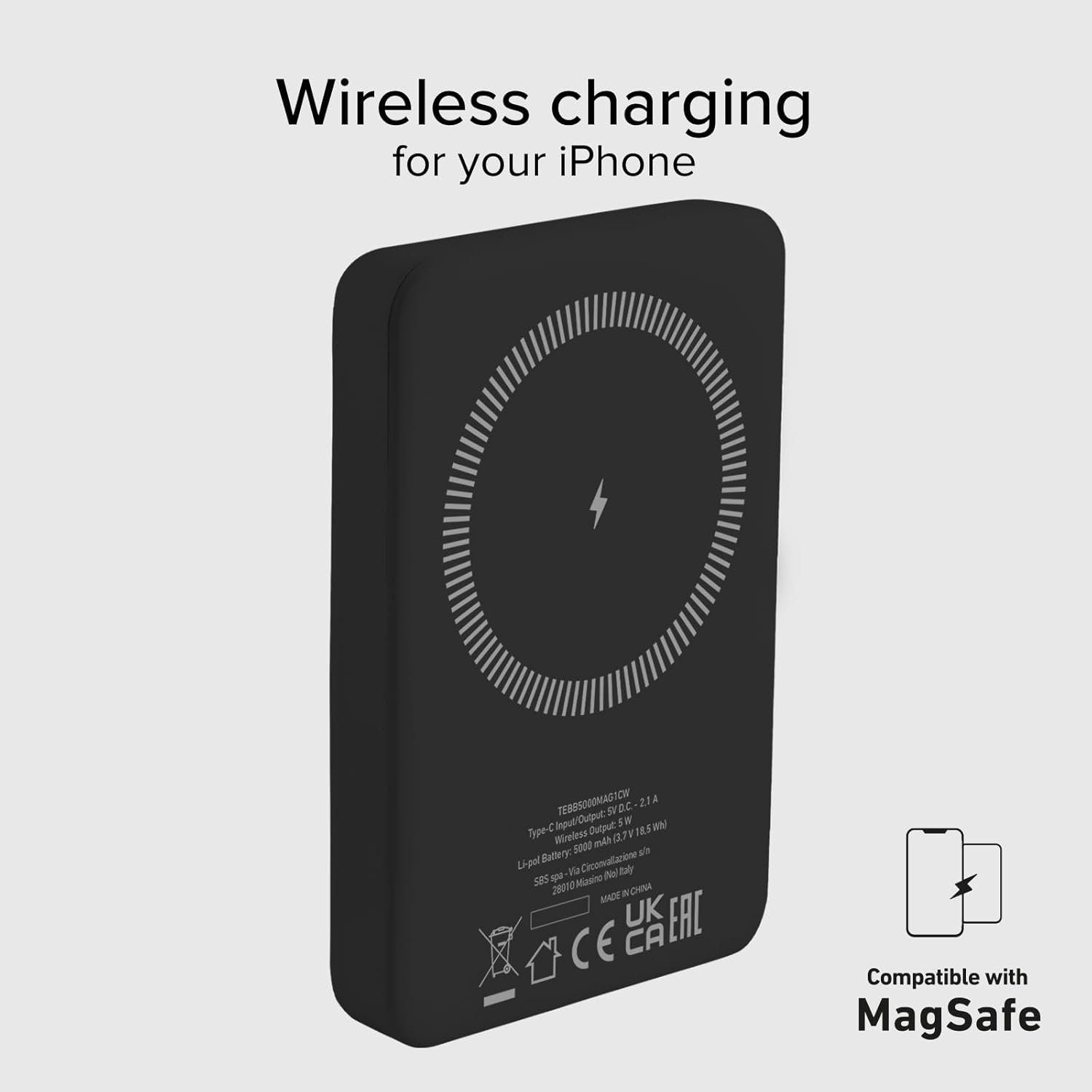
Image 4: The power bank's wireless charging surface, designed for MagSafe compatibility.

Image 5: Demonstrating the magnetic attachment of the power bank to a compatible iPhone.

Image 6: Wireless charging an Android device by placing it on the power bank.
4.3 Charging Devices via USB-C Cable
The USB-C port on the power bank can be used to charge devices that support wired charging.
- Connect one end of a compatible USB-C cable (or the included USB-A to USB-C cable with an appropriate adapter for your device) to the USB-C port on the power bank.
- Падключыце другі канец кабеля да порта зарадкі вашай прылады.
- Charging will begin automatically. The power bank's Intelligent Charge (IC) technology will optimize the charging speed for your device.
The 10W output ensures rapid charging for most compatible devices.

Image 7: Charging a smartphone using the USB-C cable.
4.4 Адначасовая зарадка
The power bank can charge one device wirelessly and another via the USB-C port simultaneously, though total output may be shared.

Image 8: The power bank allows for device usage while charging.
5. Тэхнічнае абслугоўванне
Правільны догляд і абслугоўванне падоўжаць тэрмін службы вашага паўэрбанка.
- Уборка: Выкарыстоўвайце мяккую сухую тканіну для чысткі паверхні паўэрбанка. Не выкарыстоўвайце агрэсіўныя хімікаты або абразіўныя матэрыялы.
- захоўванне: Захоўвайце знешні акумулятар у прахалодным, сухім месцы, удалечыні ад прамых сонечных прамянёў, экстрэмальных тэмператур і вільготнасці.
- Сыход за батарэяй: To maintain battery health, fully charge and discharge the power bank at least once every three months if not in regular use.
- Пазбягайце кропель: Абараняйце прыладу ад фізічных удараў і падзенняў.
- Ўздзеянне вады: This power bank is not waterproof. Avoid exposure to water or other liquids.
6. Выпраўленне непаладак
Калі ў вас узніклі праблемы з вашым знешнім акумулятарам, звярніцеся да наступных распаўсюджаных рашэнняў:
- Power Bank не зараджаецца:
- Пераканайцеся, што зарадны кабель надзейна падключаны як да паўэрбанка, так і да крыніцы харчавання.
- Try a different USB wall adapter or USB port.
- Пераканайцеся, што крыніца харчавання актыўная.
- Прылада не зараджаецца па бесправадной сеткі:
- Ensure your device is Qi-enabled or MagSafe compatible.
- Check that your device is correctly centered on the power bank's wireless charging surface.
- Зніміце з тэлефона ўсе тоўстыя чахлы, якія могуць перашкаджаць бесправадной зарадцы.
- Device Not Charging via USB-C:
- Ensure the USB-C cable is securely connected to both the power bank and your device.
- Паспрабуйце іншы кабель USB-C.
- Verify your device's charging port is clean and free of debris.
- Павольная зарадка:
- Ensure you are using a compatible charging cable and adapter.
- Charging speed can be affected by the device's battery level (slower when nearly full).
- Avoid using your device heavily while charging.
- Святлодыёды не загараюцца:
- The power bank might be completely discharged. Connect it to a power source for a few minutes.
- Press the power button to activate the LED indicators.
If problems persist, please contact SBS customer support.
7. Тэхнічныя характарыстыкі
| Атрыбут | Дэталь |
|---|---|
| Марка | SBS |
| Назва мадэлі | Mag Power Bank Color |
| Нумар мадэлі | TEBB5000MAG1CK |
| Ёмістасць батарэі | 5000 Міліamper-hour (mAh) |
| Склад батарэі | Літый-палімерны |
| Порт уводу/вываду | 1 x USB-C (10W) |
| Выхад для бесправадной зарадкі | 5 Вт (бесправадная) |
| тtage | 5 вольт |
| Сумяшчальныя прылады | Smartphones (iPhone, Android), E-readers, Speakers, Headphones, Smartwatches, MP3 Players, Cameras |
| Асаблівасці | Lightweight, Short-circuit Protection, Overload Protection, Wireless Charging, LED Indicator Lights |
| Вага | 187 г |
| Колер | Чорны |
| Уключаныя кампаненты | Зарадны кабель (USB-A да USB-C) |
| Airline Transportable | Yes (Cabin Allowed) |

Image 9: The power bank is approved for air travel.
8. Гарантыя і падтрымка
For warranty information and customer support, please refer to the documentation provided with your purchase or visit the official SBS website. You can also visit the SBS Brand Store on Amazon for more product information and support resources.
SBS Brand Store: https://www.amazon.it/stores/SBS/page/57FDEEEA-56BF-47BC-BBDB-9389D6E570BD


