Уводзіны
Дзякуй за пакупкуasing the Kogan MX10 Pro Cordless Stick Vacuum Cleaner. This manual provides important information regarding the safe operation, maintenance, and troubleshooting of your new appliance. Please read this manual thoroughly before use and retain it for future reference.
The Kogan MX10 Pro is designed for efficient cleaning of various surfaces, featuring powerful suction, a brushless motor, and a HEPA filtration system for a cleaner home environment.
Інструкцыі па тэхніцы бяспекі
To reduce the risk of fire, electric shock, or injury, always observe basic safety precautions when using an electrical appliance.
- Прачытайце ўсе інструкцыі перад выкарыстаннем прыбора.
- Не выкарыстоўвайце на вуліцы або на вільготных паверхнях.
- Не дазваляйце выкарыстоўваць у якасці цацкі. Неабходная пільная ўвага пры выкарыстанні дзецьмі або побач з імі.
- Выкарыстоўвайце толькі так, як апісана ў гэтым кіраўніцтве. Выкарыстоўвайце толькі рэкамендаваныя вытворцам насадкі.
- Не выкарыстоўвайце з пашкоджаным шнуром або вілкай. Калі прыбор не працуе належным чынам, быў упушчаны, пашкоджаны, пакінуты на адкрытым паветры або ўпаў у ваду, вярніце яго ў сэрвісны цэнтр.
- Не цягніце і не пераносіце за шнур, не выкарыстоўвайце шнур у якасці ручкі, не зачыняйце дзверы на шнуры і не нацягвайце шнур вакол вострых краёў або кутоў. Не запускайце прыбор праз шнур. Трымайце шнур далей ад нагрэтых паверхняў.
- Не адключайце вілку, цягнучы за шнур. Каб адключыць вілку, вазьміцеся за вілку, а не за шнур.
- Не бярыцеся за вілку або прыбор мокрымі рукамі.
- Не кладзіце ў адтуліны ніякіх прадметаў. Не выкарыстоўвайце пры заблакаваных адтулінах; засцерагайце ад пылу, варсінак, валасоў і ўсяго, што можа паменшыць паток паветра.
- Трымайце валасы, свабодную вопратку, пальцы і ўсе часткі цела далей ад адтулін і рухомых частак.
- Не падбірайце нічога, што гарыць або дыміцца, напрыклад, цыгарэты, запалкі або гарачы попел.
- Не выкарыстоўвайце для збору лёгкаўзгаральных або гаручых вадкасцей, такіх як бензін, і не выкарыстоўвайце ў месцах, дзе яны могуць прысутнічаць.
- Будзьце асабліва асцярожныя пры ўборцы лесвіцы.
- Не выкарыстоўвайце без усталяванага пылазборніка і/або фільтраў.
- Прадухіліць ненаўмысны запуск. Пераканайцеся, што пераключальнік знаходзіцца ў выключным становішчы, перш чым падключацца да акумулятара, падымаць або пераносіць прыладу.
- Зараджайце толькі зараднай прыладай, указанай вытворцам. Зарадная прылада, якая падыходзіць для аднаго тыпу акумулятара, можа стварыць рызыку пажару пры выкарыстанні з іншым акумулятарам.
- Пры няправільных умовах з батарэі можа выцякаць вадкасць; пазбягаць кантактаў. Пры выпадковым кантакце прамыйце вадой. Пры трапленні вадкасці ў вочы неабходна дадаткова звярнуцца па медыцынскую дапамогу. Вадкасць, якая выцякае з батарэі, можа выклікаць раздражненне або апёкі.
Прадукт скончаныview і кампаненты
Familiarize yourself with the parts of your Kogan MX10 Pro Cordless Stick Vacuum Cleaner.

Figure 1: Fully assembled Kogan MX10 Pro Cordless Stick Vacuum Cleaner, showing the main unit, extension wand, and motorized brush head.

Figure 2: Kogan MX10 Pro with icons indicating 25000Pa suction power, up to 45 minutes battery life, dust detection & adaptive suction, motorized roller brush, and touchscreen display.
Змест пакета:
- Main Vacuum Unit (with dust bin and motor)
- Падаўжэнне палачкі
- Матарызаваная галоўка шчоткі
- Detachable Li-ion Battery (2000mAh)
- Адаптар сілкавання/зарадная прылада
- Насценны док
- Шчылінная прылада
- Інструмент пэндзля 2 у 1
- Кіраўніцтва карыстальніка
Настройка
зборка:
- Устаўце падаўжальнік у асноўны пыласос, пакуль ён надзейна не зафіксуецца на месцы.
- Attach the motorized brush head to the other end of the extension wand, ensuring it clicks securely.
- Insert the detachable Li-ion battery into the battery slot on the main unit until it locks.
Зарадка акумулятара:
- Падключыце адаптар сілкавання да зараднага порта на акумулятары або на насценнай док-станцыі.
- Plug the adapter into a power outlet. The LCD touchscreen will display the charging status.
- Перад першым выкарыстаннем цалкам зарадзіце акумулятар (прыкладна 4-5 гадзіны).
Wall-Mounted Dock Installation:
- Choose a suitable location near a power outlet for convenient storage and charging.
- Mark the drilling points for the dock on the wall.
- Прасвідруйце адтуліны і ўстаўце дзюбелі ў сцяну (пры неабходнасці).
- Secure the wall-mounted dock using screws.
- Place the vacuum cleaner onto the dock for storage and charging.
Інструкцыя па эксплуатацыі
Уключэнне/выключэнне:
- Націсніце кнопку харчавання на ручцы, каб уключыць пыласос.
- Націсніце кнопку харчавання яшчэ раз, каб выключыць яго.
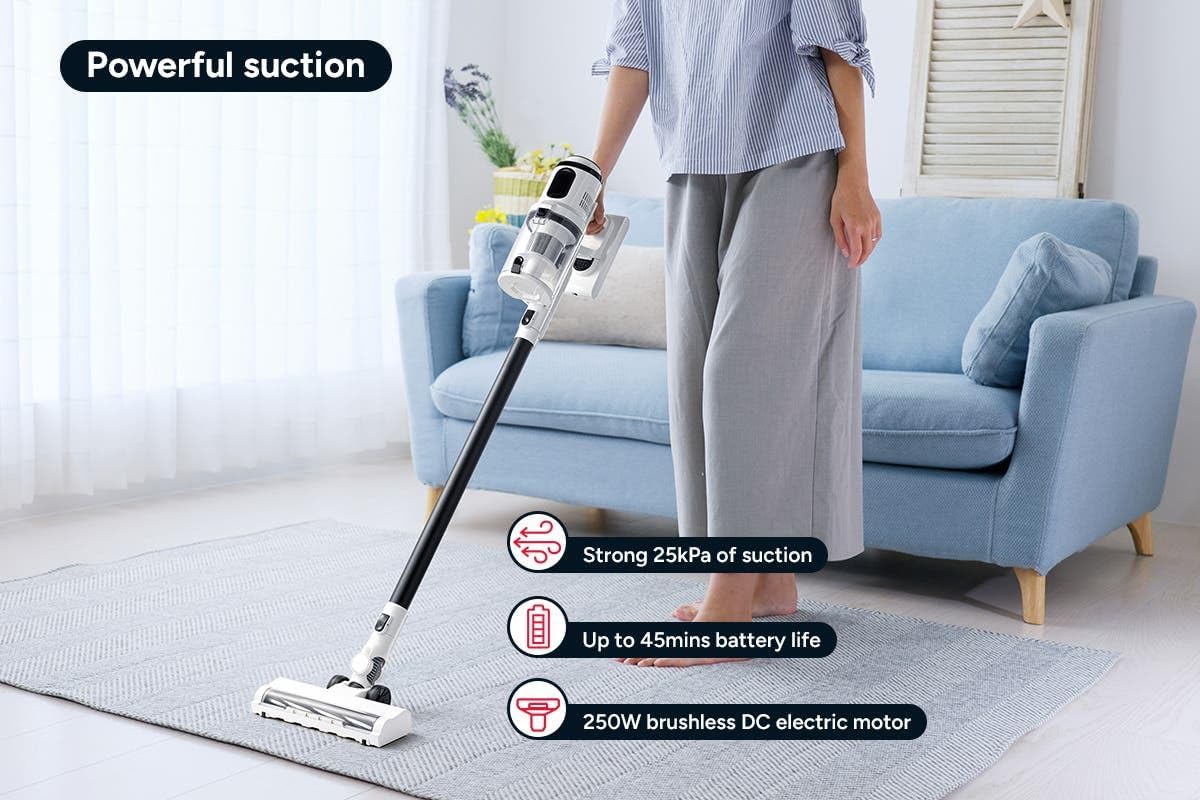
Figure 3: The Kogan MX10 Pro in use, highlighting its powerful 25kPa suction, long battery life, and efficient 250W brushless motor.
Suction Modes & LCD Touchscreen:

Figure 4: The LCD touchscreen provides real-time information on battery level, suction mode, and other operational indicators.
- The LCD touchscreen displays battery status, current suction level, and other relevant information.
- Tap the mode button on the touchscreen to switch between different suction modes (e.g., Eco, Standard, Max).
- The vacuum features dust detection, which automatically adjusts suction power based on the amount of dirt detected.

Figure 5: The brush head detecting dust on a hard floor, demonstrating the automatic suction adjustment feature.
Выкарыстанне ўкладанняў:
- Матарызаваная галоўка шчоткі: Ideal for carpets and hard floors, providing powerful agitation to lift dirt.
- Шчылінны інструмент: Ідэальна падыходзіць для вузкіх шчылін, кутоў і цяжкадаступных месцаў.
- Інструмент-пэндзаль 2 у 1: Use the brush for dusting delicate surfaces or slide the brush back for upholstery and larger debris.
- To change attachments, press the release button on the current attachment and pull it off. Then, push the desired attachment onto the main unit or extension wand until it clicks.
Тэхнічнае абслугоўванне
Рэгулярнае тэхнічнае абслугоўванне забяспечвае аптымальную прадукцыйнасць і падаўжае тэрмін службы вашага пыласоса.
Ачыстка кантэйнера для смецця:
- It is recommended to empty the dust bin after each use or when the MAX fill line is reached.
- Hold the main unit over a rubbish bin.
- Press the dust bin release button to open the bottom flap and allow debris to fall out.
- The ejection mechanism ensures dirt and dust are removed in a singular motion.

Figure 6: Demonstrating the easy bin emptying process by pressing the release button to open the dust bin flap.
Ачышчальныя фільтры:
The Kogan MX10 Pro features a cyclone filter system and a washable HEPA filter to ensure maximum performance and trap fine dust and allergens.

Figure 7: The HEPA filter captures up to 99.97% of fine dust and allergens.
- Twist and pull to remove the filter assembly from the dust bin.
- Аддзяліце HEPA-фільтр і металічны сеткаваты фільтр.
- Rinse the HEPA filter and metal mesh filter under cold running water.
- Allow all filter components to air dry completely for at least 24 hours before reassembling and placing back into the vacuum. Important: Ensure all parts are completely dry before reinstallation to prevent damage.
Чыстка галоўкі шчоткі:
- Перыядычна правярайце галоўку шчоткі на наяўнасць заблытаных валасоў або смецця.
- To remove the brush roll, locate the release tab on the side of the brush head and open it.
- Carefully pull out the brush roll.
- Выкарыстоўвайце нажніцы або інструмент для чысткі, каб абрэзаць і выдаліць любыя заблытаныя валасы або валокны.
- Slide the brush roll back into place and secure the release tab.
Ліквідацыю непаладак
| праблема | Магчымая прычына | Рашэнне |
|---|---|---|
| Вакуум не ўключаецца | Battery not charged; Battery not properly installed; Power button not pressed correctly. | Цалкам зарадзіце акумулятар; пераканайцеся, што акумулятар надзейна замацаваны; націсніце кнопку харчавання. |
| Нізкая магутнасць ўсмоктвання | Dust bin full; Filters clogged; Blockage in nozzle, wand, or hose; Brush roll tangled. | Empty the dust bin; Clean or replace filters; Check for and remove any blockages; Clean the brush roll. |
| Рулон пэндзля не круціцца | Brush roll tangled with hair/debris; Brush roll not properly installed; Obstruction in brush head. | Clean the brush roll; Reinstall brush roll correctly; Remove any obstructions. |
| Акумулятар не зараджаецца | Зарадная прылада падключана няправільна; разетка не працуе; пашкоджана зарадная прылада або акумулятар. | Ensure charger is securely plugged into battery/dock and outlet; Test outlet with another device; Contact Kogan support if charger or battery is damaged. |
Тэхнічныя характарыстыкі
| Асаблівасць | Дэталь |
|---|---|
| Марка | Коган |
| мадэль | MX10 Pro (KAVACSTM10P) |
| Магутнасць ўсмоктвання | 25 кПа |
| Матор | Бесщеточный рухавік магутнасцю 250 Вт |
| акумулятар | 2000mAh Detachable Li-ion |
| Узровень шуму | 80 дБ |
| Тып фільтра | HEPA (Washable) |
| Асаблівасці | Lightweight, Cordless, LCD Touchscreen, Dust Detection, Cyclone Filter System |
| Вага прадмета | 3.47 кг |
| Рэкамендуемая паверхня | Цвёрдая падлога, дыван |
Гарантыя і падтрымка
For warranty information, technical support, or any inquiries regarding your Kogan MX10 Pro Cordless Stick Vacuum Cleaner, please visit the official Kogan website or contact Kogan customer support directly.
You can find more information and contact details on the Kogan store page: Kogan Official Store