1. Уводзіны
The HiFuture Future Zone 2 BT Smartwatch is designed to enhance your daily life by providing convenient access to fitness tracking, communication, and entertainment features directly from your wrist. This manual provides essential information on how to set up, operate, and maintain your new smartwatch.
Key features include step tracking, distance measurement, time and date display, music playback control, an AMOLED touchscreen display, and a seamless Bluetooth calling system. With an impressive 7-day battery life, the Future Zone 2 is built for extended use.
2. Прадукт скончыўсяview
2.1. Асаблівасці
- Адсочванне актыўнасці: Helps you track simple steps, distance traveled, time, and date.
- Кіраванне музыкай: Allows you to control your phone's music player directly from the watch.
- Дысплей: Features a vibrant AMOLED touchscreen display.
- Званкі па Bluetooth: Enables hassle-free communication with a built-in Bluetooth calling system.
- Тэрмін службы батарэі: Offers an impeccable battery that lasts up to 7 days on a single charge.
- Воданепранікальнасць: IP68 certified for water resistance.
- Спартыўныя рэжымы: Supports over 100 sports modes for diverse activity tracking.
2.2. Кампаненты і дысплей

Малюнак 2.2.1: The HiFuture Future Zone2 Smartwatch in silver and white, showcasing its sleek design and vibrant display with activity metrics.
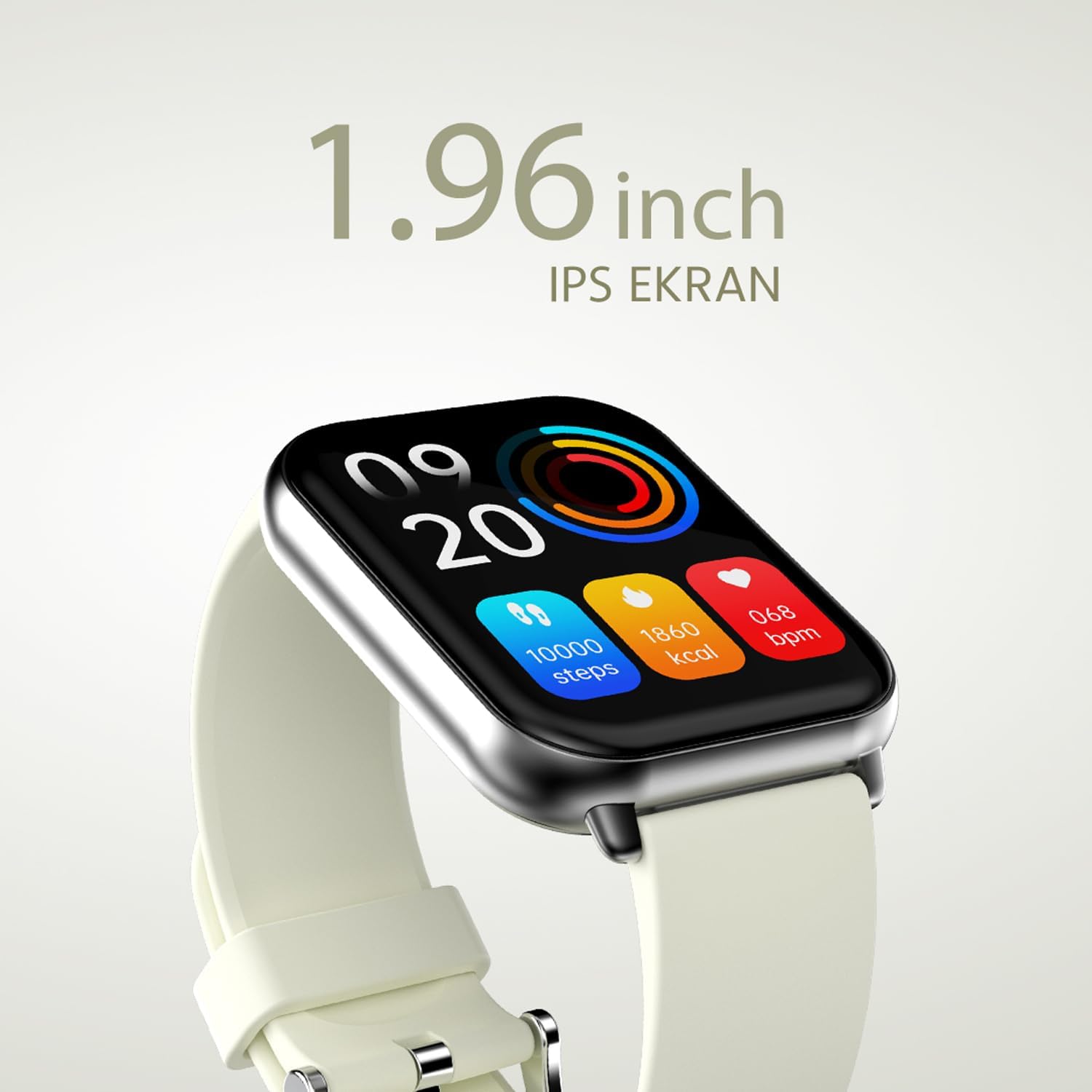
Малюнак 2.2.2: Падрабязны view of the smartwatch display, highlighting its 1.96-inch IPS screen, which offers clear and crisp visuals.

Малюнак 2.2.3: The smartwatch accompanied by icons representing its core features: 1.96-inch IPS screen, wireless connectivity, 7-day battery life, and IP68 water resistance.

Малюнак 2.2.4: The smartwatch surrounded by various sport icons, indicating its support for over 100 different sport modes for comprehensive fitness tracking.
3. Настройка
3.1. Зарадка разумнага гадзінніка
Before first use, fully charge your HiFuture Future Zone2 Smartwatch. Connect the charging cable to the charging port on the back of the watch and plug the USB end into a compatible power adapter (not included) or a computer's USB port. The watch display will indicate charging status. A full charge typically takes approximately 2 hours.
3.2. Спалучэнне са смартфонам
- Спампаваць прыкладанне: Пошук the official HiFuture companion app on your smartphone's app store (Google Play Store for Android or Apple App Store for iOS). Install the app.
- Уключыць Bluetooth: Пераканайцеся, што Bluetooth уключаны на вашым смартфоне.
- Адкрыйце прыкладанне: Launch the HiFuture app and follow the on-screen instructions to create an account or log in.
- Дадаць прыладу: Within the app, navigate to the "Add Device" or "Pair Device" section. The app will search for nearby smartwatches.
- Выберыце свой гадзіннік: Select "HiFuture Future Zone2" from the list of discovered devices.
- Пацвердзіць спалучэнне: A pairing request will appear on both your phone and the smartwatch. Confirm the pairing on both devices.
- Поўная ўстаноўка: Once paired, the app will guide you through initial settings such as personal information, notification preferences, and watch face customization.
Note: For optimal performance, ensure your smartphone's operating system and the smartwatch app are up to date.
4. Інструкцыя па эксплуатацыі
4.1. Базавая навігацыя
- Сэнсарны экран: Swipe left, right, up, or down to navigate through menus and screens. Tap to select an option.
- Бакавая кнопка: Press the side button to return to the home screen or wake up the display. A long press may access power options or a quick menu.
4.2. Bluetooth-званкі
The Future Zone2 Smartwatch supports Bluetooth calling, allowing you to make and receive calls directly from your wrist when connected to your smartphone.
- Уключыць гук выкліку: Ensure that the smartwatch is connected to your phone for both data and call audio. This setting is usually managed within your phone's Bluetooth settings after initial pairing.
- Здзяйсненне званкоў: Access the dialer or contact list on your smartwatch. Tap to dial a number or select a contact to initiate a call.
- Прыём званкоў: Пры паступленні званка гадзіннік адлюстроўвае ідэнтыфікатар абанента. Націсніце зялёны значок, каб адказаць, або чырвоны значок, каб адхіліць званок.
- Падчас званка: You can speak directly into the watch's built-in microphone and listen through its speaker. Options to mute, adjust volume, or transfer the call to your phone may be available on the watch screen.
Малюнак 4.2.1: The smartwatch screen showing a missed call notification, demonstrating its Bluetooth calling capability.
4.3. Кіраванне прайграваннем музыкі
Control your smartphone's music playback directly from your smartwatch.
- Access Music Control: Swipe on your watch face or navigate through the app list to find the "Music" or "Media Control" icon.
- Кіраванне прайграваннем: From this screen, you can play/pause, skip tracks (next/previous), and adjust the volume of the music playing on your connected smartphone.
4.4. Адсочванне актыўнасці
The smartwatch automatically tracks your daily steps, distance, and calories burned. You can view these metrics on the watch display or in the companion app for more detailed insights.
- Штодзённая актыўнасць: The main watch face or a dedicated activity screen will show your current steps, calories, and heart rate (if applicable).
- Спартыўныя рэжымы: Select a specific sport mode (e.g., running, cycling, walking) from the watch's menu before starting an activity for more accurate tracking.
5. Тэхнічнае абслугоўванне
5.1. Чыстка разумнага гадзінніка
- Працярыце экран і корпус гадзінніка мяккай тканінай без ворса.
- Для ўстойлівых плям, dampзлёгку прамакніце тканіну вадой. Пазбягайце выкарыстання агрэсіўных хімікатаў або абразіўных матэрыялаў.
- Перад зарадкай пераканайцеся, што кантакты зараднай прылады чыстыя і сухія.
5.2. Воданепранікальнасць (IP68)
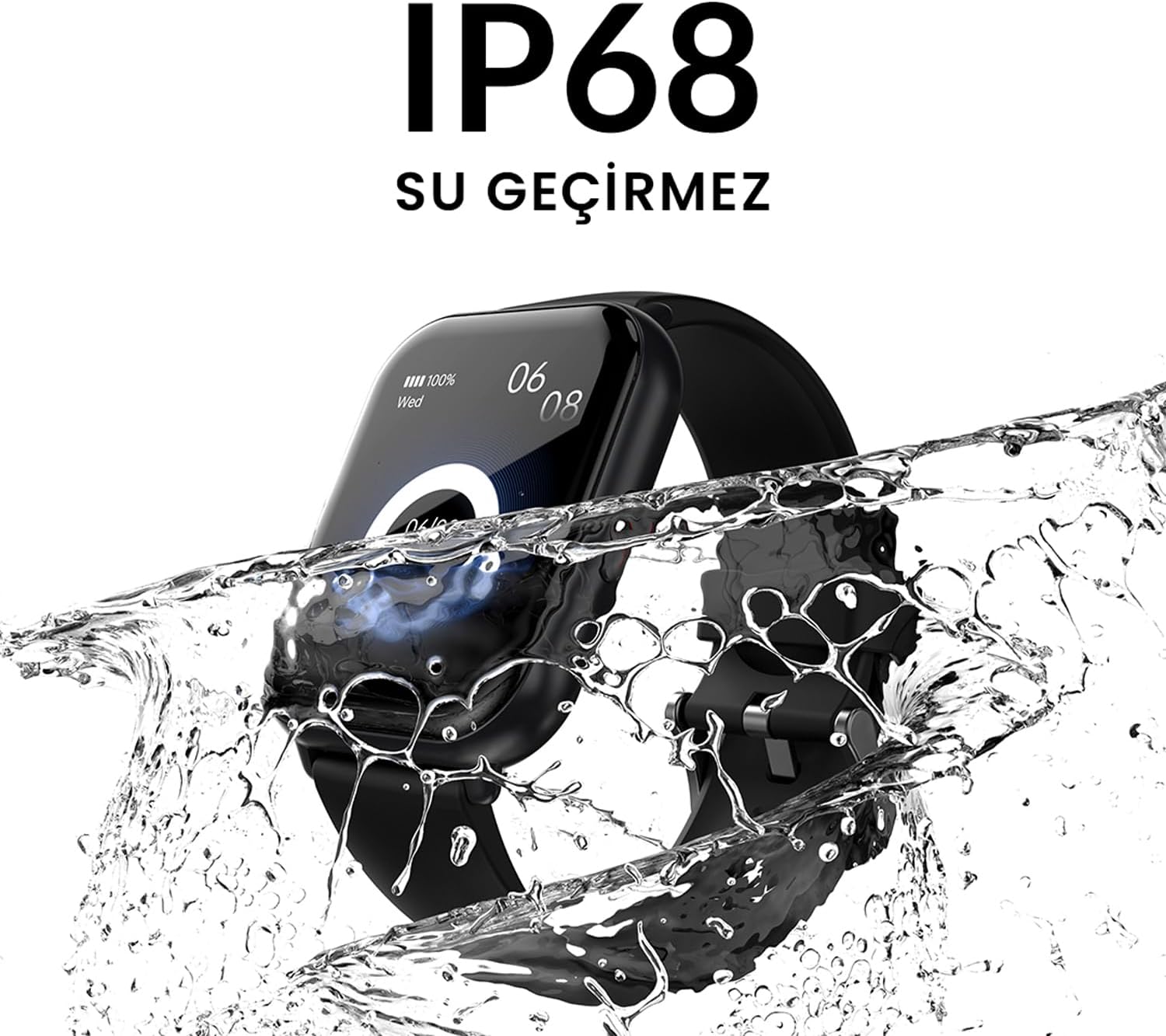
The HiFuture Future Zone2 Smartwatch is IP68 water-resistant, meaning it can withstand immersion in water up to 1.5 meters for up to 30 minutes. It is suitable for daily use, such as hand washing or light rain.
- Do not use the watch for diving, snorkeling, or high-pressure water activities.
- Avoid exposing the watch to hot water, steam, or detergents, as this may compromise its water resistance.
- If the watch gets wet, dry it thoroughly before charging or operating.

Малюнак 5.2.1: The smartwatch shown with water splashing over it, illustrating its IP68 water resistance rating.
5.3. Сыход за батарэяй
- Каб падоўжыць тэрмін службы батарэі, пазбягайце частай поўнай разрадкі батарэі.
- Charge the watch using only the provided charging cable.
- Захоўвайце гадзіннік у прахалодным, сухім месцы, калі ён не выкарыстоўваецца працяглы час.
6. Выпраўленне непаладак
6.1. Распаўсюджаныя праблемы і рашэнні
| выпуск | Магчымая прычына | Рашэнне |
|---|---|---|
| Гадзіннік не ўключаецца | Нізкі зарад батарэі; прылада завісла | Charge the watch for at least 30 minutes. If still unresponsive, perform a forced restart (refer to device-specific instructions, usually a long press of the side button). |
| Немагчыма спалучыць прыладу са смартфонам | Bluetooth выключаны; праблема з праграмай; гадзіннік не бачны | Ensure Bluetooth is on for both devices. Restart both the watch and phone. Clear the app's cache or reinstall it. Make sure the watch is in pairing mode. |
| Не працуе Bluetooth-званок | Incorrect Bluetooth profile; app permissions | Check your phone's Bluetooth settings to ensure the watch is connected for "Calls" or "Phone audio." Verify app permissions for phone calls. |
| Недакладнае адсочванне актыўнасці | Improper wear; software glitch | Ensure the watch is worn snugly on your wrist. Restart the watch. Update the watch firmware via the app if available. |
7. Тэхнічныя характарыстыкі
| Асаблівасць | Дэталь |
|---|---|
| Марка | HiFuture |
| Назва мадэлі | Smartwatch (Future Zone2) |
| Нумар мадэлі | ZONE2 SILVER WHITE |
| Колер | Silver and White (as per product title, though spec says Grey) |
| Памер экрана | 41 Millimeters (1.96 inches IPS) |
| Тэхналогія падлучэння | Bluetooth |
| Асаблівасці | Music Player, Distance Tracker, Bluetooth Calling |
| Сумяшчальныя прылады | Smartphone, Tablet, Other Portable Devices |
| Склад батарэі | Lithium-ion (1 Lithium-polymer battery included) |
| Акумулятарная батарэя | так |
| Воданепранікальнасць | Сертыфікавана IP68 |
| GPS | Няма GPS |
| Форма | квадратны |
| Вытворца | HiFuture Group |
8. Гарантыя і падтрымка
8.1. Гарантыя на прадукт
Specific warranty details for the HiFuture Future Zone2 Smartwatch are typically provided with your purchase documentation or on the manufacturer's official webсайт. Калі ласка, захавайце пацвярджэнне пакупкі для прэтэнзій па гарантыі.
Note: Information regarding guaranteed software updates and spare parts availability is not explicitly provided.
8.2. Падтрымка кліентаў
For technical assistance, troubleshooting beyond this manual, or warranty inquiries, please contact HiFuture customer support through their official webсайт або кантактную інфармацыю, прадстаўленую на ўпакоўцы вашага прадукту.
Вы таксама можаце звярнуцца да product page on Amazon.com.be for additional information and customer reviews.


