Кіраўніцтва карыстальніка бесправадных навушнікаў Zebronics ZEB-PARADISE
Model: ZEB-PARADISE
1. Прадукт скончыўсяview
The Zebronics ZEB-PARADISE is a versatile wireless headphone designed for an immersive audio experience. It features Bluetooth connectivity, an AUX input, Micro SD card support, and an FM radio function, providing multiple ways to enjoy your music and manage calls.

Image 1: Zebronics ZEB-PARADISE Wireless Headphone. This image displays the over-ear design of the headphone, highlighting its sleek appearance and comfortable earcups.
2. Змесціва ўпакоўкі
Калі ласка, пастаўце галачку для наступных пунктаў:
- 1 Unit Headphone
- 1 Unit Charging Cable
- 1 Unit Aux Cable
- 1 Unit User Manual
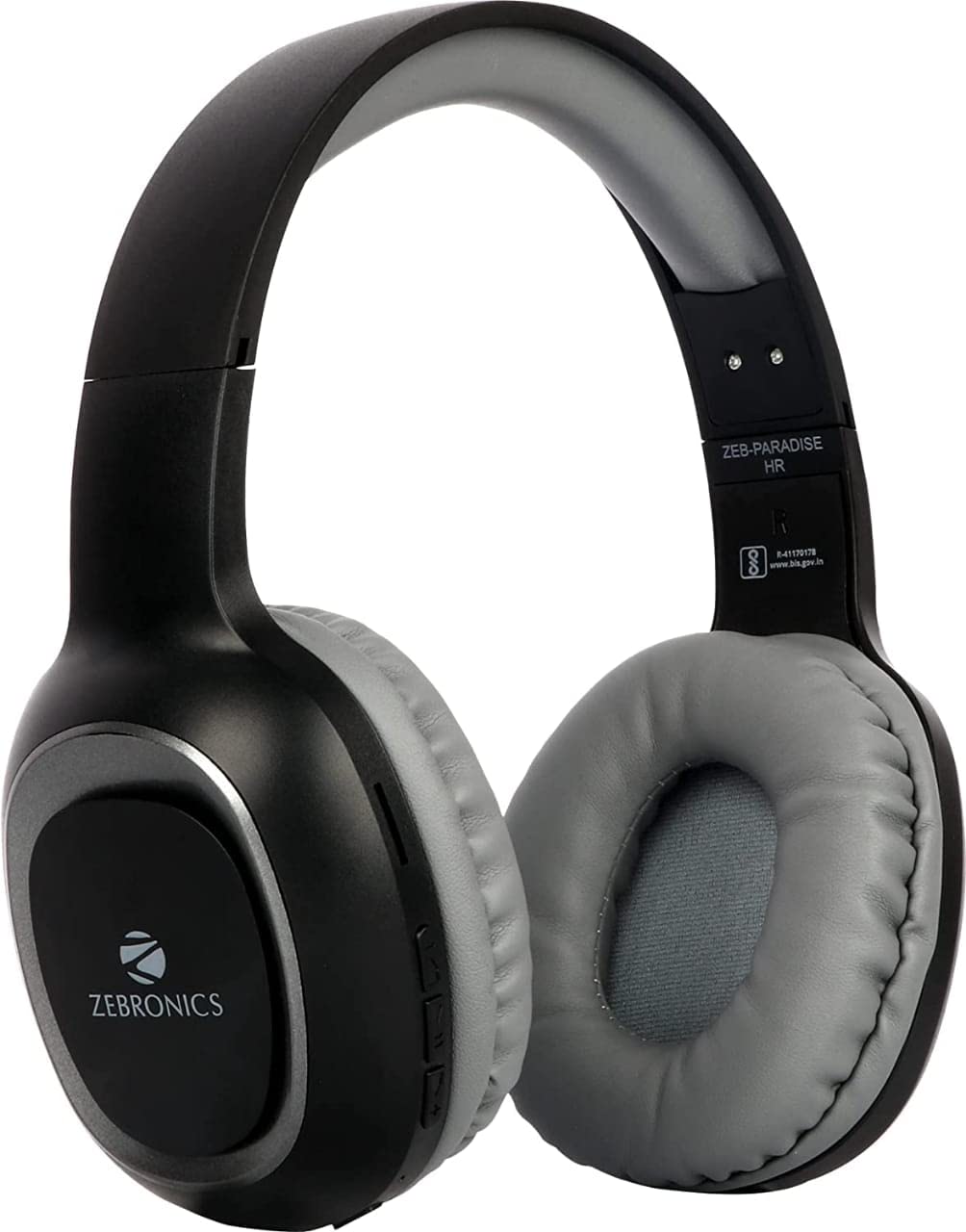
Image 2: Packaging of the Zebronics ZEB-PARADISE Wireless Headphone. This image shows the product box, detailing the package contents and key features printed on the packaging.
3. Інфармацыя па бяспецы
Увага:
Please be aware of your surroundings while using the headphone. Constant exposure to high volume may damage your hearing. Please use the headphone at moderate volume to protect your ears.
4. Асноўныя магчымасці
- Падключэнне Bluetooth v4.2
- AUX Input for Wired Connection
- Micro SD Card Support for MP3 Playback
- Функцыя FM-радыё
- Call Function with Built-in Microphone
- Media Volume Control
- Dual Pairing Capability
- 40mm Audio Drivers
- Убудаваная акумулятарная батарэя
- Падтрымка хуткай зарадкі
5. Настройка
5.1 Charging the Headphone
- Connect the provided USB charging cable to the charging port on the headphone.
- Падключыце другі канец USB-кабеля да адаптара харчавання USB (не ўваходзіць у камплект) або да USB-порта кампутара.
- Святлодыёдны індыкатар загарыцца, каб паказаць стан зарадкі. Звычайна ён выключаецца або змяняе колер пасля поўнай зарадкі.
5.2 Спалучэнне па Bluetooth
- Ensure the headphone is fully charged.
- Press and hold the Power button on the headphone until the LED indicator flashes blue and red, indicating pairing mode.
- On your smartphone or Bluetooth-enabled device, go to the Bluetooth settings and search for available devices.
- Select "ZEB-PARADISE" from the list of found devices.
- Once paired, the LED indicator will flash blue slowly or remain solid blue.
5.3 Using the AUX Cable
- Connect one end of the provided 3.5mm AUX cable to the AUX input port on the headphone.
- Connect the other end of the AUX cable to the 3.5mm audio output jack of your audio device.
- The headphone will automatically switch to AUX mode.
6. Інструкцыя па эксплуатацыі
6.1 Асноўныя элементы кіравання
- Уключэнне/выключэнне харчавання: Націсніце і ўтрымлівайце кнопку харчавання.
- Прайграванне/Паўза: Націсніце кнопку Play/Pause адзін раз.
- Узмацненне гучнасці/наступны трэк: Press the Volume Up (+) button to increase volume. Press and hold to skip to the next track.
- Паменшыць гучнасць/Папярэдні трэк: Press the Volume Down (-) button to decrease volume. Press and hold to go to the previous track.
- Пераключальнік рэжымаў: Press the 'M' button to switch between Bluetooth, FM Radio, and Micro SD modes.
6.2 Функцыя выкліку
- Адказаць на званок: Націсніце кнопку прайгравання/паўзы адзін раз, калі паступае званок.
- Завяршыць выклік: Націсніце кнопку прайгравання/паўзы адзін раз падчас размовы.
- Адхіліць выклік: Націсніце і ўтрымлівайце кнопку прайгравання/паўзы на працягу 2 секунд, калі паступае званок.
- Паўторны набор апошняга нумара: Двойчы націсніце кнопку Прайграванне/Паўза.
6.3 Рэжым FM-радыё
- Switch to FM Radio mode using the 'M' button.
- Press the Play/Pause button once to auto-scan and save available FM channels.
- Use the Volume Up (+) and Volume Down (-) buttons to navigate between saved channels.
6.4 Прайграванне з карты Micro SD
- Insert a Micro SD card (with MP3 files) into the designated slot on the headphone.
- Switch to Micro SD mode using the 'M' button.
- Music playback will start automatically. Use the control buttons for play/pause, next/previous track, and volume adjustment.
7. Тэхнічнае абслугоўванне
- Clean the headphone with a soft, dry cloth. Do not use harsh chemicals or abrasive materials.
- Avoid exposing the headphone to extreme temperatures, humidity, or direct sunlight.
- Store the headphone in a cool, dry place when not in use.
- Do not attempt to disassemble or repair the headphone yourself, as this will void the warranty.
8. Выпраўленне непаладак
- Няма харчавання: Ensure the headphone is fully charged. Connect it to a power source using the charging cable.
- Немагчыма падключыць праз Bluetooth: Make sure the headphone is in pairing mode (flashing blue and red LED). Ensure Bluetooth is enabled on your device and it is within range. Try restarting both devices.
- Няма гуку: Check the volume level on both the headphone and your connected device. Ensure the correct mode (Bluetooth, AUX, SD) is selected. If using AUX, ensure the cable is fully inserted.
- FM-радыё не працуе: Ensure you are in an area with good FM signal. Perform an auto-scan to save channels.
- Карта Micro SD не прайграваецца: Ensure the Micro SD card is inserted correctly and contains compatible audio file(напрыклад, MP3).
9. Тэхнічныя характарыстыкі
| Асаблівасць | Спецыфікацыя |
|---|---|
| мадэль | ЗЭБ-РАЙ |
| Сувязь | Бесправадная сувязь (Bluetooth версіі 4.2) |
| Уключаныя кампаненты | Headphone, Charging Cable, Aux Cable, User Manual |
| Вадзіцелі | 40 мм |
| акумулятар | Убудаваны акумулятар |
| Асаблівасці | FM Radio, Micro SD Card Support, Call Function, Media Volume Control, Dual Pairing, Fast Charging |
| Раз'ём для навушнікаў | 3.5 мм Jack |
| Формаў-фактар | Над вухам |
| Колер | Чорны |
| Вытворца | Zebronics India Private Limited |
10. Гарантыя і падтрымка
10.1 Інфармацыя аб гарантыі
This product comes with a standard manufacturer's warranty. Please refer to the warranty card included in your package or contact customer support for detailed warranty terms and conditions.
10.2 Падтрымка кліентаў
For any complaints, feedback, or support inquiries, please contact:
Consumer Care Executive
Адрас: ZEBRONICS INDIA PRIVATE LIMITED, NO. 118, POONAMALLEE HIGH ROAD, CHENNAI-600084.
тэлефон: 044-4000 0004
электронная пошта: ENQUIRY@ZEBRONICS.COM
Вы таксама можаце наведаць чыноўніка webсайт: www.zebronics.com


