1. Уводзіны
This manual provides instructions for the safe and efficient operation of your Hama 8-inch LED Ring Light with Tripod and Mobile Phone Holder. This device is designed to provide adjustable illumination for photography, video conferencing, streaming, and other applications requiring enhanced lighting.
Please read these instructions thoroughly before first use and keep them for future reference. Always observe all safety warnings and instructions.
2. Інструкцыі па тэхніцы бяспекі
- Не выкарыстоўвайце прыладу, калі яна мае бачныя пашкоджанні.
- Беражыце выраб ад бруду, вільгаці і перагрэву.
- Не кідайце выраб і не падвяргайце яго моцным ударам.
- Ні ў якім разе не змяняйце прадукт. Гэта анулюе гарантыю.
- Захоўвайце гэты прадукт, як і ўсе электрычныя вырабы, у месцах, недаступных дзецям.
- Выкарыстоўвайце выраб толькі па прызначэнні.
- Only use the product in moderate climatic conditions.
- Не выкарыстоўвайце выраб у непасрэднай блізкасці ад абагравальнікаў або іншых крыніц цяпла.
- Падчас навальніцы адключайце прадукт ад электрасеткі.
3. Змесціва ўпакоўкі
Праверце, ці ёсць усе пералічаныя ніжэй прадметы ў наяўнасці і ў добрым стане:
- 1x LED Ring Light "SpotLight Smart 80 II" with cable remote control
- 1x Gooseneck with smartphone holder
- 1x Cold shoe to 1/4" adapter
- 1x Table tripod with head adapter
- 1x кіраўніцтва карыстальніка

Малюнак 3.1: Усе кампаненты ўключаны ў камплект.
4. Настройка
- Збярыце штатыў: Extend the legs of the table tripod to a stable position. The tripod height can be adjusted from 13.5 cm to 17.5 cm.
- Прымацуеце кальцавую лямпу: Screw the LED ring light onto the head adapter of the table tripod. Ensure it is securely fastened. The ring light can be rotated and tilted on the tripod ball head.
- Install the Gooseneck and Phone Holder: Attach the gooseneck with the smartphone holder to one of the available 1/4" connections on the ring light. The gooseneck allows for flexible positioning of your smartphone.
- Insert Smartphone: Акуратна адчыніце клamp spring holder and insert your smartphone. The holder accommodates phones from 6.0 cm to 8.0 cm wide. Rubber inserts protect your phone from scratches.
- Падключыце харчаванне: Plug the USB-A cable from the ring light into a compatible USB power source (e.g., laptop, power bank, USB wall adapter). The cable length is 1.9 meters.
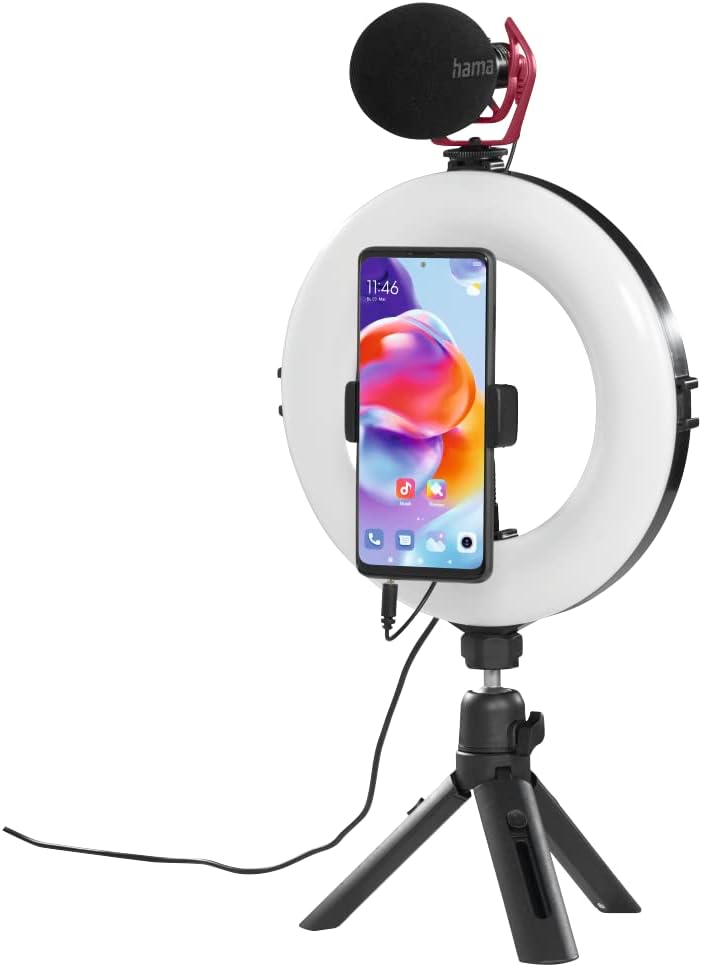
Малюнак 4.1: Assembled ring light with smartphone and optional microphone.
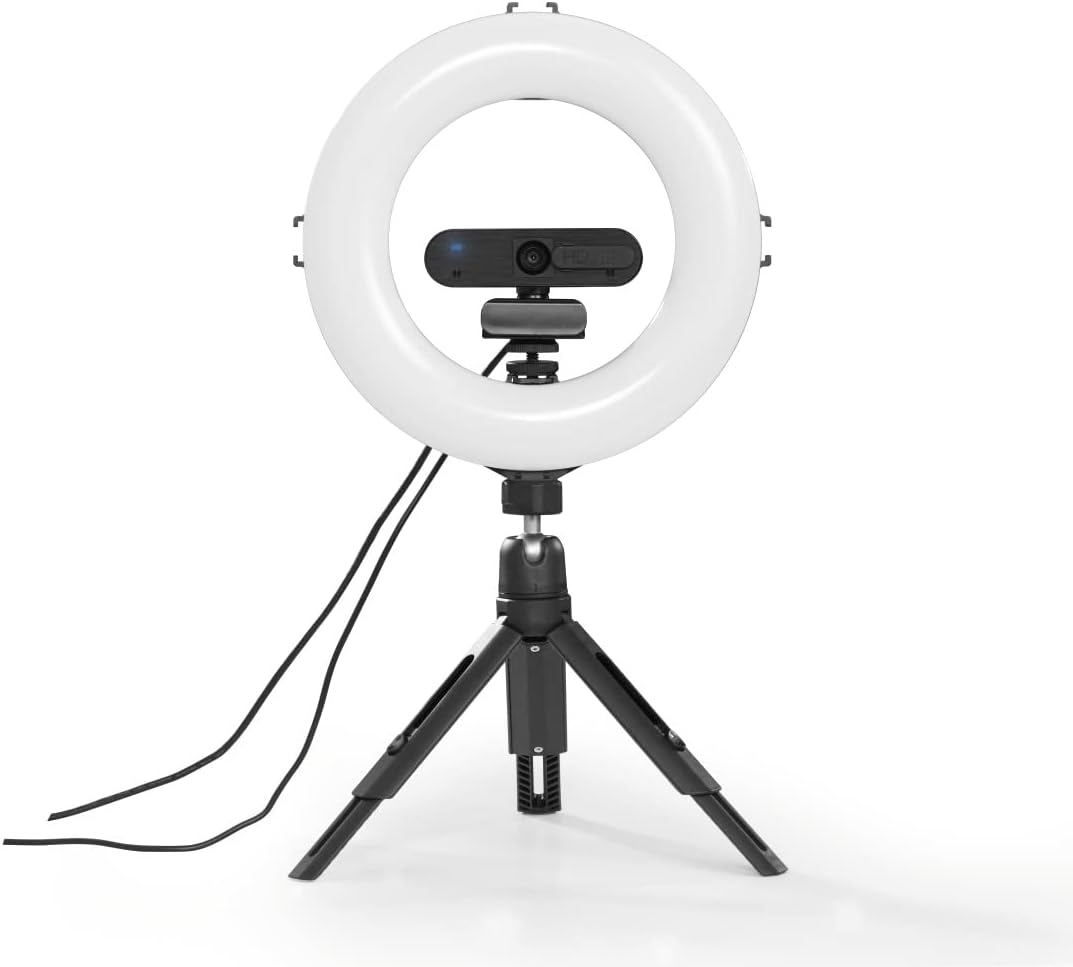
Малюнак 4.2: Ring light with a webcam, demonstrating accessory mounting options.
5. Інструкцыя па эксплуатацыі
The ring light is controlled via the integrated cable remote control.

Малюнак 5.1: In-line remote control for the ring light.
- Уключэнне/выключэнне харчавання: Націсніце Уключэнне/Выключэнне button to turn the ring light on or off.
- Наладзіць яркасць: Выкарыстоўвайце + і - buttons to increase or decrease the light intensity. There are 10 dimmable levels.
- Змена каляровай тэмпературы: Націсніце Рэжым button (usually indicated by a circular arrow or color temperature icon) to cycle through the three available color temperature settings: warm white, neutral white, and daylight bright (2100K/3000K/5500K).
- пазіцыянаванне: Adjust the gooseneck and ball head to achieve the desired angle and orientation for your smartphone or camera, whether portrait or landscape.

Малюнак 5.2: Example of the ring light in use for personal grooming or content creation.
6. Тэхнічнае абслугоўванне
- Чысціце гэты прадукт толькі злёгку damp, тканінай без ворса і не выкарыстоўвайце агрэсіўныя якія чысцяць сродкі.
- Ensure no water enters the product.
- Store the product in a clean, dry place away from direct sunlight when not in use.
7. Выпраўленне непаладак
| праблема | Магчымая прычына | Рашэнне |
|---|---|---|
| Не ўключаецца лямпачка кальца. | Адсутнічае сілкаванне або дрэннае злучэнне. | Ensure the USB cable is securely connected to a working USB power source. Try a different USB port or power adapter. |
| Light intensity or color temperature cannot be adjusted. | Remote control malfunction or incorrect button press. | Ensure the remote control buttons are pressed firmly. If the issue persists, contact customer support. |
| Smartphone is not stable in the holder. | Smartphone width exceeds holder capacity or not properly secured. | Ensure your smartphone's width is between 6.0 cm and 8.0 cm. Re-insert the phone, ensuring it is firmly gripped by the clamp. |
8. Тэхнічныя характарыстыкі
| Асаблівасць | Дэталь |
|---|---|
| Нумар мадэлі | 00004657 |
| Ring Light Diameter (Outer) | 21 см (8 цалі) |
| Колькасць святлодыёдаў | 96 |
| Функцыя рэгулявання яркасці | 10 узроўняў |
| Каляровая тэмпература | 2100K (warm white), 3000K (neutral white), 5500K (daylight bright) |
| Макс. Прасвет | 950 лм |
| Tripod Height (Adjustable) | Ад 13.5 см да 17.5 см |
| Даўжыня гусінай шыі | 9.5 см |
| Шырыня трымальніка для смартфона | 6.0 см - 8.0 см |
| Тэхналогія падлучэння | USB |
| Даўжыня кабеля | 190 см (1.9 м) |
| Знешні блок харчавання | USB 5V/1.8A |
| Памеры прадукту | 10.24 х 9.84 х 1.97 цалі (26 х 25 х 5 см) |
| Вага прадмета | 1.31 фунта (прыблізна 0.59 кг) |
9. Гарантыя і падтрымка
Hama GmbH & Co.
Каб атрымаць тэхнічную падтрымку або прэтэнзіі па гарантыі, звярніцеся ў мясцовую службу падтрымкі кліентаў Hama або наведайце афіцыйны сайт Hama. webсайт для атрымання дадатковай інфармацыі.


