Уводзіны
Thank you for choosing the ROYQUEEN G30 Mini Waterproof Bluetooth Speaker. This manual provides essential information for setting up, operating, and maintaining your speaker to ensure optimal performance and longevity. The G30 speaker is designed for portability and durability, offering rich bass and HD stereo sound for various environments, including home, beach, shower, and outdoor travel.

Малюнак 1: Спераду view of the ROYQUEEN G30 Mini Waterproof Bluetooth Speaker.
Што ў скрынцы
Калі ласка, праверце змесціва пакета, каб пераканацца ў наяўнасці ўсіх прадметаў:
- ROYQUEEN G30 Speaker
- карабін
- Зарадны кабель Type-C
- Кіраўніцтва карыстальніка
Асаблівасці прадукту
1. Professional Studio Sound Quality with TWS
The ROYQUEEN G30 speaker incorporates anti-breaking sound technology to deliver clear and powerful audio. For an immersive 360° surrounding stereo sound experience, two G30 speakers can be paired using the True Wireless Stereo (TWS) function.
Video 1: Demonstration of the ROYQUEEN G30's sound quality and compact size.
2. IP66 Waterproof and Dustproof Design
Engineered with an IP66 rating, the G30 speaker is highly resistant to dust and water splashes, making it ideal for outdoor use. It is also drop-proof, providing robust durability for adventures. Avoid prolonged submersion in water.

Figure 2: The ROYQUEEN G30 speaker demonstrating its IP66 waterproof capability.
Video 2: Visual demonstration of the ROYQUEEN G30's IP66 waterproof feature.
3. Lightweight and Portable Design
Weighing only 190g, the G30 is a palm-sized speaker designed for ultimate portability. It includes a clip hook, allowing it to be easily attached to bikes, backpacks, or zippers, making it a perfect companion for travel and outdoor activities.
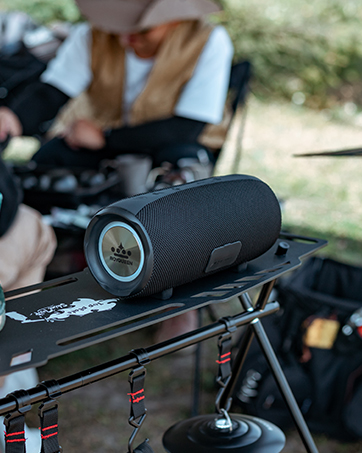
Figure 3: The compact size of the ROYQUEEN G30 speaker, easily held in one hand.
Video 3: The ROYQUEEN G30 speaker shown in various travel and outdoor settings, highlighting its portability.
4. Bluetooth 5.0 and Multiple Playback Modes
Equipped with the latest Bluetooth 5.0 technology, the G30 ensures stable and hassle-free connectivity up to 33 feet (10 meters) with most Bluetooth-enabled devices. In addition to Bluetooth, it supports Micro SD cards (up to 32GB) for MP3 and WAV audio formats, offering versatile playback options.

Figure 4: The ROYQUEEN G30 speaker highlighting its Bluetooth 5.0 and Micro SD card capabilities.
5. Long Playtime and Power Saving
The built-in 2000 mAh lithium-ion battery provides up to 20 hours of playtime (at 50% volume), ensuring your music lasts from day to night. The speaker also features an automatic power-off function after 10 minutes of no connection in Bluetooth mode to conserve battery life.

Figure 5: The ROYQUEEN G30 speaker emphasizing its long battery life.
Кіраўніцтва па ўстаноўцы
1. Зарадка дынаміка
Before first use, fully charge the speaker. Connect the provided Type-C charging cable to the charging port on the speaker and the other end to a USB power source (e.g., wall adapter, computer USB port). The charging time is approximately 3 hours.

Figure 6: Location of the Type-C charging port on the ROYQUEEN G30 speaker.
2. Уключэнне / выключэнне харчавання
To power on the speaker, press and hold the power button located on the top panel until you hear an audible prompt. To power off, press and hold the power button again.
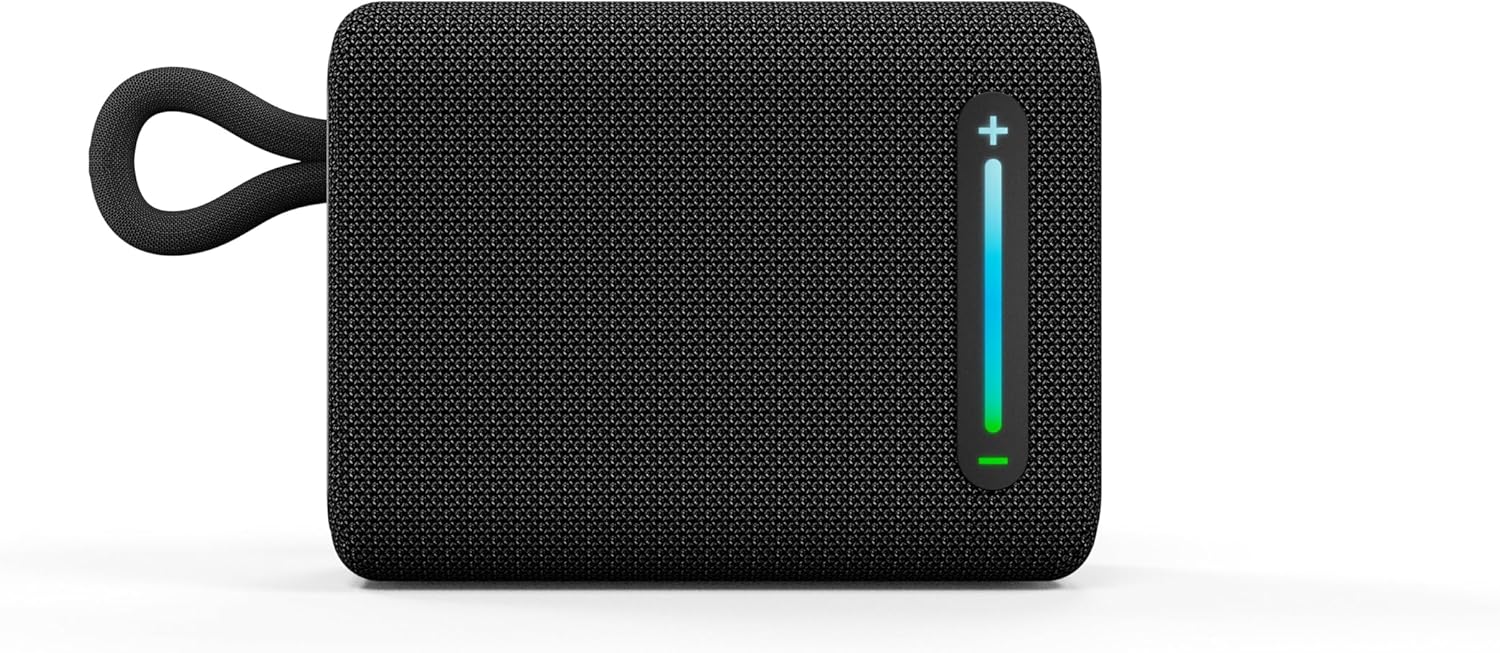
Figure 7: Top panel of the ROYQUEEN G30 speaker with power and playback controls.
3. Спарванне Bluetooth
Upon powering on, the speaker will automatically enter Bluetooth pairing mode, indicated by a flashing LED light. On your device (smartphone, tablet, laptop), enable Bluetooth and select "ROYQUEEN G30" from the list of available devices. Once connected, you will hear a confirmation tone.
4. Падключэнне TWS (сапраўднае бесправадное стэрэа)
To achieve a true stereo sound experience, you can pair two ROYQUEEN G30 speakers together:
- Power on both G30 speakers and ensure they are in Bluetooth mode (not connected to any device).
- On one of the speakers, press and hold the "+" and "-" buttons simultaneously until you hear a "TWS paired" voice prompt. The speakers will automatically connect to each other.
- Once TWS is established, connect your device to one of the speakers (e.g., "ROYQUEEN G30") via Bluetooth. Both speakers will now play audio in stereo.
Video 4: Step-by-step guide on how to connect two ROYQUEEN G30 speakers using TWS function.
5. Прайграванне з карты Micro SD
Insert a Micro SD card (up to 32GB, formatted with MP3/WAV files) into the Micro SD card slot located under the rubber flap on the top panel. The speaker will automatically switch to Micro SD card playback mode.
Інструкцыя па эксплуатацыі
The ROYQUEEN G30 speaker features intuitive controls for easy operation:
- Рэгулятар гучнасці: Press and hold the "+" button to increase volume. Press and hold the "-" button to decrease volume.
- Упраўленне дарожкай: Short press the "+" button to skip to the next track. Short press the "-" button to go to the previous track.
- Прайграванне/Паўза: Short press the Play/Pause button (triangle icon) to play or pause audio.
- Апрацоўка выклікаў: If connected to a smartphone, the speaker can be used for calls. Short press the Play/Pause button to answer or end a call. Press and hold the Play/Pause button to reject an incoming call.

Figure 8: Side control buttons for volume and track navigation.
Тэхнічнае абслугоўванне
- Уборка: Працярыце дынамік мяккім, damp тканіна. Не выкарыстоўвайце агрэсіўныя хімікаты або абразіўныя ачышчальнікі.
- Воданепранікальны догляд: Ensure the rubber flap covering the charging port is securely closed when not charging, especially when near water, to maintain its IP66 rating.
- захоўванне: Захоўвайце дынамік у прахалодным, сухім месцы, удалечыні ад прамых сонечных прамянёў і экстрэмальных тэмператур.
- Сыход за батарэяй: Каб падоўжыць тэрмін службы батарэі, пазбягайце частай поўнай разрадкі дынаміка. Рэгулярна зараджайце яго, нават калі ён не выкарыстоўваецца працяглы час.
Ліквідацыю непаладак
| праблема | Магчымая прычына | Рашэнне |
|---|---|---|
| Дынамік не ўключаецца. | Нізкі акумулятар. | Цалкам зарадзіце дынамік. |
| Немагчыма падключыцца праз Bluetooth. | Speaker is not in pairing mode or already connected. Device Bluetooth is off. | Ensure speaker is in pairing mode (flashing LED). Turn off and on device Bluetooth. Forget previous connections. |
| Няма гуку або нізкі ўзровень гучнасці. | Volume too low on speaker or device. Speaker not connected. | Павялічце гучнасць як на дынаміку, так і на падлучанай прыладзе. Зноў падключыце дынамік. |
| Памылка спалучэння TWS. | Дынамікі занадта далёка адзін ад аднаго або ўжо падключаны да прылады. | Ensure both speakers are powered on and not connected to any device. Place them close together during TWS pairing. |
Тэхнічныя характарыстыкі
| Назва мадэлі | RQ-G30 |
| Версія Bluetooth | 5.0 |
| Далёкасць бесправадной сувязі | Да 33 футаў (10 метраў) |
| Рэйтынг воданепранікальнасці | IP66 |
| Ёмістасць батарэі | Літый-іённы 2000 мАг |
| Час гульні | Да 20 гадзін (пры гучнасці 50%) |
| Час зарадкі | Прыбл. 3 гадзіны |
| Выхад на дынамік | 5 ват |
| Памеры прадукту | 3" Г x 3.9" Ш x 2" У |
| Вага прадмета | 190 грам (6.7 унцый) |
| Падтрымка карт Micro SD | Up to 32GB (MP3, WAV) |
Гарантыя і падтрымка
The ROYQUEEN G30 speaker comes with a limited warranty. For detailed warranty information, technical support, or customer service inquiries, please refer to the contact information provided on the product packaging or visit the official ROYQUEEN website. You can also refer to the digital user manual available at https://manuals.plus/m/bd7b320bf6abeea897114dc71ce6c3bf4c87e3f146eae76d010d1823f0ba7673.


