Уводзіны
This manual provides essential instructions for the safe and efficient operation of your Hama TH50 Thermo/Hygrometer. This device is designed to accurately measure and display indoor temperature and humidity levels. Please read this manual thoroughly before using the device and keep it for future reference.
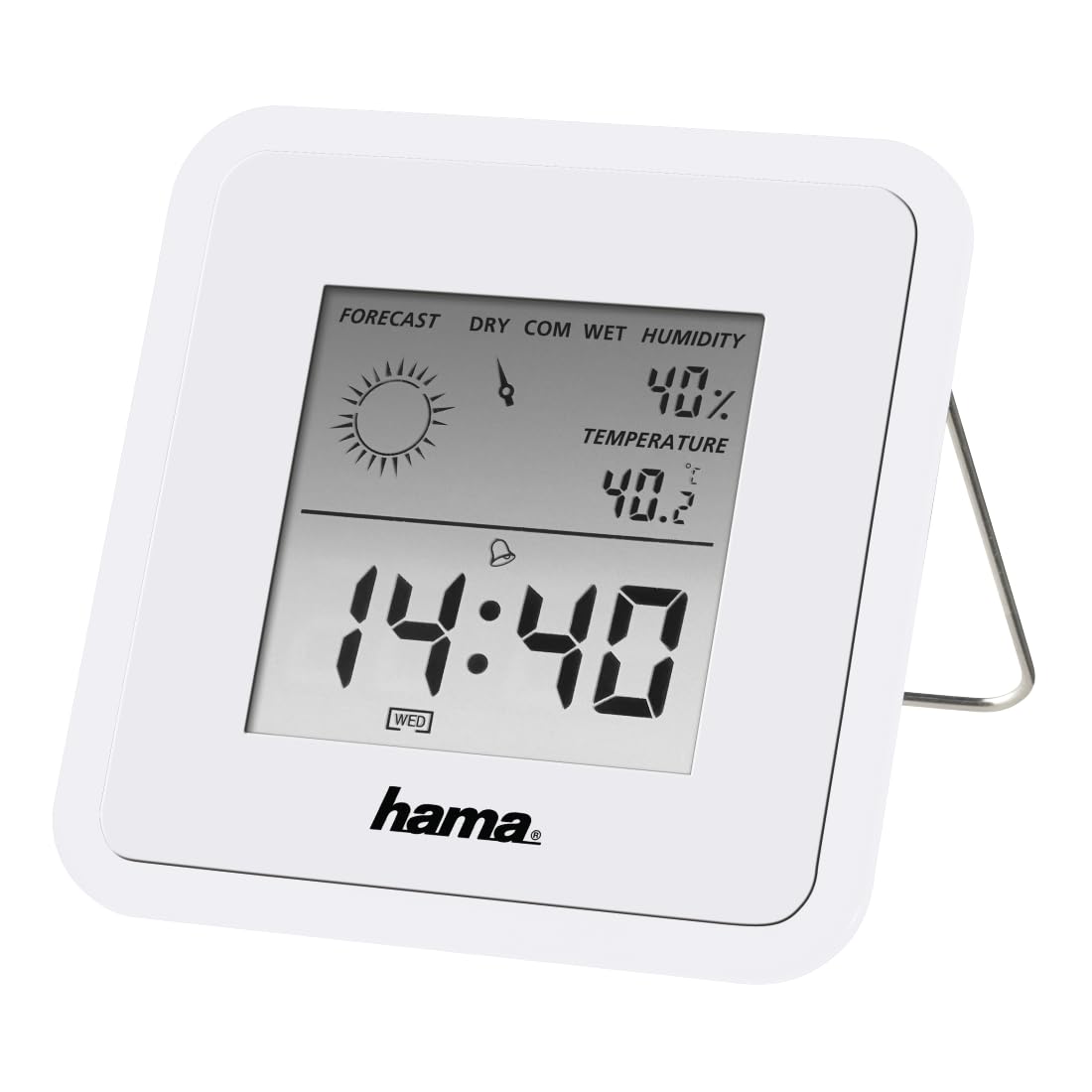
Image: The Hama TH50 Thermo/Hygrometer, a compact white device displaying digital temperature and humidity readings.
Інструкцыі па тэхніцы бяспекі
- Не падвяргайце прыладу ўздзеянню экстрэмальных тэмператур, прамых сонечных прамянёў або высокай вільготнасці.
- Не кідайце прыладу і не падвяргайце яе моцным ударам.
- Не адкрывайце прыладу casing or attempt to repair it yourself. Refer all servicing to qualified personnel.
- Захоўвайце прыладу ў месцах, недаступных дзецям.
- Утылізуйце батарэі ў адпаведнасці з мясцовымі правіламі.
Змест пакета
Калі ласка, праверце наяўнасць усіх прадметаў і іх стан:
- Hama TH50 Thermo/Hygrometer
- 1 Lithium Metal Battery (pre-installed or separate)
- Гэтая Інструкцыя па эксплуатацыі
Настройка
1. Устаноўка батарэі
The Hama TH50 requires one Lithium Metal battery for operation. If the battery is not pre-installed, follow these steps:
- Знайдзіце вечка батарэйнага адсека на задняй панэлі прылады.
- Адкрыйце крышку батарэйнага адсека.
- Insert the Lithium Metal battery, ensuring the correct polarity (+/-) as indicated inside the compartment.
- Надзейна зачыніце крышку батарэйнага адсека.
2. размяшчэнне
The Hama TH50 is designed for tabletop mounting. For accurate readings, place the device in a central location within the room, away from direct heat sources, air conditioning vents, or open windows that could affect temperature and humidity measurements.

Image: The Hama TH50 Thermo/Hygrometer displayed on a small table in a modern living room setting, demonstrating typical placement.
Кіраванне прыладай
Адлюстраванне інфармацыі
Once the battery is installed, the device will automatically power on and begin displaying the current temperature and humidity. The display typically shows:
- тэмпература: Measured in degrees Celsius (°C). The accuracy is ±1°C.
- Вільготнасць: Measured as a percentagе (%).
- Час: The current time may also be displayed, depending on the model's features.
There are no user-adjustable settings or buttons on this model for changing units or modes. The device operates automatically.
Тэхнічнае абслугоўванне
Уборка
To clean the device, use a soft, dry, lint-free cloth. Do not use abrasive cleaners, solvents, or chemical agents, as these can damage the display or casing. Avoid getting moisture into the device.
Замена батарэі
When the display becomes dim or the readings appear inaccurate, it may be time to replace the battery. Follow the battery installation steps outlined in the "Setup" section to replace the Lithium Metal battery. Ensure proper disposal of the old battery.
Ліквідацыю непаладак
| праблема | Магчымая прычына | Рашэнне |
|---|---|---|
| Device does not power on / Display is blank. | Battery is not installed or is depleted. Incorrect battery polarity. | Check battery installation and polarity. Replace with a new Lithium Metal battery if necessary. |
| Няправільныя паказанні тэмпературы/вільготнасці. | Device placed near heat sources, vents, or in direct sunlight. Battery low. | Relocate the device to a more central and stable environment. Replace the battery. |
| Дысплей цьмяны. | Нізкі зарад батарэі. | Replace the Lithium Metal battery. |
Тэхнічныя характарыстыкі
- Нумар мадэлі: 00186371
- Марка: Хама
- Памеры прадукту: 10.5 х 8.6 х 3.2 см
- Вага прадмета: 66 грам
- Колер: Белы
- Тып мацавання: Стальніца
- Дакладнасць паказанняў тэмпературы: ±1°C
- батарэі: 1 літый-металічная батарэя (у камплекце)
Гарантыя і падтрымка
Hama provides a limited warranty for this product. For detailed warranty information, technical support, or service inquiries, please refer to the official Hama webсайт або звярніцеся ў службу падтрымкі кліентаў. Захоўвайце чэк аб куплі як пацверджанне пакупкі.
Заўвага: Характарыстыкі і знешні выгляд прадукту могуць быць зменены без папярэдняга паведамлення.


