1. Giriş
Thank you for choosing the LG 34 Inch UltraWide WQHD Curved Monitor. This manual provides essential information for the safe and efficient use of your new monitor. Please read it thoroughly before operating the device and keep it for future reference.
Paketin məzmunu
- LG 34 Inch UltraWide Curved Monitor
- Monitor Stend (Baza və Boyun)
- Elektrik kabeli
- HDMI Kabel
- DisplayPort Kabel
- USB-C kabeli
- İstifadəçi təlimatı və Zəmanət kartı
2. Əsas Xüsusiyyətlər
- 34-inch WQHD UltraWide Curved Display: Expansive 21:9 screen (3440 x 1440) for enhanced productivity and immersive viewing.
- HDR Display with 99% sRGB: Delivers vibrant, natural colors and distinct image layers, supporting HDR brightness performance.
- 120Hz Yüksək Təzələmə Sürəti: Ensures fluid scrolling and dynamic content for a comfortable visual experience.
- 5ms (GTG) Response Time: Provides quick pixel response for smooth motion.
- LG Switch for Multitasking & Eye Care: Enables quick split-screen functionality, customizable layouts, and Reader Mode to reduce eye strain.
- Tənzimlənən dayaq: Supports height, tilt, and swivel adjustments for optimal viewbucaqlar.
- Quraşdırılmış Dinamiklər: Integrated audio for convenience.
- Çoxsaylı Bağlantı Seçimləri: Includes DisplayPort and HDMI inputs.
3. Quraşdırma
3.1 Stendin yığılması
Carefully remove the monitor and stand components from the packaging. Follow the instructions below to attach the stand to the monitor.
- Cızıqların qarşısını almaq üçün monitoru üzü aşağı olan yumşaq, təmiz səthə qoyun.
- Dəstək boyunu monitorun arxa panelinə bağlayın. Onun təhlükəsiz şəkildə yerinə oturduğundan əmin olun.
- Attach the stand base to the bottom of the stand neck. Tighten the screw(s) firmly to secure the base.
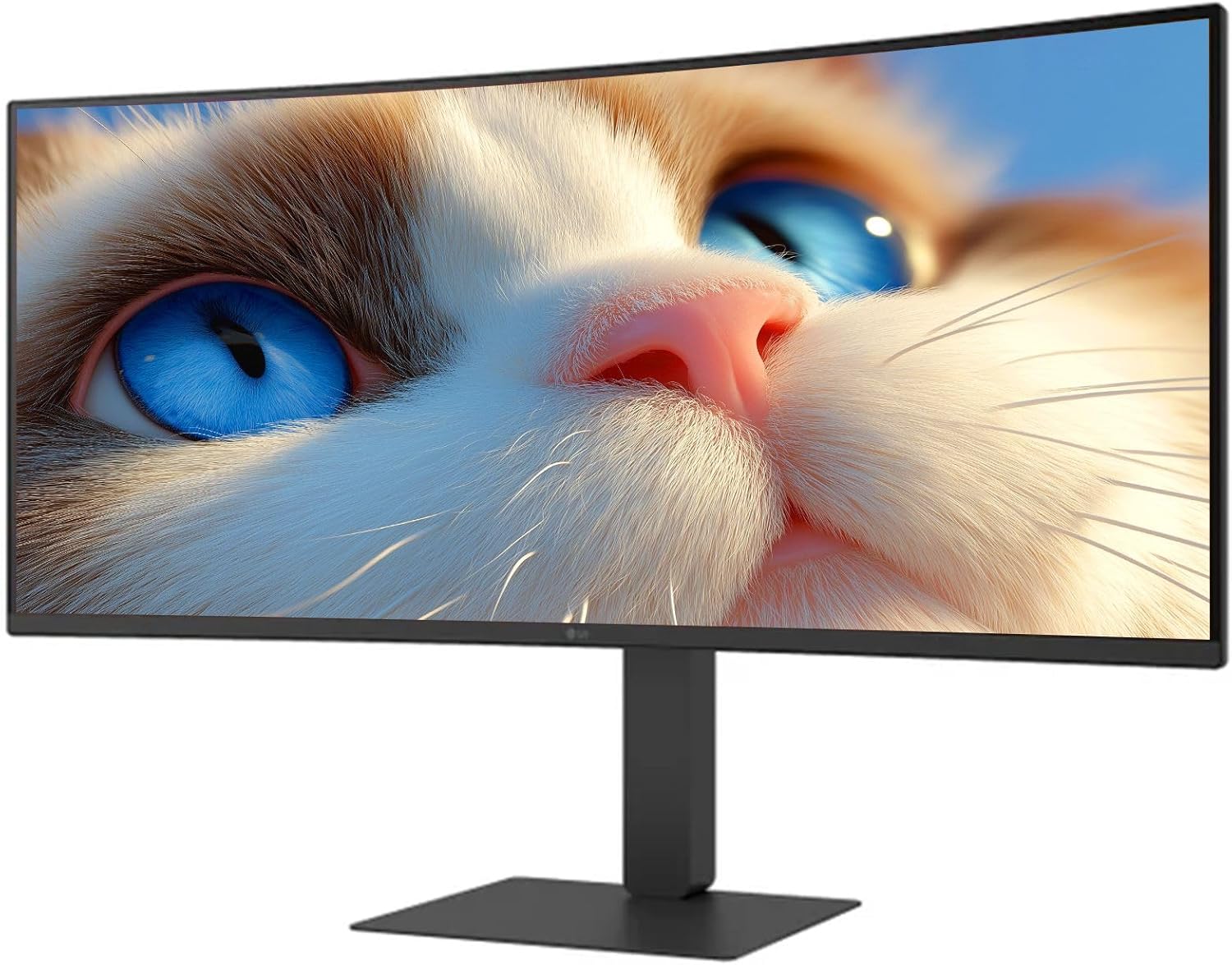
Şəkil 1: Ön view of the LG 34 Inch UltraWide Curved Monitor with stand.

Şəkil 2: Yan view of the LG 34 Inch UltraWide Curved Monitor with stand.
3.2 Monitorun qoşulması
Müvafiq kabellərdən istifadə edərək monitoru kompüterinizə və ya digər cihazlara qoşun.
- Elektrik kabelini monitorun enerji girişinə və sonra elektrik rozetkasına qoşun.
- For video input, connect either an HDMI cable or a DisplayPort cable from your computer's graphics card to the corresponding port on the monitor.
- If your computer supports USB-C, you can use the provided USB-C cable for video, audio, and data transfer.

Şəkil 3: Arxa view of the monitor showing available ports for connectivity.
4. Monitorun işlədilməsi
4.1 Yandırma/Söndürmə
Press the power button, usually located on the bottom center of the monitor, to turn the monitor on or off. The power indicator light will illuminate when the monitor is on.
4.2 Ekranda Ekran (OSD) Menyu
The OSD menu allows you to adjust various monitor settings. Use the joystick button (typically located on the bottom center) to navigate the menu.
- Şəkil rejimi: Select from various preset modes (e.g., Custom, Reader, HDR Effect) or customize settings like brightness, contrast, and sharpness.
- Giriş: Manually select the input source (HDMI, DisplayPort, USB-C).
- Ümumi: Access settings for language, OSD transparency, and power-saving options.
4.3 Stendin Tənzimlənməsi
The monitor stand offers ergonomic adjustments for your comfort:
- Hündürlük tənzimlənməsi: Gently push or pull the monitor up or down to your desired height.
- Tilt tənzimlənməsi: Hold both sides of the monitor and tilt it forwards or backwards.
- Dönmə tənzimlənməsi: Monitoru onun əsasında sola və ya sağa çevirin.
5. Baxım
5.1 Monitorun təmizlənməsi
Monitorunuzun uzunömürlülüyünü və optimal işləməsini təmin etmək üçün bu təmizləmə qaydalarına əməl edin:
- Təmizləməzdən əvvəl həmişə monitoru elektrik rozetkasından ayırın.
- Bir az yumşaq, tüysüz parça istifadə edin dampsu və ya xüsusi ekran təmizləyicisi ilə tamamlanır.
- Təmizləyicini birbaşa ekrana səpməyin.
- Avoid using abrasive cleaners, solvents, or ammonia-based products.
6. Giderme
Monitorunuzla bağlı problemlərlə qarşılaşsanız, aşağıdakı ümumi həll yollarına müraciət edin:
- Güc yoxdur: Elektrik kabelinin həm monitora, həm də elektrik rozetkasına etibarlı şəkildə qoşulduğundan əmin olun. Elektrik rozetkasının işlək olub olmadığını yoxlayın.
- Siqnal yoxdur: Verify that the video cable (HDMI, DisplayPort, or USB-C) is correctly connected to both the monitor and your computer. Ensure the correct input source is selected in the OSD menu.
- Sönən Ekran: Check the video cable connection. Try adjusting the refresh rate in your computer's display settings.
- Şəkil təhrifi: Reset the monitor to factory settings via the OSD menu. Ensure your computer's display resolution matches the monitor's native resolution (3440 x 1440).
- Daxili dinamiklərdən səs çıxmır: Check the volume settings on both the monitor and your computer. Ensure the audio output is correctly routed to the monitor.
If the problem persists after trying these steps, please contact LG customer support.
7. Spesifikasiyalar
| Xüsusiyyət | Spesifikasiya |
|---|---|
| Brend | LG |
| Model nömrəsi | 195174134092 |
| Ekran Ölçüsü | 34 düym |
| Maksimum Çözünürlük | WQHD (3440 x 1440) |
| Yeniləmə dərəcəsi | 120Hz |
| Cavab vaxtı | 5 ms (GTG) |
| Aspekt nisbəti | 21:9 |
| Rəng Gamutu | sRGB 99% |
| HDR dəstəyi | HDR10 |
| Viewaçı | 178 degrees (R/L), 178 degrees (U/D) |
| Ekran Konnektorları | 1 x HDMI, 1 x DisplayPort |
| Göz rahatlığı xüsusiyyətləri | Low blue light, Flicker-free, Anti-glare, Reader Mode |
| Quraşdırılmış Dinamiklər | Bəli |
| Məhsulun ölçüləri (stendlə) | 8.7"D x 32.1"W x 19.2"H |
| Məhsulun çəkisi (stendlə) | 16.8 funt sterlinq |
8. Zəmanət və Dəstək
Your LG 34 Inch UltraWide Curved Monitor comes with a standard manufacturer's warranty. Please refer to the warranty card included in your package for detailed terms and conditions.
Texniki dəstək, xidmət və ya əlavə sorğular üçün rəsmi LG-yə müraciət edin website or contact their customer service hotline. Keep your purchase receipt and product serial number (located on the back of the monitor) handy when contacting support.