Giriş
This manual provides detailed instructions for the safe and efficient use of your Monster S290 Portable Bluetooth Speaker. Please read this manual thoroughly before operating the device and retain it for future reference.
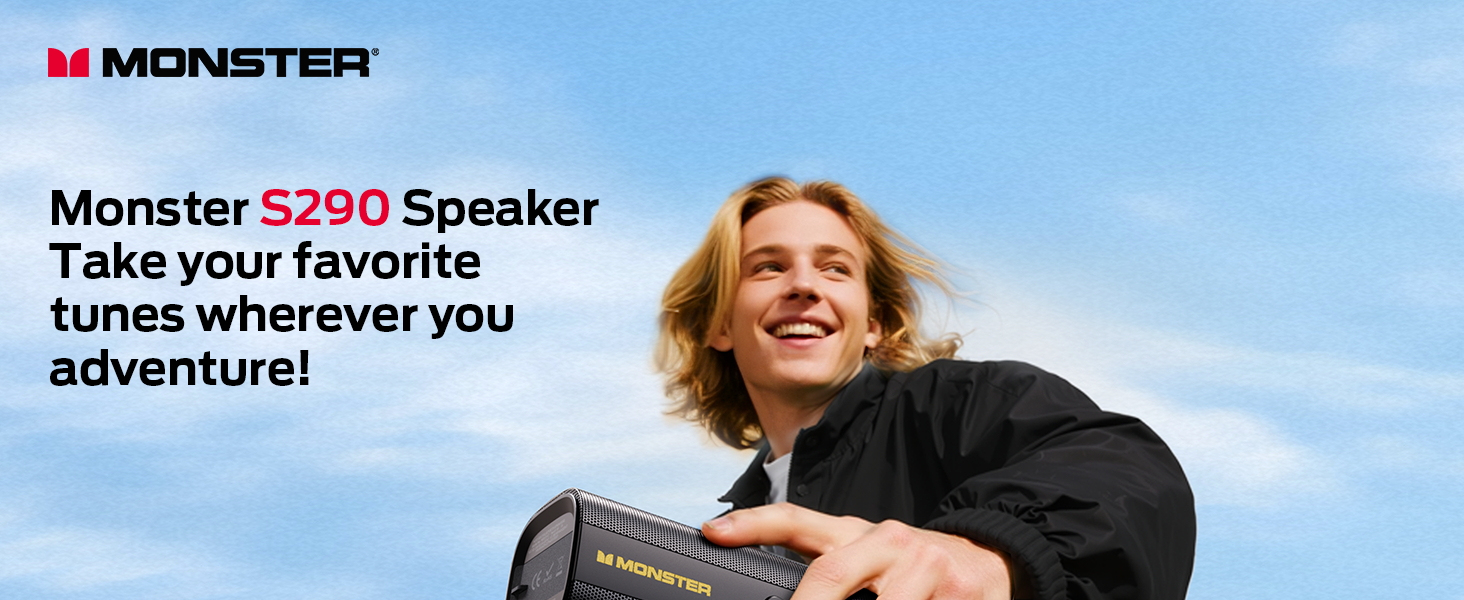
Image: The Monster S290 Portable Bluetooth Speaker in an outdoor setting, highlighting its portability.
Paketin məzmunu
Qutudan çıxarılarkən bütün əşyaların mövcud olduğundan əmin olun:
- Monster S290 Speaker x1
- AUX IN Cable x1
- USB-C şarj kabeli x1
- Quick Start Guide & Warning Card x1
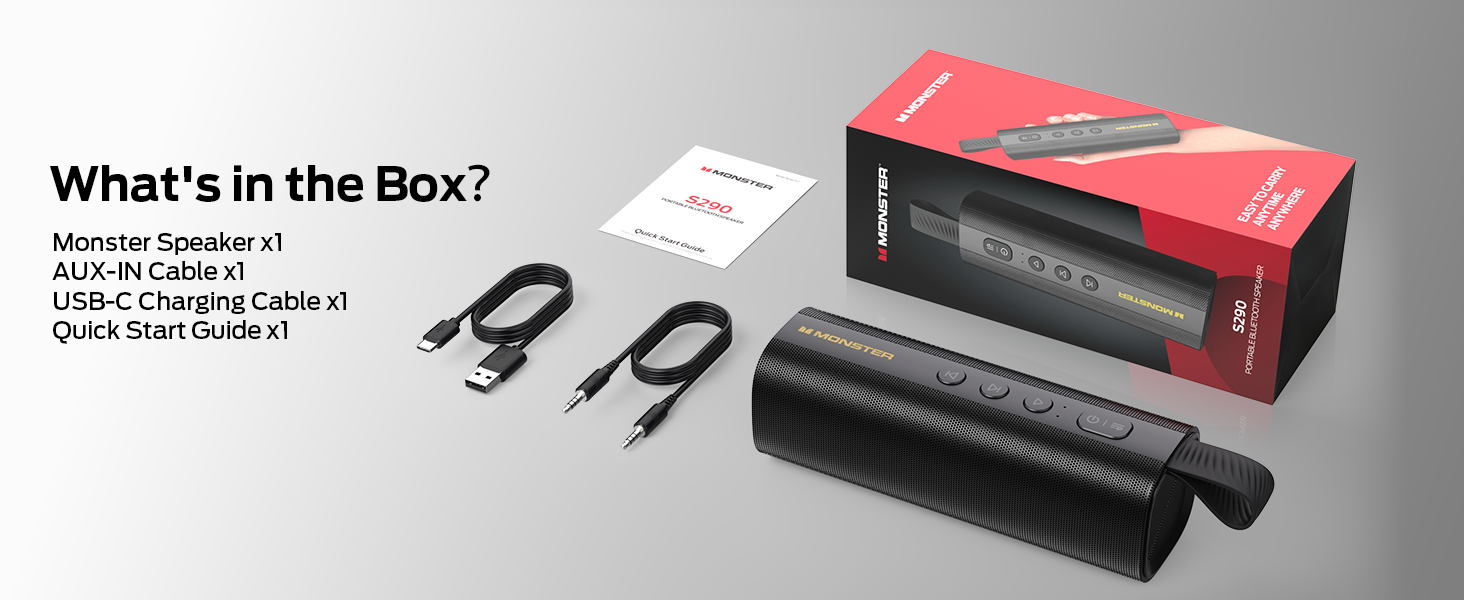
Image: All components included in the Monster S290 package.
Məhsul Xüsusiyyətləri
- 30W Powerful Audio: Delivers crisp highs and deep bass.
- Bluetooth 6.0: Ensures faster pairing, stable connection, and extended range.
- TWS Cütləşdirmə: Connect two S290 speakers for a stereo sound experience.
- 15 saatlıq oyun vaxtı: Tək şarjla uzun müddət musiqi oxutmadan həzz alın.
- Type-C Fast Charge: Tez və rahat doldurma.
- IPX6 Suya davamlı: Resistant to splashes, sweat, and rain, suitable for outdoor use.
- Portativ dizayn: Lightweight with a soft-touch silicone strap for easy carrying.
- Multiple Input Interfaces: AUX, TF kartı və USB oynatmağı dəstəkləyir.
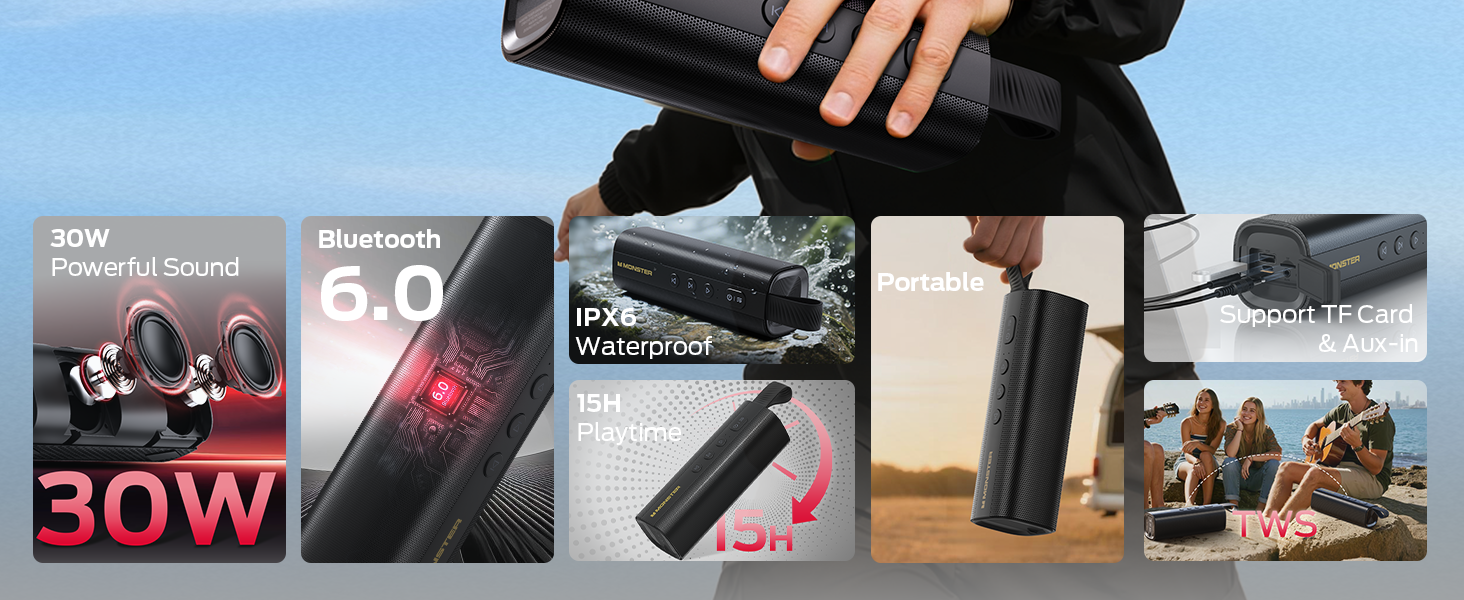
Image: Visual representation of the Monster S290's key features.
Quraşdırma Bələdçisi
1. Dinamikin doldurulması
Before first use, fully charge the speaker using the provided USB-C charging cable. The charging indicator light will show the charging status.
- Connect the USB-C cable to the speaker's charging port.
- Kabelin digər ucunu uyğun USB güc adapterinə qoşun (daxil deyil).
- Tam şarj adətən təxminən 3-4 saat çəkir.
2. Açma / Söndürmə
- Yandırmaq üçün düyməsini basıb saxlayın Güc düyməsi (
 ) for 2-3 seconds until you hear an audible prompt and the LED indicator lights up.
 - Söndürmək üçün düyməsini basıb saxlayın Güc düyməsi yenidən 2-3 saniyə.
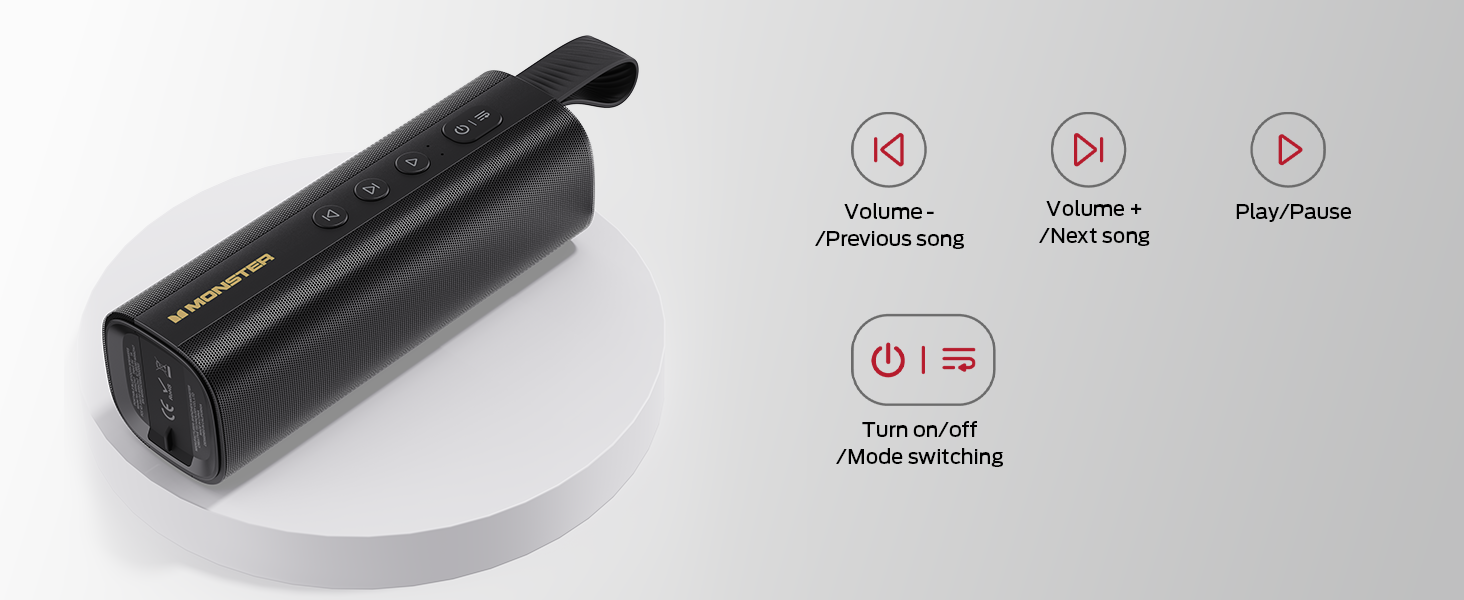
Image: Close-up of the speaker's control panel, illustrating button functions.
3. Bluetooth Cütləşdirmə
The speaker will automatically enter Bluetooth pairing mode when powered on for the first time or if no device is connected. The LED indicator will flash blue.
- Ensure the speaker is powered on and in pairing mode.
- Cihazınızda (smartfon, planşet, noutbuk) Bluetooth-u aktivləşdirin.
- axtarın "Monster S290" in the list of available devices and select it to connect.
- Once connected, you will hear an audible confirmation, and the LED indicator will turn solid blue.
Video: Demonstration of the speaker's main functions, including power-on, Bluetooth pairing, and volume control.
4. Həqiqi Simsiz Stereo (TWS) Qoşulması
For an enhanced stereo experience, you can pair two Monster S290 speakers together.
- Hər iki S290 dinamikinin qoşulu olduğundan və heç bir Bluetooth cihazına qoşulmadığından əmin olun.
- Bir dinamikdə (bu, əsas dinamik olacaq) düyməni basıb saxlayın TWS düyməsi (often indicated by an 'M' or a chain link icon, refer to your quick start guide for exact icon) for 2-3 seconds.
- The primary speaker will search for the secondary speaker. Once connected, you will hear an audible prompt.
- İndi cihazınızı 3-cü addımda təsvir edildiyi kimi Bluetooth vasitəsilə əsas dinamikə qoşun. Hər iki dinamik səsi stereo rejimdə səsləndirəcək.
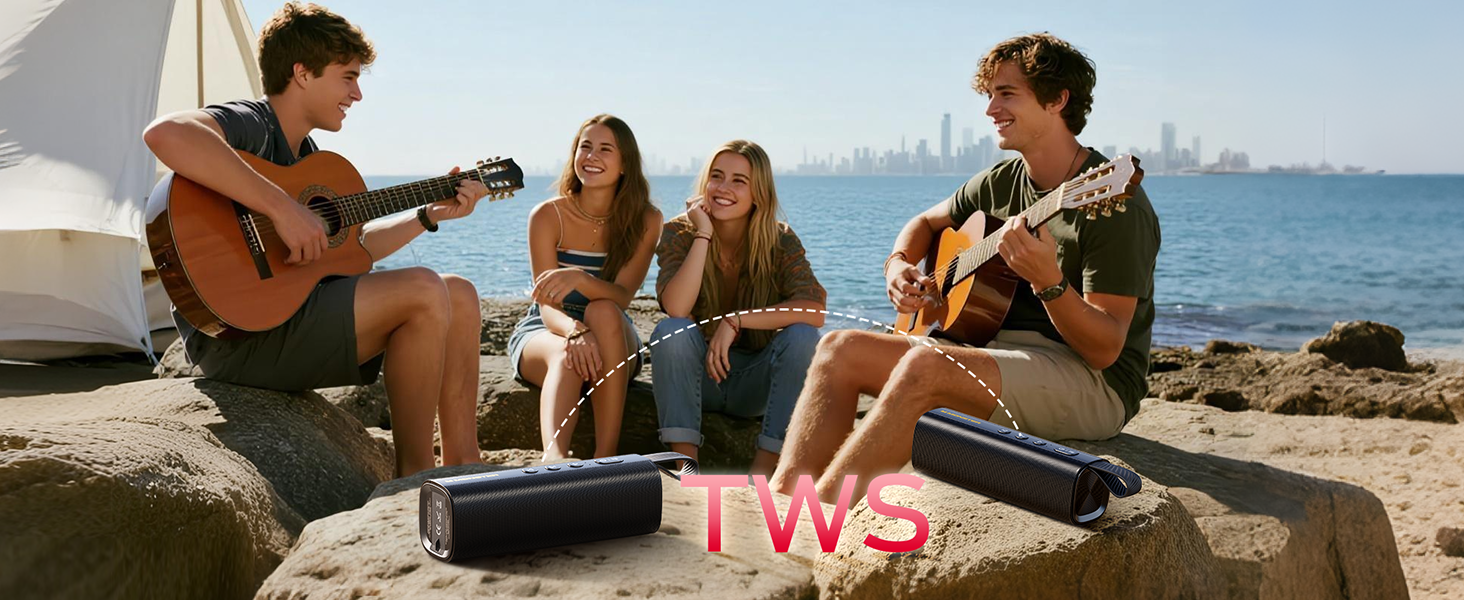
Image: Two Monster S290 speakers demonstrating True Wireless Stereo (TWS) pairing.
5. Connecting via AUX, TF Card, or USB
The speaker supports multiple input options:
- AUX Girişi: Connect an audio device using the provided 3.5mm AUX cable to the AUX port. The speaker will automatically switch to AUX mode.
- TF Kart Oynatma: Audio ilə TF (MicroSD) kartını daxil edin files into the TF card slot. The speaker will automatically begin playing music from the card.
- USB oxutma: Audio ilə USB flash sürücüsünü daxil edin files into the USB port. The speaker will automatically begin playing music from the USB drive.
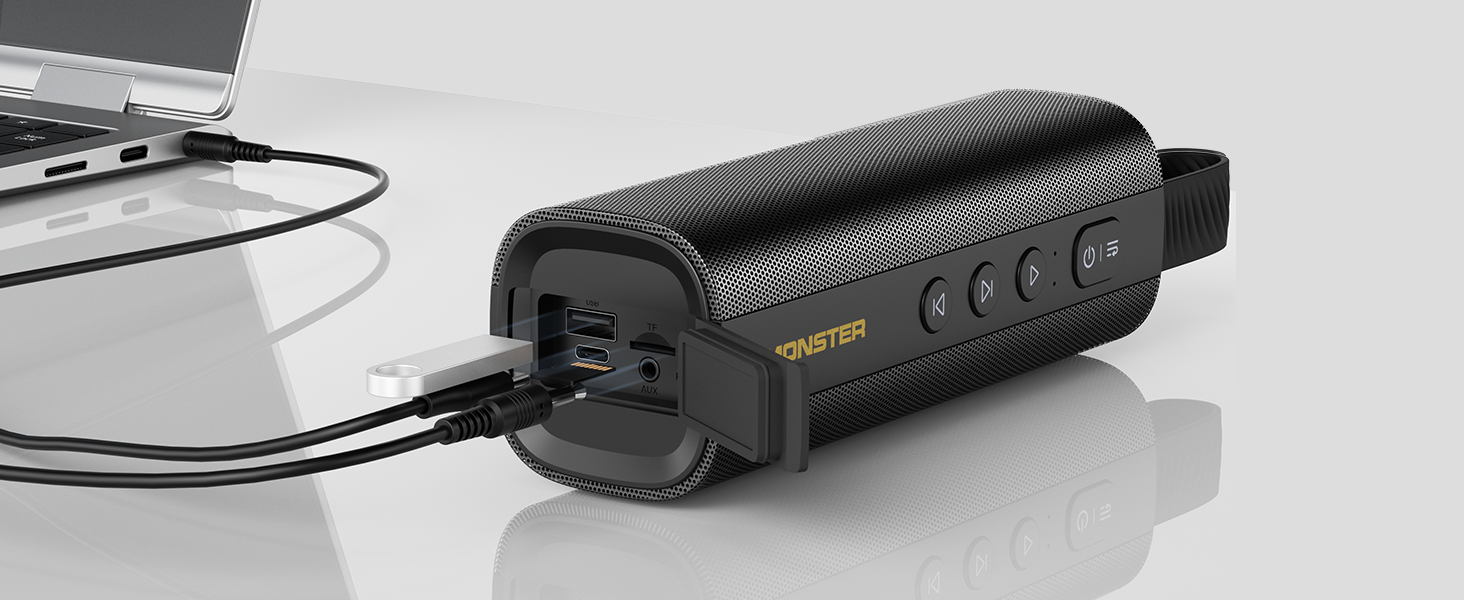
Image: The speaker's input panel with AUX, TF card, and USB ports.
Əməliyyat Təlimatları
Düymə funksiyaları
- Güc düyməsi (): Press and hold to power on/off. Short press to switch between input modes (Bluetooth, AUX, TF Card, USB).
- Oynat/Pauza Düyməsi (): Musiqini oynamaq və ya dayandırmaq üçün qısa basın.
- Volume Down / Previous Track Button (): Səsi azaltmaq üçün qısa basın. Əvvəlki trekə keçmək üçün uzun basın.
- Volume Up / Next Track Button (): Short press to increase volume. Long press to go to the next track.
- TWS Button (M): Press and hold to initiate TWS pairing (refer to TWS Pairing section).
Əllər Sərbəst Zəng
When connected via Bluetooth, the built-in microphone allows for hands-free calling:
- Zəngə cavab: qısa basın Oynat/Pause düyməsi.
- Zəngi bitir: qısa basın Oynat/Pause düyməsi zəng zamanı.
- Zəngi rədd edin: uzun basın Oynat/Pause düyməsi.
Baxım
- Keep the speaker away from extreme temperatures, direct sunlight, and corrosive materials.
- Dinamiki yumşaq bir vasitə ilə təmizləyin, damp parça. Sərt kimyəvi maddələrdən və ya aşındırıcı təmizləyicilərdən istifadə etməyin.
- Ensure the charging port cover is securely closed when not charging to maintain IPX6 water resistance.
- Uzun müddət istifadə edilmədikdə dinamiki sərin, quru yerdə saxlayın.

Image: The Monster S290 speaker showcasing its IPX6 water-resistant feature.
Problemlərin aradan qaldırılması
| Problem | Həll |
|---|---|
| Dinamik işə düşmür. | Dinamikin doldurulduğundan əmin olun. USB-C kabelindən istifadə edərək onu enerji mənbəyinə qoşun. |
| Bluetooth vasitəsilə cütləşdirmək mümkün deyil. |
|
| Səs yoxdur və ya aşağı səs. |
|
| TWS cütləşməsi uğursuz oldu. |
|
Spesifikasiyalar
| Xüsusiyyət | Detal |
|---|---|
| Model Adı | Canavar S290 |
| Material | plastik |
| Dinamik növü | Çöldə |
| Dinamikin Maksimum Çıxış Gücü | 30 Vt |
| Simsiz Rabitə Texnologiyası | Bluetooth 6.0 |
| Bağlantı texnologiyası | Köməkçi, Bluetooth, USB |
| Səs Çıxış Modu | Stereo |
| Ətraf Səs Kanalının Konfiqurasiyası | 2.0 |
| Xüsusi Xüsusiyyətlər | Portable, 30W Loud Stereo Sound, Support AUX/TF Card, Bluetooth 6.0, True Wireless Stereo, Built-in Mic, 15H Playtime, Hands-Free Calling, IPX6 Waterproof, Skin-Friendly Touch |
| Güc mənbəyi | Batareya ilə işləyir |
| Batareya | 1 AAA batareya tələb olunur (daxildir) - Note: This is likely a generic entry; the speaker features an internal rechargeable battery. |
| Nəzarət metodu | Toxun |
| Məhsul Ölçüləri | 6D x 18.2W x 6H Santimetre |
| Maddə Çəkisi | 490 q |
| Suya davamlıdır | True (IPX6) |
Zəmanət və Dəstək
The Monster S290 Portable Bluetooth Speaker comes with a Limited Warranty. Please refer to the included "Quick Start Guide & Warning Card" for specific warranty terms and conditions. For further support, please contact Monster customer service.


