Məhsul Bitdiview
The Cisco 562 Headset is a wireless DECT 6.0 stereo headset designed for professional use, offering clear audio and comfortable wear. It features an over-the-head, binaural design with supra-aural ear placement and a uni-directional electret condenser microphone. This manual provides essential information for setting up, operating, and maintaining your headset.
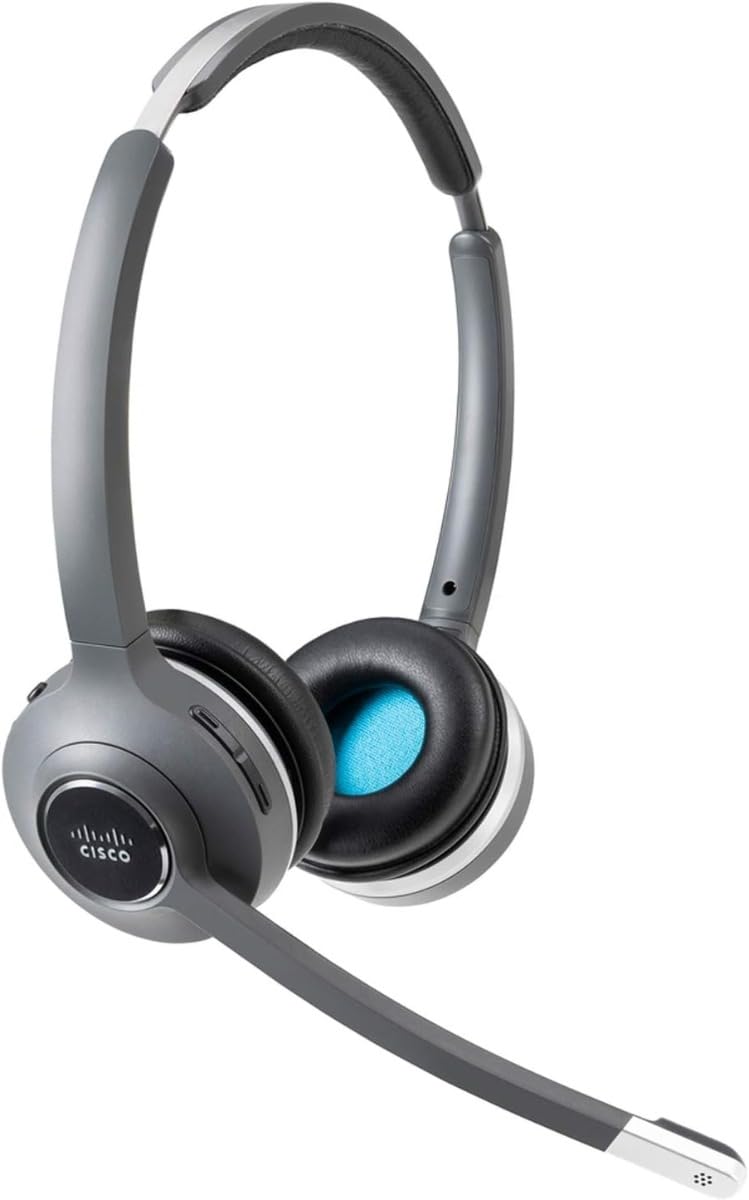
Image: Cisco 562 Wireless DECT Headset with its charging base. The headset is gray and black, featuring an adjustable headband and a microphone boom. The charging base has LED indicators for battery status.
Quraşdırma
1. Qulaqlığın doldurulması
Place the Cisco 562 Headset onto its charging base. Ensure the headset is properly seated for charging. The LED indicators on the base will illuminate to show the charging status. A fully charged headset will display all indicators lit.
2. Qulaqlığın tənzimlənməsi
The headset features an adjustable headband for a comfortable fit. Extend or retract the headband as needed. The microphone boom is also adjustable and can be positioned for optimal voice pickup.
Əməliyyat Təlimatları
Səs səviyyəsinə nəzarət
Locate the volume control buttons on the headset earcup. Press the '+' button to increase volume and the '-' button to decrease volume.
Səssiz funksiyası
A dedicated mute button is available on the headset for quickly muting or unmuting your microphone during calls.
Zənglərin Cavablandırılması/Sonlandırılması
Use the call control button on the headset to answer incoming calls or end active calls.
Rahatlıq və Uyğunluq
The headset is designed for extended wear with comfortable ear cushions and an adjustable fit. Ensure the headset is positioned correctly on your head for maximum comfort and sound isolation.
Baxım
To ensure the longevity and optimal performance of your Cisco 562 Headset, follow these general maintenance guidelines:
- Keep the headset and charging base clean using a soft, dry cloth.
- Qulaqlığı həddindən artıq temperatur, rütubət və ya birbaşa günəş işığına məruz qoymaqdan çəkinin.
- Store the headset on its charging base when not in use to maintain battery health.
- Qulaqlığı özünüz sökməyə və ya təmir etməyə çalışmayın, çünki bu, zəmanəti ləğv edə bilər.
Problemlərin aradan qaldırılması
If you encounter issues with your Cisco 562 Headset, consider the following general troubleshooting steps:
- Audio yoxdur: Ensure the headset is powered on and properly connected to your device. Check volume settings on both the headset and the connected device.
- Mikrofon İşləmir: Verify the microphone is not muted. Check microphone settings on your connected device.
- Bağlantı Problemləri: Ensure the headset is within the wireless operating range (up to 300 ft). Re-pair the headset with your device if necessary.
- Zəng keyfiyyəti problemləri: For call quality problems, ensure your connected device's software and the headset's firmware are up to date. Refer to Cisco's official support resources for advanced diagnostics.
Spesifikasiyalar
| Brend | Cisco |
| Model | 562 |
| Bağlantı texnologiyası | Wireless (DECT 6.0) |
| Simsiz işləmə məsafəsi | 300 fut |
| Səs rejimi | Stereo |
| Maksimum Tezlik Cavabı | 48 kHz |
| Qulaqların Yerləşdirilməsi | On Ear (Supra-aural) |
| Forma faktoru | Over-The-Head, Binaural |
| Mikrofon növü | Uni-Directional, Electret, Condenser |
| Empedans | 90 Ohm |
| Rəng | Qara |
Zəmanət və Dəstək
For detailed warranty information, technical support, and additional resources, please refer to the documentation included with your product or visit the official Cisco support website. Specific warranty terms and support options may vary by region and product registration.
ziyarət edə bilərsiniz Cisco Store məhsul haqqında daha çox məlumat üçün.


