1. Product Overview
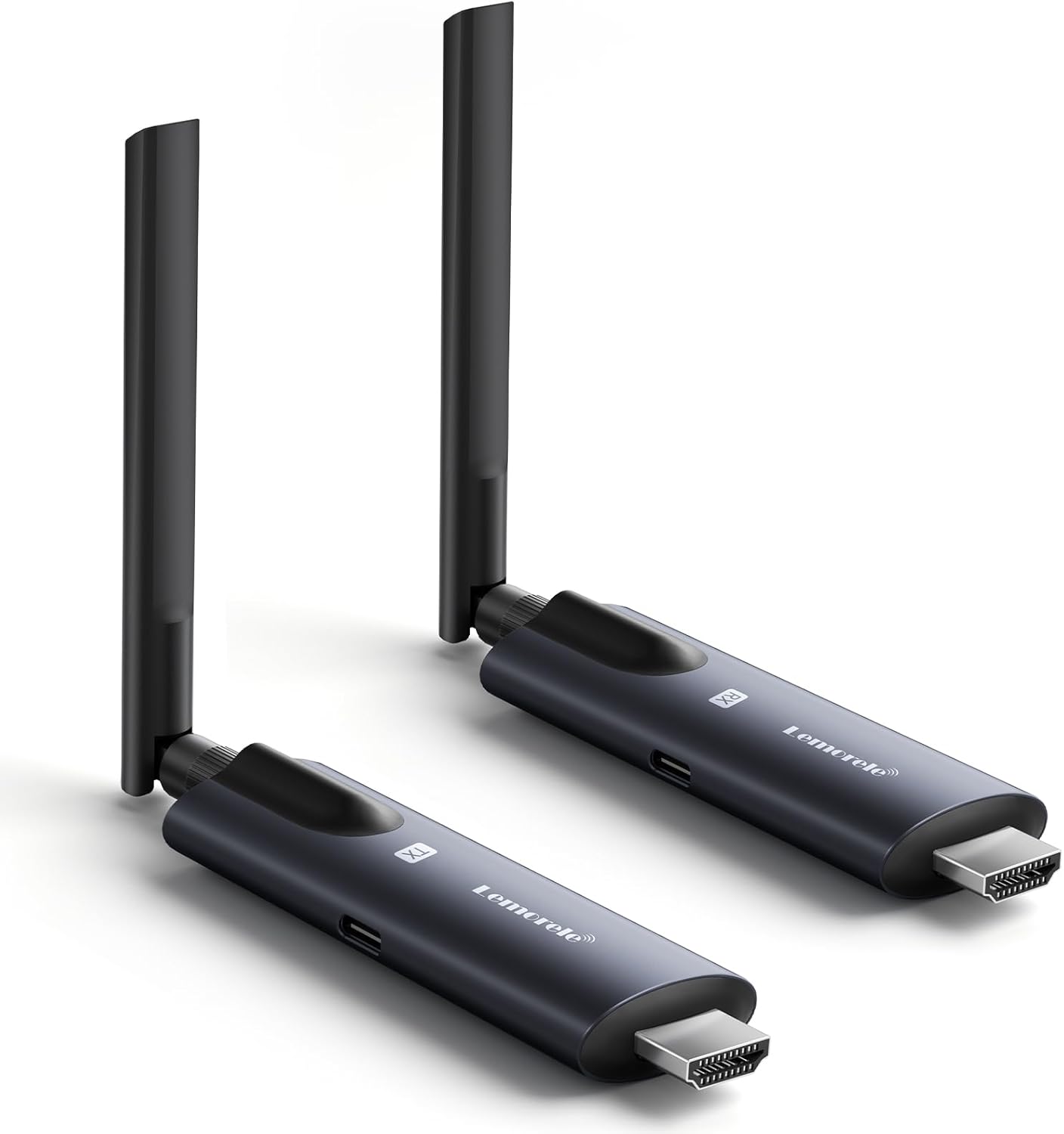
The Lemorele Wireless HDMI Transmitter and Receiver kit offers a seamless solution for wireless video and audio transmission. Designed for ease of use, this plug-and-play system eliminates the need for complex wiring, making it ideal for various applications including presentations, home entertainment, and real-time monitoring.
Key features include a robust aluminum alloy construction for enhanced heat dissipation, an impressive transmission range of up to 656 feet (200 meters), and ultra-low latency of only 50 milliseconds, ensuring smooth and synchronized visuals. It supports 1080P 60Hz HD transmission for clear and detailed picture quality, even on large screens. Additionally, the system offers APP expansion with the TuTuPlay application for Android and iOS, allowing multi-device reception and convenient mobile monitoring. It supports up to 1 transmitter and 4 receivers simultaneously.
2. Setup Guide
Setting up your Lemorele Wireless HDMI system is straightforward due to its plug-and-play design. Follow these steps for quick installation:
- Connect the Transmitter (TX): Plug the transmitter unit into the HDMI output port of your source device (e.g., laptop, camera, TV-Box, Blu-ray player). Ensure the transmitter is powered by connecting the provided USB-C cable to a 5V2A power source.
- Connect the Receiver (RX): Plug the receiver unit into the HDMI input port of your display device (e.g., TV, projector, monitor). Ensure the receiver is also powered using its dedicated USB-C cable connected to a 5V2A power source.
- Power On: Once both units are connected and powered, they will automatically pair within 5-10 seconds. The indicator light on both units will turn solid blue when a stable connection is established.
- Optional: Use Extension Cable: If space is limited around your HDMI ports, use the included HDMI extension cable to provide more flexibility for connecting the units.
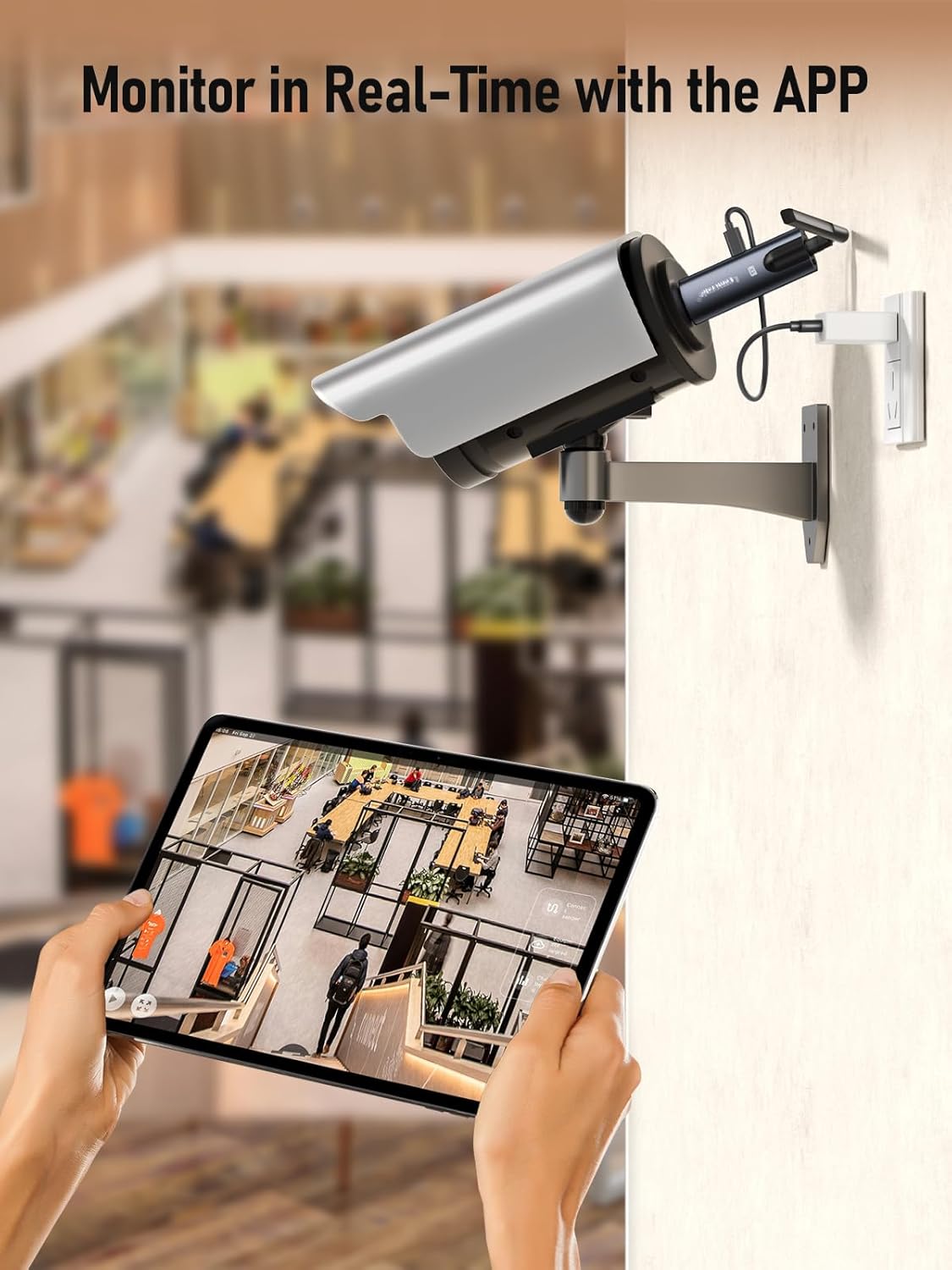
- Optional: App Monitoring: For multi-device reception on mobile phones or tablets, download the 'TuTuPlay' app from your device's app store. Connect your mobile device to the same Wi-Fi network as the Lemorele system to monitor the transmitted content.


Video: This official seller video demonstrates the product features and various usage scenarios, providing a visual guide to setup and operation.
3. Operation
Once set up, the Lemorele Wireless HDMI system operates automatically. The transmitter sends the video and audio signal from your source device to the receiver, which then displays it on your monitor or TV.
- Automatic Pairing: The TX and RX units are designed to pair automatically upon power-up. No manual pairing steps are typically required.
- Multi-Receiver Support: A single transmitter can support up to four receiver units simultaneously, allowing you to cast content to multiple displays. The transmission range may vary slightly with multiple receivers connected (e.g., 200m for 1 TX to 1 RX, 130m for 1 TX to 2 RX, and 100m for 1 TX to 3 or 4 RX).
- TuTuPlay App Functionality: The TuTuPlay app allows you to receive the transmitted picture on your Android or iOS mobile device. This feature is particularly useful for mobile monitoring in various scenarios, such as live streaming or video production.




4. Care and Maintenance
To ensure the longevity and optimal performance of your Lemorele Wireless HDMI system, please observe the following care and maintenance guidelines:
- Power Supply: Always use a stable 5V2A power supply for both the transmitter and receiver. Insufficient power can lead to connection issues, screen stuttering, or disconnections.
- Cleaning: Use a soft, dry cloth to clean the units. Avoid using liquid cleaners or abrasive materials.
- Storage: Store the devices in a cool, dry place away from direct sunlight and extreme temperatures.
- Handling: Handle the units with care to prevent physical damage. The aluminum alloy construction provides durability, but excessive force can still cause damage.
5. Troubleshooting
If you encounter issues with your Lemorele Wireless HDMI system, refer to the following common problems and their solutions:
- No Signal/Connection Issues:
- Ensure both the transmitter (TX) and receiver (RX) units are properly connected to a stable 5V2A power source. Insufficient power is a common cause of connection problems.
- Verify that the HDMI cables are securely plugged into both the source and display devices.
- Check that your display device is set to the correct HDMI input source.
- Try restarting both the transmitter and receiver units by unplugging and re-plugging them.
- Poor Video Quality (Fuzzy Picture, Motion Blur, Low Resolution):
- Ensure the source device is outputting a 1080P resolution.
- Minimize obstructions between the transmitter and receiver. Walls and other physical barriers can weaken the signal and affect video quality.
- Reduce the distance between the TX and RX units if possible. While rated for 656ft, optimal performance is achieved in less obstructed environments.
- Noticeable Lag/Delay:
- The system boasts ultra-low latency (50ms), but environmental factors or multiple connected receivers can introduce slight delays. Try reducing the number of active receivers if using more than one.
- Ensure there are no other strong wireless signals interfering with the 5G Wi-Fi module.
- App Connection Issues (TuTuPlay):
- Ensure your mobile device is connected to the same Wi-Fi network as the Lemorele system.
- Verify that the TuTuPlay app is updated to the latest version.
6. Technical Specifications
| Feature | Specification |
|---|---|
| Product Dimensions | 7.68 x 1.18 x 1.06 inches (7.7"L x 1.2"W x 1.1"H) |
| Item Weight | 7.4 ounces |
| Model Number | HDMI TX+RX |
| Manufacturer | Lemorele |
| Country of Origin | China |
| Connectivity Technology | HDMI |
| Connector Type | HDMI |
| Resolution | 1080p |
| Supported Internet Services | Google TV |
| Controller Type | App Control |
| Compatible Devices | Television, Personal Computer, Game Console, Speaker |
| Wireless Transmission Range | Up to 656ft (200m) |
| Latency | 50ms |
| Power Supply Requirement | 5V2A |
7. Package Contents
- 1 x HDMI Transmitter (TX)
- 1 x HDMI Receiver (RX)
- 2 x Antennas
- 2 x 100cm USB-C Cables
- 1 x HDMI Adapter (Extension Cable)
- 1 x User Manual
8. Warranty and Support
Lemorele products are designed for reliability and performance. For specific warranty details, please refer to the documentation included with your purchase or contact Lemorele customer support directly.
For technical assistance, troubleshooting, or any inquiries regarding your Lemorele Wireless HDMI Transmitter and Receiver, please contact:
Email: support@lemorele.com


