
1. Introduction
The LAUNCH CR329 is a compact, plug-and-play OBD2 scanner designed for everyday car owners and DIY users. It provides full OBD II diagnostic functions, allowing you to read and clear fault codes, view live data, check I/M readiness, and more. This manual provides detailed instructions for the proper use and maintenance of your CR329 device.

Figure 1.1: LAUNCH CR329 OBD2 Scanner
The LAUNCH CR329 OBD2 Scanner is a handheld diagnostic tool featuring a 2.8-inch color screen and an integrated diagnostic cable.
2. Package Contents
Please check the contents of your package. If any items are missing or damaged, contact your vendor.
- CR329 OBD2 Scanner with Integrated Diagnostic Cable
- Multilingual Quick Start Guide
- Safety Warning Sheet
- Desiccant
3. Product Features
The LAUNCH CR329 offers a comprehensive set of features for vehicle diagnostics:
- Full OBD II Diagnostics: Supports all 10 modes of OBD II tests.
- 3 Shortcut Keys: Dedicated buttons for Read Fault Codes (F1), Clear Fault Codes (F2), and I/M Readiness (F3).
- Live Data Graphing: Displays real-time vehicle parameters as curves for easier analysis.
- DTC Library: Built-in definitions for diagnostic trouble codes.
- I/M Readiness: Checks the status of emissions-related monitors.
- Freeze Frame Data: Captures vehicle conditions at the time a fault code is set.
- Battery Voltage Monitor: Displays current vehicle battery voltage.
- Cloud Print: Supports QR-code cloud printing for diagnostic reports.
- Vehicle Information: Retrieves VIN, CIN, and CVN.

Figure 3.1: Overview of LAUNCH CR329 Full OBDII Functions
This image illustrates the various diagnostic functions available on the LAUNCH CR329, including Read Codes, Clear Codes, Live Data, Freeze Frame, I/M Readiness, O2 Sensor Test, On-Board Monitor, EVAP Test, Vehicle Information, and DTC Library.
4. Device Layout and Controls
Familiarize yourself with the buttons and indicators on your CR329 scanner.

Figure 4.1: LAUNCH CR329 Button Layout and Status Lights
The image displays the CR329 scanner with its 2.8-inch screen, shortcut keys (F1, F2, F3), navigation buttons (Up, Down, Left, Right, OK, ESC), and three-color status lights (Green for test passed/no fault, Red for fault code present, Yellow for connected/no fault).
- F1 Button: Shortcut to Read Fault Codes.
- F2 Button: Shortcut to Clear Fault Codes.
- F3 Button: Shortcut to Check I/M Readiness.
- OK Button: Confirms selection or enters a menu.
- ESC Button: Returns to the previous menu or exits a function.
- Up/Down Arrows: Navigate through menu options.
- Left/Right Arrows: Used for certain data displays or settings.
- Status Lights:
- Green: Test passed / No fault codes.
- Red: Fault code present.
- Yellow: Connected, no fault code.
5. Setup
The LAUNCH CR329 is a plug-and-play device. Follow these steps to begin diagnostics:
- Locate the vehicle's 16-pin Data Link Connector (DLC). This is usually located under the dashboard on the driver's side.
- Ensure the vehicle's ignition is OFF.
- Connect the CR329's integrated diagnostic cable to the vehicle's DLC.
- Turn the vehicle's ignition to the ON position (engine can be off or running). The CR329 will power on automatically.
- The device will boot up and display the main menu.

Figure 5.1: Three Steps to Start Diagnosing with CR329
This diagram illustrates the simple three-step process: 1. Plug into the OBDII port. 2. Choose a function from the main menu. 3. Read the diagnostic result on the screen.
6. Operating Instructions
From the main menu, use the Up/Down arrow keys to navigate and the OK button to select a function.
6.1. Read Codes (F1 Shortcut)
This function retrieves Diagnostic Trouble Codes (DTCs) from the vehicle's computer. These codes indicate specific issues detected by the vehicle's self-diagnostic system.
- From the main menu, select OBD II, then Read Codes, or press the F1 shortcut key.
- The scanner will display any stored DTCs along with their definitions.
- Use the Up/Down arrows to scroll through multiple codes if present.
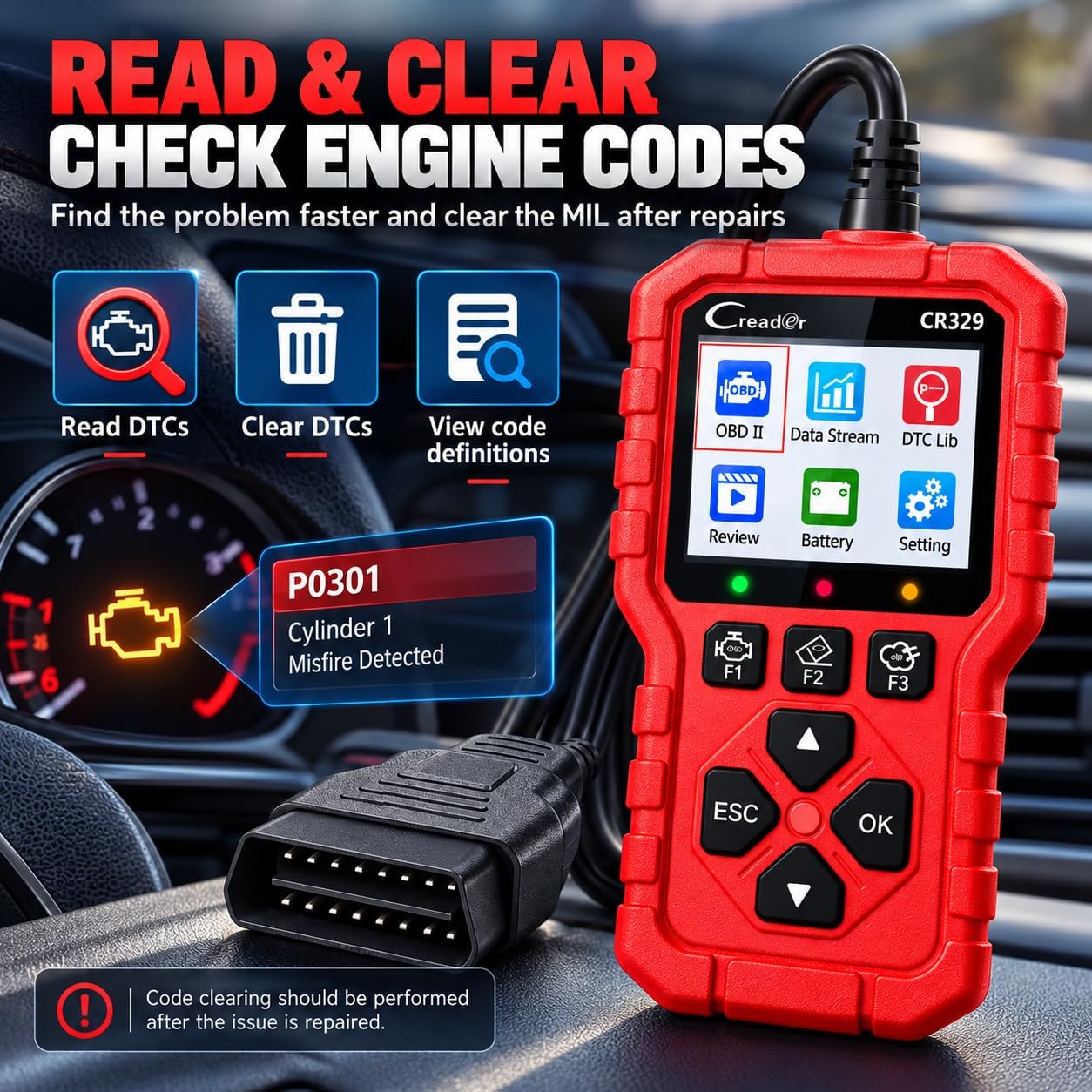
Figure 6.1: Reading and Clearing Codes
The image shows the CR329 displaying a P0301 code (Cylinder 1 Misfire Detected) and highlights the Read DTCs, Clear DTCs, and View code definitions functions.
6.2. Clear Codes (F2 Shortcut)
This function erases DTCs from the vehicle's computer and turns off the Malfunction Indicator Lamp (MIL) or