
SKMEI SKM-1389
SKMEI SKM-1389 Men's Analog Digital Watch Instruction Manual
Model: SKM-1389
1. Introduction
Thank you for choosing the SKMEI SKM-1389 Analog Digital Watch. This manual provides detailed instructions for setting up, operating, and maintaining your watch. Please read it carefully to ensure proper use and to enjoy all the features of your new timepiece.
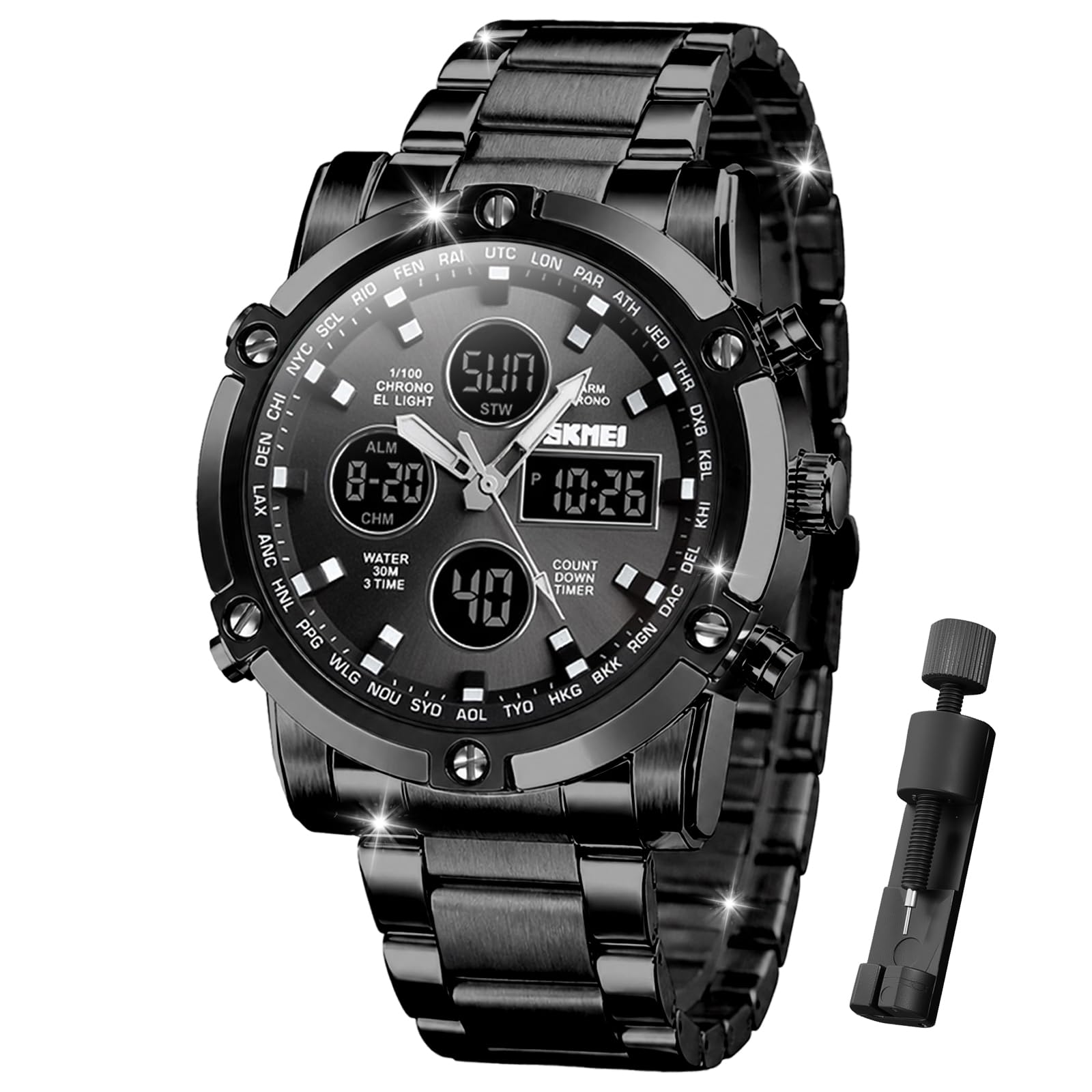
Image: The SKMEI SKM-1389 watch, showcasing its design on a wrist.
2. Product Overview
The SKM-1389 watch combines analog and digital displays with multiple functions designed for daily use and active lifestyles. Key features include:
- Dual Time Display (Analog and Digital)
- Chronograph (Stopwatch)
- Alarm Function
- Date and Week Display
- LED Backlight
- 12/24 Hour Format
- Countdown Timer
- 30M Water Resistance

Image: Visual representation of the watch's multifunction capabilities, including 3 time zones, alarm, countdown, stopwatch, date/week, LED light, and 12/24 hour format.
Watch Components and Button Functions
Familiarize yourself with the watch's buttons and their primary functions:

Image: Detailed diagram labeling the LIGHT, MODE, START/STOP, and RESET buttons, along with indicators for Week, Date, Time, and Seconds on the watch face.
- LIGHT Button: Activates the LED backlight.
- MODE Button: Cycles through different modes (Time, Chronograph, Alarm, Countdown, Second Time Zone).
- START/STOP Button: Used to start/stop functions like chronograph or countdown, and to adjust settings.
- RESET Button: Used to reset functions or confirm settings.
Product Video Overview
Video: An official product video from SKMEI Official demonstrating the Military Analog Digital Watch with Multi Time Chronograph features.
3. Setup Instructions
Setting the Digital Time and Date
- In normal time display mode, press the MODE button repeatedly until the digital time display starts flashing (usually the seconds).
- Press the START/STOP button to adjust the flashing value (e.g., seconds, minutes, hours).
- Press the RESET button to move to the next setting item (e.g., from seconds to minutes, then hours, date, month, year).
- Repeat steps 2 and 3 until all desired settings (seconds, minutes, hours, 12/24 hour format, month, date, day of week) are correctly set.
- Press the MODE button once to exit the setting mode and return to normal time display.
Setting the Analog Time
- Pull out the crown (the small knob on the side of the watch case) to the first or second click position (depending on the model).
- Rotate the crown to move the analog hands to the correct time.
- Once the analog time is set, push the crown back in to its original position.
12/24 Hour Format
While in time setting mode, you can toggle between 12-hour (AM/PM) and 24-hour formats by pressing the START/STOP button when the hour setting is flashing.
Second Time Zone (T2)
This watch supports a second time zone display. To set it:
- From normal time display, press the MODE button until you reach the T2 (second time zone) display.
- Press and hold the RESET button until the T2 time starts flashing.
- Use the START/STOP button to adjust the flashing value (hours, then minutes).
- Press the RESET button to move between hours and minutes.
- Once set, press the MODE button to exit.
4. Operating Instructions
Using the Chronograph (Stopwatch)
- Press the MODE button until you reach the Chronograph mode (indicated by 'STW' or 'CHM').
- Press the START/STOP button to start the stopwatch.
- Press the START/STOP button again to pause the stopwatch.
- Press the RESET button to reset the stopwatch to zero.
- To resume timing after pausing, press the START/STOP button.
Setting the Alarm
- Press the MODE button until you reach the Alarm mode (indicated by 'ALM').
- Press and hold the RESET button until the alarm hour starts flashing.
- Use the START/STOP button to adjust the hour.
- Press the RESET button to move to the minute setting.
- Use the START/STOP button to adjust the minutes.
- Press the MODE button to exit the alarm setting mode.
- To turn the alarm ON/OFF, press the START/STOP button while in Alarm mode (without holding). An alarm icon will appear/disappear.
Using the Countdown Timer
- Press the MODE button until you reach the Countdown mode (indicated by 'TMR' or 'CD').
- Press and hold the RESET button until the countdown time starts flashing.
- Use the START/STOP button to adjust the hours, then minutes, then seconds.
- Press the RESET button to move between setting items.
- Press the MODE button to exit the countdown setting mode.
- To start the countdown, press the START/STOP button.
- To pause, press START/STOP again. To resume, press START/STOP.
- To reset the countdown, press the RESET button while the countdown is paused.
LED Backlight
Press the LIGHT button to illuminate the digital display for easy viewing in low-light conditions. The backlight will typically stay on for a few seconds.
5. Maintenance
Water Resistance
This watch is rated for 30 meters (3 ATM) water resistance. This means it is suitable for daily use, such as hand washing, splashes, and brief immersion in water. It is not suitable for prolonged underwater activities like swimming, diving, or showering with hot water. Do not press any buttons while the watch is submerged in water.

Image: Visual details highlighting the watch's 3ATM daily waterproof rating, luminous display, high hardness glass, and stainless steel strap.
Cleaning
To clean your watch, wipe it gently with a soft, dry cloth. For stubborn dirt, a slightly damp cloth can be used, followed by a dry cloth. Avoid using chemical cleaners or abrasive materials, as these can damage the watch's finish.
Battery Replacement
The watch is powered by 1 Lithium Ion battery (included). When the display becomes dim or functions become erratic, it may be time to replace the battery. Battery replacement should ideally be performed by a qualified watch technician to ensure proper sealing and water resistance.
6. Troubleshooting
- Digital display is blank or dim: The battery may be low or depleted. Replace the battery.
- Analog hands are not moving: Check if the crown is pushed in completely. If it is, the battery might need replacement or there could be a mechanical issue.
- Buttons are unresponsive: Ensure the watch is not in a locked mode (if applicable, though this model typically does not have a lock function). Try resetting the watch by pulling out the crown and pushing it back in, or if possible, temporarily removing and reinserting the battery (consult a professional).
- Water inside the watch: Immediately take the watch to a professional for inspection and repair to prevent further damage.
7. Specifications

Image: Detailed product information diagram showing brand, model, weight, movement type, crystal, case material, band material, buckle material, water resistance, and functions.
| Feature | Detail |
|---|---|
| Brand | SKMEI |
| Model Number | SKM-1389 |
| Movement Type | Japanese Quartz (Analog), Digital |
| Display Type | Analog-Digital |
| Case Material | Zinc Alloy |
| Band Material | Stainless Steel |
| Clasp Type | Buckle |
| Crystal Material | Glass |
| Water Resistance Depth | 30 Meters (3 ATM) |
| Case Diameter | 40 mm |
| Case Thickness | 15.9 mm |
| Band Width | 22 mm |
| Band Length | 250 mm (adjustable) |
| Item Weight | 164 g |
| Power Source | Battery Powered (1 Lithium Ion battery included) |
8. Warranty
This product comes with a Limited Warranty. For specific terms and conditions, please refer to the warranty information provided at the time of purchase or contact SKMEI customer support.
9. Support
If you encounter any issues or have questions not covered in this manual, please refer to the official SKMEI website or contact their customer service for assistance. Keep your purchase receipt for warranty claims.
For more information, visit the SKMEI Store on Amazon.
Related documentsSKM-1389


Ask a question about this manual
Ask about setup, troubleshooting, compatibility, parts, safety, or missing instructions. Manuals+ will review the question and use this page’s manual context to help answer it.