
Jasion RetroVolt
Jasion RetroVolt Electric Bike User Manual
Model: RetroVolt
1. Introduction
1.1 Welcome
Thank you for choosing the Jasion RetroVolt Electric Bike. This manual provides essential information for the safe assembly, operation, maintenance, and troubleshooting of your new e-bike. Please read this manual thoroughly before your first ride and retain it for future reference.
1.2 Product Overview
The Jasion RetroVolt is a moped-style electric bike designed for various riding conditions, including daily commutes, errands, and recreational rides. It features a powerful 2000W peak motor, a 48V 15Ah removable battery offering up to 70 miles of range, and 20 x 4.0 fat tires with dual suspension for enhanced comfort and stability. The bike includes 5 riding modes, a 7-speed drivetrain, and a rear seat pad for versatility.
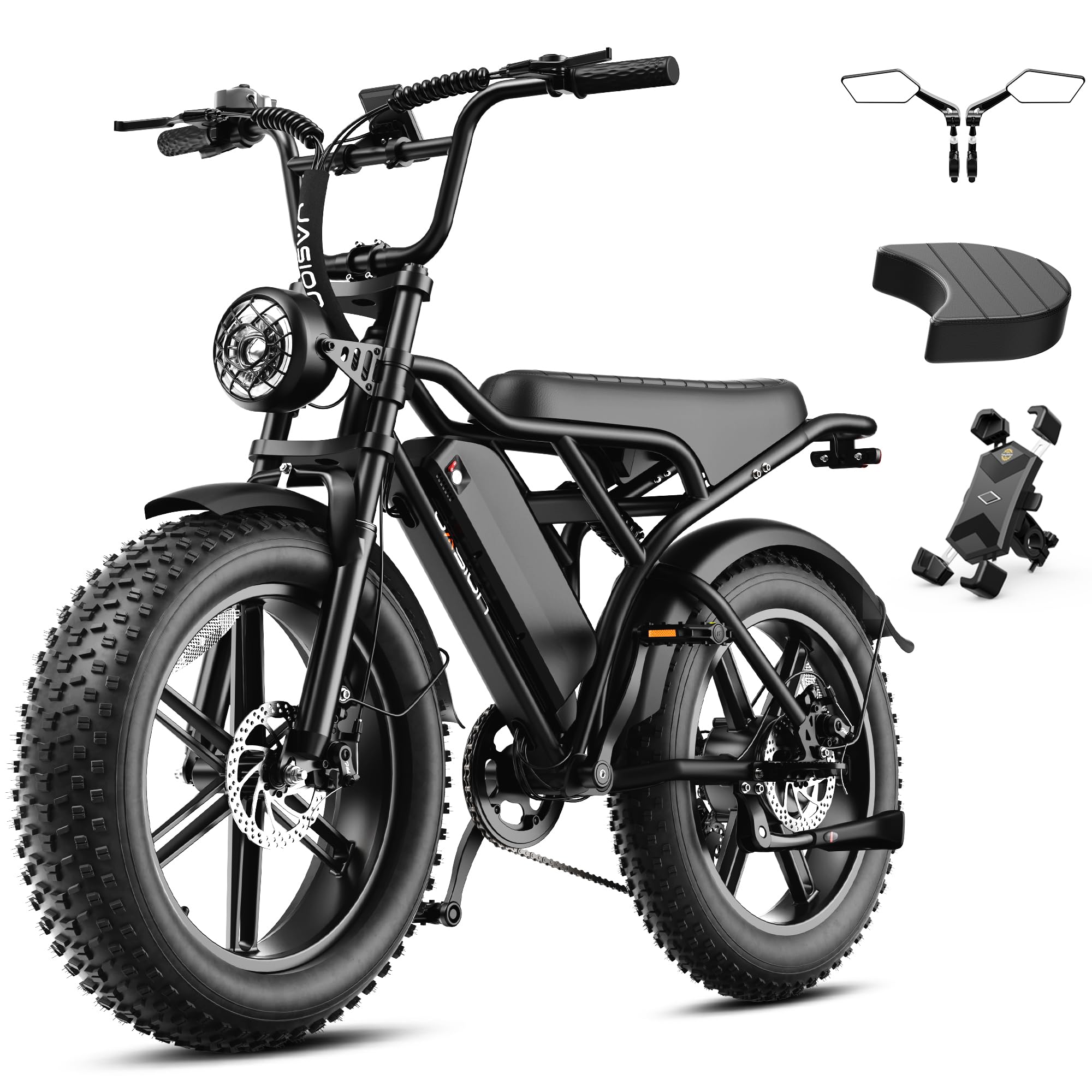
Image: The Jasion RetroVolt Electric Bike, showcasing its moped-style design and fat tires.
Video: An overview of the Jasion RetroVolt Electric Bike, highlighting its design and features.
2. Setup and Assembly
2.1 Unboxing and Initial Inspection
Your Jasion RetroVolt Electric Bike arrives 85% pre-assembled. Carefully remove all components from the packaging. Inspect for any visible damage during transit. If you find any damage or missing parts, contact customer support immediately.
2.2 Included Components
The package typically includes:
- Jasion RetroVolt Electric Bike (main frame with motor and wheels)
- 48V 15Ah Battery
- Battery Charger
- Rear Seat Pad
- Tool Kit
- Mudguards
- User Manual (this document)
2.3 Assembly Steps
Follow these steps to complete the assembly of your Jasion RetroVolt:
- Handlebar Installation: Attach the handlebar to the stem. Ensure it is aligned with the direction of the front wheel. Tighten the clamping screws securely using the provided tools.
- Headlight Attachment: Remove the side screws and foam washers from the front light. Adjust the bracket to face outward, then position and secure the headlight. Connect its cable to the bike's power cable.
- Pedal Installation: Identify the left (L) and right (R) pedals. Thread the pedals into the crank arms by hand, then tighten them firmly with a wrench. Note that the left pedal tightens counter-clockwise.
- Battery Installation: Insert the fully charged battery into its compartment on the frame. Ensure it clicks securely into place.
- Tire Inflation: Inflate both fat tires to the recommended pressure indicated on the tire sidewall.
- Brake Check and Adjustment: Test both front and rear brakes. If the brake pads rub against the disc or feel loose, adjust the calipers and levers as needed. Refer to the troubleshooting section or a professional if unsure.
- Final Inspection: Double-check all bolts, nuts, and quick releases to ensure they are securely tightened before your first ride.

Image: A person performing final assembly steps on the Jasion RetroVolt Electric Bike.
Video: An unboxing and assembly guide for the RetroVolt Pro, demonstrating key setup steps.
Video: A short preview showing the headlight attachment process on a Jasion RetroVolt electric bike.
3. Operation Guide
3.1 Powering On/Off
To power on the bike, press and hold the power button on the display unit. To power off, press and hold the same button until the display turns off.
3.2 Riding Modes
The Jasion RetroVolt offers five distinct riding modes to suit various preferences and terrains:
- Pedal-Assist Mode: Provides motor assistance as you pedal, conserving battery and reducing effort.
- Throttle Mode: Engages the motor without pedaling, similar to a moped.
- Cruise Mode: Maintains a steady speed without continuous throttle input.
- Walking Mode: Provides low-speed assistance for pushing the bike alongside you.
- Pedaling Mode: Operates as a traditional bicycle with no motor assistance.

Image: Visual representation of the five riding modes available on the Jasion RetroVolt.
3.3 Gear Shifting
The bike is equipped with a 7-speed drivetrain. Use the trigger shifter on the handlebar to change gears, allowing you to adapt to different speeds and inclines. Shift to lower gears for easier climbing and higher gears for faster speeds on flat terrain.
3.4 Braking
The Jasion RetroVolt features dual disc brakes for reliable stopping power. Apply both brake levers simultaneously for effective and controlled deceleration. Regularly check brake pad wear and disc condition.

Image: Detailed view of the disc brake system, emphasizing responsive stopping power.
3.5 Display and Controls
The integrated color display provides information such as speed, battery level, riding mode, and mileage. Use the control buttons near the left grip to navigate through settings and adjust assist levels.

Image: The bike's intelligent control features, including the display and app connectivity.
3.6 Battery Usage and Range
The 48V 15Ah removable battery provides a range of up to 70 miles, depending on terrain, rider weight, and assist level. A full charge takes approximately 5-6 hours. The battery is UL-certified for safety and features a water-resistant design.

Image: The removable 48V 15Ah battery being charged, highlighting its long range and safety features.
Video: A short demonstration of the Jasion RetroVolt Pro E-Bike's performance and features.
4. Maintenance
Regular maintenance ensures the longevity and safe operation of your Jasion RetroVolt Electric Bike.
4.1 Battery Care
- Charge the battery regularly, even if not in use, to maintain its health.
- Avoid fully discharging the battery.
- Store the battery in a cool, dry place, away from direct sunlight and extreme temperatures.
- Do not leave the battery in the bike if it will be exposed to direct sunlight for extended periods.
- Ensure the charging port is protected from water and debris.
4.2 Tire Care
- Check tire pressure before each ride. Maintain the recommended PSI (pounds per square inch) as indicated on the tire sidewall.
- Inspect tires for wear, cuts, or punctures.
4.3 Brake System Maintenance
- Regularly inspect brake pads for wear and replace them when necessary.
- Ensure brake levers are responsive and provide adequate stopping power. Adjust cable tension if levers feel too loose or too tight.
- Check disc rotors for warping or damage.
4.4 General Cleaning
- Clean the bike regularly with a damp cloth and mild soap. Avoid high-pressure washing directly on electrical components.
- Lubricate the chain periodically to ensure smooth operation and prevent rust.
- Inspect all fasteners (bolts, nuts) for tightness before each ride.
5. Troubleshooting
This section addresses common issues you might encounter with your Jasion RetroVolt Electric Bike.
5.1 Common Issues and Solutions
| Problem | Possible Cause | Solution |
|---|---|---|
| Bike does not power on | Battery not installed correctly, battery discharged, loose connection. | Ensure battery is fully seated and charged. Check all electrical connections. |
| Motor not assisting/engaging | Low battery, incorrect riding mode, sensor issue. | Charge battery. Select an assist mode (Pedal-Assist or Throttle). Check for error codes on the display. |
| Brakes rub or feel weak | Misaligned brake caliper, worn brake pads, loose cable. | Adjust brake caliper alignment. Replace worn brake pads. Tighten brake cable. |
| Rear tire rubs against frame/fender | Misaligned wheel, bent fender, improper assembly. | Check wheel alignment. Adjust fender position. Ensure all rear wheel components are correctly installed and tightened. |
| Short battery range | Under-inflated tires, heavy load, frequent use of high assist levels, cold weather. | Ensure tires are properly inflated. Reduce load. Use lower assist levels. Battery performance may decrease in cold temperatures. |
If you encounter issues not listed here or require further assistance, please contact Jasion customer support.
6. Technical Specifications
| Feature | Specification |
|---|---|
| Model Name | RetroVolt |
| Motor Peak Power | 2000W |
| Torque | 99Nm |
| Battery | 48V 15Ah (Removable) |
| Max Range | Up to 70 miles |
| Charging Time | Approx. 5-6 hours |
| Top Speed | Up to 30 MPH |
| Wheel Size | 20 inches (4.0 inch width fat tires) |
| Frame Material | Carbon Steel |
| Suspension Type | Dual |
| Brake Style | Disc (Dual Disc Brake) |
| Number of Speeds | 7 |
| Riding Modes | 5 (Pedal-Assist, Throttle, Cruise, Walking, Pedaling) |
| Payload Capacity | 330 lbs |
| Recommended Rider Height | 5 ft 4 in to 6 ft 3 in |
| Item Weight | 75 pounds |

Image: Size and capacity guide for the Jasion RetroVolt Electric Bike, including key dimensions and recommended rider height.
7. Warranty Information
The Jasion RetroVolt Electric Bike comes with a 1-Year Warranty from the date of purchase, covering manufacturing defects. Jasion also offers a 2-Year Reliability Commitment. Please refer to the official Jasion website or contact customer support for detailed warranty terms and conditions.
8. Customer Support
For any questions, technical assistance, or warranty claims, please contact Jasion customer support. You can also visit the official Jasion store for more information and resources.
Seller: JASION USA
Jasion Store: Visit the Jasion Store on Amazon
Related documentsRetroVolt


Ask a question about this manual
Ask about setup, troubleshooting, compatibility, parts, safety, or missing instructions. Manuals+ will review the question and use this page’s manual context to help answer it.