
1. Introduction
The SKIL PWR CORE GO Power Driver ID0140-02 is a versatile 3-in-1 tool designed for various DIY projects, home repairs, and assembly tasks. It functions as an impact driver, drill, and screwdriver, offering compact power and precise control. This manual provides essential information for the safe and effective use, maintenance, and troubleshooting of your power driver.
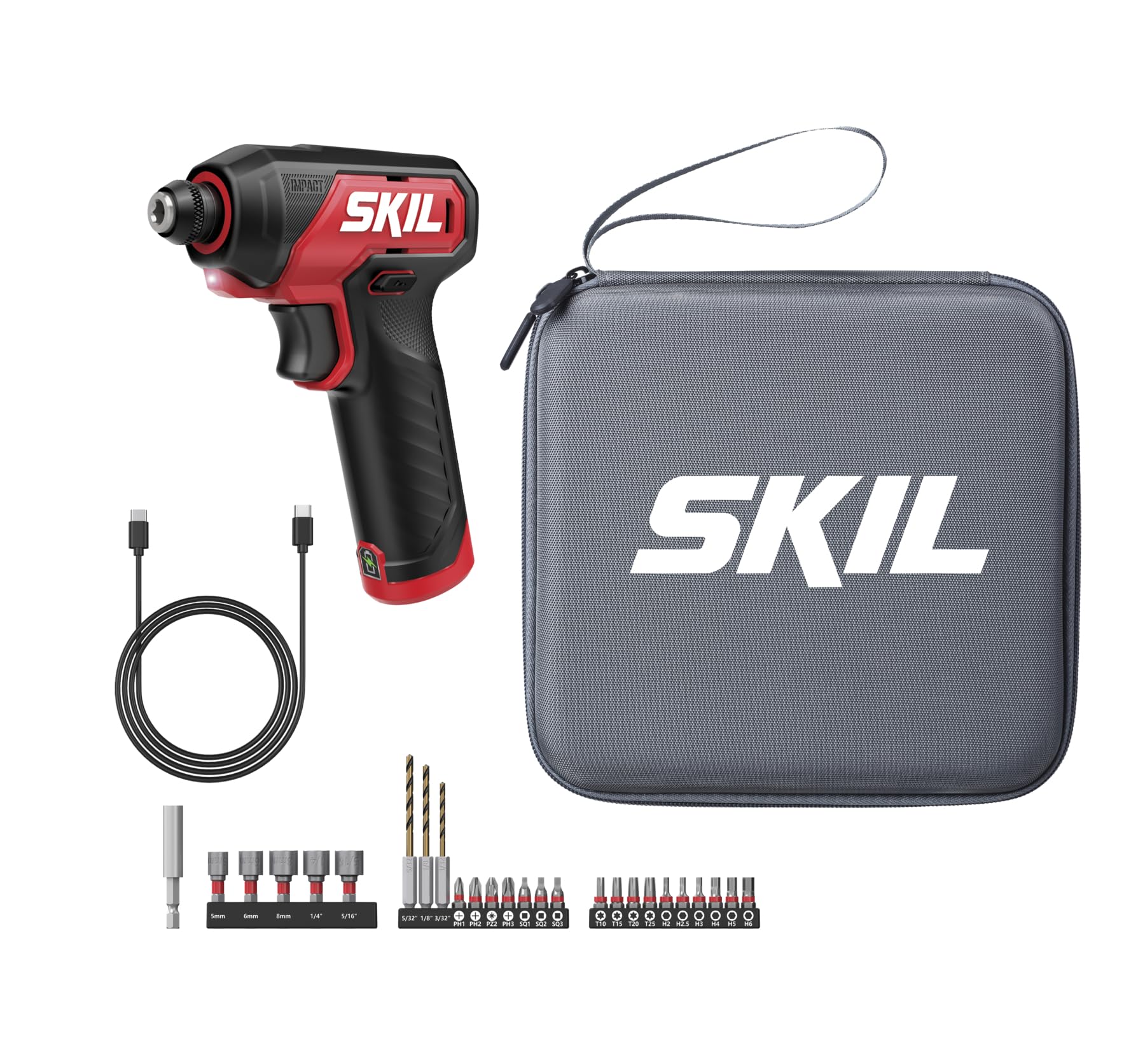
Image 1: SKIL PWR CORE GO Power Driver with included accessories.
2. Safety Information
WARNING: Read all safety warnings, instructions, illustrations, and specifications provided with this power tool. Failure to follow all instructions listed below may result in electric shock, fire, and/or serious injury.
- Always wear eye protection.
- Keep work area clean and well lit.
- Do not operate power tools in explosive atmospheres, such as in the presence of flammable liquids, gases, or dust.
- Keep children and bystanders away while operating a power tool.
- Avoid unintentional starting. Ensure the switch is in the off-position before connecting to power source, picking up or carrying the tool.
- Do not overreach. Keep proper footing and balance at all times.
- Use the correct power tool for your application.
- Disconnect the plug from the power source and/or remove the battery pack, if detachable, from the power tool before making any adjustments, changing accessories, or storing power tools.
3. Package Contents
Verify that all items are present in your package:
- 1 x SKIL PWR CORE GO Power Driver
- 1 x 2-3/8 inch Magnetic Bit Holder
- 3 x Hex Drilling Bits (3/32 in, 1/8 in, 5/32 in)
- 5 x 1-3/8 inch Length Bit-Sockets (5mm, 6mm, 1/4 in, 5/16 in, 8mm)
- 17 x 1 inch Screw Bits (PH1, PH2, PZ2, PH3, SQ1, SQ2, SQ3, T10, T15, T20, T25, H2, H2.5, H3, H4, H5, H6)
- 3 x Bit Storage with 10 holes
- 1 x 0.5m USB-C to USB-C PVC Charging Cable
- 1 x Tool Bag
4. Setup
4.1 Charging the Power Driver
The SKIL PWR CORE GO Power Driver features convenient USB-C recharging. To charge the tool:
- Locate the USB-C charging port on the tool.
- Connect the provided USB-C charging cable to the tool's port.
- Connect the other end of the USB-C cable to a compatible USB power source (e.g., wall adapter, computer USB port).
- Allow the tool to charge until the charging indicator light shows a full charge.
4.2 Installing and Removing Bits
The power driver is equipped with a locking 1/4-inch hex collet for secure bit retention and quick changes.
- To install a bit, pull the collet forward and insert the 1/4-inch hex shank bit fully into the chuck.
- Release the collet. The bit should be securely locked in place. Gently tug on the bit to ensure it is seated correctly.
- To remove a bit, pull the collet forward and pull the bit out.

Image 2: Locking 1/4-inch hex collet for secure bit changes.
5. Operation
5.1 Powering On/Off and Variable Speed Control
The power driver is activated by pressing the trigger. The tool features a variable speed trigger, allowing for precise control over the rotational speed up to 3,000 RPM.
- To start the tool, press the trigger.
- To increase speed, press the trigger further.
- To decrease speed, release the trigger slightly.
- To stop the tool, fully release the trigger.

Image 3: Variable speed control for precise operation.
5.2 Using the LED Work Light
An integrated LED work light illuminates the work area, improving visibility in dimly lit or hard-to-reach spaces.
- The LED light activates automatically when the trigger is pressed.
- Position the tool to direct the light onto your work surface for enhanced accuracy.

Image 4: Built-in LED work light for improved visibility.
5.3 Applications
The SKIL PWR CORE GO Power Driver is designed for a variety of tasks, combining impact driving, drilling, and screwdriving capabilities.
- Impact Driving: Ideal for driving screws into tough materials like wood studs without pilot holes, delivering up to 200 in-lbs of torque.
- Drilling: Use appropriate hex drilling bits for creating holes in wood, metal, drywall, and plastic.
- Screwdriving: Perfect for furniture assembly, appliance repair, and fastening hardware.

Image 5: Versatile utility for impact driving, drilling, and screwdriving.

Image 6: Demonstrating compact power during operation.
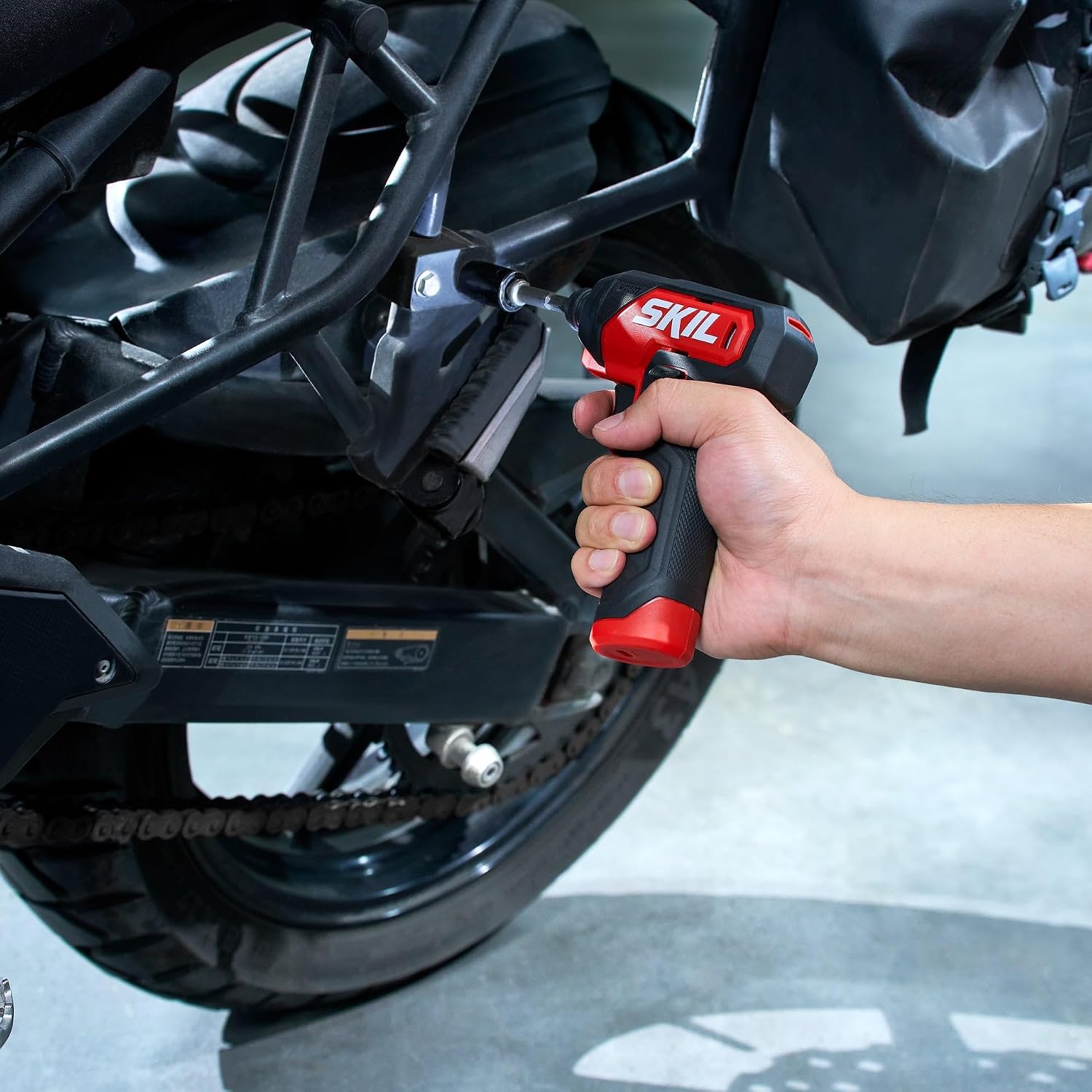
Image 7: Compact design allows easy maneuverability in tight spaces.
5.4 Product Video
Video 1: Official product overview of the SKIL PWR CORE GO Power Driver, demonstrating its features and use.
6. Maintenance
- Cleaning: Keep the tool's ventilation openings clean and free of debris to prevent overheating. Use a soft, damp cloth to clean the exterior. Do not use harsh chemicals or abrasive cleaners.
- Storage: Store the power driver and its accessories in a dry, secure location, away from direct sunlight and extreme temperatures. Use the provided tool bag for organized storage.
- Bit Care: Inspect bits regularly for wear or damage. Replace worn bits to ensure optimal performance and safety.
7. Troubleshooting
- Tool not turning on: Ensure the battery is charged. Connect the USB-C cable to a power source and allow time for charging. Check the charging cable and power source for proper function.
- Reduced power or performance: The battery may be low. Recharge the tool. Ensure the correct bit is used for the application and that it is securely installed.
- Bit slipping: Ensure the bit is fully inserted into the hex collet and the collet is released to lock it in place. Replace worn or damaged bits.
- Overheating: Allow the tool to cool down if it becomes excessively warm during prolonged use. Ensure ventilation openings are clear.
8. Specifications
| Feature | Specification |
|---|---|
| Brand | Skil |
| Model Number | ID0140-02 |
| Power Source | Battery Powered |
| Voltage | 4 volts |
| Maximum Rotational Speed | 3000 rpm |
| Maximum Torque | 200 in-lb |
| Maximum Chuck Size | 0.25 inches (1/4-inch hex) |
| Drill Type | Impact Driver |
| Item Weight | 1.1 pounds |
| Item Dimensions (L x W x H) | 4.92"L x 1.73"W x 6.26"H |
| UPC | 195532203385 |
9. Warranty and Support
For detailed warranty information, product registration, and customer support, please visit the official SKIL website or contact their customer service department. You can find more information and contact details on the SKIL Brand Store on Amazon.