
KIPTUMTEK Y8
Contents
KIPTUMTEK Y8 Military Smart Watch User Manual
Model: Y8
1. Introduction
The KIPTUMTEK Y8 Military Smart Watch is a robust and feature-rich device designed for active lifestyles. It offers a 1.95-inch HD display, over 120 sports modes, comprehensive health monitoring, and a long-lasting battery. This manual provides essential information for setting up, operating, and maintaining your smart watch.
Key features include Bluetooth 5.4 for calls and notifications, 30+ day battery life, IP68 waterproof rating, and a built-in LED flashlight and compass.


2. What's in the Box
Upon opening your KIPTUMTEK Y8 Military Smart Watch package, you should find the following items:
- Smart Watch
- Charging Cable
- User Manual (this document)

3. Setup
3.1. Charging the Smart Watch
Before initial use, fully charge your KIPTUMTEK Y8 smart watch. Connect the magnetic charging cable to the charging contacts on the back of the watch and plug the USB end into a power adapter (not included) or a computer's USB port. A full charge typically takes approximately 2 hours.

3.2. App Installation and Pairing
To unlock the full potential of your smart watch, download and install the "Da Fit" application on your smartphone.
- Download the "Da Fit" app: Search for "Da Fit" in the Apple App Store (for iOS devices) or Google Play Store (for Android devices) and install it.
- Enable Bluetooth: Turn on Bluetooth on your smartphone.
- Add Device: Open the "Da Fit" app, navigate to the device section, and tap "Add New Device." The app will search for available devices.
- Select Y8: From the list of found devices, select "Y8" to initiate the pairing process. Confirm pairing on both your phone and the watch if prompted.
- Grant Permissions: Follow the on-screen prompts in the app to grant necessary permissions for notifications and other features.

3.3. Bluetooth Calling and Smart Notifications
After successful pairing, your KIPTUMTEK Y8 smart watch supports Bluetooth calls and real-time notifications.
- Bluetooth Calls: The watch uses Bluetooth 5.4, a built-in microphone, and an HD speaker. You can make, answer, or reject calls directly from your wrist. Ensure the Bluetooth connection is stable.
- Message Notifications: The watch displays real-time notifications from various apps like Facebook, WhatsApp, Instagram, and Twitter. Enable these notifications within the "Da Fit" app settings on your smartphone. (Note: Message reply is not supported directly from the watch).

4. Operating the Smart Watch
4.1. Display and Navigation
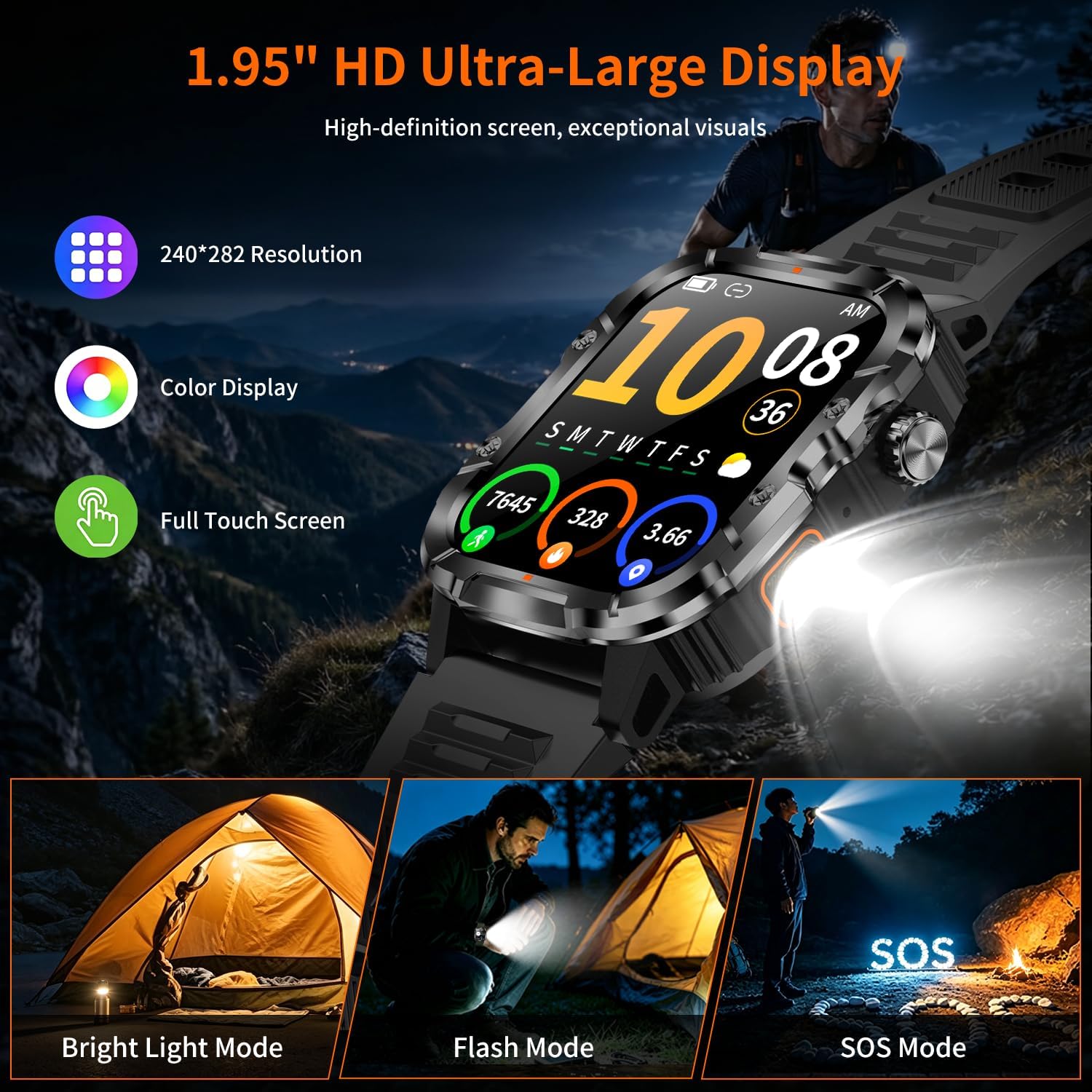
The KIPTUMTEK Y8 features a 1.95-inch HD touch screen for clear visuals and easy interaction. Navigate through menus and functions by swiping across the screen and tapping icons. Physical buttons on the side provide additional control for specific functions like power or quick access to sports modes.

4.2. Sports Modes
The watch supports over 120 sports modes, including running, cycling, yoga, and skiing. To access sports modes:
- Swipe on the watch face to find the 'Exercise' or 'Sports' menu.
- Select your desired activity from the list.
- The watch will begin tracking metrics such as steps, distance, and calories burned in real-time.

4.3. Health Monitoring
The KIPTUMTEK Y8 provides continuous health tracking:
- Heart Rate: Monitors your heart rate trends throughout the day.
- Sleep Tracking: Analyzes your sleep patterns, including deep sleep, light sleep, and awake time.
- Stress Levels: Tracks daily stress levels.
- Menstrual Cycle Logging: A feature for daily wellness recording for female users.
Access detailed health data within the "Da Fit" app to understand your habits and make informed choices. This device is intended for general wellness and fitness purposes only.

4.4. Special Features
- LED Flashlight: Activate the built-in high-brightness LED flashlight with a single button press for nighttime activities or emergencies.
- Precision Compass: Use the integrated compass for navigation, especially useful in outdoor environments without signal.
4.5. Other Smart Functions
The watch includes over 20 practical functions:
- Timer and Stopwatch
- Weather Forecast
- Music Control (play, pause, skip tracks on your phone)
- Remote Camera Shutter (control your phone's camera remotely)
- Alarm Clock
- Calculator
5. Maintenance
5.1. Water Resistance and Durability
The KIPTUMTEK Y8 smart watch boasts an IP68 waterproof rating, making it resistant to dust and submersion in water up to 1.5 meters for 30 minutes. It has also passed 12 military-grade tests, ensuring its durability against extreme environments, impacts, and corrosion.
While IP68 rated, it is recommended to avoid prolonged exposure to hot water, steam, or high-pressure water jets, as these can compromise the seals over time.

5.2. Cleaning
To clean your smart watch, wipe it with a soft, damp cloth. Avoid using harsh chemicals or abrasive materials, which can damage the screen or casing. Ensure the charging contacts are clean and dry before charging.
5.3. Battery Care
To maximize battery lifespan, avoid fully discharging the watch frequently. Charge it regularly, and if storing for an extended period, ensure it has at least a 50% charge.
6. Troubleshooting
If you encounter issues with your KIPTUMTEK Y8 smart watch, try the following solutions:
- Watch not turning on: Ensure the watch is fully charged. Connect it to the charger and wait a few minutes before attempting to power it on.
- Cannot pair with phone:
- Ensure Bluetooth is enabled on your phone.
- Make sure the watch is within range of your phone.
- Restart both your phone and the watch.
- Clear the Bluetooth cache on your phone (if applicable) and try again.
- Ensure the "Da Fit" app has all necessary permissions.
- Notifications not appearing:
- Check notification settings within the "Da Fit" app.
- Ensure your phone's notification settings allow the "Da Fit" app to send notifications.
- Verify that the watch is properly connected via Bluetooth.
- Inaccurate health data: Ensure the watch is worn snugly on your wrist, not too tight or too loose. Clean the sensor on the back of the watch.
- Short battery life: Reduce screen brightness, disable unnecessary notifications, and limit continuous heart rate monitoring if not needed.
If these steps do not resolve your issue, please refer to the support section.
7. Specifications
| Feature | Detail |
|---|---|
| Model Name | Y8 |
| Screen Size | 1.95 inches |
| Resolution | 240 x 282 Pixels |
| Display Type | TFT LCD |
| Operating System | Real-time Operating System (RTOS) |
| Connectivity Technology | Bluetooth 5.4, GPS |
| Battery Capacity | 1000mAh (Lithium Ion) |
| Battery Charge Time | 2 hours |
| Typical Usage Battery Life | Up to 15 days |
| Standby Time | 30+ days |
| Waterproof Rating | IP68 |
| Durability Standard | 12 Military Grade Tests (U.S. MIL-STD-810H Quality) |
| Memory Storage Capacity | 64 MB |
| RAM Memory Installed | 400 KB |
| Compatible Devices | Android Phones, iPhones (iOS 9.0 and above, Android 9.0 and above) |
| Human Interface Input | Buttons, Touchscreen |
| Band Material Type | Silicone |
| Case Material Type | Plastic |
| Item Weight | 1.9 ounces |
8. Warranty & Support
8.1. Warranty Information
The KIPTUMTEK Y8 Military Smart Watch comes with a 1 Year Manufacturer Warranty. This warranty covers defects in materials and workmanship under normal use. Please retain your proof of purchase for warranty claims.
The warranty does not cover damage caused by misuse, accidents, unauthorized modifications, or normal wear and tear.
8.2. Customer Support
For technical assistance, warranty claims, or any questions regarding your KIPTUMTEK Y8 smart watch, please contact KIPTUMTEK customer support through the following channels:
- Visit the official KIPTUMTEK website for support resources and contact information.
- Refer to the contact details provided on your product packaging or purchase receipt.
When contacting support, please have your product model (Y8) and proof of purchase ready.
Ask a question about this manual
Ask about setup, troubleshooting, compatibility, parts, safety, or missing instructions. Manuals+ will review the question and use this page’s manual context to help answer it.