
1. Introduction
Welcome to the user manual for your new Xiaomi Redmi Watch 6 Lite Smart Watch. This guide provides essential information on setting up, operating, maintaining, and troubleshooting your device to ensure a seamless experience. The Redmi Watch 6 Lite features a 1.96-inch AMOLED display, Bluetooth calling, up to 18-day battery life, 5 ATM water resistance, and over 150 sport modes.
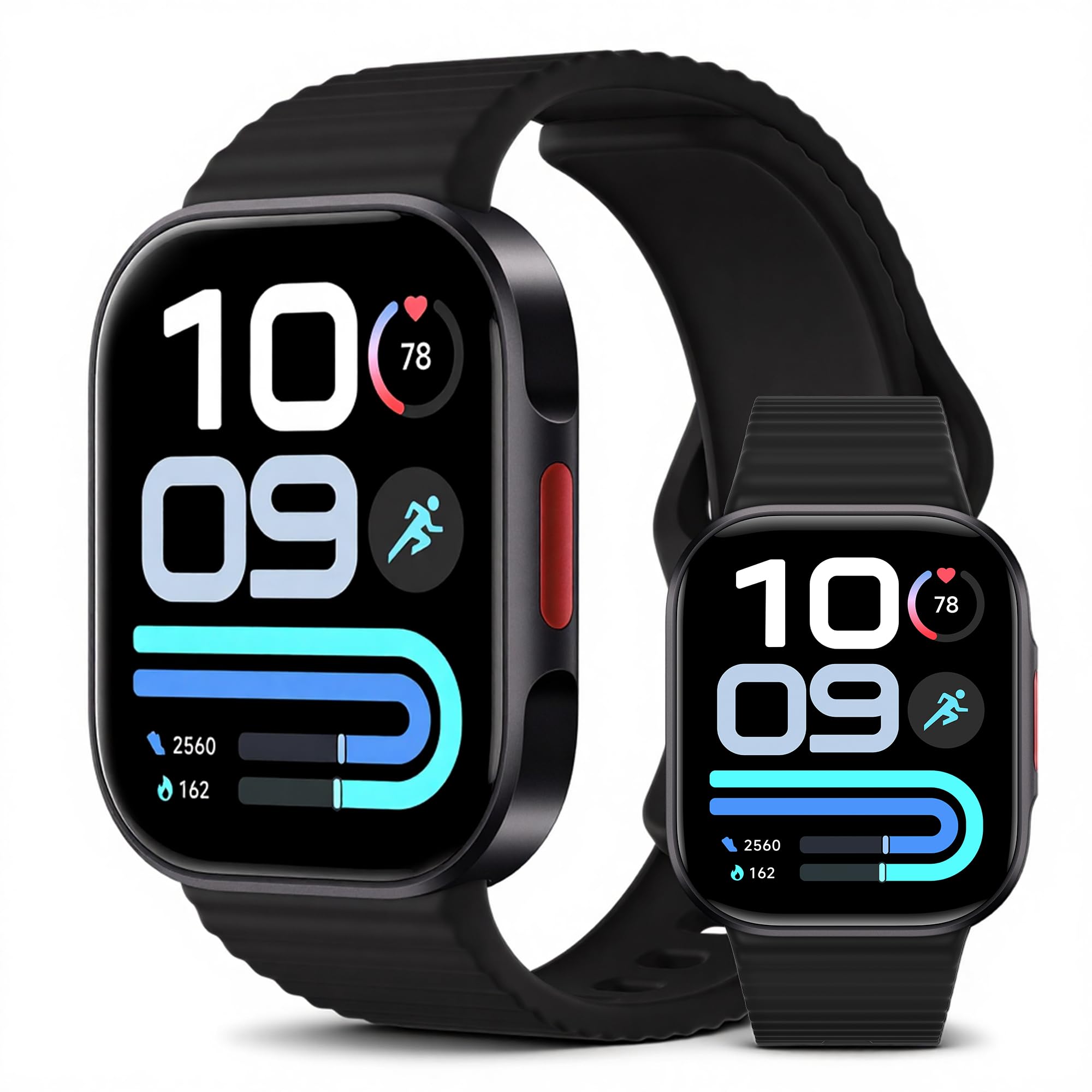
Image: The Xiaomi Redmi Watch 6 Lite Smart Watch, showcasing its sleek design and vibrant display.
2. Setup
2.1 What's in the Box
- Xiaomi Redmi Watch 6 Lite
- Charging Cable
- User Manual
2.2 Initial Charging
Before first use, fully charge your Redmi Watch 6 Lite using the provided charging cable. Connect the magnetic end of the cable to the charging contacts on the back of the watch and the USB end to a power adapter (not included) or a computer's USB port. The watch display will indicate charging status.
2.3 Powering On/Off
- Power On: Press and hold the side button until the Xiaomi logo appears.
- Power Off: From the watch face, swipe down to access quick settings, or navigate to Settings > System > Power Off. Confirm your selection.
2.4 Pairing with Your Smartphone
- Download the official Xiaomi Wear app (or Mi Fitness app) from your smartphone's app store.
- Open the app and create an account or log in.
- Ensure Bluetooth is enabled on your smartphone.
- In the app, follow the on-screen instructions to add a new device. Select 'Redmi Watch 6 Lite'.
- A pairing request will appear on your watch. Confirm the pairing on both your watch and smartphone.
2.5 Attaching/Changing the Strap
The Redmi Watch 6 Lite features a quick-release TPU strap for easy customization.

Image: Diagram illustrating the quick-release strap mechanism and how to change the watch strap.
- To remove: Slide the quick-release button inward on the underside of the strap and gently pull the strap away from the watch body.
- To attach: Align the new strap with the watch body, slide the quick-release button inward, and push the strap into place until it clicks securely. Release the button.
2.6 Unboxing and Initial Overview

Video: An unboxing video of the Xiaomi Redmi Watch 6 Lite Smart Watch, demonstrating its contents and initial appearance.
3. Operating Your Watch
3.1 Display and Navigation
The Redmi Watch 6 Lite features a 1.96-inch rectangular AMOLED screen with 410 x 502 pixels resolution and up to 1500 nits peak brightness, supporting an always-on display (AOD).

Image: The vibrant 1.96-inch AMOLED display of the Redmi Watch 6 Lite, highlighting its clarity and brightness.
- Swipe Up: View notifications.
- Swipe Down: Access quick settings (e.g., brightness, DND, flashlight).
- Swipe Left/Right: Cycle through widgets (e.g., heart rate, weather, activity).
- Press Side Button: Return to the watch face or open the app list.
3.2 Bluetooth Calling
With Bluetooth 5.3 connectivity, you can make and answer calls directly from your watch when paired with your smartphone. Ensure your watch is connected to your phone via Bluetooth and the necessary permissions are granted in the app.
3.3 Sport Modes and GPS Tracking
The watch offers over 150 sport modes and supports multi-system satellite positioning (built-in GPS) for accurate outdoor activity tracking.

Image: Visual representation of the Redmi Watch 6 Lite tracking various sports activities like running, swimming, and cycling.
To start a workout:
- Open the 'Workout' app on your watch.
- Select your desired sport mode.
- Wait for GPS signal acquisition (for outdoor activities) and then tap 'Go' to start.
3.4 Health Monitoring
The Redmi Watch 6 Lite provides 24/7 health monitoring features:

Image: Screenshots from the Redmi Watch 6 Lite displaying heart rate, blood oxygen, and stress monitoring data.
- Heart Rate: Tracks heart rate continuously.
- Blood Oxygen (SpO2): Measures blood oxygen saturation levels.
- Stress Level: Monitors stress throughout the day.
- Sleep Tracking: Analyzes sleep patterns and quality.
- Women's Health: Provides menstrual cycle tracking and predictions.
Access these features via the respective apps on your watch or through the connected smartphone app for detailed insights.
3.5 Battery Life
The 470 mAh battery provides up to 18 days in light usage and 12 days in normal usage on a single charge.

Image: Graphic illustrating the extended battery life of the Redmi Watch 6 Lite, showing up to 18 days of usage.
4. Maintenance
4.1 Wearing the Watch Correctly
To ensure accurate readings and comfort, wear the watch properly:
- Avoid wearing it too tight or too loose.
- Keep the strap and your wrist clean and dry, especially after sweating.
- Loosen the strap slightly for daily use.
- Give your wrist a 30-minute break after long periods of wear.
- If you experience itchiness, redness, or discomfort, discontinue use and consult a doctor.
4.2 Water Resistance
The Redmi Watch 6 Lite has a 5 ATM water resistance rating, meaning it can withstand pressures equivalent to a depth of 50 meters. It is suitable for swimming in pools, shallow-water swimming, and other water activities in shallow areas. It is not suitable for use in showers, saunas, or deep diving. Avoid direct exposure to high-speed water streams during water sports. The water resistance function is not permanent and may deteriorate over time.
4.3 Cleaning
Regularly clean your watch and strap with a soft, damp cloth. Avoid using harsh chemicals or abrasive materials.
5. Troubleshooting
5.1 Watch Not Turning On
- Ensure the watch is fully charged. Connect it to the charger for at least 30 minutes.
- Press and hold the side button for 10-15 seconds to attempt a force restart.
5.2 Pairing Issues
- Make sure Bluetooth is enabled on your smartphone and the watch is within range.
- Restart both your watch and smartphone.
- Ensure the Xiaomi Wear app (or Mi Fitness app) is updated to the latest version.
- Try unpairing the watch from your phone's Bluetooth settings and then re-pairing through the app.
5.3 Inaccurate Health Data
- Ensure the watch is worn correctly on your wrist, not too loose or too tight.
- Clean the sensor area on the back of the watch.
- Avoid excessive movement during measurements (e.g., SpO2).
5.4 Short Battery Life
- Reduce screen brightness or set it to auto-brightness.
- Disable Always-On Display (AOD) if not needed.
- Limit the number of apps running in the background or receiving frequent notifications.
- Disable continuous heart rate or SpO2 monitoring if not required 24/7.
- Frequent GPS usage will consume more battery.
6. Specifications

Image: A visual summary of the Redmi Watch 6 Lite's key features and specifications.
| Feature | Detail |
|---|---|
| Model Name | Redmi Watch 6 Lite |
| Display | 1.96-inch AMOLED, 410 x 502 pixels, 1500 nits peak brightness, Always-On Display |
| Operating System | Xiaomi HyperOS |
| Connectivity | Bluetooth 5.3 |
| Battery Capacity | 470 mAh Lithium Ion |
| Battery Life | Up to 18 days (light usage), 12 days (normal usage) |
| Water Resistance | 5 ATM |
| GPS | Built-in GPS (Multi-system satellite positioning) |
| Sport Modes | 150+ |
| Health Tracking | Heart Rate, Blood Oxygen (SpO2), Stress Level, Sleep, Women's Health |
| Dimensions | 1.85 x 1.56 x 0.39 inches (approx.) |
| Weight | 30.6 g |
| Strap Material | TPU (135–205 mm) |

Image: Detailed diagram showing the dimensions of the Redmi Watch 6 Lite, including screen length, width, thickness, and strap size.
7. Support and Warranty
7.1 Customer Support
For further assistance, technical support, or warranty inquiries, please visit the official Xiaomi support website or contact their customer service. Refer to the packaging or the official Xiaomi website for the most up-to-date contact information.
7.2 Warranty Information
Your Xiaomi Redmi Watch 6 Lite is covered by a limited manufacturer's warranty. Please refer to the warranty card included with your product or visit the official Xiaomi website for detailed terms and conditions, including warranty period and coverage.