
1. Introduction
Thank you for choosing the FUNMILY 3.5HP Walking Pad Treadmill. This manual provides essential information for the safe and efficient operation, setup, and maintenance of your new fitness equipment. Please read this manual thoroughly before initial use and retain it for future reference.

Image: The FUNMILY Walking Pad Treadmill with handrails and a desk attachment, suitable for home use.
2. Important Safety Information
To reduce the risk of serious injury, read all instructions and warnings before using this treadmill. The manufacturer is not responsible for personal injury or property damage sustained by or through the use of this product.
- Always place the treadmill on a flat, stable surface.
- Keep children and pets away from the treadmill during operation.
- Ensure adequate clearance around the treadmill (at least 2 feet on sides and front, 6 feet at rear).
- Wear appropriate athletic footwear.
- Do not use the treadmill if you feel dizzy, faint, or experience any pain. Consult a physician.
- Unplug the treadmill from the power outlet when not in use or before cleaning/maintenance.
- Do not operate the treadmill if the power cord or plug is damaged.
- The maximum user weight capacity is 350 pounds.
3. Package Contents
Carefully unpack all components and verify that you have received the following items:

Image: Visual representation of all items included in the product package.
- FUNMILY Walking Pad Treadmill (Main Unit)
- Removable Desk Workstation
- Handle Bar Assembly
- Remote Control
- Lubricant
- Power Cord
- Tool Kit (including L-shaped wrench)
- User Manual (this document)
4. Setup Instructions
The FUNMILY Walking Pad Treadmill comes 90% pre-assembled. Follow these simple steps to complete the setup:

Image: Step-by-step visual guide for assembling the treadmill, including attaching the handle and desk.
- Unfold the Treadmill: Carefully lift the handle bar assembly from its folded position until it locks securely into place. This is often referred to as the "2-Second Setup."
- Secure the Handle Bar: Use the provided L-shaped wrench and screws from the tool kit to firmly attach the handle bar to the main unit. Ensure all screws are tightened.
- Attach Mounting Bracket: If not already attached, secure the mounting brackets for the desk workstation to the handle bars.
- Install Desktop: Place the removable desk workstation onto the mounting brackets. Ensure it is stable and secure before placing any items on it.
- Power Connection: Connect the power cord to the treadmill and then to a grounded electrical outlet.
5. Operating Instructions
Your FUNMILY Walking Pad Treadmill offers various features for an effective workout. All functions are controlled via the included remote control.

Image: The treadmill's LED display showing workout metrics and the remote control for operation.
5.1 Power On/Off
- Press the power button on the remote control to turn the treadmill on or off.
5.2 Adjusting Speed
- Use the '+' and '-' buttons on the remote control to increase or decrease the speed.
- The speed range is 0.6 MPH to 4.0 MPH.
5.3 Manual Incline Adjustment
This treadmill features a manual incline system, allowing you to increase workout intensity.
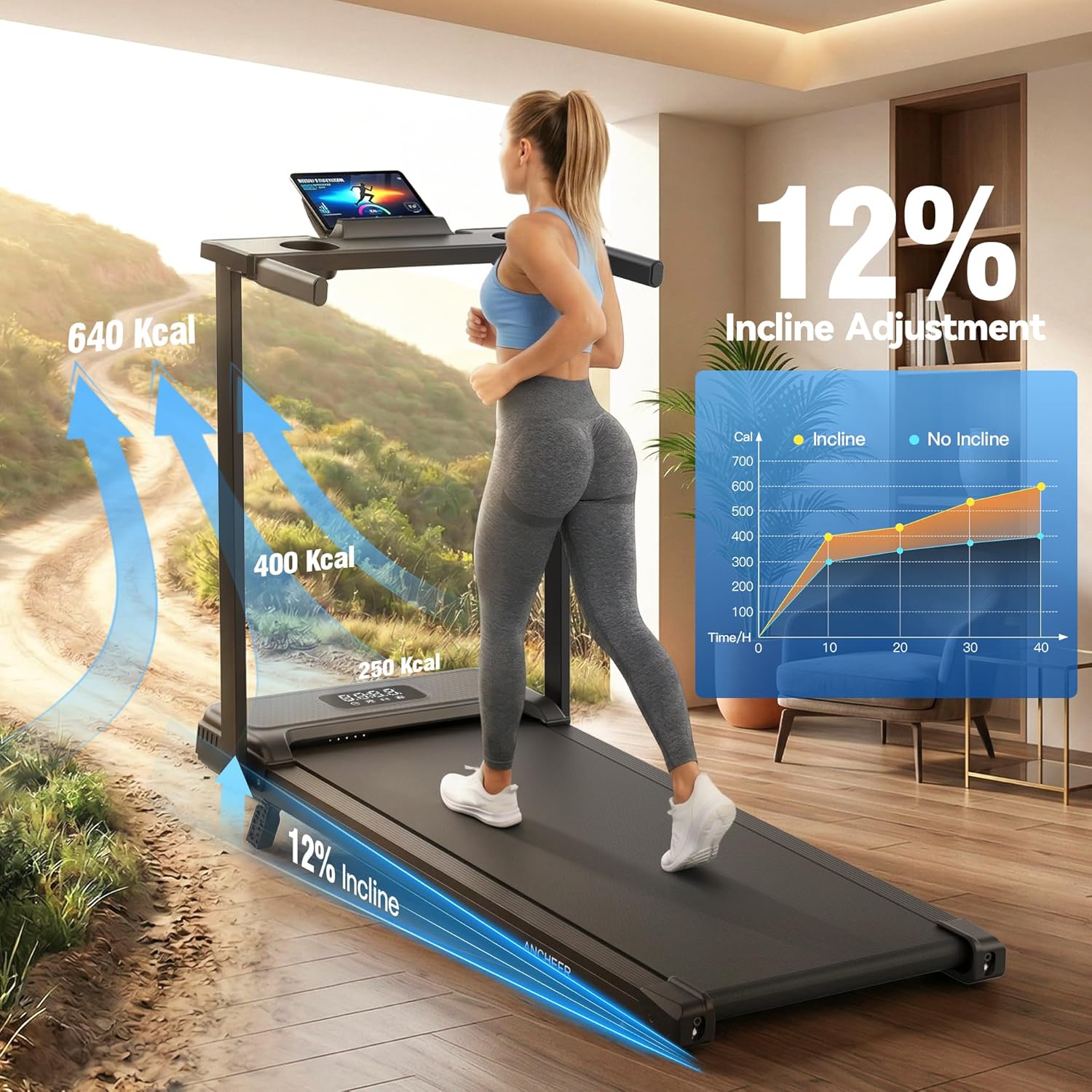
Image: A user exercising on the treadmill, highlighting the 12% manual incline capability.
- To adjust the incline, first turn off and unplug the treadmill.
- Locate the incline adjustment mechanism at the rear of the treadmill.
- Manually adjust the incline to your desired level, up to 12%. Ensure it is securely locked in place before resuming use.
5.4 Preset Programs
The treadmill includes 12 preset programs designed to guide your cardio routines with varied pacing.
- Press the 'Mode' or 'Program' button on the remote control to cycle through the available programs.
- Each program offers a different speed and intensity profile.
5.5 Display Metrics
The LED display shows real-time workout data:
- Time: Duration of your workout.
- Speed: Current walking/running speed.
- Distance: Total distance covered.
- Calories: Estimated calories burned.
5.6 Using the Desk Workstation
- The detachable desktop provides space for a laptop, book, or water bottle.
- Ensure items are securely placed to prevent them from falling during use.
Video: Demonstration of the treadmill's features, including speed adjustment and the desk functionality.
6. Maintenance
Regular maintenance ensures the longevity and optimal performance of your treadmill.
6.1 Cleaning
- Always unplug the treadmill before cleaning.
- Wipe down the surfaces with a damp cloth. Avoid abrasive cleaners or solvents.
- Keep the running belt and motor area free of dust and debris.
6.2 Running Belt Lubrication
The running belt requires periodic lubrication to reduce friction and extend its lifespan. Use the provided lubricant.
- Frequency: Lubricate every 3 months or after 50 hours of use, whichever comes first.
- Procedure: Lift the edge of the running belt and apply a small amount of lubricant directly onto the center of the deck. Run the treadmill at a low speed (e.g., 1 MPH) for 5 minutes to distribute the lubricant evenly.
6.3 Running Belt Adjustment
If the running belt shifts to one side or slips, it may need adjustment.
- Centering: If the belt drifts to the left, turn the left rear roller bolt clockwise a quarter turn. If it drifts to the right, turn the right rear roller bolt clockwise a quarter turn. Run the treadmill for a few minutes and re-check. Repeat until centered.
- Tensioning: If the belt slips, turn both rear roller bolts clockwise a quarter turn simultaneously. Run the treadmill and test. Repeat until slipping stops. Do not overtighten.
7. Troubleshooting
Refer to this section for common issues and their solutions.
| Problem | Possible Cause | Solution |
|---|---|---|
| Treadmill does not power on. | Power cord not connected; power outlet issue; safety key not in place. | Ensure power cord is fully plugged in. Check power outlet. Ensure safety key is correctly inserted. |
| Running belt stops or slips. | Belt too loose; insufficient lubrication. | Adjust belt tension (see Section 6.3). Lubricate the running belt (see Section 6.2). |
| Unusual noise during operation. | Loose components; belt misalignment; motor issue. | Check all bolts and screws for tightness. Adjust belt alignment (see Section 6.3). If noise persists, contact customer support. |
| Remote control not responding. | Dead batteries; remote out of range. | Replace remote control batteries. Ensure remote is pointed at the treadmill's sensor. |
If you encounter issues not listed here or if problems persist, please contact FUNMILY customer support.
8. Specifications
Key technical specifications for the FUNMILY Walking Pad Treadmill:

Image: Key specifications of the treadmill, including motor power, speed range, noise level, and weight capacity.
- Model: AMA006069
- Motor: 3.5 HP Brushless Motor
- Speed Range: 0.6 - 4.0 MPH
- Incline: 12% Manual Incline
- Weight Capacity: 350 lbs
- Product Dimensions (D x W x H): 47" x 22" x 5"
- Deck Length: 35 inches
- Deck Width: 15 inches
- Material: Acrylonitrile Butadiene Styrene (ABS), Alloy Steel Frame
- Programs: 12 Preset Programs
- Metrics Measured: Calories Burned, Distance, Speed, Time
- Special Features: Compact Design, Manual Incline, Shock Absorbent, Water Bottle Holder, Wheeled for transport.
9. Warranty and Customer Support
FUNMILY is committed to providing high-quality products and customer satisfaction.
9.1 Warranty Information
This FUNMILY Electric Treadmill comes with a one-year manufacturer's warranty. During this period, free replacement of parts will be provided for any manufacturing defects.
9.2 Customer Support
If you have any questions, concerns, or require assistance with your treadmill, please do not hesitate to contact our customer support team. We aim to respond to all inquiries within 24 hours.
For support, please send us an email. (Specific email address not provided in product data, please refer to product packaging or purchase documentation for contact details).